Krea AI pricing in 2026 runs from a $0 Free plan with 100 compute units a day to $135 a month for Max (or $81 billed yearly), with Basic at $9 and Pro at $35 for creators who want a commercial license, more image and video models, and more monthly units. If you searched for Krea AI pricing plans compute units and free limits explained 2026, here is everything in one place: what every plan includes, what a unit is worth in dollars, how far the free tier goes, and which plan fits which kind of creator.
Updated 14 November 2026. We read Krea's official pricing page in a browser on 14 November 2026, along with Pixara's live pricing page and its public credit rules. For context we also checked ImagineArt's subscription docs and Pika's pricing page the same day. All prices are as of 14 November 2026 in US dollars and can change, and promotions are temporary.
If you want to know how Krea's image model performs rather than what it costs, read our Krea 2 review. If you are already leaning away from Krea, our list of Krea AI alternatives compares the main options.
How much does Krea AI cost in 2026?
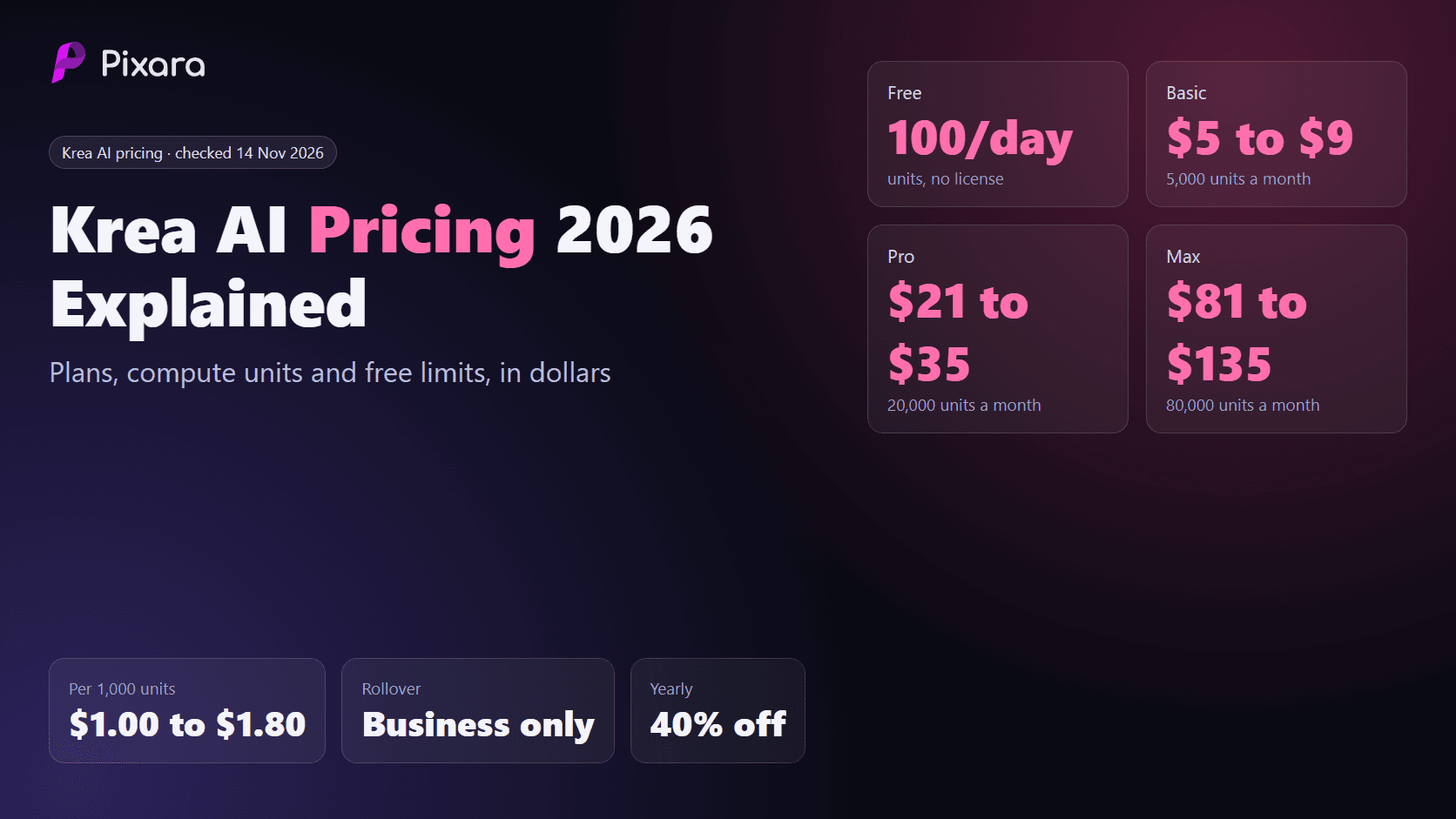
Krea AI costs $0 on Free, $9 a month on Basic, $35 on Pro, $135 on Max at 80,000 units and $200 on Business, or $5, $21, $81 and $160 a month billed yearly. Enterprise is custom. Every paid plan adds a commercial license and a monthly pool of compute units that pays for each generation.
Here is the full lineup as of 14 November 2026:
- Free: $0. 100 compute units per day, refilled daily. No credit card. Full access to real-time models, limited image upscaling, community support on Discord. No commercial license.
- Basic: $9 a month, or $5 a month billed yearly ($60 a year). 5,000 units a month. All image models, selected video models, 3D, lipsync, LoRA training on 50 images, upscaling to 22K, commercial license.
- Pro (most popular): $35 a month, or $21 a month billed yearly ($252 a year). 20,000 units a month. Adds all video models, App Builder and bulk discounts on compute unit packs.
- Max: $135 a month, or $81 a month billed yearly ($972 a year), at 80,000 units. A slider runs from 40,000 to 100,000 units. Adds unlimited LoRA training on up to 2,000 images and unlimited relaxed generations.
- Business: $200 a month, or $160 a month billed yearly, at 80,000 units, with unit packs from 20,000 to 1.5 million. Up to 50 seats included, SSO, per-member spend limits, indemnification, and unused units can roll over.
- Enterprise: custom pricing, agreed with Krea's sales team.

Krea's six plans side by side with monthly and yearly prices, monthly units and the main feature each tier adds, checked 14 November 2026.
What you actually buy is units, and Krea's $35 Pro card claims both about 800 images and about 65 videos. The sections below turn units into dollars per image and per clip.
If you already know you want images and video from several models under one bill, it is worth seeing how a single credit wallet compares before you commit to a Krea tier.

What does each Krea plan include?
Free is for testing real-time models with 100 daily units and no license. Basic adds all image models and a commercial license for $5 to $9. Pro unlocks every video model and App Builder. Max adds heavy volume, unlimited LoRA training and relaxed generations. Business adds seats, SSO, indemnification and rollover. Enterprise is custom.
Free and Basic
Free is for learning the tool: real-time models, limited upscaling and Discord support, but no commercial license. Basic is the cheapest licensed tier. Its plan card says 5,000 units make about 200 Nano Banana 2.1 generations or about 16 Seedance 2.5 videos, and it adds LoRA training on 50 images and upscaling to 22K.
Pro and Max
Pro's 20,000 units make about 803 Nano Banana 2.1 generations or about 65 Seedance 2.5 videos per its card, and it is the first tier with every video model. Max's card says about 3,214 images or 262 videos at 80,000 units. We only recorded Max's price at 80,000, so check the slider for other sizes.
Business and Enterprise
Business is the only listed plan where unused units roll over, but per unit it is the most expensive tier, so you pay for seats, SSO, spend limits and indemnification rather than cheaper generations. Enterprise is custom and only matters to large organizations.
Is Krea cheaper if you pay yearly?
Yes. Krea labels yearly billing "Yearly 40% off". Basic drops from $9 to $5 a month (save $48 a year), Pro from $35 to $21 (save $168) and Max from $135 to $81 (save $648). Business drops from $200 to $160. Units still arrive monthly, not as one yearly lump.
The math on each plan, as of 14 November 2026:
- Basic: $108 a year paid monthly versus $60 paid yearly, a saving of $48, or about 44%.
- Pro: $420 a year paid monthly versus $252 paid yearly, a saving of $168, or 40%.
- Max at 80,000 units: $1,620 a year paid monthly versus $972 paid yearly, a saving of $648, or 40%.
- Business at 80,000 units: $2,400 a year paid monthly versus $1,920 paid yearly, a saving of $480, or 20%.
There is a second discount to know about. After signing up, new accounts see an offer to save up to 50% on their first plan. It is aimed at first-time buyers, the wording says "up to", and offers like this change, so check the actual checkout total rather than assuming half price.
Because units do not roll over, a yearly plan that is too big wastes units every month for 12 months. Run one or two monthly cycles first, note your real usage, then switch to yearly. If you are reading this during the November sales, our roundup of Black Friday AI deals for 2026 lists the other offers running right now.
What is a Krea compute unit worth in dollars?
A Krea compute unit is worth about $0.0018 on Basic monthly and $0.0010 yearly, $0.00175 or $0.00105 on Pro, and $0.00169 or $0.00101 on Max. Business units cost more, at $0.0025 monthly and $0.0020 yearly. Put simply, 1,000 units cost roughly $1.00 to $1.80 on the creator plans.
A compute unit is Krea's internal currency. Every image, video, upscale or training job draws units from one balance, and heavier jobs draw more.
Here is the dollar value of 1,000 units on each plan:
- Basic monthly: $1.80 per 1,000 units ($9 for 5,000).
- Basic yearly: $1.00 per 1,000 units ($5 for 5,000).
- Pro monthly: $1.75 per 1,000 units ($35 for 20,000).
- Pro yearly: $1.05 per 1,000 units ($21 for 20,000).
- Max monthly: $1.69 per 1,000 units ($135 for 80,000).
- Max yearly: $1.01 per 1,000 units ($81 for 80,000).
- Business monthly: $2.50 per 1,000 units ($200 for 80,000).
- Business yearly: $2.00 per 1,000 units ($160 for 80,000).

The dollar cost of 1,000 Krea compute units on each plan and billing cycle, from Krea's published prices checked 14 November 2026.
The unit price barely falls from Basic to Max (about 6% on monthly billing), while yearly billing cuts it by about 40%. So do not jump to Max to save per unit. Pick the smallest plan that covers your real usage, then pay yearly.
What do Krea compute units buy per image and per video?
Using Krea's plan cards, a Nano Banana 2.1 image costs about 25 units, a Krea 3 image about 36 units and a Seedance 2.5 video about 312 units. In dollars that is about $0.025 to $0.045 per Nano Banana 2.1 image, $0.036 to $0.065 per Krea 3 image and $0.31 to $0.56 per video, before the video caveat below.
Krea does not print a full per-model price list on the plan cards, but you can work the unit cost out from what the cards promise. Basic's 5,000 units make about 200 Nano Banana 2.1 generations, so each costs about 25 units. The same 5,000 units make about 138 Krea 3 images, so each costs about 36 units. And 5,000 units make about 16 Seedance 2.5 videos, so each costs about 312 units.
Converted to dollars with the unit values above:
- Nano Banana 2.1 image (about 25 units): about $0.045 on Basic monthly, $0.044 on Pro monthly, $0.025 to $0.026 on any creator plan billed yearly.
- Krea 3 image (about 36 units): about $0.065 on Basic monthly, $0.063 on Pro monthly, $0.036 to $0.038 billed yearly.
- Seedance 2.5 video at the plan-card rate (about 312 units): about $0.56 on Basic monthly, $0.55 on Pro monthly, $0.53 on Max monthly, and $0.31 to $0.33 billed yearly.
The video number needs care, because Krea's own pages do not agree on it, as the section below shows.
The model list is wide. Krea's pricing page names Seedance 2.5, Kling 4, Veo 3.1, MiniMax H3, Wan 3.0, Runway, Nano Banana Pro, ChatGPT Images 2, Flux 3 and Seedream 5.0 Pro, alongside Krea's own new Krea 3 image model and the Krea Agent. Premium models like Nano Banana Pro or Veo 3.1 will draw more units per job than Nano Banana 2.1, so always read the cost shown in the app before you run a batch. Pixara founder Shahzeb Khalid puts it plainly in Pixara's own guidance: "AI generation does not have one universal cost. Generating a still image, producing a short video, creating a voiceover, and processing a high quality video can involve very different amounts of computing resources."
What does Krea AI's free plan really cover?
Krea's free plan gives 100 compute units a day that refill daily, with no credit card and full access to real-time models. At plan-card rates that is about 4 images at 25 units each. Units cannot be saved beyond the day, there is no commercial license, and one video at about 312 units costs more than a full day's allowance.
The free tier is useful for one job: learning Krea through its real-time models. For that, 100 units a day is plenty.
Here is what 100 daily units realistically buys, using the plan-card unit costs:
- Nano Banana 2.1 images (about 25 units): about 4 a day, if the model is open to free accounts. Krea lists all image models from Basic upward and real-time models as the core of Free, so check what your free account can select.
- Krea 3 images (about 36 units): about 2 a day, with 28 units left over.
- Seedance 2.5 video (about 312 units): none. One clip needs more than 3 days of free units, and because units refill rather than accumulate, you can never save up for it.
- Real-time generation: the main point of Free, with full access.
- Upscaling: limited on Free, compared with upscaling to 22K on Basic.

What Krea's 100 free daily compute units cover in images, video, licensing and support, at plan-card unit costs checked 14 November 2026.
The refill rule is the limit most people miss. 100 units a day sounds like 3,000 units a month, more than half of Basic's 5,000. But you cannot bank them. If you skip a day, those units are gone, and you can never spend more than 100 in a single day. A creator who works in bursts, say a full Saturday of generation, gets the same 100 units on Saturday as on a quiet Tuesday.
The license rule matters even more if you make anything for money. Free output has no commercial license. Thumbnails for a monetized channel, images for a client, ad creative, product shots for a store: all of that needs Basic or higher. If you are building a portfolio or testing ideas, Free is fine. The moment the work earns money, budget at least $5 a month for Basic on yearly billing.
For other zero-cost options across tools, our guide to the best free AI video generators compares how each free tier actually works.
Do Krea compute units roll over?
No, not on Basic, Pro or Max. Units on those plans are allocated monthly and expire at the end of each billing cycle, even on yearly billing. Free units refill daily and also cannot be saved. Business is the exception: Krea lists rollover of unused units as a Business feature.
This rule shapes how you should pick a plan. Because unused units vanish, buying too much is a direct loss. If you buy Pro and use 12,000 of 20,000 units, the other 8,000 are worth about $14 on monthly billing or about $8.40 on yearly, and they disappear on renewal day.
So size your plan to your average month, cover busy months with a prorated upgrade or a unit pack, and spend spare units before renewal. Business rollover only pays off if you also need its team features, since its units cost $2.00 to $2.50 per 1,000.
Most tools in this category work the same way. ImagineArt credits never roll over and refresh monthly even on quarterly or yearly billing, and Pika's plan credits refresh each period without rolling over, though Pika's one-time top-ups last 365 days. Pixara's plan credits also refresh each cycle and do not roll over, but its one-time credit bundles stay until used, which helps if your workload is uneven.
Why do Krea's video numbers not match?
Krea's plan cards and its comparison table give different Seedance 2.5 counts. Basic's card says about 16 videos, Pro about 65 and Max about 262. The comparison table, for a 5 second 720p clip, shows about 5 on its lowest column and 46 on Max. The cards likely assume cheaper settings, so budget from the cost the app shows.
This is the most important buying tip in this guide if you plan to make video on Krea. Divide each plan's units by its card count and you get a consistent figure of about 305 to 312 units per Seedance 2.5 video. Do the same with the comparison table's Max column and you get about 1,739 units for a 5 second 720p clip. That is more than 5 times the plan-card rate.
Both can be honest. Video cost depends on duration, resolution and variant, so a card showing the most videos a plan could make likely uses the cheapest settings, while the table fixes 5 seconds at 720p. Krea does not explain the gap, so this reason is our inference.

Seedance 2.5 video counts from Krea's plan cards versus its comparison table, with the units per clip each implies, checked 14 November 2026.
What it means in dollars:
- At the plan-card rate (about 312 units): a Seedance 2.5 video costs about $0.55 on Pro monthly or $0.33 on Pro yearly.
- At the table rate for 5 seconds at 720p on Max (about 1,739 units): a clip costs about $2.94 on Max monthly or about $1.76 on Max yearly.
That spread, about $0.33 to $2.94 per clip, decides whether Pro is plenty or Max is necessary. Before buying for video:
- Open the video tool on Free and set the exact model, duration and resolution you will use.
- Read the unit cost the app shows before generating.
- Multiply by your monthly clip count, then add a margin for retries.
- Pick the plan whose monthly units cover that total.
Pixara's own guidance makes the same point. Shahzeb Khalid, Pixara's founder, says in Pixara's own guidance: "Beginners should check the generation settings and estimated cost before running multiple generations." That advice applies on any platform, but it matters most where the headline numbers and the real settings can be this far apart.
What will a month of Krea cost for a real creator?
A creator making 300 images and 20 short videos a month needs Krea Pro ($21 yearly or $35 monthly) if videos cost the plan-card rate, and Max ($81 yearly or $135 monthly at 80,000 units) if they cost the table rate for 5 second 720p clips. Light image-only users fit Basic at $5 to $9.
These budgets use the unit costs above and add nothing we could not derive from Krea's published numbers. Retries matter, so each budget notes how much headroom is left. As Shahzeb Khalid notes in Pixara's own guidance, "If a campaign requires ten finished images, you may need to generate more than ten options before finding the versions that meet your requirements."
Budget 1: hobby image maker, 100 images a month, no paid use
- 100 Nano Banana 2.1 images at about 25 units = about 2,500 units.
- Free gives 100 units a day, about 4 images a day, so in theory about 120 images in 30 days if you generate every day and the model is open to free accounts.
- Cost: $0, but no commercial license, and you cannot do 100 images in one weekend.
- If you want them in bursts or for any paid use: Basic at $5 yearly or $9 monthly, with 5,000 units and roughly half the balance spare.
Budget 2: creator, 300 images and 20 videos a month
Images: 300 Nano Banana 2.1 images at about 25 units = about 7,500 units. Using Krea 3 instead at about 36 units = about 10,800 units.
Videos at the plan-card rate: 20 Seedance 2.5 videos at about 312 units = about 6,240 units.
- Total with Nano Banana 2.1: about 13,740 units. Fits Pro (20,000) with about 6,260 units of headroom. Cost: $21 a month yearly or $35 monthly.
- Total with Krea 3: about 17,040 units. Still fits Pro, with about 2,960 units of headroom, which is thin for retries.
Videos at the table rate for 5 second 720p clips: 20 clips at about 1,739 units = about 34,780 units.
- Total with Krea 3 images: about 45,580 units. That is over Pro and needs Max. Max starts at 40,000 units on the slider, which is still too small here, so in practice you need around 50,000 units or more. We only confirmed Max's price at 80,000 units: $81 a month yearly or $135 monthly.
So the same creator pays either $21 or $81 a month on yearly billing, depending only on which video settings they use. That is why testing the in-app cost first matters so much.
Once you have your own monthly totals, compare them against a wallet that prices images and video side by side, so you can see which bill is smaller for the same output.

How does Krea compare with Pixara for the same work?
For 300 images and 20 videos a month, Krea costs $21 to $135 depending on plan, billing and video settings. Pixara covers the same mix on Pro at $20 yearly or $36 monthly using Krea 2 images and Seedance 2.5 clips at listed credit costs, or on Hobby at $12 yearly using Krea 2 turbo and Seedance 2.0 Mini.
Pixara is a multi-model platform that runs Krea 2 alongside video, image and voice models in one credit wallet. Krea 2 on Pixara costs 15 credits for turbo, 30 for standard and 60 for pro per image. Pixara shows the credit cost before you generate, and every plan includes every model. Here is the same Budget 2 on Pixara as of 14 November 2026:
- Pro (36,000 credits, $20 a month yearly or $36 monthly): 300 Krea 2 standard images at 30 credits = 9,000 credits, plus 20 Seedance 2.5 clips at 5 seconds 720p (1,330 credits each) = 26,600 credits. Total 35,600 credits, which fits with 400 to spare. That is tight, but Pro also includes 6 unlimited daily image models (Nano Banana, Nano Banana 2.1, GPT Image 2, Seedream 5 Lite, Reve 2.1 and Midjourney), so any images you make on those cost no credits and free up room for retries.
- Hobby (15,000 credits, $12 a month yearly or $18 monthly): 300 Krea 2 turbo images at 15 credits = 4,500 credits, plus 20 Seedance 2.0 Mini clips at 5 seconds 720p (375 credits each) = 7,500 credits. Total 12,000 credits, with 3,000 to spare.
- Pro with Kling 4.0 instead: 300 Krea 2 standard images (9,000) plus 20 Kling 4.0 clips at 5 seconds 720p (785 each, 15,700) = 24,700 credits, leaving 11,300 credits of headroom.

Monthly cost of 300 images and 20 short videos on Krea and Pixara plans, using each platform's published unit and credit costs, checked 14 November 2026.
The key difference is that Pixara prices a 5 second 720p Seedance 2.5 clip at a fixed listed credit cost: $1.33 on monthly Pro, $1.06 on yearly Hobby and $0.74 on yearly Pro. Krea's per-clip cost could be lower or much higher than that, depending on which of its two published numbers matches your settings. Pixara is also running temporary promos (Seedance 2.5 generations 40% off, Kling V3 generations 50% off), but they will end, so the budgets above use full prices.
Per image, the comparison is closer:
- Krea 2 standard on Pixara (30 credits): $0.075 on Starter, $0.036 on monthly Hobby, $0.024 on yearly Hobby.
- Krea 3 on Krea (about 36 units): about $0.065 on Basic monthly, $0.036 on Basic yearly.
- Nano Banana 2.1 on Krea (about 25 units): about $0.045 on Basic monthly, $0.025 on Basic yearly.
- Nano Banana 2.1 on Pixara (34 credits): $0.085 on Starter, $0.041 on monthly Hobby, $0.027 on yearly Hobby, and unlimited daily on Pro and Ultimate.
Krea wins on some lines: Nano Banana 2.1 on Krea Basic yearly (about $0.025) is a hair cheaper than Pixara yearly Hobby ($0.027), and Krea has things Pixara's pricing page does not list, such as Krea 3, real-time generation, App Builder and LoRA training. If those are why you want Krea, buy Krea.
Pixara wins when the work spans many models. Its catalog includes Veo 3.1, Kling 4.0, Seedance 2.5, Nano Banana Pro, GPT Image 2.5, Midjourney, Flux 3, Runway, Hailuo 3 and ElevenLabs voices, plus lip sync and video translation into 150+ languages. Every plan includes Workflows, Ara (Pixara's agent) and MCP. As Shahzeb Khalid says in Pixara's own guidance, "AI models are developing at an incredible pace, and no single model is necessarily the best choice for every creative task." You can try the image creator and video creator on the $1 Starter trial (3 days, 4,000 credits) before choosing a plan. Starter generations are public, while Hobby offers optional private generations and Pro and Ultimate are private by default. For client work, confirm usage terms in Pixara's Terms of Service before you deliver.
Pixara's monthly prices above are its current Black Friday promo (Hobby list $25, Pro list $60, Ultimate list $250), so the monthly comparison will shift when the promo ends. Yearly prices are the steadier comparison: Hobby $12 a month ($144 a year), Pro $20 a month ($240 a year), Ultimate $75 a month ($900 a year).
For more detail on the video side, see our pages on Seedance 2.0 and Kling 3.0, and our guide to Kling AI credits per model.
Which Krea plan should you choose?
Choose Free to learn Krea, Basic for image-only paid work, Pro if you mix images and video or need every video model, Max for heavy volume or LoRA training at scale, and Business only if you need seats, SSO, indemnification or rollover. Pay monthly first, then switch to yearly.
Match your situation to a plan:
- You are exploring and nothing you make is paid work: Free. 100 units a day and real-time models are enough to learn the tool.
- You make images for clients, a store or a monetized channel, with little or no video: Basic at $5 yearly or $9 monthly. You get the commercial license, all image models and 5,000 units, about 200 Nano Banana 2.1 or 138 Krea 3 images.
- You make images plus a handful of short videos a month: Pro at $21 yearly or $35 monthly. It is the first tier with every video model, and 20,000 units cover a few hundred images plus 20 or so clips at plan-card rates.
- You train custom styles or produce in volume: Max. Unlimited LoRA training on up to 2,000 images and unlimited relaxed generations change the economics if you can wait for the relaxed queue.
- You run a team that needs controls: Business at $160 to $200 a month. SSO, per-member spend limits, indemnification and rollover are the reasons to pay a higher unit price.
- You need procurement terms or very high volume: Enterprise, priced by Krea's sales team.
If your mix leans heavily toward video, or you want one bill for Krea 2, Seedance, Kling and Midjourney, compare Pixara's plans first. Our guide to the best multi-model AI video platforms covers that category in more depth.
Who should skip Krea's paid plans?
Skip Krea's paid plans if you only need a few images a week for personal use, if your work is mostly video and you cannot confirm the per-clip cost, if your usage swings a lot from month to month, or if you need several model families under one bill. Free, a video-first tool or a multi-model wallet may fit better.
In more detail:
- Casual personal users. If you never sell what you make, Free covers you.
- Video-first creators. Basic has selected video models only, all video models start at Pro, and Krea's two published video estimates sit more than 5 times apart. If video is most of your output, a platform with fixed listed per-clip prices is easier to budget. Our guide to the cheapest AI video generator compares per-clip costs.
- People with uneven months. No rollover on Basic, Pro or Max means a quiet month wastes units. If you produce in bursts, a wallet with bundles that stay until used is kinder to your budget.
- People who want Midjourney or other outside models in the same bill. Krea's list is wide, but Midjourney did not appear in the model list on its pricing page when we checked on 14 November 2026. If you use it, see our Midjourney pricing guide and consider a platform that runs it alongside Krea 2.
How does Krea pricing compare with other AI image platforms?
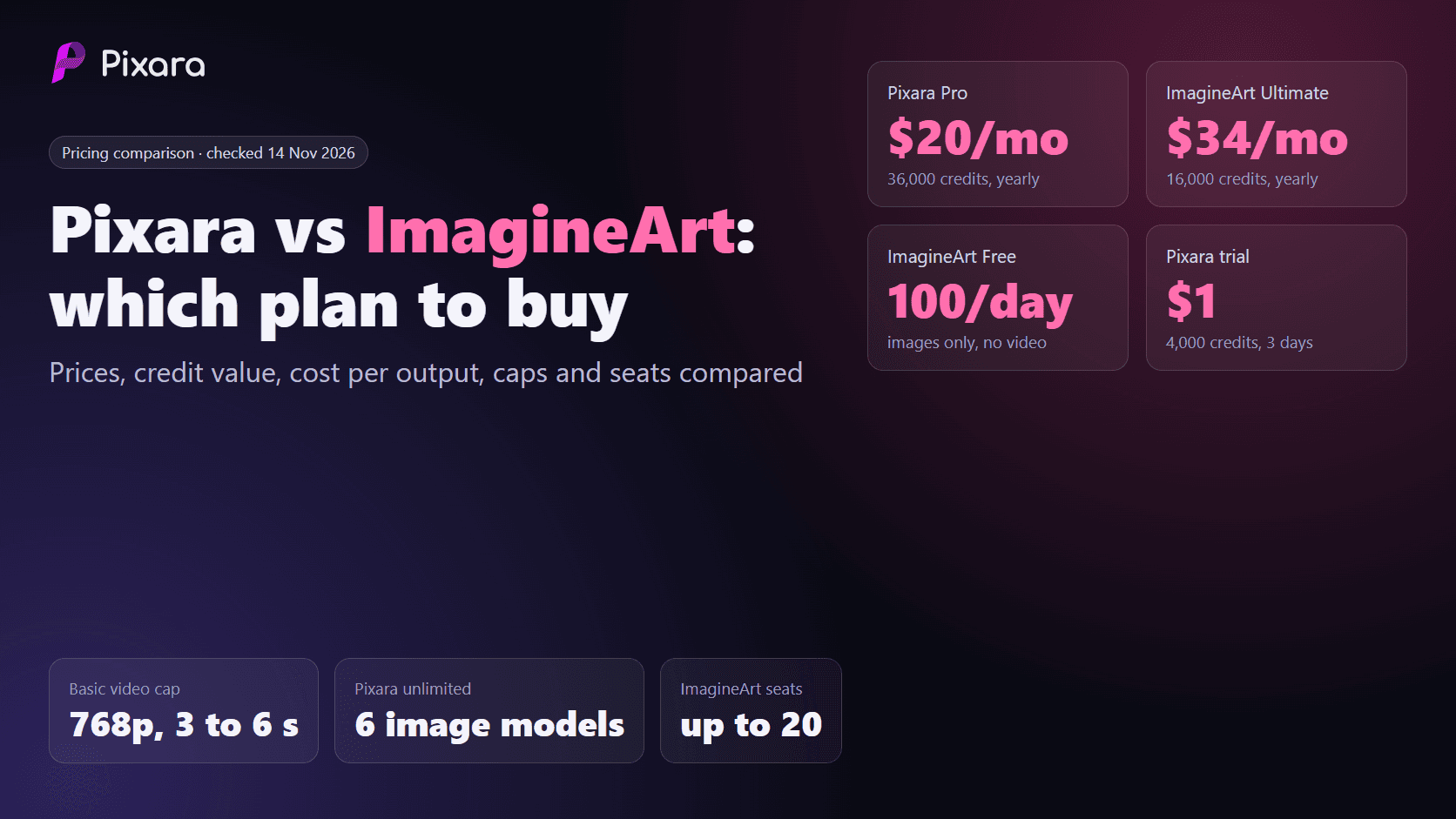
Krea's Basic at $5 to $9 sits near the bottom of the market. ImagineArt Basic is $9 to $13 for 3,000 credits, Pika Starter is $8 to $10 for 600 credits, and Pixara Starter is $10 for 4,000 credits. The better comparison is per output, since each platform's credits buy different amounts.
Quick reference, as of 14 November 2026:
- Krea Basic: $9 monthly or $5 yearly, 5,000 units, commercial license, about $0.045 or $0.025 per Nano Banana 2.1 image.
- ImagineArt Basic: $13 monthly, $11 quarterly or $9 yearly, 3,000 credits a month. Its free plan gives 100 credits a day but no video. Credit value is about $0.0043 monthly and $0.0030 yearly. Full detail in our ImagineArt pricing guide.
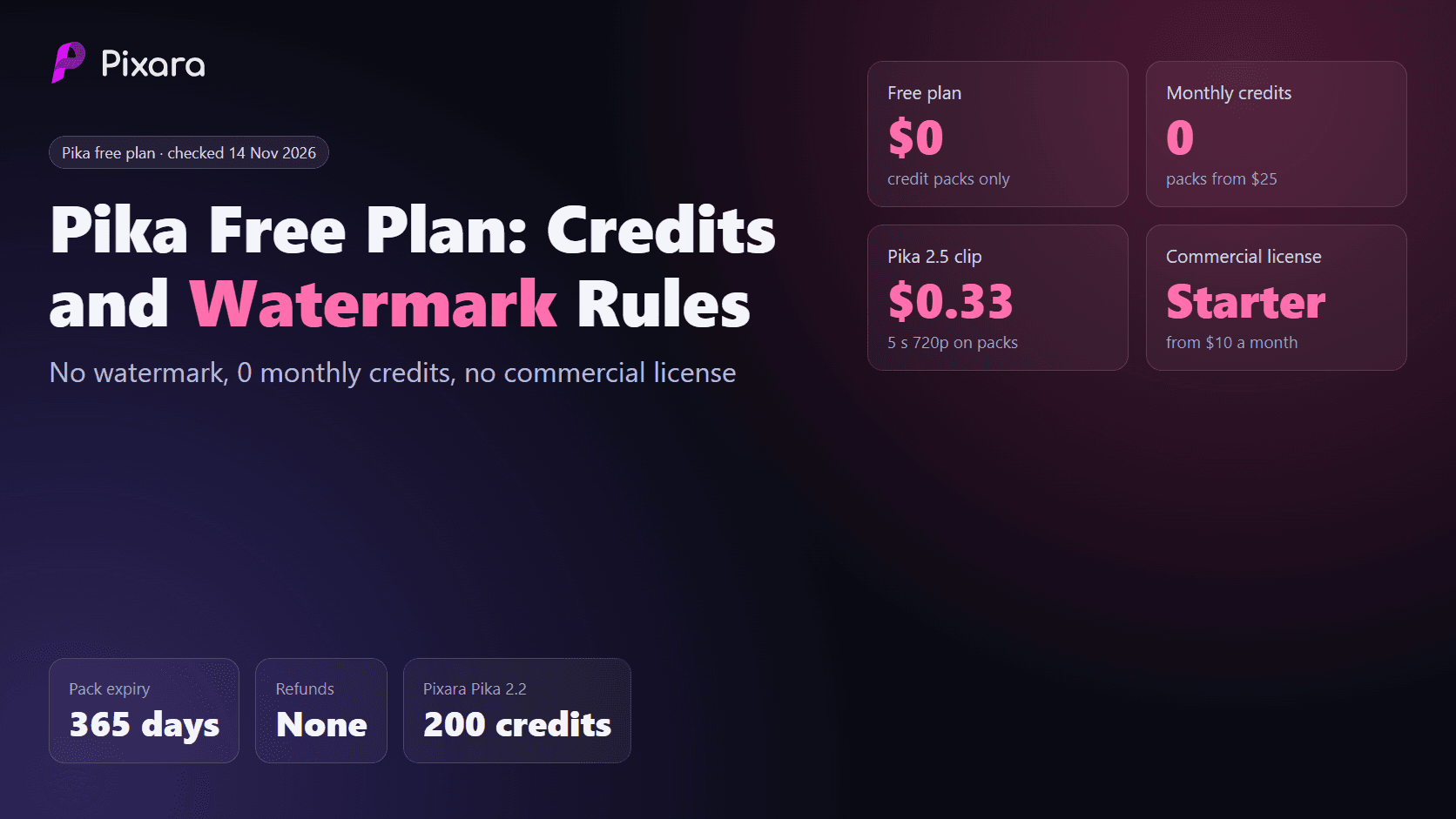
- Pika Starter: $10 monthly or $8 annual, 600 credits a month with a commercial license. Pika's Free plan has no monthly credits and works on packs at 60 credits per $1. Nano Banana 2.1 at 1K costs 5 Pika credits. See our Pika pricing guide.
- Pixara Starter: $10 a month after a $1 three-day trial with 4,000 credits. Krea 2 standard at 30 credits costs $0.075 per image on Starter, and every model is included.
Krea and ImagineArt both give 100 free units or credits a day that cannot be stored, while Pika's Free relies on packs that last 365 days. For more image tools, our roundups of the best AI photo generators, Leonardo AI alternatives and Freepik alternatives cover the field, and our OpenArt pricing guide covers another credit-based option.
What edge cases should you check before paying for Krea?
Check four things: the commercial license starts at Basic, not Free; units on Basic, Pro and Max expire monthly even on yearly billing; the first-plan discount of up to 50% is for new accounts and may not repeat at renewal; and plan changes are prorated. Read Krea's terms for refunds before yearly billing.
- Renewal price. The first-plan discount applies once. Budget year 2 at the standard yearly price ($60, $252 or $972 for Basic, Pro or Max at 80,000 units).
- Yearly is still monthly units. Yearly Pro gives 20,000 units each month, not 240,000 up front.
- Refunds. We did not record a refund policy on the pricing page itself, so read Krea's terms before paying for a year.
- Packs versus upgrades. For one short month, a compute unit pack may beat an upgrade. Pro adds bulk pack discounts.
- Model availability. Basic has selected video models only, so confirm a specific model is on your tier first.
How we checked these numbers
We read Krea's pricing page in a browser on 14 November 2026 and recorded each plan's monthly and yearly price, unit allowance, plan-card generation estimates and listed features. We converted units to dollars by dividing each price by its units. We did not run generations on Krea or Pixara for this article.
Sources and method:
- Krea: the official Krea pricing page, read 14 November 2026, including the plan cards, the yearly toggle, the comparison table and the plan notes on rollover and proration.
- Pixara: the live Pixara pricing page and Pixara's public credit rules, checked 14 November 2026. Pixara monthly prices are its current Black Friday promo, and list prices are shown alongside.
- Comparisons: ImagineArt's subscription plans documentation and Pika's pricing page, checked 14 November 2026.
- Unit costs per model were derived from Krea's plan cards (for example 5,000 units divided by about 200 Nano Banana 2.1 generations is about 25 units). The comparison table figures for 5 second 720p Seedance 2.5 clips are quoted as shown and divided the same way. Where the two disagree, we show both and tell you to check the app.
- Budgets match summed per-output costs to the smallest plan that covers them, excluding taxes and temporary promos.
What does Krea AI pricing plans compute units and free limits explained 2026 come down to?
For 2026, Krea AI is cheap to start and easy to outgrow. Free gives 100 non-bankable units a day with no license, Basic at $5 to $9 is the cheapest licensed tier, Pro at $21 to $35 is the realistic floor for video, and Max at $81 to $135 is for volume. Always pay monthly first.
Remember three numbers: about $1.00 to $1.80 per 1,000 units, about 25 to 36 units per image, and about 312 to 1,739 units per Seedance 2.5 video depending on settings.
If Krea's real-time canvas, Krea 3, LoRA training or App Builder is what you need, Krea is the right tool, and Basic or Pro on yearly billing is the right plan for most people. If you need Krea 2 images next to Seedance, Kling, Veo and Midjourney with fixed listed credit costs in one wallet, Pixara covers that mix on Hobby at $12 or Pro at $20 a month billed yearly, with a $1 trial to test it first. That is Krea AI pricing plans compute units and free limits explained 2026 in one line: pick the smallest plan that covers a real month of your work, and the right answer usually becomes obvious.
To see what the same month of images and video would cost in one credit wallet, the quickest check is Pixara's pricing page.