AI video generation has become much more accessible, and Pika Labs is one of the platforms that has helped make the process fun, affordable, and surprisingly easy for beginners. You can turn a text prompt into a short video, animate a still image, or create playful visual effects without spending hours learning complicated editing software.
But how much does Pika cost in 2026? Is Pika Labs free, how many credits do the paid plans include, and which subscription makes sense for someone who wants to create videos regularly?
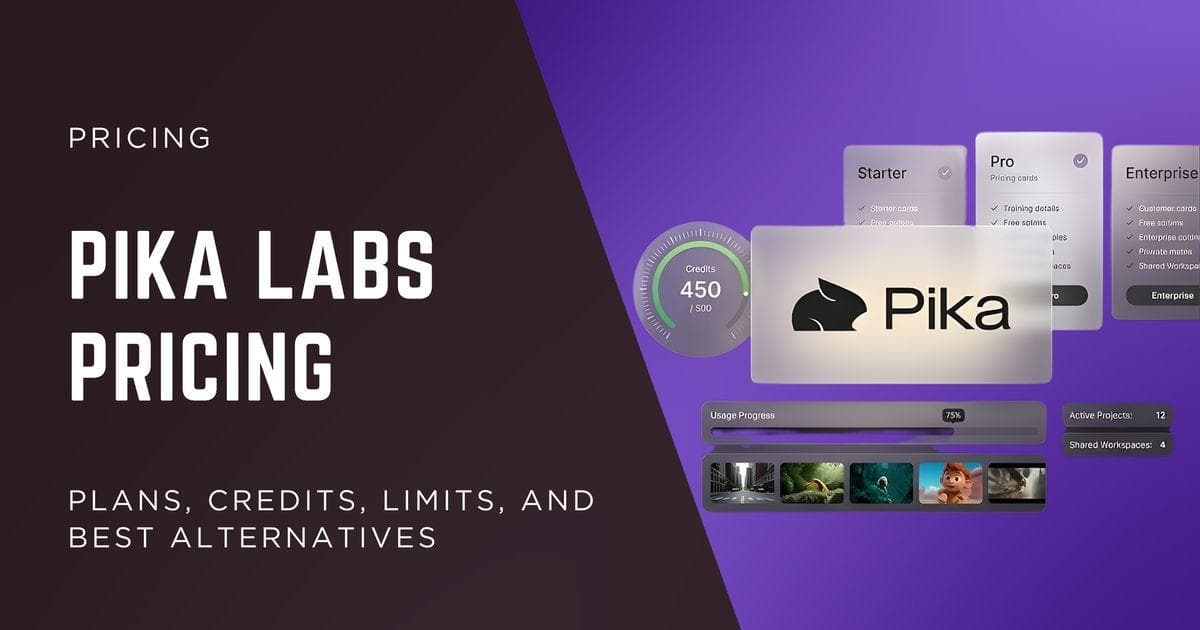
According to the official Pika pricing page, individual users can choose between four tiers: Free, Starter, Creator, and Fancy. The free plan provides access to the platform without a monthly credit allowance, while paid subscriptions start at $10 per month and go up to $95 per month for the Fancy plan.
The price you pay matters, but there are a few other things worth considering. Pika uses a credit based generation system, and the number of videos you can produce depends on the credits consumed by each generation. Your choice of model, video effect, resolution, and other settings can all influence how far your monthly allowance goes.
There is also a practical question to consider. Pika is known for its playful effects, including Pikaffects, Pikaswaps, Pikadditions, and Pikaframes. These features make it appealing to social media creators, marketers, and anyone who wants to produce eye catching short videos. However, people who need longer videos, detailed timeline editing, or a complete video production workflow may need additional software.
Let's break down Pika Labs pricing, what each plan includes, how the credit system works, and which alternatives are worth considering before you commit to a subscription.
Pika Labs Pricing at a Glance
The easiest way to understand Pika pricing is to compare the four individual plans side by side. The following figures come from the official pricing information you provided, with the subscriptions billed monthly.
Pika Labs Pricing Plans Explained

1. Free Plan, $0 per Month
Pika's Free plan is a good starting point for anyone who wants to get familiar with AI video generation without paying for a subscription. It includes access to all models listed for the tier, watermark free output, and limited parallel generation capabilities.
The biggest limitation is the credit allowance. You receive no monthly credits, so regular video generation requires purchased credit packs. The plan also excludes commercial licensing, priority queue access, and early access to new models.
What you get:
- Monthly price: $0
- Monthly credits: No monthly credits
- Model access: All models
- Video generations in parallel: 2
- Image and audio generations in parallel: 2
- Watermark: None
- Commercial use: Not included
- Priority queue: Not included
- Early access to new models: Not included
Who should choose it: Beginners who want to test Pika's interface, examine its creative effects, and decide if the platform suits their needs before spending money.
2. Starter Plan, $10 per Month
The Starter plan is Pika's entry level paid subscription. At $10 per month, it provides 900 monthly credits, making it a more practical option for creators who want to generate short videos regularly.
You get the same core model access and watermark free output as the Free tier, but with a monthly credit allowance. The plan supports two video generations and eight image or audio generations in parallel, giving you more room to work on several creative assets at once.
Commercial licensing is not included, so this plan is primarily suitable for personal projects and noncommercial creative work, subject to Pika's applicable terms.
What you get:
- Monthly price: $10
- Monthly credits: 900
- Model access: All models
- Video generations in parallel: 2
- Image and audio generations in parallel: 8
- Watermark: None
- Commercial use: Not included
- Priority queue: Not included
- Early access to new models: Not included
Who should choose it: Solo creators, hobbyists, and beginners who want a predictable monthly credit allowance without committing to a more expensive subscription.
3. Creator Plan, $35 per Month
The Creator plan is listed as Pika's Best Value option. It provides 3,150 monthly credits, more than three times the Starter allowance, along with commercial licensing.
The higher parallel generation limits are useful if you create multiple variations of a video, test different prompts, or produce social media assets on a regular schedule. You can run eight video generations and 32 image or audio generations in parallel, making the plan more convenient for a busy creative workflow.
The main limitation is that priority queue access and early access to new models are not included. You receive a larger credit allowance and commercial licensing, but not every premium convenience offered by Fancy.
What you get:
- Monthly price: $35
- Monthly credits: 3,150
- Model access: All models
- Video generations in parallel: 8
- Image and audio generations in parallel: 32
- Watermark: None
- Commercial use: Included
- Priority queue: Not included
- Early access to new models: Not included
Who should choose it: Freelancers, content marketers, small businesses, and creators producing monetized content or commercial projects who need more credits and higher generation capacity.
4. Fancy Plan, $95 per Month
Fancy is Pika's highest listed individual subscription tier. It includes 8,550 monthly credits, commercial licensing, priority queue access, and early access to new models.
One of its most useful features is unlimited parallel generations. For agencies, production teams, and high volume creators, this can make it easier to run multiple creative experiments simultaneously rather than waiting for each generation to finish before starting another.
However, a larger credit allowance does not automatically mean unlimited video creation. Your output still depends on the credits consumed by each generation. It is worth checking the credit cost of your preferred models and effects before committing to the plan.
What you get:
- Monthly price: $95
- Monthly credits: 8,550
- Model access: All models
- Video, image, and audio generations in parallel: Unlimited
- Watermark: None
- Commercial use: Included
- Priority queue: Included
- Early access to new models: Included
Who should choose it: Agencies, marketing teams, and high volume creators who regularly generate commercial video content and can make productive use of the larger credit allowance, faster queue access, and early model availability.
Which Pika Labs Plan Should You Choose?
The right subscription depends on how often you generate videos, how many credits your projects consume, and whether you need commercial rights.
- Choose Free if you want to learn the platform without paying a subscription fee. Remember that monthly generation credits are not included.
- Choose Starter if you are an individual creator who needs a modest monthly credit allowance and does not require commercial licensing.
- Choose Creator if you produce videos for clients, businesses, or monetized marketing campaigns and need commercial licensing with a larger credit allowance.
- Choose Fancy if you generate videos at high volume and benefit from unlimited parallel generations, priority queue access, and early access to new models.
For most freelancers and small marketing teams creating videos for commercial projects, Creator is a sensible starting point because it combines a substantial credit allowance with commercial licensing. Starter has a lower monthly price, but its lack of commercial licensing makes it less suitable for many business use cases.
All four plans include access to all models and watermark free outputs. The primary differences are the monthly credit allowance, the number of generations you can run in parallel, commercial licensing, priority queue access, and early access to new models.
The Free and Starter plans support two video generations at a time. Starter also allows eight image and audio generations in parallel. Creator increases those limits to eight video generations and 32 image and audio generations, while Fancy offers unlimited parallel generations.
Fancy also includes early access to new models, a benefit that can be valuable for creators who want to experiment with newly released capabilities as soon as they become available.
One important detail stands out in the pricing table: Pika Labs offers watermark free output even on its free plan, but a free subscription does not include commercial licensing. If you intend to use generated videos in paid advertising, client deliverables, or other commercial projects, review the applicable license terms before publishing them.
The monthly credit allowance also deserves attention. A $10 subscription may look affordable, but its value depends on how many usable videos those 900 credits produce. Someone creating a few short social media clips every week will have different needs from a marketing team generating multiple variations for advertising campaigns.
That is why it helps to look beyond the headline price and understand what each plan offers in day to day use.
Is Pika Labs Free in 2026?
Yes, Pika Labs has a free plan in 2026. It gives you access to the platform and its models without requiring a paid monthly subscription.
However, there is an important catch: the official pricing page lists the Free plan as providing zero monthly credits, with purchased credit packs as the available option. You should not assume that a free account receives a fresh allowance of video generation credits every month.
This makes the current free plan useful for getting familiar with the platform, but less suitable for anyone who wants to generate videos regularly without spending money.
What Does the Pika Free Plan Include?
The free plan includes several features that make it worth trying, especially if you have never used Pika before.
- Access to all models: You can access the models listed as available to the Free tier, giving you an opportunity to see what the platform offers.
- Watermark free output: The official pricing page lists no watermark as an included feature. This is useful for creators who prefer clean video exports.
- Parallel generation: You can run two video generations and two image or audio generations in parallel, according to the published plan limits.
- No monthly subscription fee: You can create an account and get familiar with the interface without committing to a recurring payment.
The main limitation is the absence of monthly credits. Access to a model does not mean you can generate an unlimited number of videos with it. Once you need credits for generation, you may have to purchase a credit pack or upgrade to a paid subscription.
The free tier also excludes commercial licensing, priority queue access, and early access to new models. These restrictions matter more as your projects become frequent or start generating revenue.
Is Pika AI Free Suitable for Beginners?
For beginners, Pika AI free access can still be a sensible starting point. You can learn how the interface works, understand the types of prompts the platform responds to, and decide if its visual style matches your creative needs before paying.
For example, imagine that you run a small online store and want to animate a product photograph. You might be interested in making a bottle appear to inflate, turning an ordinary object into a playful visual, or creating a short clip for a social media post. Pika's effects driven workflow makes these kinds of experiments appealing.
The problem appears when you want to repeat the process at scale. If you need several product videos every week, a free account with no monthly credits will not provide a predictable production allowance. You would need to budget for credit packs or move to a subscription.
My recommendation: Treat Pika Labs free access as a way to evaluate the platform, not as a promise of unlimited free video generation. Test the interface, examine the available effects, and check the current credit requirements for the models you expect to use before deciding which paid plan offers enough value.
Best Pika Labs Alternatives in 2026
Pika is not the only option for creating AI generated videos, and depending on your project, another platform may offer better value, more control over the final output, or a more complete creative workflow.
Three alternatives worth considering are Pixara.ai, Runway, and Kling AI. Each serves a slightly different audience. Pixara.ai is appealing to creators who want access to multiple creative models from one workspace, Runway is geared toward more controlled video production and editing, and Kling AI is worth considering for cinematic visuals and image to video generation.
1. Pixara.ai

Pixara.ai is worth considering if you enjoy Pika's creative possibilities but want access to a broader collection of AI image, video, and audio tools through one workspace. The platform brings multiple generative models together, helping creators experiment with different visual styles without managing a separate subscription for every model they want to try.
For marketers, ecommerce businesses, agencies, and independent creators, this can be particularly useful. You might generate a product image, animate it into a short advertisement, create a voiceover, and assemble the assets for a social media campaign within a broader creative workflow.
Key features of Pixara.ai
One of the platform's main attractions is its access to multiple video generation models. Depending on current availability and your subscription, you can experiment with different models for cinematic shots, product videos, stylized animations, and social media creatives.
This flexibility is useful when a single model does not produce the look you want. You can compare different outputs and select the model that fits your project, rather than adapting every creative idea to one generator.
AI image generation and video creation
Pixara.ai combines image generation with video creation, allowing you to develop visual assets for several stages of a campaign. You can create concept images, develop product visuals, and animate selected assets into video content.
This is particularly helpful for ecommerce teams that need several creative variations for product pages, paid advertisements, and social media. You can build a collection of related assets without treating every visual task as a separate project.
Ara AI copilot
Ara is designed to help users navigate model selection and prompt creation. This can reduce the effort involved in learning the specific prompting requirements of different generators.
For beginners, the benefit is accessibility. Experienced creators can also use assistance with prompts and model selection to speed up experimentation when working across multiple creative tools.
Voiceovers, templates, and editing
Pixara.ai also offers AI voiceovers, audio related advertising templates, and a built in video editor. These capabilities can be useful for creators who want to move beyond generating a raw clip and prepare an asset for marketing use.
For example, an online store could create a product visual, generate a short video, add a voiceover, and prepare an advertisement for a social campaign. The amount of manual work required will depend on the final result, but having these capabilities within one workspace can simplify the production process.
Pixara.ai vs Pika Labs
Pika is appealing when you specifically want its recognizable effects and straightforward short video generation. Pixara.ai is more suitable for creators who want a wider creative workspace with access to multiple models, image generation, video creation, and voiceover tools.
The best choice depends on your workflow. If Pikaffects are central to your content, Pika remains worth considering. If you regularly switch between different models and produce multiple types of marketing assets, Pixara.ai may be a more convenient option.
2. Runway

Runway is a compelling alternative for creators who want greater control over AI video production. While Pika is known for playful transformations and short visual effects, Runway caters to a broader range of creative work, including cinematic sequences, branded content, concept videos, and more carefully directed scenes.
The platform combines generative video capabilities with editing and creative tools. This makes it appealing to people who need more than an individual generated clip and want to develop footage into a polished production.
Key features of Runway
Text to video and image to video
Runway allows creators to generate video from written prompts and animate existing images. You can describe the scene, subject, movement, lighting, and visual atmosphere you want, then refine your instructions to improve the output.
Image to video is particularly useful for maintaining a visual starting point. For example, a marketing team can begin with an approved product image and generate motion around the subject, creating material for an advertisement or promotional concept.
The final result still depends on the model, prompt, and source image, so it is worth testing a few generations before deciding on the best output.
More control over creative direction
Runway offers tools designed to help creators guide the visual content and movement of generated scenes. Depending on the model and available features, you can work toward a particular camera movement, composition, or cinematic style.
This matters when you are producing a sequence of related shots. A single visually interesting clip may be enough for a casual social post, but a branded campaign often needs several scenes that share a consistent mood and visual direction.
Video editing and production workflow
Runway's editing capabilities make it worth evaluating if you want to generate content and refine it within a broader creative environment.
You may still need other software for advanced editing, detailed audio mixing, or specialized finishing work, but Runway provides more production oriented capabilities than a generator that concentrates primarily on individual clips.
Creative experimentation
Runway can support concept development, storyboarding, product visuals, and cinematic experimentation. This gives filmmakers, agencies, and creative teams more room to develop ideas before committing to traditional production.
It can also help marketing teams test different visual directions before deciding which concepts deserve further investment.
Runway pricing
Runway's subscription prices and included credits depend on the current plan structure. Check the official Runway website for current pricing and model specific generation costs.
When comparing Runway with Pika, pay attention to more than the monthly fee. Consider how many generations you need, the output quality you require, and the amount of editing you expect to complete after generation.
Runway vs Pika Labs
Choose Runway if you need more control over scenes and a production oriented workflow. Pika may be a better fit if your main goal is to create short, playful clips with effects such as crushing, melting, or inflating objects.
Runway deserves consideration for cinematic content, concept videos, and campaigns requiring greater creative control. Pika remains attractive for quick, effects driven social content.
3. Kling AI

Kling AI is another alternative worth considering, particularly for creators who prioritize realistic movement, cinematic visuals, and image to video generation.
The platform has attracted interest from video creators who want to animate still images into scenes with more natural looking motion. It can be useful for product showcases, storytelling, advertising concepts, and short cinematic sequences.
Key features of Kling AI
Text to video generation
Kling AI lets you describe a scene in a prompt and generate video from that description. You can specify the subject, environment, movement, and overall visual style.
For example, a creator might describe a luxury product on a reflective surface with a slow camera movement and dramatic lighting. The resulting clip can provide a starting point for an advertisement or a creative concept.
The degree of realism and control varies by model and settings, so test the available options with your own prompts before committing to a subscription.
Image to video animation
Kling is particularly relevant when you already have a visual asset that you want to animate. A still product photograph, character illustration, or cinematic composition can become the starting point for a moving scene.
This can help ecommerce brands and marketers create video variations without arranging a new shoot for every concept. It is also useful for creators who want to animate illustrations or build visual narratives from still images.
Realistic motion and cinematic scenes
Kling's video models are designed to generate detailed scenes with movement. Depending on the model, you can experiment with camera motion, character actions, and environmental movement to develop a more cinematic result.
For marketers, this can be useful when a campaign needs polished visuals rather than exaggerated effects. For independent creators, it offers opportunities to experiment with short narrative sequences and stylized footage.
Different models and generation settings
Kling provides different model options and generation settings, with capabilities and credit costs that can vary across versions. Check the current model specifications for supported durations, resolutions, and generation limits.
This is important if you plan to create multiple versions of a clip. A model that delivers the right visual quality may consume credits at a different rate from a faster or more economical option.
Kling AI pricing
Kling's current plans and credit allowances should be checked on the official Kling AI website. Compare the actual cost of generating your preferred videos rather than looking at subscription prices alone.
For high volume production, the cost per usable clip can be more informative than the headline monthly fee. Failed generations and creative revisions also affect your overall budget.
Kling AI vs Pika Labs
Kling AI is worth testing if you want realistic motion, cinematic visuals, or image animation. Pika is a natural candidate for playful effects and short social media clips that rely on an unusual visual transformation.
For a product marketing campaign, Kling may suit a polished product reveal, while Pika may be better for an intentionally exaggerated or humorous visual. Both can be useful, but the choice should come down to the style of content you need.
Final Verdict: Which Pika Labs Plan Should You Buy in 2026?
Pika Labs remains worth considering if you want an accessible AI video generator for short, creative, effects driven content. Its watermark free output and recognizable visual effects make it appealing to social media creators, marketers, and people who want to experiment with unusual video concepts.
The plan you choose should reflect your intended use rather than the largest credit allowance you can afford.
- Free: Best for getting familiar with the platform without a subscription, although no monthly generation credits are included.
- Starter at $10 per month: A practical entry point for personal projects and regular experimentation, provided you do not need commercial licensing.
- Creator at $35 per month: A sensible option for freelancers and marketers who need commercial licensing, more credits, and higher parallel generation limits.
- Fancy at $95 per month: Best suited to high volume users who can benefit from unlimited parallel generations, priority queue access, and early access to new models.
For most creators producing commercial videos, I would start by evaluating Creator. It offers a substantial monthly credit allowance and commercial licensing without requiring the higher monthly commitment of Fancy.
If your work requires extensive editing, more cinematic control, or a broader selection of generation models, compare Runway, Kling AI, and Pixara.ai before choosinghttps://www.pixara.ai/blogs/arcads-pricing
. A platform that fits your complete workflow can offer better value than one with a lower entry price but additional production costs.
The bottom line is simple: Pika Labs is worth paying for when its creative effects and short video workflow match the content you produce. Test the output quality, estimate your monthly credit consumption, and verify the current commercial terms before committing to a paid plan.