Most AI video generators make a pretty straightforward promise. Write a prompt, generate a clip, and you have something you can share on social media, add to an advertisement, or use in a creative project. That works well for quick videos, but things become more complicated when you need a complete story with recurring characters, multiple scenes, consistent visuals, and camera movements that make sense from beginning to end.
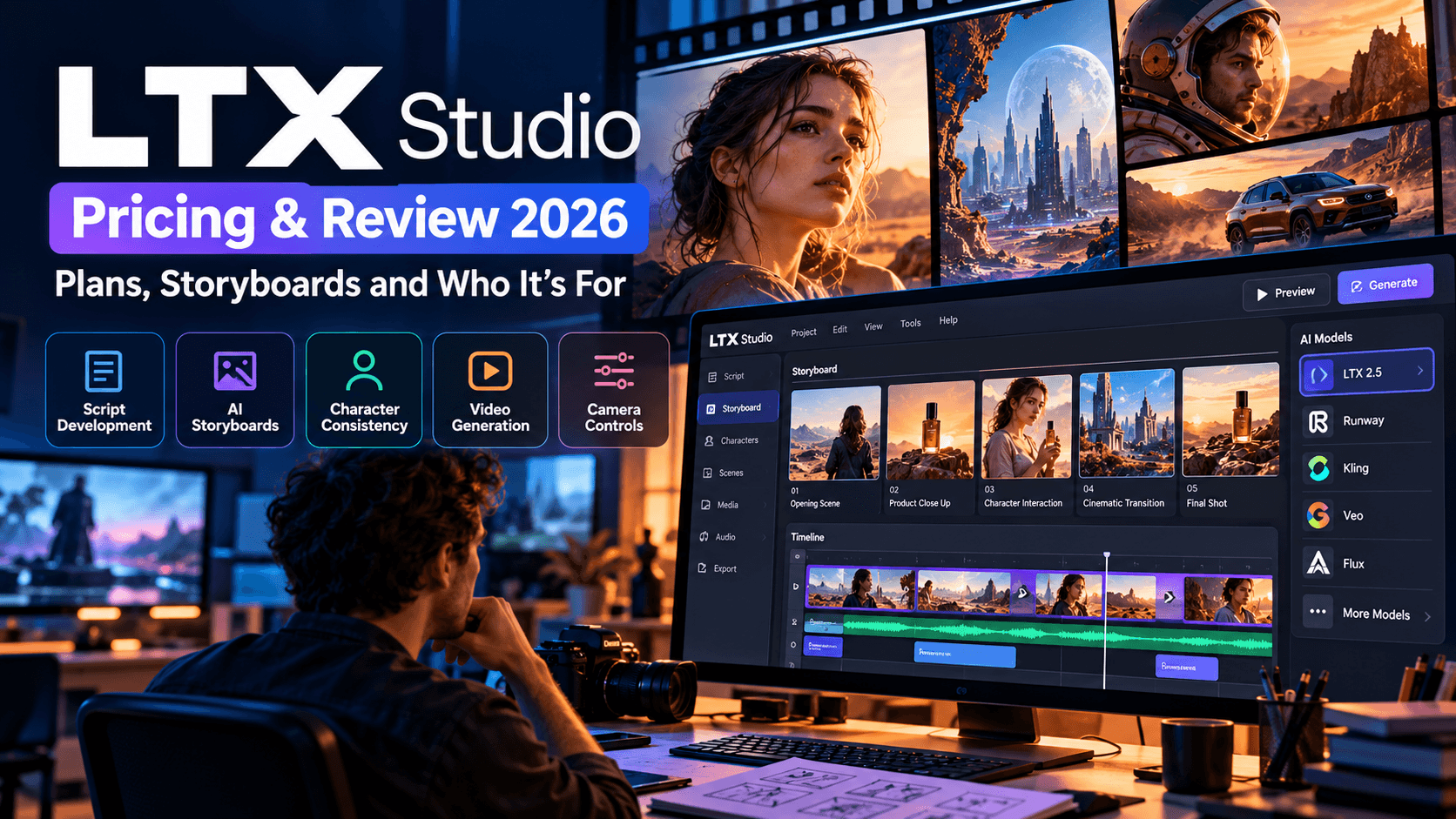
That is where LTX Studio takes a different route. Developed by Lightricks, the platform puts storyboarding and pre production at the center of the creative process. Rather than treating every video as an isolated generation, it gives you a workspace to develop a script, organize scenes, plan shots, establish characters, and turn your ideas into moving visuals.
This makes LTX Studio particularly interesting for filmmakers, advertising agencies, marketing teams, independent creators, and businesses that need more than an occasional AI generated clip.
Imagine you're producing a 60 second product advertisement. You need an opening shot that establishes the setting, close ups that showcase the product, a character interacting with it, a few cinematic transitions, and a final shot that communicates your brand message. Generating every clip separately could leave you with inconsistent lighting, different looking characters, and footage that feels disconnected. LTX Studio gives you tools to plan those elements together before committing credits to video generation.
Its appeal has grown further with the introduction of LTX 2.5 and access to additional image and video generation models, including options from other AI providers on eligible plans. This gives creators more flexibility to choose models for different creative tasks within one production environment.
Recommended Guides:
- Pixara Black Friday 2026: $1, Three Days, Hundreds of Creative Possibilities
- Runway vs Kling (2026): Gen-4 vs Kling 4.0 for Quality, Control and Price
- InVideo AI Pricing 2026: Plans, Generative Credits & Is It Worth It?
- Higgsfield AI Review 2026:Is It Worth It? (Hands-On Test of Soul, Cinema Studio & Credits)
- Runway Pricing 2026: Standard vs Pro vs Unlimited, Credits Explained
- Creatify AI Review 2026: Pricing, Avatars, Ad Quality & Alternatives
- Pika Labs Pricing 2026: Free Plan, Credits & Which Plan to Choose
However, a feature rich workspace does not automatically make a service affordable or easy to learn. You still need to understand the credit system, the differences between subscription tiers, the availability of individual models, and the amount of creative control the platform offers.
This LTX 2.5 review examines those practical considerations, including current subscription pricing, storyboard capabilities, character consistency, camera controls, supported AI models, commercial licensing, and the types of projects that benefit most from the platform.
We'll also look at how it compares with alternatives such as Runway, Kling, and other AI video creation tools, along with a closer look at Pixara as an alternative for creators who want a more flexible environment for producing images, videos, and advertising content.
The central question is simple: does LTX Studio justify its price for your particular workflow, or would a more straightforward AI video generator give you better value?
What Is LTX? Understanding the Platform Before You Subscribe

If you've come across the question what is LTX, the short answer is that LTX is an AI video generation technology and creative platform ecosystem associated with Lightricks. LTX Studio is the production workspace built around that technology, combining visual planning, storyboards, AI generated imagery, video creation, and tools for organizing creative projects.
The difference matters because LTX Studio and the underlying LTX models serve related but different purposes.
The LTX models handle generative tasks, such as creating video from prompts and other supported inputs. LTX Studio provides the environment in which creators can organize those outputs into a larger project. Depending on your subscription and the models available at the time, you can also access third party generation models through the same workspace.
How does LTX Studio work?
Think of it as a digital pre production room with AI generation built into the process. You can start with a rough concept, develop it into a structured sequence, and gradually turn that sequence into visual material.
For example, a marketing team planning a short campaign for a skincare brand might begin with a script describing a morning routine. The platform can help break the script into scenes and shots, create visual references, establish recurring characters, and generate video material from the resulting plan.
The creative process generally involves several connected stages.
* Script development and scene planning: You begin with a concept, written script, or supported text input. The goal is to establish what happens in each scene before generating the finished visuals.
* Storyboard generation: The platform helps translate the planned sequence into individual visual frames. These frames give you an early look at composition, characters, settings, and the overall visual direction.
* Character and element management: You can establish reusable visual references for recurring characters, objects, and locations. This helps maintain continuity across scenes and makes revisions easier to manage.
* AI image and video generation: Once the sequence is planned, you can generate visuals using available models. Model selection depends on your subscription and the specific generation task.
* Production refinement and presentation: You can refine your shots, use supported editing and camera controls, organize project assets, and prepare pitch materials where those features are included in your plan.
The advantage is that you're working toward a defined creative outcome rather than collecting unrelated clips and trying to make them fit together afterward.
Who benefits most from the LTX Studio workflow?

The platform makes the most sense for people who regularly produce content with multiple scenes, planned narratives, or client approval requirements.
Filmmakers can use it to prepare visual treatments and pre visualization materials before committing to a traditional production. Advertising agencies can build campaign concepts and present storyboards to clients before shooting begins. Marketing teams can plan branded videos with recurring characters, consistent visual direction, and reusable creative assets.
Independent creators can benefit, too, particularly those making narrative YouTube videos, short films, music videos, or recurring social media series.
However, if you only need a five second animated product shot or a quick social media clip, the storyboard first workflow might feel unnecessarily involved. A simpler generator could be quicker for that particular task.
The main takeaway: LTX Studio is designed for creators who need to organize a production, not just generate an individual video. Its value increases when planning, continuity, and repeatable creative workflows matter as much as the final footage.
LTX Studio Pricing 2026: Free, Lite, Standard, Pro and Enterprise

The current LTX Studio pricing structure includes a free tier and four paid options: Lite, Standard, Pro, and Enterprise. Each plan provides a different monthly credit allowance, and access to specific AI models and production features depends on the tier you choose.
The biggest pricing consideration is that you're paying for more than access to a video generator. You're also paying for a production workspace, storyboard capabilities, editing features, and, on higher tiers, a broader selection of generative models and collaboration tools.
Lightricks lists monthly and yearly billing options, with yearly subscriptions advertised at a 20% discount. The figures below reflect the pricing page available in October 2026. Check the official LTX Studio pricing page before subscribing, since offers and model availability can change.
Custom pricing
For organizations that need custom credit volumes, team management, enhanced privacy, onboarding, and enterprise support.
Free plan: Is 800 credits enough to test LTX Studio?
The free plan is a sensible starting point if you're curious about the platform but don't want to commit to a subscription. It includes a one time allocation of 800 credits, image and video generation, LTX 2.5 and LTX 2.3, the Z Image model, advanced camera controls, blank storyboards, audio to video generation, and other listed features.
You can use this tier to get familiar with the interface, experiment with prompts, and see how the storyboard first workflow fits your creative process.
The limitation is licensing. The free plan is for personal projects only. LTX Studio explicitly excludes business, marketing, and paid work from this tier. That means you shouldn't treat the free plan as a way to produce deliverables for paying clients, even if the project itself is relatively small.
There's another practical consideration: the 800 credits are provided once, not replenished every month. You need to treat them as a trial budget rather than a recurring source of free generations.
Best for: Beginners, hobbyists, students experimenting with personal projects, and creators who want to evaluate the interface before paying.
Lite plan: $15 monthly for more room to create
The Lite plan provides 8,000 credits each month for $15 on monthly billing, or $12 per month when billed annually at $144 per year.
You get everything included in the free tier, along with image and video upscaling, editing tools, and watermark free outputs. That makes Lite more practical for people who want to work on personal creative projects regularly and need more flexibility than the free allowance provides.
However, there's an important catch. Lite does not include the commercial use license listed with Standard and higher tiers. Paying for a subscription does not automatically give you permission to use your generated work in advertisements, paid client projects, or other commercial activities.
This is worth considering before you subscribe. If you're creating videos for your own entertainment, Lite may be sufficient. If you're a freelancer producing videos for clients, the price difference between Lite and Standard could matter much less than the licensing difference.
Best for: Personal creators who want regular access to generation and editing features without paying for the more advanced production tiers.
Standard plan: $35 monthly for commercial projects and storyboards

Standard is the plan worth examining most closely if you're a working creator, marketer, or small agency.
It costs $35 per month with monthly billing, or $28 per month with annual billing at $336 per year. Its allowance is 28,000 credits each month, and it includes everything from Lite. The additional benefits include AI storyboards, pitch decks, saved and reusable Elements, advanced Flows, and a commercial use license.
Standard also expands your model selection. The pricing page lists Nano Banana 2 and Pro, FLUX.2 Pro, Kling 2.6 Pro, Kling 3.0 Pro, Seedance 2.0, and ChatGPT Images 2.0 among its available models.
For a marketing team, this combination is useful because one project may require several kinds of creative output. You might need concept images for a client presentation, consistent characters for a product campaign, and video clips for a final advertisement. Having several generation models available in one workspace can reduce the need to maintain separate subscriptions for every task.
The commercial license is particularly important for agencies and freelancers. It makes Standard a more relevant starting point for paid work than Lite, although you should still review the applicable terms for your intended use.
Best for: Freelancers, marketing teams, independent filmmakers, content studios, and agencies that need storyboards and commercially licensed outputs.
Pro plan: $125 monthly for heavier production workloads
Pro costs $125 per month with monthly billing, or $100 per month with annual billing at $1,200 per year. It provides 110,000 credits per month and includes everything from Standard.
The main additions are access to Veo 3.1, Veo 3.1 Fast, and Veo 3.1 Lite generation models, along with maximum quality and control options, three collaborators per project, and on demand credit top ups.
That larger credit allowance is useful when you're developing several campaigns, producing numerous variations, or testing multiple models during a project. It gives a production team more room to experiment without running through its monthly allocation as quickly.
Still, the Pro subscription is a significant expense for an individual creator. It makes more financial sense when you're producing content frequently, serving paying clients, or working on projects where the additional model choices and production capacity contribute directly to your revenue.
Before upgrading, consider how much of your current work genuinely requires the models and collaboration features exclusive to Pro. A large credit balance has limited value if you don't use it.
Best for: High volume creators, established agencies, production teams, and businesses that need access to the premium model selection.
Monthly versus yearly billing: Which option makes more sense?
The advertised yearly rates reduce the effective monthly cost by 20%, but you need to pay for the year upfront.
The yearly option is attractive if you already know the platform suits your workflow and expect to use it throughout the year. If you're still learning the software, monthly billing gives you more flexibility to test it with real projects before making a longer commitment.
My recommendation is to start with monthly billing unless you have already validated your production process, credit consumption, and licensing requirements. Saving money on an annual subscription isn't much of a win if you later discover that the platform doesn't suit the way you create content.
Understanding LTX Studio Credits and Compute Seconds

Subscription prices tell only part of the story. The next question is how much video you can generate with your monthly allowance.
LTX Studio uses credits to measure generation resources. The exact cost depends on the model, task, and generation settings. Premium video models, higher resolutions, and repeated generations can consume your available resources at different rates.
This is why comparing plans solely by their monthly credit totals can be misleading. A creator generating short draft clips with a faster model will have different requirements from a filmmaker producing polished, high resolution footage with a premium model.
What are compute seconds?
The term compute seconds refers to processing resources associated with generation. LTX Studio also uses credits to represent generation resources in its subscription plans, and its help materials explain that credits are consumed when you generate images and videos.
The important point is that compute seconds and finished video seconds aren't interchangeable concepts. Generating a ten second video does not mean you will necessarily spend ten credits or ten compute seconds. The cost depends on the generation model and its settings.
Your workflow also affects how far your allowance goes. If you create a storyboard, refine the shots, and generate only the clips you need, you can make your budget more predictable. If you repeatedly regenerate scenes to correct character appearance, camera motion, or composition, your monthly allowance can disappear much faster.
How to get more value from your credits
A little planning can make a meaningful difference to your production budget.
* Develop the storyboard before generating video. Review the shot descriptions, scene order, and visual direction before spending credits on finished footage. This reduces the risk of paying to generate scenes you later decide to remove.
* Use faster models for initial tests. Drafting with a faster generation option lets you evaluate composition and motion before committing resources to a more demanding model for the final output.
* Establish recurring characters and objects early. Reusable Elements can help you maintain visual continuity and reduce unnecessary regeneration across scenes.
* Choose resolution according to the deliverable. A draft for internal review may not require the same resolution as a finished commercial. Match the output settings to the project's actual requirements.
* Keep track of unsuccessful generations. Monitor which prompts and settings deliver useful results. Repeating failed experiments without adjusting the instructions can waste a substantial portion of your monthly budget.
These habits are particularly valuable for agencies working with fixed project budgets. Every avoidable regeneration adds cost, and the impact becomes more noticeable when you're producing several versions of the same campaign.
The bottom line is that LTX Studio can offer good value when you use its planning tools to make generation more deliberate. The credit allowance alone, however, doesn't tell you how many finished videos you can reliably produce each month.
LTX 2.5 Review: What's New and Why It Matters
LTX 2.5 is one of the most important parts of the current LTX Studio offering. The model builds on the LTX video generation family, with improvements to visual fidelity, connected shots, and the ability to maintain consistency across a sequence.
According to the official model documentation, LTX 2.5 comes in two variants: Fast, designed for speed and lower generation costs, and Pro, designed for higher fidelity. Both support text to video, image to video, and audio to video generation, with output resolutions reaching 4K.
LTX 2.5 Fast versus LTX 2.5 Pro

LTX 2.5 Fast
Speed and lower generation cost
Fast is suited to creative experiments, rough drafts, prompt testing, and situations where you need to generate multiple variations. It's a practical choice when you're still deciding how a scene should look or move.
LTX 2.5 Pro
Higher fidelity and polished visuals
Pro is intended for creators who want higher visual fidelity and greater quality from their generations. It's more appropriate for carefully developed scenes that need to meet a higher production standard.
The choice comes down to the stage of your production. Fast makes sense when you're testing ideas; Pro is worth considering when image quality matters more than minimizing the cost of each generation.
Neither model guarantees that every output will be usable on the first attempt. Prompt quality, motion complexity, scene composition, and the content of your reference images can all affect the final result.
Native multi shot generation is a significant improvement
One of the notable LTX 2.5 capabilities is native multi shot generation. According to the official documentation, a single generation can produce multiple connected shots while maintaining consistency in characters, scenes, lighting, visual style, and voice across cuts.
Consider a simple scene in which a woman enters a coffee shop, orders a drink, and sits beside a window. A traditional single shot generation might produce one clip showing her entering the room. You would then need separate generations for the order and the final seated scene.
Multi shot generation aims to create connected coverage within one generation, reducing the amount of manual work needed to establish a sequence.
For filmmakers and marketers, this can make narrative video production more practical. It provides a better starting point for scenes that require continuity rather than a single isolated visual.
However, connected shots still need creative review. A model can maintain a recognizable character and coherent lighting while producing a camera cut that doesn't fit your intended pacing. You should treat multi shot generation as a useful production capability, not a substitute for editorial judgment.
Resolution, aspect ratios, and frame rates
LTX 2.5 supports landscape, portrait, and square formats, including 16:9, 9:16, 1:1, 3:2, and 2:3. Its documented output options extend to 4K, with supported frame rates reaching 50 frames per second under specified resolution and duration settings.
This flexibility helps creators prepare visuals for different distribution channels.
A landscape video may be appropriate for YouTube, a cinematic presentation, or a website hero section. Portrait output is more suitable for vertical social content, while square and other formats can support specific advertising placements.
There are configuration limits to keep in mind. Not every combination of resolution, frame rate, and clip duration is available in every model variant. LTX 2.5 Fast supports a broader range of durations in certain configurations, while Pro has its own supported output combinations. Check the model specifications before planning a project around a particular technical requirement.
Is LTX 2.5 enough to replace other video generators?
For some projects, it may cover much of what you need. Its combination of text to video, image to video, audio to video, and multi shot generation makes it a capable option for creators who want a connected production workflow.
However, a model's technical specifications don't tell you everything about its creative performance. You still need to assess motion quality, prompt adherence, facial consistency, fine details, and the way it handles complex actions.
The other consideration is model choice. LTX Studio offers several third party models on eligible plans, giving you the flexibility to select a different generator for scenes that need a particular visual style or generation capability.
That flexibility is one of the platform's main attractions. You're not limited to evaluating the quality of one model in isolation; you can consider how the available models work together in your production process.
LTX Studio Storyboarding: From a Script to a Visual Production Plan
Storyboarding is where LTX Studio starts to separate itself from simpler AI video tools. The purpose isn't merely to create a collection of attractive images. It's to help you understand how a story will unfold visually before you spend time and credits producing the video.
Traditional storyboarding can be time consuming. A creative team might need an illustrator to interpret a script, draw individual frames, revise compositions, and prepare presentation materials for a client. AI assisted storyboarding can shorten that process by helping turn written ideas into a sequence of visual references.
Turning a script into individual shots
A typical workflow begins with a concept or script. LTX Studio can help break the material into scenes and shots, giving you a structured view of how the story could unfold.
For example, imagine you're planning a promotional video for a new electric bicycle.
The script opens with a commuter getting ready for work. The next scene shows the bicycle moving through city streets, followed by a close up of its design details. The final scene shows the commuter arriving at a scenic destination.
A storyboard lets you assess the sequence before generating all the footage. You can check whether the opening establishes the setting, whether the product gets enough visual attention, and whether the final shot delivers the intended message.
That early review matters because a beautiful individual shot can still be wrong for the overall production. A scene might use the wrong camera angle, introduce an unnecessary location, or disrupt the pacing of the story. Finding those issues at the planning stage can save both time and credits.
Why blank storyboards are useful
The free plan includes blank storyboards, while the Standard plan lists AI storyboards among its additional features.
Blank storyboards give you room to develop a project manually. You can start with your own ideas and structure rather than relying entirely on automated interpretation.
AI storyboards, on the other hand, can help speed up the conversion of a written concept into visual material. This is particularly helpful when you're developing several campaign concepts or need to prepare a presentation under a tight deadline.
Both options have a place in professional production. Automated generation is useful for getting a first draft on the screen, while manual refinement gives you more control over creative direction.
Shot descriptions and camera direction
A storyboard becomes more useful when each frame communicates what the camera should capture.
A description might specify a wide shot of a character walking through a rainy street, followed by a close up of their hand opening a door. The next shot could move to an interior with warm lighting and a slow camera push.
These descriptions establish more than the subject of a frame. They help define composition, camera movement, lighting, mood, and the relationship between consecutive shots.
LTX Studio's camera controls can help translate these decisions into generated footage. You can plan movements such as pans, tilts, dolly shots, and tracking movements, depending on the available generation tools.
The advantage is that you're making creative decisions with the finished sequence in mind. You have a plan for how the audience will see the story, not just a list of prompts describing individual images.
Pitch deck export for client approvals
LTX Studio also lists pitch decks among the Standard plan features. This is useful for agencies and freelancers who need to present a visual concept before committing to a full production.
A client presentation can include storyboard frames, shot descriptions, and the intended creative direction. That gives stakeholders something concrete to review and discuss.
Imagine presenting two possible directions for a product campaign. One version uses bright studio lighting and close product shots. The other uses cinematic outdoor scenes and a more emotional narrative. A storyboard presentation allows the client to compare the creative directions before the team invests in generating the complete sequence.
This can improve communication, reduce misunderstandings, and make feedback more specific. A client can request a different opening shot or a new scene order, rather than giving vague feedback after the video has already been produced.
The key benefit of LTX Studio's storyboard first workflow is better planning before generation. It won't eliminate revisions, but it gives you a more structured way to identify problems before they become expensive production changes.
Character Consistency and Elements: Keeping Your Scenes Connected
One of the most frustrating problems with AI video generation is character inconsistency. You might generate a convincing character in the opening shot, only to find that their face, hairstyle, clothing, or apparent age changes when you generate the next scene.
This creates a problem for any project that relies on continuity. A product advertisement featuring the same presenter across five scenes needs that person to remain recognizable. A short film needs its characters to look like the same people from one location to another. A recurring YouTube series needs a consistent visual identity.
LTX Studio addresses this problem through its Elements system, which lets creators save and reuse characters, objects, and other visual references across a project.
How Elements work
The idea is straightforward. You establish a visual reference for a recurring character or object, save it as an Element, and reuse it when creating subsequent scenes.
Imagine you're making a short film featuring a detective named Maya. She has shoulder length dark hair, a brown leather jacket, and a distinctive silver necklace.
You establish Maya's appearance during the planning stage and save the relevant character reference. As you create additional shots, you can reference that saved Element to guide the model toward the same visual identity.
This is useful for more than characters. You can also establish recurring locations, vehicles, props, and other visual assets that need to remain recognizable throughout a production.
The benefit becomes more noticeable as projects grow. Maintaining consistency across three shots is relatively manageable. Maintaining it across 20 scenes, several camera angles, and multiple lighting conditions is much harder.
Does LTX Studio completely solve character inconsistency?
It's important to keep expectations realistic. Reusable Elements help establish a consistent visual reference, but they cannot guarantee that every generated frame will reproduce every detail perfectly.
AI models can still struggle with unusual camera angles, complex movement, changes in lighting, partial occlusion, and scenes where several characters interact. You may need to regenerate certain shots or refine your prompts to get a satisfactory result.
Elements are best understood as a practical consistency tool, not a promise that character drift will never happen.
For professional production, this is still valuable. Giving the model a consistent reference can reduce the amount of manual correction required and make it easier to develop a recognizable visual identity across scenes.
Camera Controls, Audio and Video Editing
LTX Studio offers more than script planning and visual generation. Its production features are designed to give creators greater control over how scenes look and how they fit together.
Advanced camera controls
Camera direction plays a major role in how a video feels. A slow dolly movement can make a scene feel intimate, while a tracking shot can communicate movement and energy. A static frame can give a product advertisement a clean, deliberate appearance.
LTX Studio provides advanced camera controls to help creators direct these visual decisions. The precise options available depend on the generation model and the particular workflow you're using.
For example, a skincare advertisement might begin with a slow push toward a product on a bathroom counter. A close up could reveal its texture, followed by a tracking shot showing someone applying it. A final static composition might leave space for a headline and call to action.
Planning these shots together gives you a clearer creative direction. You can also use camera movement to connect scenes and maintain a consistent visual rhythm.
That said, camera controls don't remove the need for experimentation. Complex movements can produce unexpected results, particularly when the subject must interact with several objects or move through a detailed environment.
Audio to video and music related workflows
Audio to video is another important capability in the current LTX Studio offering. The official pricing page lists it among the features available on the free tier.
This opens up useful possibilities for creators who already have a soundtrack, voice recording, or other audio input and want to create visuals that work with it.
For music videos, the workflow can begin with the rhythm, mood, or structure of a track. You can then develop scenes that complement the music, creating a visual sequence that feels more intentional than a collection of unrelated clips.
For marketing teams, audio driven workflows can be useful when preparing video variations around existing voiceovers or other recorded material.
It's worth separating audio to video generation from a dedicated music production tool, though. Audio driven video creation doesn't automatically mean the platform provides every music composition, sound editing, mixing, and mastering feature you might need.
If your project requires a finished soundtrack, precise audio mixing, or detailed dialogue editing, check the current editing and audio capabilities before deciding you can complete the entire production within LTX Studio.
Video editing and exports
LTX Studio includes editing related features, with additional capabilities available on paid tiers. Its workflow can help you develop and refine generated material before exporting it for further post production.
For a professional commercial, you may still want to finish the video in a dedicated editor such as Adobe Premiere Pro or Final Cut Pro. These applications offer established tools for detailed timeline editing, color correction, audio mixing, and final delivery.
The distinction matters when you're evaluating the platform as a production investment. LTX Studio can bring many planning and generation tasks together, but your requirements for final editing will determine how much additional software you need.
LTX Studio vs. Other AI Video Generators
LTX Studio competes in a market where many platforms are improving video quality, extending clip duration, and offering greater control over generated content. However, comparing these services solely by the appearance of their best outputs can be misleading.
The more useful question is how each platform fits into your workflow, how much creative control it provides, and how its pricing works for the volume of content you produce.
LTX Studio vs. Runway
Runway is a relevant alternative for creators who want AI video generation alongside tools for visual effects and creative editing.
LTX Studio puts particular emphasis on script development, storyboards, reusable Elements, and production planning. This makes it appealing to teams developing structured narratives or preparing visual concepts for client approval.
Runway may be a better fit for creators whose priorities center on generating and refining individual shots, experimenting with visual effects, and working within its available video editing tools.
For example, an agency preparing a campaign with a recurring character across multiple scenes may value LTX Studio's storyboard and Element workflow. A creator developing a visually complex standalone clip may prefer a workflow centered on shot generation and visual experimentation.
Both platforms can be useful, but their value depends on the work you're doing. Compare the current plans, model availability, generation limits, and editing capabilities before making a subscription decision.
LTX Studio vs. Kling
Kling AI is another important comparison, particularly because LTX Studio lists Kling 2.6 Pro and Kling 3.0 Pro among the models available on its Standard plan.
This means the two services aren't necessarily mutually exclusive. You can access selected Kling models through LTX Studio while using the surrounding production workspace to organize your project.
Using Kling directly may appeal to creators who want to work primarily within its own generation environment. LTX Studio can be more convenient when storyboard development, reusable assets, pitch presentations, and other production tasks are important parts of the same project.
The key consideration is how much value you place on having those capabilities in one workspace. If you primarily need short video clips, paying for a production environment may not be necessary. If you need to coordinate a complete sequence, the additional planning tools may justify the expense.
LTX Studio vs. Pixara
Pixara.ai takes a broader creative production route, with an emphasis on giving users access to multiple image and video models through one workspace.
Where LTX Studio's defining feature is its storyboard first production process, Pixara is designed to make multi model creative generation accessible without requiring users to become experts in prompt engineering or model selection.
That difference can matter for ecommerce brands, social media teams, freelancers, and advertising agencies that produce a mixture of product visuals, promotional videos, creative assets, and UGC style content.
We'll look at this comparison more closely in the next section, since it also helps answer a broader question: do you need a structured pre production platform, or would a flexible creative workspace give you better value?
Pixara: A Flexible Alternative for AI Video, Images and Advertising

LTX Studio is appealing for creators who want to plan a production around storyboards and connected scenes. However, many content teams have a wider range of daily requirements. They might need product images in the morning, a short promotional video in the afternoon, a UGC style advertisement the next day, and several social media variations before the end of the week.
For those workflows, maintaining a separate tool for every type of creative output can become expensive and inconvenient.
Pixara offers an alternative by bringing multiple AI image and video models together in one creative workspace, with its Ara AI copilot helping users choose models and develop prompts.
One workspace for different creative formats
The platform's multi model setup is useful when a project requires different kinds of output rather than one continuous cinematic production.
For example, an ecommerce brand could create product imagery, generate a short video advertisement, develop alternate visual concepts, and prepare social media assets without treating each task as an entirely separate project.
Its feature set includes AI image generation, AI video creation, AI voiceovers, audio and product advertisement templates, and a built in video editor. Model availability includes options such as Sora, Veo, Kling, and Seedance, subject to the current offering.
That flexibility can be particularly useful for smaller teams that need to produce a variety of creative assets but don't have the budget to maintain a large collection of specialized subscriptions.
Ara AI copilot reduces the learning curve
One challenge with multi model AI creation is figuring out which model to use and how to phrase a prompt to get the desired result.
A model that works well for a product image may not be your first choice for a cinematic scene. Another may be better suited to a short advertising video or a specific visual style.
Pixara's Ara AI copilot is designed to simplify this process by helping with prompt engineering, model selection, and creative direction. The goal is to let users concentrate more on the intended output and spend less time figuring out the technical details of every generation.
This can be useful for marketers, business owners, and freelance creators who want professional looking results without developing deep expertise in several separate AI tools.
Useful for marketing teams and ecommerce brands
Pixara's feature set aligns with workflows where image and video creation need to work together.
* Product advertisements: Generate visual concepts and video creative for products, with different styles and formats suited to advertising campaigns.
* Social media content: Develop visuals and short videos for multiple channels, including creative variations for different audiences.
* UGC style campaigns: Produce suitable video concepts and promotional assets for creator inspired marketing workflows.
* Brand creative development: Test different visual directions before deciding which concepts deserve more time and production resources.
* Voiceovers and editing: Use supported audio features and the built in editor to bring creative assets closer to their intended finished format.
The benefit is the breadth of the creative workflow. Rather than paying for a specialized storyboard tool when you mainly need marketing assets, you can use a workspace that supports several of your regular content production tasks.
Pixara pricing and value
Pixara's previously published subscription structure includes Starter at $10 per month, Hobby at $25 per month, Pro at $60 per month, and Ultimate at $250 per month. These are reference prices, so check the current pricing page before purchasing.
For someone creating a wide mix of images, promotional videos, and advertising assets, a multi model workspace can be more convenient than subscribing to several separate platforms.
However, the best value depends on the models you need, the available generation allowances, and the features included in your chosen subscription. You should also compare output quality for your particular use cases before moving an established workflow.
Why consider Pixara over LTX Studio?
Pixara is worth considering if your priorities include flexibility across different creative formats, convenient model access, and a relatively accessible learning experience.
LTX Studio has a more defined advantage when storyboards, scene planning, reusable character references, and structured pre production are central to your work. Pixara can be a better fit when you need a versatile creative toolkit for everyday marketing and content creation.
Neither platform will be the ideal choice for every project. The better purchase is the one that matches your output requirements, reduces unnecessary subscriptions, and helps you produce usable creative work within your budget.