Black Friday usually means one thing: everyone suddenly wants you to buy something.
This year, we wanted to do things a tad bit different!
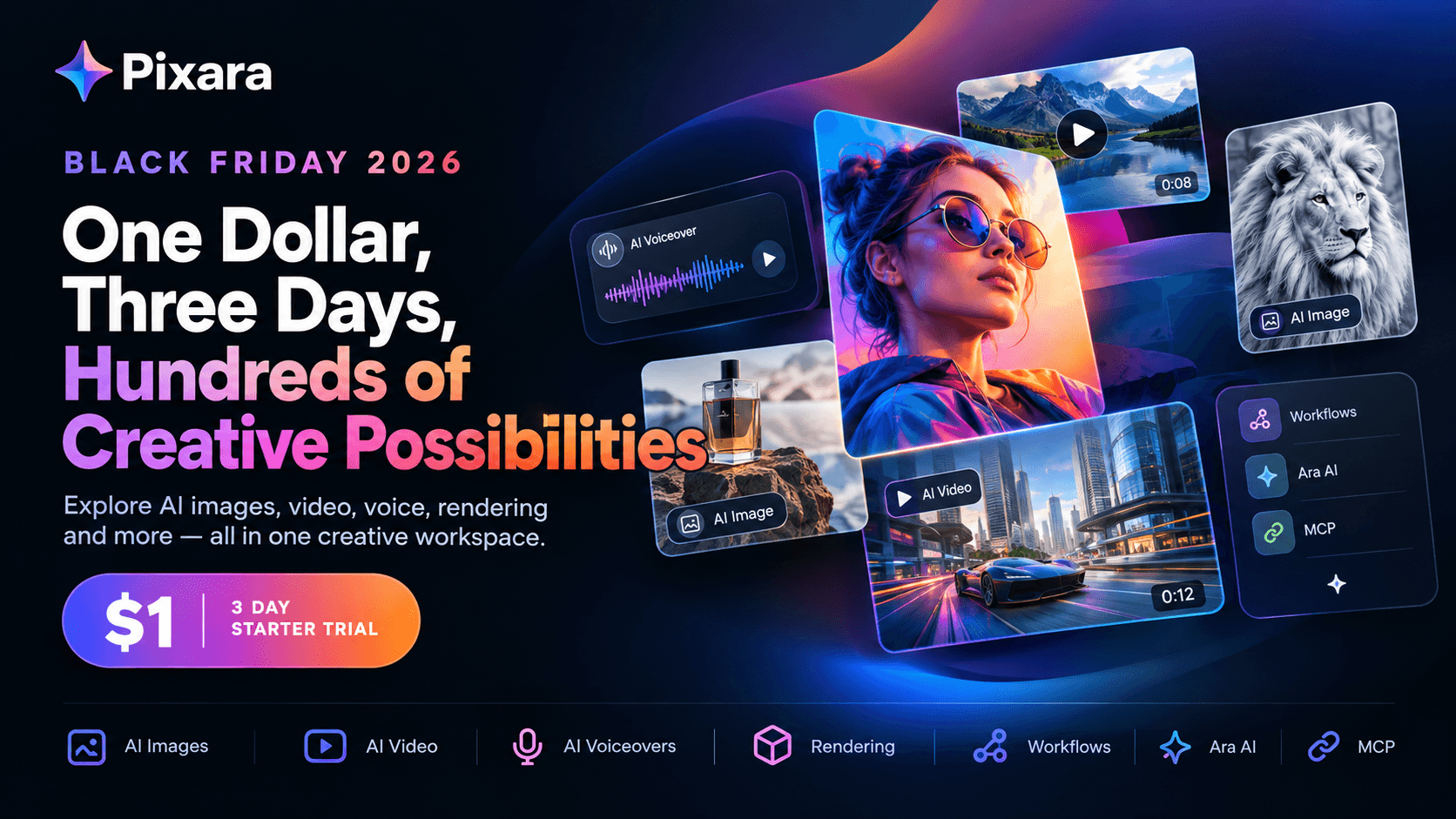
The three day Starter trial gives new users a chance to actually get inside the creative workspace, generate images, experiment with AI video, create voiceovers, render projects, test workflows and see how the platform fits into their everyday production process.
And there is a reason the timing matters.
Black Friday kicks off the biggest shopping and promotional season of the year. Cyber Monday follows. Then comes the Christmas rush, end of year campaigns, social content, product launches, ad creatives and all the visual work that tends to pile up before January.
So rather than treating this as another limited time coupon, think of it as a low cost opportunity to test an entire AI creative workflow before committing to a larger plan.
Start for $1

Out Starter plan normally costs $10 per month.
For the exclusive promo trial, new users can get started for $1 for three days.
After the three day trial period, the subscription moves to the regular $10 monthly rate, so this is not a permanent $1 subscription.
And there is quite a bit packed into those three days.
What do I get for $1?
Good question…
The Starter experience includes:
- 4,000 credits
- 1,000 AI image generations
- 222 seconds of generative AI video
- 666 minutes of AI voiceovers
- 33 minutes of video rendering
- 2 GB of storage
- 2 concurrent generations
- Ara AI
- MCP
- Workflows
- Public generations shared with the community
There is also an important distinction around the Unlimited Access section.
The Starter plan does not include the daily free generations available on higher tiers. Those begin with the Hobby plan.
That makes Starter less about getting every possible perk permanently and more about giving new creators enough room to properly test the ecosystem.
And for $1, that is a fairly different proposition from signing up for several separate AI tools just to figure out which ones you actually need.
What Can You Create?

The biggest advantage of an all in one creative platform is that you are not forced to build your workflow around a single generation type.
An image might be the starting point, but you might need to turn that image into a video.
Throw in the requirement for a voiceover and a couple of renditions of the finished masterpiece.
Instead of constantly moving between unrelated tools, the workflow can happen inside one broader creative environment.
AI image generation at your fingertips
Image creation is one of the core use cases.
The available credit allocation gives Starter users substantial room to experiment with different concepts, styles and visual directions.
That matters particularly for:
- Ecommerce product imagery
- Social media posts
- Ad creatives
- Concept art
- Marketing visuals
- Thumbnail concepts
- Character creation
- Lifestyle imagery
- Creative experiments
The goal isn't necessarily to generate one perfect image on the first attempt. It is to make experimentation cheap enough that you can generate several directions and choose what actually works.
Generative AI videos
The Starter plan also includes 222 seconds of generative AI video.
That opens up a completely different category of experimentation.
You can move beyond static visuals and test short form video concepts for:
- Instagram Reels
- TikTok
- YouTube Shorts
- Product demonstrations
- Advertising concepts
- Social campaigns
- Storytelling
- Motion graphics
- Visual experiments
For creators who have traditionally needed separate image, video and editing tools, having these capabilities accessible from one workspace can simplify the production process considerably.
AI voiceovers
Voice is another part of the equation.
The Starter allocation includes 666 minutes of AI voiceovers, giving creators plenty of room to experiment with narration and audio driven content.
That can be useful for everything from explainer videos and advertisements to social clips and longer form video projects.
The important part is that voice does not have to be treated as an entirely separate production stage.
It becomes another component of the same creative workflow.
Video rendering
The plan also provides 33 minutes of video rendering.
That is useful because generating individual assets is only part of the process. Eventually, those assets need to become something usable.
Ara, Workflows and MCP Make the Experience More Interesting
There is another layer beyond simply generating images and videos.
The platform also brings together Ara, Workflows and MCP.
Ara acts as the AI copilot within the creative experience, helping users navigate the generation process rather than requiring them to figure out every technical detail themselves. That is particularly useful for people who know what they want to create but don't necessarily know how to translate that idea into the perfect prompt or choose the right model.
Online workflows take the concept further.
Instead of treating every generation as an isolated action, creators can think in terms of repeatable production processes.
On top of that, Pixara’s MCP adds another layer for users who want more connected AI workflows and automation capabilities. The result is less of a collection of disconnected buttons and more of a creative workspace designed around getting from idea to finished asset.
The $1 Trial Is Only the Beginning

This is where the holiday offer gets more interesting.
Someone might enter through the $1 Starter trial because they simply want to experiment.
Three days later, they may realize they need considerably more capacity.
That's where the other plans come in.
Hobby: For Creators Who Need More Room
The Hobby plan is currently listed at $20 per month, reduced from $25.
It comes with 15,000 credits and expands the available production capacity considerably.
You get:
- 3,750 AI image generations
- 833 seconds of generative AI video
- 2,500 minutes of AI voiceovers
- 125 minutes of video rendering
- 25 GB storage
- 4 concurrent generations
- Optional private and copy protected generations
- Workflows
- Ara
- MCP
- 365 day Unlimited Access to selected models
The Unlimited Access selection includes models such as:
- Nano Banana
- Nano Banana 2
- GPT Image 2
- Seedream 5 Lite
- Reve 2.1
- Midjourney
For an individual creator who has moved beyond experimentation and is producing content regularly, this is where the subscription starts becoming a more serious production tool.
Pro: Where High Volume Creative Work Starts
The Pro plan is positioned as the Most Popular option.
It is listed at $36 per month, down from $60, with 36,000 credits.
The jump in capacity is substantial:
- 9,000 AI image generations
- 2,000 seconds of generative AI video
- 6,000 minutes of AI voiceovers
- 300 minutes of video rendering
- 50 GB storage
- 8 concurrent generations
- Private and copy protected generations by default
The same broader Unlimited Access model selection is included for 365 days.
This tier makes more sense for people who aren't simply playing around with AI.
Think:
- Content creators publishing frequently
- Ecommerce brands producing advertising creatives
- Marketing teams testing multiple concepts
- Freelancers working across several clients
- Agencies producing content at scale
The key difference isn't simply having more credits.
It is having enough capacity to iterate without constantly thinking about whether you have enough generation allowance left.
Ultimate: For Serious AI Production
Then there is Ultimate.
The regular price is $250 per month, currently listed at $150 per month, with 150,000 credits.
That is a completely different level of capacity.
The plan includes:
- 37,500 AI image generations
- 4,400 seconds of generative AI video
- 25,000 minutes of AI voiceovers
- 1,250 minutes of video rendering
- 100 GB storage
- 16 concurrent generations
- Private and copy protected generations by default
- Workflows
- Ara
- MCP
- 365 day Unlimited Access to selected models
For an individual creator producing occasional social content, this is probably unnecessary.
For an agency, high volume marketing operation or team producing creative assets continuously, however, the calculation changes.
The question becomes less “How much does the subscription cost?”
And more:
“How much would it cost to produce this volume of creative work using several separate tools, subscriptions and workflows?”
That is the comparison worth making.
If you are a creator, marketer, ecommerce operator, freelancer or agency looking for a way to produce more visual content without stitching together half a dozen different tools, three days is enough time to get a meaningful taste of what an integrated AI creative workspace can do.
And with Black Friday leading into Cyber Monday and the rest of the holiday content season, the timing could hardly be better.
Start creating for $1.
Then let the work decide whether you need more.