The AI advertising market is getting crowded. At this rate, my toaster will probably launch an AI avatar feature next Tuesday, complete with a subscription plan and a limited time offer.
Creatify AI wants to solve a problem that ecommerce brands, marketing agencies and paid social teams know all too well. Creating video ads takes time, money and a surprising amount of patience. You need a script, visuals, a presenter, voiceovers, editing, captions and a call to action. Repeat that process for every product, campaign and audience segment, and your creative team can spend more time producing assets than testing them.
The Creatify AI ad generator promises to make this process much faster. Give it a product URL, upload your assets or describe the ad you want, and it can assemble a video featuring AI avatars, generated scenes, product visuals and advertising copy.
Sounds convenient. But a video that looks polished in a preview is not automatically an ad worth spending money on.
In this Creatify AI review, we examine its showcase ads, pricing plans, credit system, Aurora avatars, production features and customer feedback. We also look at the limitations that matter when you need reliable output for TikTok, Instagram Reels, Facebook and other paid social channels.
We will also compare its workflow with Pixara, a creative workspace that brings multiple AI models, image generation, video creation, voiceovers, audio tools and editing capabilities together. Its Ara AI copilot helps with prompt engineering, creative direction and model selection, making it worth considering for marketers who want more creative freedom alongside ad production.
Creatify's published examples provide useful material for evaluating its output. However, they do not establish conversion rates, return on ad spend or campaign profitability. Those results require advertising data, not just an attractive video.
What Is Creatify AI, and Who Should Use It?

Creatify AI is an AI advertising platform designed to turn product information and creative assets into short promotional videos and image ads. Its central selling point is speed. Rather than building every advertisement from scratch, marketers can start with an existing product page and let the platform handle much of the initial production work.
For ecommerce businesses, this can remove several repetitive tasks from the creative process. The platform can extract product information, propose scripts, select AI actors, generate scenes and assemble video ads that can be refined before publication.
The result is a template driven, ad focused workflow that makes sense for teams producing creative variations regularly.
What can you create with Creatify?
The platform extends beyond basic AI presenter videos. Its wider collection of features supports different stages of advertising production, from developing the initial concept to preparing assets for campaigns.
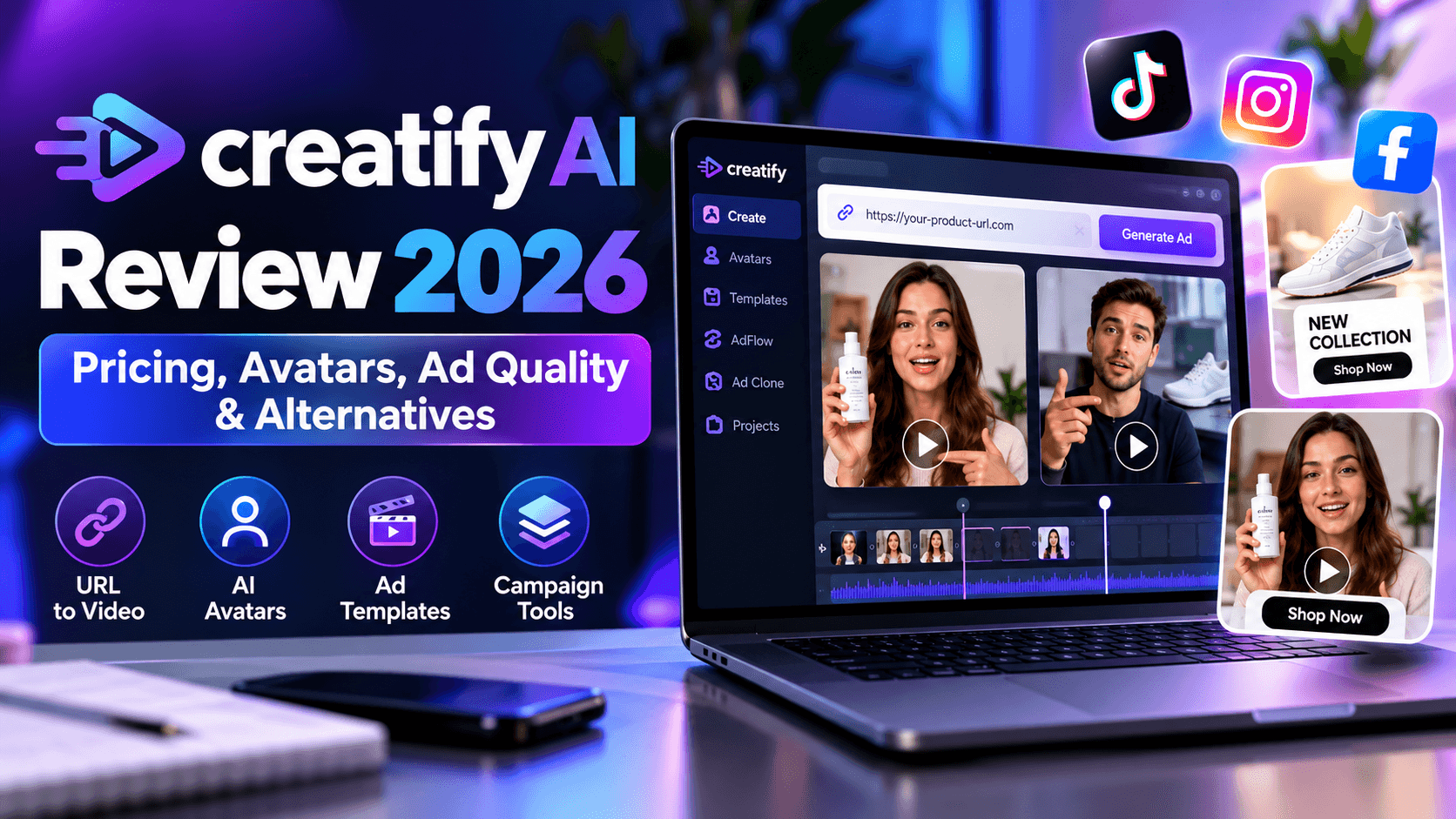
- URL to video: Turn a product page into an advertising draft, with product details, suggested scripts and supporting visuals.
- AI avatars and Aurora: Create presenter led content, animate portraits and produce videos with generated speech and facial expressions.
- Ad templates: Start with established advertising layouts and structures rather than building every scene manually.
- AdFlow and Creative Agent: Organize creative production through connected workflows and AI assisted generation.
- Ad Clone: Recreate the general structure of an existing advertisement from a URL.
- Image ads and campaign tools: Produce additional creative formats and support advertising workflows beyond video generation.
These features are useful when your team needs a steady supply of new advertisements. A skincare brand, for example, might want separate videos featuring different presenters, product benefits and opening hooks. An agency managing several ecommerce clients could need even more variations every week.
Creatify can help accelerate that work, although generated assets still require review. Product claims need verification, scripts need a clear sales message, and the final edit should match the brand's tone.
Who is Creatify best suited for?
Creatify is particularly relevant to ecommerce brands, performance marketers, advertising agencies and social media teams that need to produce short promotional videos at scale.
It is a practical option for teams that prefer speed and repeatable workflows over extensive manual production. Its URL to video feature can reduce the time spent preparing creative briefs, while AI avatars provide a convenient way to introduce a presenter without arranging a traditional shoot.
There are limitations worth considering. Teams that need precise control over every shot, complex storytelling, advanced compositing or highly specific visual direction may find a template driven workflow restrictive. The credit system also deserves careful attention if you expect to generate numerous drafts before approving a final ad.
Creatify AI Ad Quality Review: Two Showcase Videos Put to the Test

Product demos can make almost any creative tool look impressive. The more useful question is how its output holds up when you inspect the details that matter in advertising.
We assessed two publicly available Creatify showcase ads against practical criteria, including the opening hook, script coherence, presenter realism, product visibility, audio quality, motion, call to action and readiness for a paid campaign.
These scores represent our editorial assessment of the supplied examples, not an independent benchmark of every Creatify model or feature. A different product, script or generation attempt could produce a different result.
Example 1: Creatify UGC Style Product Advertisement
The first example follows a creator led advertising format. A presenter appears on screen, camera positions change throughout the video, and a bag features in the action. The intended effect is familiar to anyone who watches product recommendations on TikTok or Instagram.
The format works because it feels more informal than a conventional corporate advertisement. A presenter can introduce the product, demonstrate it and communicate a benefit without requiring a professional filming setup.
Creatify gets several parts of this experience right. The presenter changes position, interacts with the product and brings some energy to the clip. The changing camera angles also help the video maintain momentum.
However, presentation quality is only one part of a successful advertisement.
The script lacks the coherence needed to carry the viewer from the opening hook to a convincing purchase decision. The supplied audio also ends mid sentence, leaving the advertisement without a proper conclusion. That is a fairly significant problem for a video intended to persuade someone to take action.
The call to action needs attention, too. Viewers should understand what to do next, whether that means visiting a product page, claiming an offer or purchasing the item. Without a clear next step, an otherwise engaging clip can struggle to turn attention into action.
Our scoring of the first Creatify example
Opening hook: 7/10. The opening attracts attention, although the sales proposition could be clearer.
Script coherence: 5/10. The narrative needs a more complete and persuasive structure.
Presenter realism: 7/10. The presenter feels reasonably natural for a short social advertisement.
Product visibility: 7/10. The product receives useful screen time and participates in the action.
Audio quality: 4/10. The incomplete ending hurts the viewing experience.
Motion and pacing: 8/10. Camera changes help maintain energy and visual interest.
Call to action: 2/10. The next step for the viewer needs much clearer direction.
Launch readiness: 5/10. Further editing is needed before we would consider it campaign ready.
Our verdict: This is an engaging starting point, but it needs another editing pass before publication as a finished performance ad. The presenter brings energy to the screen, yet the incomplete audio and weak ending prevent the advertisement from delivering a satisfying sales message.
The lesson for marketers is straightforward. AI can reduce production time, but someone still needs to check the script, audio and conversion path. A video that looks good in the first few seconds can lose its effectiveness if the ending falls apart.
Example 2: Creatify URL to Video Product Advertisement
The second showcase promotes Kitsch Rose Gold Styling Clips. At approximately 9.5 seconds, it is a compact product advertisement that introduces the item quickly and shows it being used.
The product appears early, which is helpful for social media placements where viewers can scroll away almost immediately. The vertical format also suits mobile first platforms such as TikTok and Instagram Reels.
Another positive is the demonstration. Showing a product in use communicates more than a static product shot accompanied by a list of benefits. Viewers can understand what the item does without having to work through a long explanation.
The creative concept, however, needs more development.
The hand and hair movements deserve careful inspection for unnatural transitions or inconsistencies. AI generated motion can look convincing in one frame and awkward in the next, particularly when a model must preserve the appearance of a specific product while animating a person interacting with it.
The clip also has very little time to establish a compelling reason to buy. It introduces the product and demonstrates its basic use, but offers limited proof, persuasion or direction for the viewer.
That does not make the video useless. It could work as one component of a larger creative testing programme, particularly if paired with a stronger hook, a specific benefit and a clear offer. As a standalone advertisement, however, it leaves too much of the selling job unfinished.
Our scoring of the second Creatify example
Product clarity: 9/10. The featured item is easy to identify.
Opening hook: 6/10. The product appears quickly, but the opening could create more curiosity.
Product demonstration: 7/10. Showing the item in use helps communicate its purpose.
Motion realism: 6/10. Some movements warrant closer inspection for visual consistency.
Audio quality: 7/10. The audio is serviceable for a short product showcase.
Supporting proof: 3/10. The clip offers limited evidence to support a purchase decision.
Call to action: 2/10. The next step is not communicated clearly enough.
Launch readiness: 6/10. The video has a useful foundation but needs a stronger advertising concept.
Our verdict: The second example demonstrates the practical appeal of URL to video production. Creatify can produce a clean, product focused visual without requiring a conventional filming session. The main weakness is the advertising strategy surrounding that visual.
A better version could open with a specific customer problem, demonstrate how the clips solve it, introduce a relevant benefit and finish with a clear call to action. The product imagery would remain useful, but the script would give viewers a better reason to care.
For marketers, the practical takeaway is simple. Inspect the entire clip, not just its most attractive frame. Check product appearance, hands, facial expressions, transitions, audio and the final call to action before committing advertising spend.
What do these two examples tell us about Creatify?
Both videos demonstrate why an AI ad generator can be useful for rapid creative production. Creatify can produce a workable visual foundation, present products quickly and reduce some of the effort associated with conventional video creation.
The examples also show why automated production does not eliminate the need for creative judgment. The first video needs a more coherent script and complete ending. The second needs a more persuasive advertising idea and a stronger next step.
For a team producing dozens of variations, these issues matter because revisions consume time and can consume credits. A fast first generation is helpful, but the production process becomes much less attractive when several rounds of regeneration are needed before an ad is ready.
This is where it makes sense to compare Creatify with broader creative workspaces that provide access to multiple video models, image generation, voiceovers and editing tools. The right choice depends on how much creative control your team needs, how frequently you generate new assets and how predictable you need production costs to be.
Creatify Pricing in 2026: Plans, Credits and What You Really Get
Pricing is one of the most important parts of this Creatify AI review because the advertised monthly fee only tells part of the story. The amount of usable creative you can produce depends on your plan, the tools you select, the number of revisions you need and how many generated videos are good enough to publish.
Creatify offers several subscription tiers, ranging from a limited free option to paid plans designed for regular production and larger teams. According to the pricing information supplied for this review, the following prices were checked against the platform's pricing page on October 13, 2026.
The annual billing figures below represent the equivalent monthly cost when billed annually. The standard monthly rates are higher.
Creatify Pricing Plans in 2026
The annual billing figures represent the equivalent monthly cost when billed annually. Standard monthly rates are higher.
* Free Plan
- Monthly billing: $0
- Annual billing equivalent: $0
- Monthly credits: 10
- Best suited for: Testing the platform.
* Standard Plan
- Monthly billing: $15
- Annual billing equivalent: $12 per month
- Monthly credits: 55
- Best suited for: Occasional ad production.
* Pro Plan
- Monthly billing: $55
- Annual billing equivalent: $44 per month
- Monthly credits: 280
- Best suited for: Weekly production and creative testing.
* Max Plan
- Monthly billing: $95
- Annual billing equivalent: $76 per month
- Monthly credits: 730
- Best suited for: High volume campaigns and teams.
The Standard plan is an entry point for people who want to test the workflow without committing to a larger subscription. Pro provides a much bigger credit allowance and more advanced advertising features, while Max targets businesses that need greater production capacity and collaboration options.
Before subscribing, check the official Creatify pricing page for current terms, feature availability and billing conditions. Subscription benefits and included models can change, so treat the figures above as a dated pricing snapshot rather than a permanent price list.
Creatify Free Plan: Is It Enough to Test the Platform?
The free plan provides 10 credits per month, according to the supplied pricing information. That makes it useful for trying the basic workflow, checking how product information is imported and seeing how AI generated advertisements look.
For someone who has never used an AI ad generator, this is a sensible starting point. You can experiment with a product URL, review the proposed script and see how an avatar or generated scene fits the creative concept.
The limitations become more apparent when you try to produce a regular stream of content. A monthly allowance of 10 credits leaves little room for repeated experimentation, particularly if a generation does not produce the result you wanted. Free exports also carry a watermark, which can make them unsuitable for professional campaign use.
Think of the free plan as a product trial rather than a complete advertising solution. It can help you decide if the workflow suits your needs, but you should not expect it to support a demanding content calendar.
Creatify Standard: A Starting Point for Small Teams
At $15 per month on monthly billing, or an annual equivalent of $12 per month, Standard provides 55 monthly credits. It includes access to the core creation tools, 300 realistic AI actors, AdFlow templates, selected premium video models and watermark removal.
The plan supports one generation at a time. That is fine for an individual marketer producing occasional advertisements, but it may become restrictive when several creative ideas need to be tested within a short deadline.
Standard is worth considering if you have a small product catalogue, generate ads occasionally or want to become familiar with Creatify before committing to a higher tier.
Its main limitation is production capacity. The subscription fee looks approachable, but a small credit allowance can become uncomfortable when your creative process involves several rounds of experimentation.
Creatify Pro: The Practical Choice for Regular Ad Production
Pro costs $55 per month on monthly billing, with an annual equivalent of $44 per month. Its 280 monthly credits provide considerably more room for regular video creation and revisions.
The plan also expands the available creative resources. According to the supplied plan details, users receive access to 1,500 realistic AI actors, three custom avatars, more than 500 AdFlow templates, additional premium models and up to five simultaneous generations.
Pro includes Creative Agent, automations, Competitor Ad Tracker and Ad Clone. Those tools make the subscription more appealing to performance marketing teams that need to research competitors, develop new creative concepts and produce multiple variations.
The larger allowance can support a more active testing process, but it does not guarantee a specific number of finished advertisements. A simple video and a complex generation may consume different amounts of credits, and unsuccessful outputs can still create additional work.
For a marketer running weekly campaigns, Pro is the tier I would examine first. It offers more production flexibility than Standard without requiring the larger monthly commitment associated with Max.
Creatify Max: For Agencies and High Volume Workflows
Max costs $95 per month on monthly billing, or an annual equivalent of $76 per month. It includes 730 monthly credits, three seats, three brand spaces and up to 10 simultaneous generations, alongside the advanced features available in the lower paid tiers.
The additional capacity is useful for agencies handling multiple clients, ecommerce businesses with extensive catalogues and teams that need to produce creative assets for several campaigns at once.
Parallel generation can help reduce waiting time. A team can prepare multiple concepts and generate them concurrently rather than waiting for each job to finish before starting another.
However, higher capacity does not automatically translate into better advertising results. If the scripts, product claims or creative concepts are weak, generating more videos simply produces more material to review.
Max makes the most sense when production volume and collaboration are genuine operational requirements. A solo creator who publishes a handful of ads every month may struggle to justify the extra expense.
How Creatify Credits Work and Why They Matter
Credits are central to understanding the cost of using Creatify. Your subscription determines the allowance available each month, but the selected tool and type of generation determine how quickly that allowance gets used.
According to Creatify's credit usage and billing documentation, standard video generation costs five credits per 15 seconds, while a revision costs three credits per 15 seconds. The supplied documentation also states that Pro and higher tier users can revise a video without a credit charge when the script, actor and voice remain unchanged.
Manual editing has a different cost structure. Adjusting text, captions, trimming footage, changing media or modifying the layout can generally be done without paying for another AI generation. Regenerating AI content, however, uses credits.
Advanced features such as Creative Agent, AdFlow and Ad Clone can have variable credit costs depending on the complexity of the request, the assets supplied and the number of generation attempts.
That makes it important to distinguish between editing a video and asking AI to create new content.
How many videos can you produce with Creatify?
The following estimates use the standard rate of five credits per 15 seconds and assume every credit is spent on standard video generation. They are theoretical maximums, not guarantees of finished, publishable ads.
* Free Plan
- Monthly credits: 10
- Equivalent 15 second generations: 2
- Equivalent 30 second generations: 1
* Standard Plan
- Monthly credits: 55
- Equivalent 15 second generations: 11
- Equivalent 30 second generations: 5
* Pro Plan
- Monthly credits: 280
- Equivalent 15 second generations: 56
- Equivalent 30 second generations: 28
* Max Plan
- Monthly credits: 730
- Equivalent 15 second generations: 146
- Equivalent 30 second generations: 73
These figures exclude other credit consuming activities, and longer video generation may follow different rules depending on the selected tool. Actual results will vary if you use advanced models, create revisions or experiment with different production features.
The difference between theoretical output and usable output matters. Suppose your team produces 20 video drafts, but only eight meet its standards for product accuracy, visual consistency and advertising quality. The useful output is eight videos, not 20.
That is why you should evaluate the cost per approved creative, not simply the number of generations available.
How to avoid wasting Creatify credits
A little preparation can make a noticeable difference to your monthly allowance. You do not need a perfect script before opening the platform, but you should have a clear idea of the audience, product benefit and message you want the advertisement to communicate.
Start by reviewing the product page and confirming that its claims, pricing and images are accurate. Write a specific hook and decide what action you want the viewer to take. Then select the appropriate format and generate a draft.
Once the video exists, use manual editing for straightforward adjustments wherever possible. Save regeneration for problems that genuinely require new AI output, such as an unsuitable presenter, unnatural motion or an incorrect product interaction.
You should also test a few creative directions before producing a large batch. A single clear concept with a strong opening and convincing demonstration is a better foundation than generating dozens of variations from an unclear brief.
For more details on how the platform allocates credits, consult the official credit documentation.
How Does Creatify AI Work?
Creatify's central workflow is designed to remove repetitive production tasks. You provide the product information, select a creative direction and let the platform assemble an initial advertisement.
Its URL to video workflow documentation describes a process that starts with a product URL or uploaded assets and continues through script selection, creative configuration and generation.
Step 1: Add a product URL or upload your assets
Begin with a product page that contains useful information, clear imagery and an accurate description. Creatify can extract supported product details and use them to prepare an initial advertising concept.
This is particularly useful for ecommerce businesses with many products. You can start from information that already exists instead of writing a fresh creative brief for every item.
The quality of the source material matters, though. If your product page contains vague benefits, outdated information or poor images, those weaknesses can carry into the generated advertisement.
Step 2: Review the product information and proposed script
Once the platform has processed your inputs, inspect the product name, imagery, benefits and claims it has identified.
This is where human review becomes important. A generated script might describe a feature inaccurately, exaggerate a benefit or produce generic advertising copy that could apply to almost any product.
Rewrite the script around a specific customer problem. Explain how the product helps, provide a credible reason to believe the claim and remove anything that sounds unnatural when spoken aloud.
Step 3: Choose the avatar, voice and visual style
Creatify provides AI actors and presenter options for different advertising formats. You can select a suitable person, choose a voice and determine how the video should look.
Consider the audience before making this choice. A presenter who works for a skincare recommendation might not suit a technical software advertisement. Similarly, an energetic delivery can help a short social ad, but an overly enthusiastic voice can make a premium product feel cheap.
The best result comes from matching the presenter and tone to the product rather than selecting an avatar simply because it looks impressive.
Step 4: Generate the video and inspect the result
Creatify assembles the selected elements into a draft. Review the entire video for visual consistency, timing, voice quality, captions and product accuracy.
Pay particular attention to transitions, hands interacting with objects, lip synchronization and any scene in which the product changes appearance. These are common areas where generated footage can require correction.
Do not approve a video simply because the opening looks good. The ending needs to complete the message and provide a clear next step.
Step 5: Edit, export and prepare the campaign
After reviewing the generation, make the necessary corrections and prepare the final asset for publication.
Check the aspect ratio, caption placement, sound levels, brand styling and platform requirements. Your Meta or TikTok export should fit the intended placement and remain understandable when watched on a mobile screen.
The final review should also cover advertising claims and any required disclosures. AI generated content can save production time, but it does not remove responsibility for what your brand publishes.
Creatify AI Features: Which Ones Matter Most?
Creatify offers a broad collection of tools, but their value depends on the job you need to complete. A small ecommerce business may care most about turning product pages into video ads, while an agency may place greater value on batch production, custom avatars and campaign research.
Here are the features worth examining before you choose a plan.
URL to video: The Main Attraction
URL to video is one of Creatify's clearest selling points. It takes existing product information and turns it into a starting point for an advertisement, reducing the work required to prepare a script and assemble the initial creative.
For a store with dozens or hundreds of products, this can be useful. You can develop promotional drafts without arranging a separate filming session for every item.
The catch is that a product page is not the same thing as a good advertising brief. Product descriptions often emphasize specifications and broad benefits, while successful advertisements need a specific hook, an understandable demonstration and a reason to act.
Treat the generated result as a first draft. Check the facts, improve the message and remove generic claims before publishing.
Creatify Aurora: AI Avatars and Talking Portraits
Creatify Aurora, commonly referred to as Aurora in the platform's creative offering, supports the animation of still images into speaking, expressive video content. Depending on the available workflow, this can help create presenter led videos from a portrait rather than recording a new person on camera.
For marketers, the appeal is straightforward. A brand can experiment with spokesperson style content without arranging a full production session for every variation. This can help when testing different scripts, audiences or creative directions.
The output still needs inspection. Facial movement, blinking, lip synchronization and voice delivery all influence how convincing a talking portrait feels. Poor lighting, unsuitable source images or excessive facial movement can make a generated presenter look unnatural.
The source image also matters. A clear face with suitable lighting and a straightforward angle generally provides a more useful starting point than a heavily obstructed or poorly lit portrait.
Aurora is worth considering if presenter led advertising is central to your strategy. If your campaigns depend more on cinematic product demonstrations, complex motion or carefully directed scenes, you may want a workspace that offers a broader range of generation models.
Creative Agent: Turning a Brief Into an Ad
Creative Agent is intended to simplify the process of turning an advertising request into a generated creative. The workflow can help assemble elements such as scripts, visuals, voices, music and captions based on a conversational instruction.
This can reduce the amount of manual setup required for an initial draft. A marketer might specify the product, target audience, primary benefit and desired tone, then review the resulting concept.
The important word is review. A broad instruction can produce a broad advertisement. Give the system useful context, including the customer's problem, the product's relevant features and the action the viewer should take.
Creative Agent can help with production, but your team still needs to supply the commercial judgment that makes the message relevant.
AdFlow: Connected Creative Production
AdFlow organizes advertising production through a connected workflow. It is designed for people who want more than a single isolated video generation and need a repeatable way to produce creative assets.
This becomes useful when the same team handles several products or campaigns. A structured workflow can make it easier to manage recurring production tasks and reduce the effort involved in starting each project.
Creatify's AdFlow documentation notes that results can be experimental and that credit consumption depends on factors such as prompt complexity, generation attempts and supplied assets. It also warns that a generation cannot be stopped once it has started.
That is worth remembering when planning a workflow. Review the prompt and assets before starting a job, particularly if it could consume a substantial portion of your allowance.
Ad Clone: Recreating an Existing Advertising Concept
Ad Clone allows users to recreate the general structure of an existing advertisement from a URL. This can be helpful when studying creative patterns, such as the opening hook, scene sequence, product demonstration and call to action.
For performance marketers, the value lies in understanding what makes a format worth testing. You might identify a competitor's use of a problem focused opening and develop a different concept for your own audience.
However, cloning an advertisement should not mean copying another brand's protected assets, distinctive creative expression or misleading claims. Use competitor material as inspiration for your own original work, and make sure the resulting advertisement accurately represents your product.
Batch Production and Parallel Generation
Production speed matters when your team is testing many creative variations. Creatify's paid plans offer different levels of parallel generation, with the supplied pricing information listing one simultaneous generation for Standard, up to five for Pro and up to 10 for Max.
This can reduce waiting time when several jobs need to run together. Agencies, in particular, may benefit when different clients or campaigns have separate production deadlines.
Batch mode is most useful when the creative brief is already clear and the variations have a purpose. You might test different hooks, presenter styles or product benefits while keeping other elements consistent.
Generating a large collection of random variations is less useful. It creates more assets to review without necessarily producing better insights. Plan the experiment first, then use the available production capacity to execute it.
Brand Kit, Templates and Export Options
Brand consistency becomes increasingly important as production volume grows. Templates can help standardize layouts, while available brand controls can make it easier to maintain consistent styling across recurring campaigns.
Before committing to a plan, verify the precise brand kit functionality included in your chosen tier. Check how it handles logos, colours, fonts, reusable assets and templates, particularly if your team manages multiple brands.
Export settings deserve similar attention. An advertisement intended for TikTok or Instagram Reels may need a different aspect ratio and caption placement from a landscape video intended for another channel. Check the available export formats and confirm that the final video works for the intended Meta or TikTok placement.
The aim is to make production repeatable without making every advertisement look identical. A consistent visual identity helps viewers recognize your brand, while varied hooks, demonstrations and offers give them a reason to pay attention.
Is Creatify AI Legit? What Customer Reviews Say in 2026
Before spending money on an AI advertising platform, it is worth looking beyond the product's own demonstrations. Marketing pages show what a company wants you to see. Customer reviews can reveal how the software behaves during everyday production, including the less glamorous parts such as rendering delays, editing limitations, billing and customer support.
Creatify has an established commercial presence, a broad advertising feature set and substantial review activity. That gives prospective customers useful evidence to examine, although no rating can guarantee that the platform will suit every workflow.
For this review, the supplied review snapshots are dated October 13, 2026. Ratings and review counts can change, so check the linked profiles for current figures before publishing.
What G2 reviewers like about Creatify
According to the supplied snapshot, G2's Creatify review page displayed a 4.8 out of 5 rating from 1,758 reviews.
The positive feedback themes highlighted in the supplied research include ease of use, fast production, realistic AI actors and time savings. These benefits line up with the platform's central promise: reducing the effort required to produce short advertising videos.
For an ecommerce marketer, a workflow that converts a product page into a usable draft can eliminate several repetitive tasks. For an agency, reusable templates and AI avatars can make it easier to produce multiple versions of a campaign without arranging a new shoot for every concept.
However, customer feedback also mentions rendering problems, limited customization and confusion around credits or editing. These concerns matter because the value of an AI advertising platform depends on how much finished work it helps you produce, not just how quickly it generates an initial video.
A platform can be easy to learn while still requiring considerable effort to achieve a specific visual result. That distinction becomes particularly important for brands with strict creative guidelines.
What Product Hunt feedback adds
Product Hunt's Creatify reviews offer another source of user opinions and product feedback.
When assessing this feedback, pay attention to the experiences that resemble your own intended use. Someone testing an avatar for a personal project has different requirements from an agency producing dozens of paid advertisements every month.
Look for comments about generation quality, ease of editing, reliability and the effort needed to turn a draft into a finished asset. These details are more useful than a general statement that the software is impressive.
Product Hunt feedback can help you understand how users perceive the product, but it should be treated as supplementary evidence rather than a controlled evaluation of output quality.
What Trustpilot reviewers criticize
The supplied October 13, 2026 snapshot lists Creatify on Trustpilot with a 3.8 out of 5 rating from 838 reviews.
The reported positive themes include ease of use, professional looking videos and time savings. Critical feedback highlights editing glitches, slow rendering, customer support experiences and refund delays.
These are important areas to investigate before subscribing. A small editing inconvenience might not matter to a solo creator producing one video a week, but repeated glitches can create a serious bottleneck for an agency working against client deadlines.
Billing and refund concerns deserve attention, too. Before choosing an annual subscription, review the cancellation terms, renewal conditions and refund policy. Keep a copy of your subscription confirmation and any cancellation correspondence.
Why do G2 and Trustpilot show different ratings?
The supplied figures show a higher rating on G2 than on Trustpilot. That difference does not automatically establish that one platform is more reliable or that Creatify performs poorly.
Review audiences, moderation practices, user expectations and the types of experiences people choose to report can vary between platforms. A person evaluating software for business productivity may prioritize different things from someone who is unhappy with a billing or refund experience.
The sensible response is to read the recurring themes across multiple sources. Look for detailed reviews describing specific workflows, and give greater weight to recent experiences that resemble your intended use.
Our verdict on customer feedback: Creatify appears to deliver meaningful time savings for many users, particularly when they need quick advertising drafts and accessible AI presenters. The reported concerns around editing, rendering and credits are worth testing during a free trial before you make a larger commitment.
Creatify AI Pros and Cons: What You Should Know Before Paying
Creatify has a practical use case, but its benefits depend on how your team produces advertising creative. The platform is designed to make ad production faster and more repeatable. It is less appealing when every scene needs extensive manual direction or the production process involves many experimental generations.
Here is how its main advantages and limitations compare.
Creatify AI advantages
1. Fast URL to video production
Starting with a product URL can reduce the time required to prepare an initial advertising draft. The platform can collect product details, suggest a script and assemble the first version without requiring a traditional filming session.
This is particularly useful for stores with large product catalogues. You can create a starting point for several products and reserve manual creative work for the assets that deserve additional attention.
2. Convenient AI avatars
AI actors and Aurora provide options for presenter led advertising without hiring a person for every video. Brands can test different spokesperson styles and messaging while keeping production relatively lightweight.
The results still need quality control, but the ability to generate presenter content on demand is useful for teams that publish frequently.
3. Advertising focused templates
Templates give marketers a repeatable starting point for common ad formats. They can help teams maintain a consistent structure across different products and reduce the effort required to build every video from scratch.
This works particularly well when your advertising strategy relies on testing variations of an established concept.
4. A broad collection of production tools
Creatify combines URL to video, AI avatars, image ads, AdFlow, Creative Agent and Ad Clone within a single advertising platform. Having these capabilities together can reduce the need to move between separate tools for every production task.
Higher tier plans also offer greater parallel generation capacity and additional campaign features.
5. Useful for creative testing
Performance marketers rarely succeed by publishing one advertisement and hoping for the best. They need different hooks, product demonstrations, scripts and offers to test against audience behaviour.
Creatify can make it easier to produce those variations, particularly when the brief is clear and the team has a defined testing strategy.
Creatify AI disadvantages
1. Credit consumption can become expensive
The subscription fee is only part of your production cost. Repeated generations, advanced workflows and experimental attempts can consume credits faster than expected.
If you need several attempts to achieve an acceptable result, the cost per approved advertisement may be higher than the headline price suggests.
2. Creative control can feel limited
Templates and automated workflows simplify production, but they can also restrict the amount of control you have over individual scenes. Teams that require precise motion, detailed visual direction or a specific cinematic style may need additional tools.
3. AI output still needs human editing
A generated advertisement can contain awkward transitions, unnatural movement, generic copy or an incomplete call to action. Those problems can reduce the amount of time saved if every output needs extensive repairs.
4. Advanced features may require a higher tier
Some of the platform's more useful advertising and collaboration capabilities sit within the higher paid plans. Smaller teams may find that the entry level subscription does not provide enough capacity or flexibility for their needs.
5. Advertising output is not the same as advertising performance
Creatify can help produce video assets, but it cannot guarantee that people will watch them, click through or purchase the product. Results depend on the offer, audience, creative strategy, landing page and campaign execution.
Our verdict: Creatify is worth considering if your primary requirement is an advertising focused production workflow that turns product information into video drafts quickly. Its value becomes less certain when credit consumption, extensive revisions or limited creative control become significant concerns.
Pixara: A Flexible Creatify Alternative for AI Video Ads, Product Visuals and Creative Testing

If Creatify feels too template driven for your needs, Pixara offers a broader creative workspace worth considering. Rather than centring the entire experience on automated ad assembly, it brings AI video generation, image creation, voiceovers, audio tools and editing into one environment, with access to multiple models.
That matters for marketers who want to produce advertisements in different styles without committing every project to a single generation workflow. You might need a presenter led product testimonial for one campaign, a cinematic product demonstration for another and a set of polished product images for a third. Having multiple creative tools available in one workspace gives you more room to match the production method to the campaign.
The platform is designed for ecommerce businesses, marketing agencies, content creators and smaller brands that need professional looking creative without building a large production team.
Its central advantage as a Creatify alternative is flexibility. Creatify is particularly focused on converting product information into advertising assets, while Pixara provides a wider set of creative capabilities that can support the advertising process from concept development to finished media.
Multiple AI video models for different advertising concepts
One limitation of relying on a single generation workflow is that different creative briefs often need different visual strengths. A product demonstration might need believable physical movement, while a brand advertisement may depend on atmosphere, camera movement or a carefully composed cinematic scene.
Pixara provides access to multiple AI video models, including the model families identified in the supplied product information, such as Sora, Veo, Kling and Seedance. Model availability and versions can change, so check the current workspace before selecting a plan.
This multi model setup gives marketers more options when a first generation does not match the intended creative direction. You can choose a suitable model for the job rather than expecting one system to deliver every visual style equally well.
For example, an ecommerce brand launching a new skincare product could use one model to generate a lifestyle scene, another to create a product focused sequence and an image generation tool to develop supporting campaign visuals.
That flexibility is useful during creative testing. Different concepts can require different production methods, and the ability to experiment with more than one model can help you find a suitable visual direction.
Ara AI copilot: Help with prompts, models and creative direction
One of the platform's notable features is Ara, its AI copilot for creative production. The purpose is to reduce the amount of prompt engineering and model selection a user needs to handle manually.
If you have ever tried generating a product video and received a result that looked nothing like the scene in your head, you will understand why this matters. A vague prompt can lead to inconsistent visuals, awkward movement or a scene that misses the point of the advertisement.
Ara is designed to help translate a creative idea into more useful instructions, recommend an appropriate model and guide the creative direction. This can make the workflow more accessible to marketers who understand advertising but do not want to spend hours learning the technical details of every video model.
Imagine that you need an advertisement showing a pair of running shoes on a wet city street at sunrise. You want the shoe to remain visually consistent, the camera movement to feel natural and the overall mood to match an energetic sports campaign.
A copilot can help refine the brief and improve the instructions provided to the generation model. You still need to inspect the output, check the product details and correct any visual errors, but you have a more guided starting point.
This is particularly useful for smaller teams that cannot afford to assign a specialist prompt engineer to every campaign.
AI image generation for product ads and campaign assets
Video is only one part of a paid social campaign. Brands also need static advertisements, product hero images, supporting graphics, thumbnails and other visual assets.
Pixara's AI image generation tools help cover those requirements within the same creative workspace. Marketers can develop product imagery, experiment with campaign concepts and prepare visuals that complement their video advertisements.
For an ecommerce business, this can make campaign production more coherent. You might create a product image for a promotional post, generate a lifestyle visual for a landing page and develop a short video concept around the same campaign idea.
The quality of the output still depends on the source material, model selection and instructions. Product identity, logos, packaging details and text should be checked carefully, particularly when the generated image is intended to represent a physical product that customers will purchase.
The benefit is having a wider set of creative options available without requiring a separate production process for every asset type.
AI voiceovers, audio tools and video editing
A video advertisement needs more than attractive visuals. Voice delivery, sound design, pacing and captions all contribute to the finished experience.
Pixara includes AI voiceover capabilities, audio tools and a built in video editor. These features can help marketers assemble different elements of a campaign without repeatedly moving between separate applications.
For example, you could generate a product scene, create a voiceover that explains its main benefit, add suitable audio and refine the timing in the editor. If the first script feels too generic, you can improve the message and adjust the edit around the revised narration.
This flexibility is useful for teams producing multiple advertising formats. A short vertical video may need quick pacing and a direct opening, while a longer product explainer can allow more time for demonstrations and supporting information.
The final result still needs human review. AI voices can sound unnatural, generated visuals may contain inconsistencies, and poorly timed captions can make an otherwise good advertisement difficult to follow.
MCP integration for AI assisted creative workflows
Pixara's supplied product information also highlights MCP integration with AI assistants and development tools such as Claude, Cursor and GPT based workflows.
For teams already experimenting with AI assisted work, this creates an opportunity to connect creative tasks with a broader production process. Depending on the supported integration and permissions, an AI agent may be able to help coordinate parts of a workflow rather than treating every creative request as an isolated task.
Consider an agency preparing a campaign for a new ecommerce client. The team could use an AI assistant to help organize creative briefs, generate prompt variations, structure asset requirements and coordinate the work involved in preparing campaign materials.
The practical value depends on the specific MCP tools and supported actions available in the current product. Integration should not be interpreted as a guarantee that every creative task can be fully automated, and generated assets still need approval before publication.
For teams interested in connecting creative production with their existing AI workflows, this capability makes the platform worth evaluating.
Pricing and value for different types of creators
Pixara's supplied subscription information lists the following monthly plans:
* Starter Plan
- Monthly price: $10
- Intended use: Getting started with AI creative tools.
* Hobby Plan
- Monthly price: $25
- Intended use: Regular personal and small business projects.
* Pro Plan
- Monthly price: $60
- Intended use: More frequent professional production.
* Ultimate Plan
- Monthly price: $250
- Intended use: High volume creative workflows.
These are the prices provided in the product information for this review. Check the current Pixara website for the latest pricing, included credits, model access, usage restrictions and billing terms before subscribing.
Price alone does not determine which platform offers better value. Creatify's plans are structured around an advertising focused workflow with defined credit allowances and production features. Pixara's value proposition centres on bringing several types of AI creative tools and models together.
If you mainly need to convert product URLs into advertising drafts, Creatify may provide a more direct workflow. If you also need image generation, multiple video models, voiceovers, audio tools, editing and a copilot to help guide creative production, the broader workspace may suit your needs better.
The important comparison is the cost of producing the finished assets you need. Include subscription fees, generation limits, editing time, failed attempts and the amount of manual work required before you decide.
Why Pixara may be the better alternative for your team
The choice comes down to your production requirements.
Creatify is appealing when speed and standardized ad production are the priority. Pixara is worth considering when your creative team needs more variety in its video generation methods and wants additional tools for producing images, voiceovers and edited media.
For a solo marketer, a flexible workspace can reduce the need to maintain several separate creative subscriptions. For an agency, access to different models can make it easier to respond to varying client briefs. For an ecommerce brand, combining product images, promotional videos and audio in one environment can support a more coordinated campaign.
There is one important caveat. A broader collection of tools does not automatically mean lower costs or better advertising results. You still need to compare the available models, test the output against your requirements and understand the limits of the subscription you select.
Our verdict: Pixara is a compelling Creatify alternative for marketers who want more creative flexibility than a primarily template driven ad workflow provides. Its combination of multiple AI models, Ara AI copilot, image generation, video creation, voiceovers, audio tools and editing makes it worth evaluating for campaigns that require more than a quick product URL conversion.
For teams whose needs extend beyond advertising templates, that flexibility may be more valuable than simply increasing the number of videos generated each month.
Creatify vs Pixara: Which AI Ad Generator Offers Better Value?
Creatify and Pixara serve overlapping audiences, but their workflows cater to different creative needs. Both can help marketers produce AI generated content, yet the amount of creative control, model choice and production flexibility you need should influence your decision.
Creatify is built around advertising production. Its URL to video workflow, AI avatars, ad templates and campaign tools make it appealing to businesses that want to turn product information into promotional content quickly.
Pixara provides a broader creative workspace, combining AI video generation with image creation, voiceovers, audio tools, video editing and a copilot that helps users develop prompts and choose models. This makes it worth considering for teams that produce several types of creative assets rather than concentrating exclusively on product URL conversions.
Here is how the two platforms compare across the areas that matter most to marketers.
* Primary focus
- Creatify AI: AI advertising production.
- Pixara: Multi model creative production.
* URL to video
- Creatify AI: Core workflow.
- Pixara: Check current feature availability.
* AI avatars
- Creatify AI: Dedicated avatar and Aurora workflows.
- Pixara: Evaluate available models and avatar features.
* AI video models
- Creatify AI: Selected models according to subscription tier.
- Pixara: Multiple model families, subject to current access.
* AI image generation
- Creatify AI: Available creative tools.
- Pixara: Dedicated image generation capabilities.
* AI voiceovers
- Creatify AI: Supported.
- Pixara: Supported.
* Audio tools
- Creatify AI: Available within selected workflows.
- Pixara: Dedicated audio capabilities.
* Video editing
- Creatify AI: Editing and ad refinement.
- Pixara: Built in video editor.
* Creative assistance
- Creatify AI: Creative Agent and automated ad workflows.
- Pixara: Ara AI copilot for prompts and model selection.
* Automation
- Creatify AI: AdFlow and other advertising tools.
- Pixara: MCP integration for supported AI workflows.
* Credit considerations
- Creatify AI: Plan allowances and variable generation costs.
- Pixara: Check plan credits, model specific costs and usage limits.
* Best suited for
- Creatify AI: Teams producing advertising variations quickly.
- Pixara: Teams needing a broader range of creative tools.
This comparison reflects the supplied product information. Specific models, integration capabilities and plan inclusions can change, so confirm the current feature lists before making a purchase.
Which platform is better for ecommerce brands?
For an ecommerce business with hundreds of products, Creatify can be attractive because it reduces the work involved in turning product pages into advertising drafts. Its advertising templates and AI presenters offer a relatively direct path from product information to a promotional video.
Pixara becomes more interesting when your campaign needs several different asset types. You might need a lifestyle image for a product page, a cinematic video for a paid campaign, a voiceover for a product demonstration and edited variations for different placements.
A multi model workspace can make those tasks easier to coordinate, although the best choice depends on the exact tools and models included in your subscription.
Which platform is better for advertising agencies?
Agencies should consider client volume, revision requirements, brand consistency and the ability to manage multiple creative concepts.
Creatify's higher tier plans provide advertising specific features, parallel generation and brand spaces. Those capabilities can be useful when an agency needs a repeatable production process for multiple clients.
Pixara offers a different advantage. Its broader selection of creative tools can support clients with very different visual requirements. A fashion campaign, a software advertisement and a consumer electronics launch may all require different production methods.
If your agency frequently switches between creative formats, that flexibility can be valuable. If your work consists primarily of turning product URLs into standardized social ads, Creatify may offer the more direct workflow.
Which platform is better for creators who want creative freedom?
Pixara is worth prioritizing if your work extends beyond conventional product advertisements.
Its collection of AI models and creative tools gives you more options for developing visual concepts, generating supporting images, experimenting with voiceovers and refining the final edit. Ara can also help reduce the technical effort involved in preparing prompts and selecting models.
Creatify remains useful for creators who prefer a structured advertising workflow and want to produce presenter led videos without managing every creative element manually.
Our recommendation: Choose Creatify when your main objective is efficient, repeatable ad production from product information. Consider Pixara when you need a more versatile creative workspace that can support video ads, product imagery, audio and different visual styles within one environment.
Best Creatify Alternatives in 2026
Creatify is not the only option for producing AI advertisements. The right alternative depends on the kind of content you create, how much control you need and the amount of time you want to spend editing.
Some platforms specialize in AI presenters, while others emphasize generative video, automated editing or creative flexibility. Here are several options worth investigating.
1. Pixara: Best for a Broad AI Creative Workspace
Pixara is a strong candidate for marketers who want access to multiple AI models and creative tools beyond a single advertising workflow.
Its feature set includes AI image generation, video creation, voiceovers, audio tools, a built in editor and the Ara AI copilot. The platform also highlights MCP integration for supported AI agent workflows.
This makes it suitable for teams that need to create different types of promotional assets, experiment with visual concepts and coordinate several stages of production.
It is particularly worth considering if your current workflow involves paying for separate services for images, videos, voiceovers and editing. Compare the included allowances and model access carefully before deciding whether consolidating those tools would reduce your total costs.
2. HeyGen: Best for Presenter Led Videos
HeyGen is worth considering if your advertising strategy depends heavily on talking presenters, spokesperson videos and multilingual content.
Its focus on AI avatars makes it relevant for businesses that need consistent presenter led videos for marketing, training or product communication.
Compared with Creatify's advertising focused workflow, HeyGen may appeal more to teams whose primary requirement is an AI presenter rather than automated product ad assembly.
Check the current avatar features, video limits, language support and commercial usage terms before choosing a subscription.
3. Runway: Best for Creative Video Production
Runway is worth examining when visual direction, generative video and creative experimentation are central to your work.
It can be relevant for brand films, product scenes and more visually ambitious campaigns where a standardized advertising template may not provide enough control.
The tradeoff is that a creative video workflow can require more direction and editing than a system designed to generate product ads automatically. Teams should evaluate generation limits, model access and the time needed to produce campaign ready footage.
4. Kling AI: Best for Generative Product Scenes
Kling AI is another option for marketers interested in generated motion and visually engaging product scenes.
It can be useful when the creative brief calls for cinematic movement, lifestyle settings or scenes that would be expensive to film conventionally.
Product accuracy remains important. If the video features a specific physical item, inspect the generated footage carefully for changes to packaging, shape, branding and other details that could misrepresent the product.
5. InVideo AI: Best for Prompt Driven Video Assembly
InVideo A is worth considering for marketers who want to turn written instructions into assembled videos.
Its workflow can be relevant for promotional content, explainers and social media videos that combine narration with visual assets.
Before subscribing, determine how much control you need over the generated scenes, available stock media, editing process and final export. A convenient first draft is useful, but your team still needs to confirm that the final video communicates the right message.
How should you choose between these alternatives?
Do not choose a platform simply because it advertises more AI features. Start with the work you need to complete.
If you need a presenter to explain a product, investigate avatar focused tools. If you need cinematic product footage, test generative video platforms. If you need a broad selection of images, videos, audio and editing capabilities, a multi model workspace may be more suitable.
For each candidate, produce the same sample advertisement. Use the same product, audience, key benefit and call to action. Then compare the output quality, production time, editing effort and cost per approved creative.
This simple test is far more useful than comparing feature lists alone.
How to Get Better Results From Creatify AI
Even a capable AI ad generator can produce weak advertisements when the brief is vague. The quality of your inputs, the clarity of your message and the care you take during editing all influence the final result.
The following practices can help you get more value from Creatify or any comparable advertising tool.
Start with a specific customer problem
Generic prompts tend to produce generic advertising copy. Tell the platform who the audience is, what problem they experience and how the product helps.
For example, a prompt that asks for a video promoting a water bottle gives the system very little direction. A more useful brief might target commuters who want a leak resistant bottle that fits inside a work bag.
The second brief gives the advertisement a clearer audience, a more specific benefit and a natural starting point for the opening hook.
Give the script a clear structure
A useful short advertisement usually needs a hook, a problem or desire, a product demonstration, a credible benefit and a call to action.
Not every ad needs to follow the same formula, but each part should contribute to the message. Avoid filling the script with broad claims that do not help the viewer understand why the product is relevant.
Read the script aloud before generating the final version. If it sounds unnatural when spoken, it will probably sound unnatural in the video, too.
Use templates as starting points
Ad templates can save time, particularly when you have an established campaign format. However, a template should not determine the entire creative strategy.
Change the opening, demonstration, supporting message and offer to match the product. A skincare product and a software subscription may both benefit from a problem focused opening, but the way each product demonstrates value will differ considerably.
Check product accuracy frame by frame
AI generated video can introduce visual inconsistencies that are easy to miss when watching quickly.
Inspect packaging, logos, product shape, labels and interactions with people. If the product changes appearance between scenes, the advertisement can look unreliable or mislead potential customers.
For highly specific products, consider using verified product photography or other approved assets wherever the workflow permits.
Treat creative testing as an experiment
Do not generate dozens of random variations and assume that volume alone will improve campaign performance.
Change one meaningful variable at a time when possible. For example, test three different opening hooks while keeping the product demonstration and offer consistent. This makes the results easier to interpret.
Once a concept performs well, you can test further variations. Keep records of the creative, audience, campaign conditions and results so you can learn from the data.
Review the final export before publishing
Watch the complete video on a mobile screen. Check the opening seconds, sound, captions, pacing and final call to action.
Make sure the export format fits the intended placement and that important information remains visible within the platform's interface. Confirm that all product claims are accurate and that required advertising disclosures are present.
These checks may seem basic, but they can prevent an otherwise good video from being undermined by a poor final edit.
Final Verdict: Is Creatify AI Worth It in 2026?
Creatify AI is worth considering for businesses that want to produce short video advertisements without organizing a traditional production session for every product. Its URL to video workflow, AI avatars, Aurora, templates and advertising tools make it a practical option for teams that need a repeatable production process.
Its main appeal is convenience. You can start with product information, generate an advertising draft and refine the output rather than building everything manually.
However, the platform has limitations. Credits can become a constraint when you need multiple attempts, advanced workflows can have variable costs, and generated videos still require quality control. A polished presenter cannot compensate for an unclear offer, inaccurate product details or a weak call to action.
The pricing decision should therefore depend on the number of approved advertisements you can produce within your budget, not simply the number of videos you can generate.
For a small business producing occasional product ads, Standard may be sufficient to test the workflow. Teams producing content every week should examine Pro, while agencies with substantial production requirements may find Max more appropriate.
Is Pixara a better Creatify alternative?
For marketers who need a broader collection of creative tools, Pixara deserves serious consideration.
Its AI image generation, multiple video model options, voiceovers, audio tools, built in editor and Ara AI copilot support a wider range of production tasks. MCP integration also offers possibilities for teams that want to connect supported creative operations with their existing AI assisted workflows.
This flexibility is particularly relevant for agencies and ecommerce brands that create several types of campaign assets. You can evaluate different visual styles and creative methods without limiting every project to a product URL conversion workflow.
Still, no platform should be selected on features alone. Test the tools against your own product, review the available credits and confirm that the output meets your standards.
Our final recommendation: Creatify is a sensible choice for fast, advertising focused production. Pixara is worth choosing when you want a more versatile AI creative workspace with multiple models and tools for video, images, audio and editing.
The best platform is the one that helps your team produce effective, on brand advertisements with an acceptable amount of time, editing effort and expense.