What Is Higgsfield AI?
If you have spent any time looking for AI video generators in 2026, chances are you have come across Higgsfield AI.
It has built a reputation around cinematic video generation, realistic AI characters, camera movement controls, and a growing collection of creative tools that promise to make professional looking content accessible without a traditional production setup.
The appeal is easy to understand. You can generate a product reveal that looks like it belongs in a luxury commercial, create a character who appears across multiple scenes, experiment with camera movements, or produce stylized social media videos without hiring a camera crew, renting equipment, or spending hours setting up a shoot.
But there is more to the platform than flashy demos.
Higgsfield AI brings multiple generative models and creative workflows together under one subscription. Rather than paying for separate services every time you want to try a different video model, you can access a broader selection of tools through one account. Its dedicated workspaces also cater to different creative tasks, from cinematic filmmaking and product advertising to AI portraits and character based content.
The catch is that access to lots of models does not automatically translate into affordable production. Credit limits, generation quality, inconsistent outputs, and the cost of repeated attempts can have a significant impact on your experience. A platform can look fantastic in a promotional video and still become expensive once you start producing content at scale.
That is why this review looks beyond the marketing claims. The goal is to understand what the platform offers, how its main features fit into a practical workflow, how its pricing affects production, and what the reported user experiences tell us about its limitations.

How We Evaluated Higgsfield AI
A useful Higgsfield AI reviewer who is considering signing up for a paid plan needs to look at more than a handful of impressive clips.
Generative video tools often perform beautifully when the prompt, source image, camera movement, and model happen to work together. The bigger question is how well those results hold up when you need to produce multiple assets for a campaign, keep the same character across scenes, or repeat a generation without exhausting your budget.
Here are the areas that matter most when evaluating the platform.
- Visual quality and realism: Does the output look polished enough for a commercial, social media campaign, or product page? Particular attention should go to skin texture, lighting, reflections, hands, product labels, and small details that AI models can distort.
- Camera control and motion: Can you direct the camera to move around a subject, push toward a product, or create a smooth tracking shot? Having a specific camera control is useful only if the resulting movement follows the intended direction.
- Character consistency: Can Soul ID help preserve a character's face, appearance, and identity across multiple scenes? Consistency matters when you are producing a recurring AI spokesperson or a series of advertisements featuring the same person.
- Credit consumption: How much of your monthly allowance disappears when you generate images, test different models, render video, and repeat failed attempts? This is particularly important for anyone considering Higgsfield for regular commercial work.
- Workflow efficiency: Can you move from an initial concept to usable footage without repeatedly switching tools, correcting visual errors, and rebuilding scenes?
- Pricing and customer experience: Are the included credits sufficient for your workload? Are plan restrictions clear, and do reported complaints about billing, refunds, or unlimited generations give you reasons to investigate the terms before subscribing?
These criteria help separate visual excitement from practical value. A tool might produce an outstanding five second clip but still be a poor choice for a team that needs dozens of reliable creative variations every week.
Recommended Guides:
- Master Kling AI: A Comprehensive Kling 4.0 Review
- YouTube Automation Guide: How to Start, Scale and Monetize with AI
- Kling 1.6 Standard vs Kling 1.6 Pro: Complete Comparison, Performance, Quality & Best Use Cases (2026)
- How to Make AI Marketing Videos That Convert in 2026
- Grok Imagine AI: The Complete Guide to Image & Video Generation
- Best AI MCP Agents For Solo Content Creators & Design Studios
Higgsfield AI Features: What Do You Get?
Higgsfield's appeal comes from the combination of its generative models and purpose built creative workspaces. Each serves a slightly different role, so understanding the difference can help you avoid paying for capabilities you rarely use.
The following features are particularly relevant to creators, marketers, and businesses producing AI powered visual content.
1. Cinema Studio for Cinematic AI Video
Best for product commercials, cinematic scenes, visual storytelling, and directed camera movements.
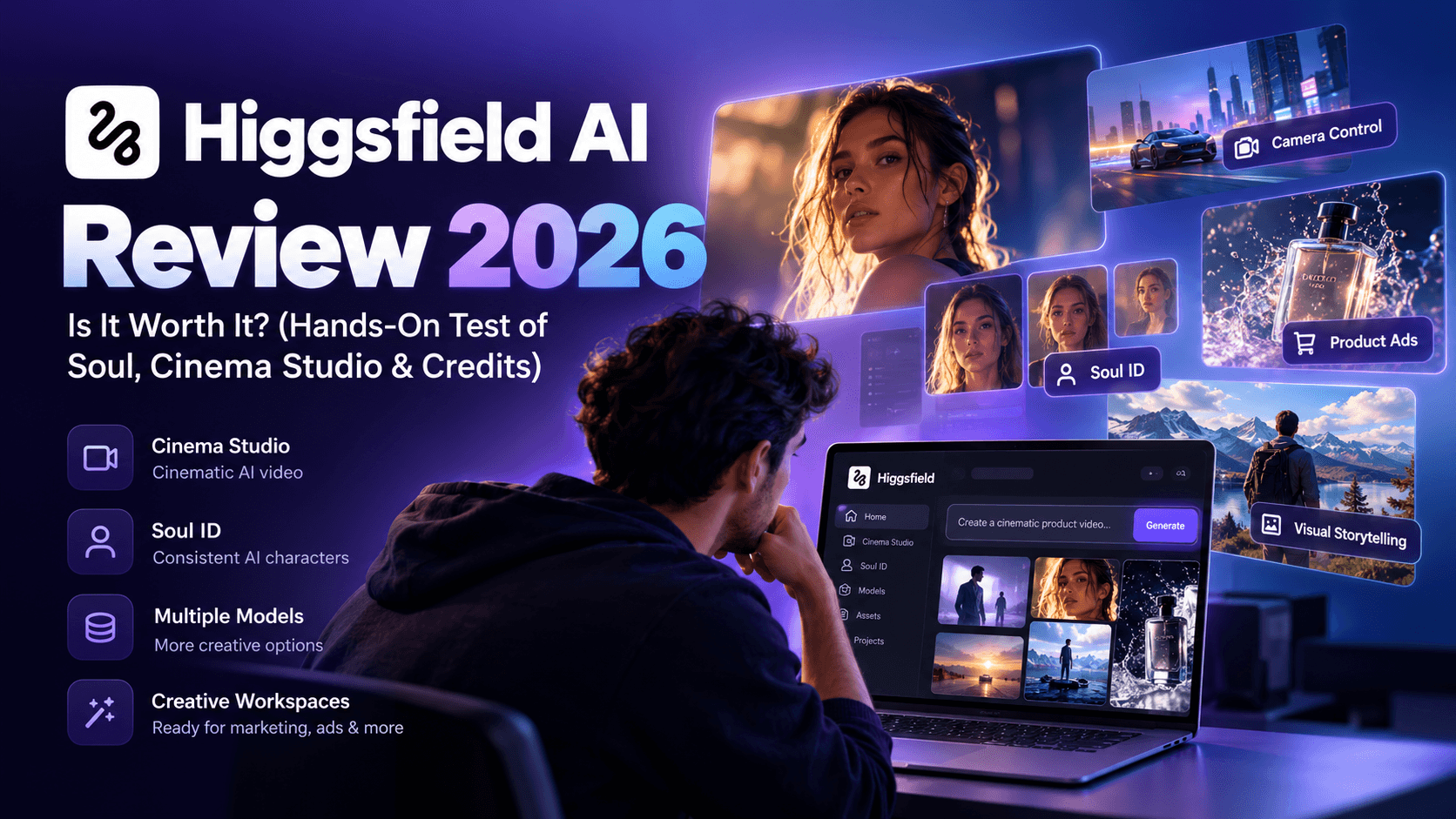
Cinema Studio is one of the most interesting parts of the Higgsfield ecosystem because it gives creators more direct control over how a shot is filmed. Many AI video generators ask you to describe a scene in a prompt and leave most of the camera behavior to the model. Cinema Studio provides dedicated controls that let you specify elements of the virtual camera setup.
As per seasoned users’ review, it describes Cinema Studio 4.0 as offering controls for camera bodies, lenses, aperture, lighting, and color grading, alongside a reference panel that can accept up to 50 source images. Those capabilities are useful when you want more control over the visual identity of a campaign.
For example, imagine you are producing a commercial for a premium perfume brand. You might want a close up of the bottle, a slow camera push toward the glass, soft directional lighting, and a shallow depth of field that blurs the background. A conventional text prompt can describe all of these elements, but the model may interpret them unpredictably.
A structured camera interface gives you more ways to specify the desired look.
Camera movement controls can help with shots such as a slow dolly in, an orbit around a product, a crane movement, or a handheld style sequence. Lens and aperture settings can influence the appearance of depth, while color presets can help you maintain a consistent visual style across several clips.
There is an important limitation, though. Camera controls do not guarantee perfect execution. A model may still distort a product during an orbit, change the shape of an object between frames, or introduce motion that feels unnatural. You will need to review the output carefully, particularly if the footage is going into a paid advertisement.
Cinema Studio is most valuable when you have a clear shot in mind and want more control over its visual presentation. If you simply want a quick animated image for a casual social post, its more advanced controls may offer little practical benefit.
2. Soul and Soul ID for Realistic AI Portraits
Best for lifestyle imagery, AI personalities, virtual influencers, and consistent character based content.
Soul is associated with Higgsfield's AI portrait and image creation capabilities. It is particularly relevant for creators who need polished human subjects, fashion imagery, lifestyle scenes, or portraits that look closer to professional photography than conventional AI illustrations.
A major attraction is the ability to generate visual content without arranging a physical photoshoot. A fashion brand, for example, could experiment with different outfits, backgrounds, lighting conditions, and editorial styles without organizing a new shoot for every concept.
Soul ID serves a related but different purpose. It is designed to help preserve a particular character's identity across generated images and scenes.
This matters more than it might seem at first.
Suppose you are creating a virtual brand ambassador for a skincare company. You want that person to appear in a bathroom setting in one image, holding a product in another, and speaking directly to the camera in a short video. If the face changes subtly between assets, the character can stop feeling like a coherent brand personality.
Soul ID aims to reduce that problem by giving the system a reference identity to work from. The output still needs to be checked, since lighting, facial expressions, camera angles, and generation settings can influence the result.
There is also a practical consideration for commercial use. If you train an identity using photographs of a real person, make sure you have the necessary permission to use their likeness. Realistic AI imagery can be useful for marketing, but consent and usage rights remain important.
For creators producing recurring characters or branded visual content, Soul and Soul ID are features worth investigating closely. For someone who only needs occasional generic illustrations, they may not justify a higher subscription tier on their own.
3. Marketing Studio for Ecommerce Product Content

Best for online stores, product photography, advertising concepts, and social media creative production.
Marketing Studio is aimed at a different problem: creating promotional visuals around products and brands.
Traditional product photography can become expensive when every new campaign needs fresh backgrounds, lighting setups, props, models, or locations. AI product staging gives ecommerce teams another way to test creative ideas without arranging a complete physical production for every variation.
Moreover, we’d say that the experience can be summed up as a combination of templates for product shots, motion, UGC, advertisements, posters, and marketplace content. Examples include product reveals, floating objects, and stylized arrangements designed to make ordinary products look more visually interesting.
Consider a store selling wireless headphones. You might want one asset showing the headphones on a clean studio background, another featuring a dramatic close up with reflective lighting, and a third placing them in a lifestyle setting. A product focused AI workflow can help generate these different creative directions from source assets.
That can be particularly useful when you have many products to promote. You can test visual styles across a catalogue without commissioning a separate shoot for every item.
However, there is a difference between attractive product footage and a finished advertisement.
Marketing Studio may help you produce a striking visual, but you still need to decide what the advertisement should communicate. Is the product more comfortable than competing options? Does it solve a specific customer problem? Is the campaign designed to generate immediate sales or introduce a new product to an audience?
Those decisions influence performance far more than a dramatic camera movement alone.
Product accuracy also deserves careful attention. AI generated footage can alter packaging, logos, text, proportions, and small physical details. A clip that looks convincing at first glance might contain a distorted label or an inconsistent product shape when viewed frame by frame.
For ecommerce brands, the sensible workflow is to generate creative concepts, inspect the product carefully, select the most reliable outputs, and edit the final assets for their intended advertising placements.
4. UGC Factory and AI Lip Sync
Best for spokesperson videos, creator style advertisements, product explainers, and talking character content.
User generated content style advertising has become popular because it can make product promotions feel more conversational than conventional studio commercials. Businesses often want a person speaking directly to the camera, describing a product, explaining a problem, or sharing a short testimonial style message.
UGC Factory is designed to support this type of production through AI generated presenters, voiceovers, lip sync, and motion styles. Moving on, Motion presets can then influence how the character behaves, with options described as selling, podcast, handheld selfie, ASMR, and Steadicam styles.
This opens up several useful possibilities. An ecommerce brand could create a presenter style product explanation, while a software company might produce a short walkthrough featuring a virtual spokesperson. Agencies could also test different scripts and presentation styles without coordinating multiple filming sessions.
The convenience is appealing, but quality depends on more than the character's appearance. Lip movements need to match the audio, facial expressions should feel natural, and gestures should suit the delivery. A presenter can look convincing in a still frame yet appear artificial once the mouth begins moving.
Scripts matter, too. A polished AI spokesperson reading a weak sales pitch is still delivering a weak sales pitch. You need a clear opening, a relevant customer problem, a believable benefit, and a suitable call to action.
For teams producing frequent spokesperson content, this type of workflow can reduce production friction. It should still be treated as a production aid rather than a replacement for thoughtful creative direction.
5. Viral Presets, Earth Zoom Out, Face Swap, and Popcorn
Best for social media experiments, recognizable visual trends, and fast creative variations.
Higgsfield also attracts creators through effects and templates designed to make visual experimentation easier. Viral presets can help users reproduce familiar styles without having to build every camera movement or effect from scratch.
An Earth zoom out effect, for example, can create a dramatic transition from a close view of a person or location to a much wider perspective. Such effects can work well for short social videos, travel inspired content, and attention grabbing transitions.
Face swap tools can support certain creative concepts by replacing one face with another. These features need responsible use, particularly when real people are involved. Do not assume a person's likeness can be used for an advertisement, endorsement, or public video simply because the software permits the edit.
Popcorn is another name worth investigating within the platform's creative toolset, particularly if your interest is in experimenting with generated scenes and visual concepts. The broader appeal of viral presets is straightforward. They reduce the amount of creative setup required to produce a recognizable style, making it easier for beginners to experiment.
The limitation is that presets can also make content feel repetitive. If hundreds of creators use the same effect, the effect itself may stop making a video stand out. The best results come from adapting a template to a particular product, story, or audience rather than treating a preset as a complete creative strategy.
Higgsfield AI Pricing 2026: How Much Does It Cost?

Pricing is where Higgsfield deserves a closer look. The entry level subscription looks affordable, but the amount of content you can produce depends on the model you choose, the type of generation, and how many attempts it takes to get a usable result.
According to the pricing information from the official website, the individual plans include Basic, Pro, and Max. The figures below, at the time of writing this post, were taken from the Higgsfield pricing page. Subscription terms and promotional offers can change, so we recommend going over to Higgsfield’s official website.
Individual Subscription Plans
Basic Plan
- Price: $9 per month, billed annually
- Target audience: First time AI creators
- Monthly credits: 120
- Approximate Nano Banana Pro generations: 60
- Approximate Seedance 2.0 Fast videos: 7
- Features: Access to selected models, limited parallel generation, and selected advanced features.
- Unlimited generation: Unlimited Nano Banana Pro and Kling 3.0 generations are not included in this tier.
Pro Plan
- Price: $23 per month, billed annually
- Target audience: Everyday AI creators
- Monthly credits: 600
- Approximate Nano Banana Pro generations: 300
- Approximate Seedance 2.5 videos: 40
- Features: Access to all Seedance models, unlimited paid parallel generations, and seven models advertised with unlimited free generation benefits.
- Unlimited generation: Selected models include seven day unlimited access periods, subject to the applicable terms.
Max Plan
- Price: $59 per month, billed annually
- Target audience: Creators working on ambitious AI projects
- Monthly credits: 1,800
- Approximate Nano Banana Pro generations: 900
- Approximate Seedance 2.5 videos: 120
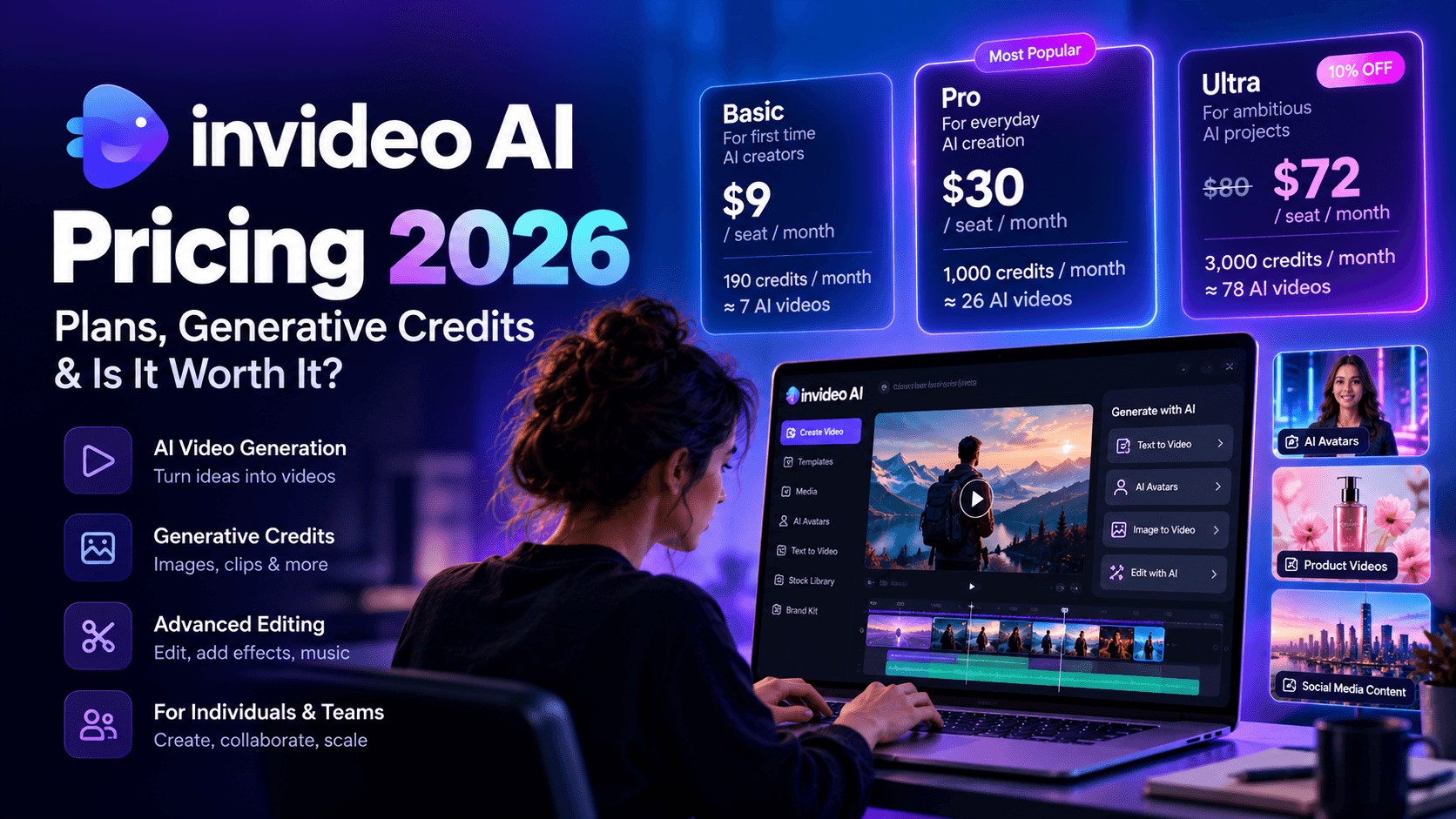
Is the Basic Plan Worth $9 a Month?
Basic is a reasonable starting point if you want to experiment with the interface, generate AI portraits, and test a few video concepts without committing to a larger subscription.
The problem is the relatively small credit allowance. A beginner might assume 120 credits will stretch across an entire month of creative work. That can happen if most of the work involves inexpensive image generation and carefully planned prompts. Video experimentation can consume the allowance much faster.
Consider a simple workflow in which you test three camera directions, generate several versions of a product shot, and then try a different model because the first one does not preserve the product's appearance. Even if individual attempts look inexpensive, the total adds up.
Basic makes more sense for occasional experimentation than for a production schedule that requires a steady supply of finished video assets.
There is also a difference between the advertised annual billing rate and the amount charged upfront. At $9 per month billed annually, the equivalent annual subscription cost is $108 before any applicable taxes or additional purchases. Check the checkout page to confirm the actual payment terms.
Is the Pro Plan the Sweet Spot?
At $23 per month with annual billing, Pro offers five times the monthly credits of Basic.
For someone creating content every week, this additional flexibility can make a meaningful difference. You have more room to test visual directions, compare models, produce multiple versions of a scene, and work on several projects without running through the entry level allowance quite so quickly.
The unlimited access promotions need careful reading, though. A seven day unlimited window for a particular model does not mean that every model is unlimited throughout the month. It also does not establish that there are no generation speed restrictions, queue limits, fair use conditions, or other eligibility requirements.
Before subscribing, check the exact models included in the unlimited offer, when the access period begins, and what happens after it expires.
For a creator who has already developed a reliable workflow and wants more production capacity, Pro looks like a sensible tier to investigate. For someone who has not yet learned which models work best for their projects, a smaller commitment may be the more practical way to start.
Is Max Worth $59 a Month?
Max is designed for people with heavier creative workloads. Its 1,800 monthly credits provide three times the allowance of Pro.
That extra capacity could be useful for agencies, ecommerce teams, and creators working on multiple campaigns at the same time. More credits give you greater room for testing, but they do not guarantee that every output will be usable.
This is where you need to calculate your own production economics.
Suppose you need 20 finished clips for a campaign. If most generations work on the first attempt, your costs may be manageable. If each finished clip requires multiple attempts, several model changes, and additional editing, the effective cost per deliverable can rise quickly.
Max makes the most sense when you know how to use the platform, have regular demand for content, and can estimate your credit requirements from previous projects.
If you are still figuring out your preferred models and creative workflow, paying for more capacity before you understand your usage could leave you with an expensive subscription that you do not fully use.
Higgsfield AI Credit Consumption: The Cost You Should Watch
Credit consumption deserves its own section because it can determine the value of the entire subscription.
A monthly price is easy to compare. Production cost is harder to calculate because different models and generation settings may consume different amounts of credits, and the number of attempts needed for an acceptable result varies from project to project.
The official pricing information gives two useful examples for understanding the system.
- Basic Plan: 120 monthly credits, equivalent to approximately 7 Seedance 2.0 Fast videos.
- Pro Plan: 600 monthly credits, equivalent to approximately 40 Seedance 2.5 videos.
- Max Plan: 1,800 monthly credits, equivalent to approximately 120 Seedance 2.5 videos.
Why Your Cost Per Finished Video Can Be Higher Than Expected
Imagine you want a short cinematic product advertisement. You generate the first clip, but the bottle label changes during the camera movement. You try again with a more detailed reference image, but the lighting is wrong. A third attempt looks better, although the final second contains an awkward motion artifact.
You may now have a usable clip, but it took several generations to get there.
This is a common challenge with generative video. The model is creating a sequence of frames rather than simply applying a predictable effect to a finished recording. Small changes in the prompt, source image, or generation settings can lead to noticeably different results.
The best way to understand your costs is to track three numbers:
- Credits spent per generation: Record the amount charged for each model, resolution, and duration you use.
- Attempts per usable clip: Count every generation required before you have footage that meets your quality standards.
- Cost per finished deliverable: Include generation expenses and any additional tools or editing time needed to produce the final asset.
Once you have these figures, you can estimate the monthly allowance required for your workload with much greater confidence.
How to Avoid Burning Through Your Credits
You do not need to treat every generation as a lottery ticket. A more disciplined workflow can help you reduce unnecessary attempts.
Start by testing the composition with a lower cost option when possible. Once you have the right subject, framing, and general visual direction, move to a more expensive model for the final render. Use clear reference images when product accuracy or character identity matters, and avoid changing several prompt variables at once when diagnosing a poor result.
It also helps to keep a simple record of which models work best for specific tasks. One model may be suitable for portraits, another for product motion, and another for a complex cinematic transition. Repeating those decisions from memory wastes time and can lead to inconsistent results.
Most importantly, do not assume that an advertised unlimited benefit eliminates every cost concern. Check the model eligibility, time window, queue conditions, and applicable usage restrictions. The subscription terms are what matter, not the word unlimited on its own.
Reddit Higgsfield AI Review: What Are Users Complaining About?
Official feature pages tell you what a platform is designed to do. User reviews can reveal what happens after someone pays for it, works through the interface, and starts relying on it for regular projects.
One of the posters on Reddit recently described spending around $400 on AI video tools, initially trying Higgsfield because it brought multiple models and an advertised unlimited option into one workspace.
Their first experience was negative.
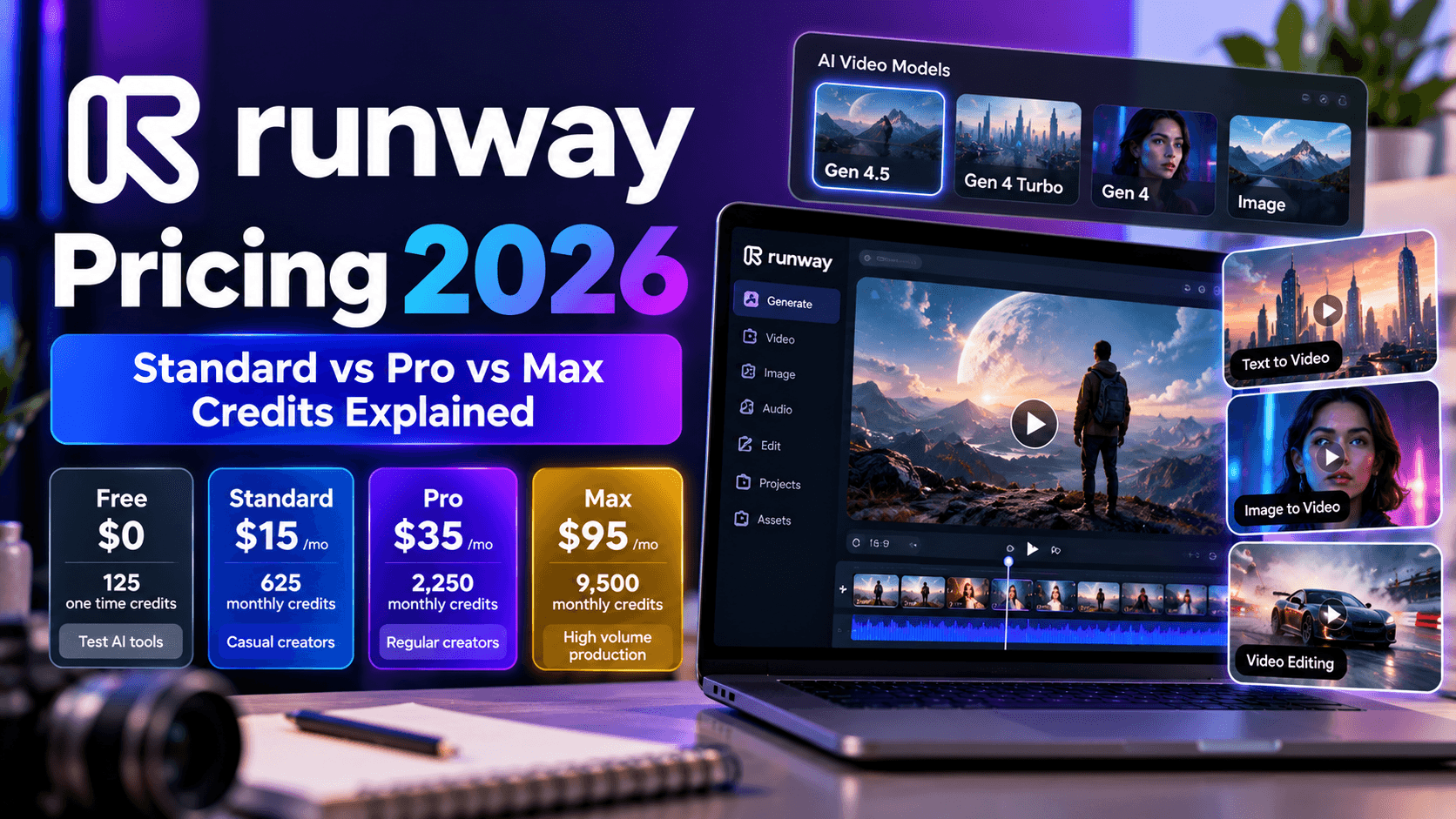
They reported burning through the expected unlimited allowance within seven days, receiving no satisfactory support response, and failing to obtain a refund. They cancelled and returned to Runway.
Later, they tried Higgsfield again and reported a much more positive experience with camera movement and character consistency. They particularly liked the ability to direct shots and felt that Soul produced unusually convincing portraits. They also described occasional platform downtime and inconsistent results from similar prompts.
This is one user's account, not an independently verified investigation into the company's billing or support practices. Still, it raises practical questions worth considering before you subscribe.
The Negative Side: Unlimited Claims, Refunds, and Support
The same Reddit post highlights a less appealing side of the experience: confusion about unlimited access, dissatisfaction with support, and concerns about refunds.
These are important issues because subscription pricing can be difficult to evaluate when usage rules are not immediately clear. If a creator subscribes expecting to generate freely for a full month, only to discover that a particular benefit expires after seven days, the difference between expectation and contract can feel substantial.
Before purchasing a plan, check the exact meaning of unlimited generation, the models covered, the duration of the benefit, and any restrictions that apply. Keep a copy of the pricing and billing terms shown at checkout.
Refund policies deserve similar attention. Do not assume that unused credits automatically qualify for a refund, or that cancelling a subscription will return an existing payment. Read the applicable terms and retain receipts and relevant support correspondence.
The poster also mentioned inconsistent results and occasional downtime. Those problems can affect production schedules, particularly when a team has a deadline or depends on a particular model for a client deliverable.
The useful lesson is not that every user will have the same experience. It is that creative quality and subscription reliability are separate considerations, and both matter when choosing a paid tool.
What About Trustpilot and Other Review Sites?
Trustpilot reviews and other public review platforms can provide additional context, particularly around billing, cancellation, support, and account access. However, a review count or average rating alone cannot establish that every complaint is accurate or representative.
For an honest assessment, look for repeated, specific patterns across independent accounts. Pay attention to the date of each review, the subscription tier involved, the nature of the complaint, and any documented response from the company.
Is Higgsfield AI Legit or Is It a Scam?
This is a fair question, particularly when a platform advertises powerful creative features alongside subscription benefits that can be difficult to interpret.
There are two different issues here. One is whether Higgsfield is a genuine AI creative platform with working features. The other is whether its pricing, billing, and customer support meet your expectations as a paying subscriber.
Is Higgsfield AI Legit?
Higgsfield presents itself as an AI creative platform offering video generation, image creation, camera controls, and character based workflows.
That does not mean every feature will work perfectly or that every plan will be good value for every user. A legitimate product can still have confusing pricing, technical problems, or an unsatisfactory customer service experience.
The sensible question is what you will receive under the specific plan you are considering. Confirm the included credits, the precise benefits of any unlimited offer, the renewal terms, and the cancellation process.
Is Higgsfield AI Safe to Use?
Safety also depends on what you mean by safe.
From a subscription perspective, check the payment terms, account settings, privacy policy, data handling practices, and the permissions involved when uploading reference images. For business use, you should also review the applicable commercial usage terms and determine how uploaded content is processed and retained.
For creative safety, be careful with face swap and Soul ID workflows. Using a real person's likeness without appropriate consent can create legal, ethical, and reputational problems, especially when the output could be mistaken for a genuine endorsement or recording.
For commercial projects, keep original source files and inspect generated outputs before publication. AI generated product footage can contain altered logos, packaging details, or other visual errors that may be difficult to spot in a quick preview.
Higgsfield AI vs Kling: Which Is Better?

Comparing Higgsfield AI vs Kling is a little more complicated than comparing two video generators with identical pricing and feature sets.
Higgsfield offers a broader creative workspace that brings different models and production tools together. Kling is a generative video platform whose own model capabilities, pricing, and workflow should be evaluated separately. Since Higgsfield may provide access to Kling models through its own subscription, the comparison also depends on whether you are choosing between the standalone Kling service and access to Kling through Higgsfield.
Practical comparison for creators
Main appeal
- Higgsfield AI: Multiple AI models and dedicated creative workspaces.
- Kling AI: Kling's own generative video models and creative tools.
Camera direction
- Higgsfield AI: Cinema Studio provides dedicated camera controls.
- Kling AI: Camera capabilities depend on the available models and controls in its standalone interface.
Character workflows
- Higgsfield AI: Soul and Soul ID support AI image creation and character consistency.
- Kling AI: Character consistency should be evaluated against your specific source images, prompts, and scenes.
Model selection
- Higgsfield AI: Offers access to multiple models through one workspace.
- Kling AI: Primarily centers on its own model ecosystem and associated features.
Subscription structure
- Higgsfield AI: Uses a shared credit allowance across eligible models and features.
- Kling AI: Uses its own standalone subscription plans and usage rules.
Best reason to choose each platform
- Higgsfield AI: Suitable for creators who want multiple models and creative tools in one place.
- Kling AI: Suitable for creators who primarily want to work with Kling models through the native platform.
When Higgsfield Makes More Sense
Higgsfield is worth considering if you regularly switch between image generation, cinematic video, AI characters, and product staging. Its appeal comes from having those activities available through a unified creative environment.
Cinema Studio is particularly relevant if you want more structured control over the camera, lighting, and overall look of a scene. Soul ID may also be useful if you need a recurring character across multiple assets.
For an agency producing different types of creative work, a single workspace can simplify experimentation. The financial benefit depends on actual usage, though. If you mostly use one model, paying for access to a wider collection of models may not deliver much additional value.
When Kling Makes More Sense
Kling may be the more straightforward choice if you have already found a model that consistently delivers the type of motion and visual quality your projects require.
Working directly with a model's native platform can also make it easier to understand its own subscription rules and available features. However, you should compare current pricing, generation limits, output quality, and commercial terms rather than assuming one service is cheaper or better across every task.
The best comparison is a small, controlled test. Use the same source image, a similar prompt, and the same intended shot in each platform. Generate several outputs, inspect the results, and record the total credits consumed.
That will tell you far more about value for your workload than a single impressive demonstration.
Pixara.ai: A More Flexible Alternative for Creators Who Want Multiple AI Models
If your main goal is to produce a steady stream of AI images, videos, voiceovers, and promotional content without managing a complicated collection of separate subscriptions, Pixara is worth considering as an alternative.
The platform takes a multi model approach to creative production, giving users access to different AI generation technologies through one subscription based workspace. Its value proposition is particularly relevant to creators who want to experiment with different models but do not want every creative task to involve a separate tool, account, and learning curve.
One of its central features is Ara, an AI copilot designed to help with prompt creation, model selection, and creative direction. This can be useful for beginners who know the kind of content they want to produce but are unfamiliar with the technical details of getting a good result from each generation model.
For example, an ecommerce marketer might need a realistic product image for a landing page, a short cinematic clip for a social media advertisement, and a voiceover to accompany a promotional video. Having access to different creative capabilities in one workspace can simplify that process and make it easier to test different visual directions.
The platform also offers AI image generation, AI video creation, voiceovers, product advertising templates, and a built in video editor. Its multi model environment includes access to selected models from providers such as Google, Kling, and Seedance, with availability depending on the current offering and subscription terms.
Why Pixara May Offer Better Value for Some Creators
The main advantage is flexibility. You can choose a suitable model for a particular creative task rather than building your entire workflow around a single generation engine.
That matters because AI models have different strengths. One might work well for realistic product photography, another might produce more convincing motion, and another might suit a particular cinematic style. Having options makes it easier to experiment and compare outputs.
Ara also helps address a common problem for new users: writing prompts that communicate the intended result clearly. Prompting can become time consuming when you are learning how different models interpret camera movements, lighting, composition, and visual style.
The built in editing capabilities provide another practical benefit. Generating a clip is only one part of producing a finished advertisement. You may still need to arrange scenes, refine the pacing, and prepare the final content for its intended channel. A workspace that combines generation with editing can reduce some of the friction involved in moving between separate applications.
Pricing is another consideration. The subscription options for Pixara include Starter at $10 per month, Hobby at $25 per month, Pro at $60 per month, and Ultimate at $250 per month. Check the current pricing and included usage limits before making a direct cost comparison, since model access, credits, and generation restrictions can differ between plans.
Pixara will not automatically make every generation cheaper, nor does access to multiple models guarantee better results. You still need to consider output quality, credit consumption, and how much editing your projects require. Its appeal is the opportunity to bring more of the creative workflow together in one place.
For creators who primarily need a particular model's advanced camera controls, Higgsfield may remain the more suitable option. For people who want a broader creative workspace spanning images, videos, voiceovers, and advertising assets, Pixara deserves a place on the shortlist.
Final Verdict: Is Higgsfield AI Worth It in 2026?
Higgsfield AI is worth considering if you want more control over AI generated visuals, particularly cinematic footage, realistic portraits, recurring characters, and product focused content.
Its appeal goes beyond the number of models available. Cinema Studio offers structured creative controls, Soul provides an option for realistic AI imagery, Soul ID supports character consistency, and Marketing Studio helps creators produce visually polished product content.
Those features can be valuable for creators who already understand their audience and know what they want their content to achieve. They can also make experimentation more accessible to people who do not have traditional filmmaking equipment or a production team.
The limitations are equally important. Credits can disappear quickly when you need several attempts to get a usable result. Unlimited generation benefits may apply only to selected models and specific periods. Product details can drift between frames, and finished advertisements may still require external editing and careful quality checks.
The Reddit experience suggests that most of the users praised the camera controls and character consistency after returning to the platform, but also described earlier frustration with unlimited access, refunds, and customer support. That experience is worth considering, although it does not establish how frequently other customers encounter the same problems.
My recommendation is to start with a clearly defined project. Test the models you intend to use, record your credit consumption, check the subscription conditions, and calculate the cost of producing finished assets rather than counting generations alone.
If you need advanced cinematic control, Higgsfield could justify its subscription. If you want a more general purpose creative environment with several AI models and integrated production tools, compare it with alternatives such as Pixara before committing to a long term plan.
The best choice is the platform that reliably produces the content you need at a cost your workflow can sustain.