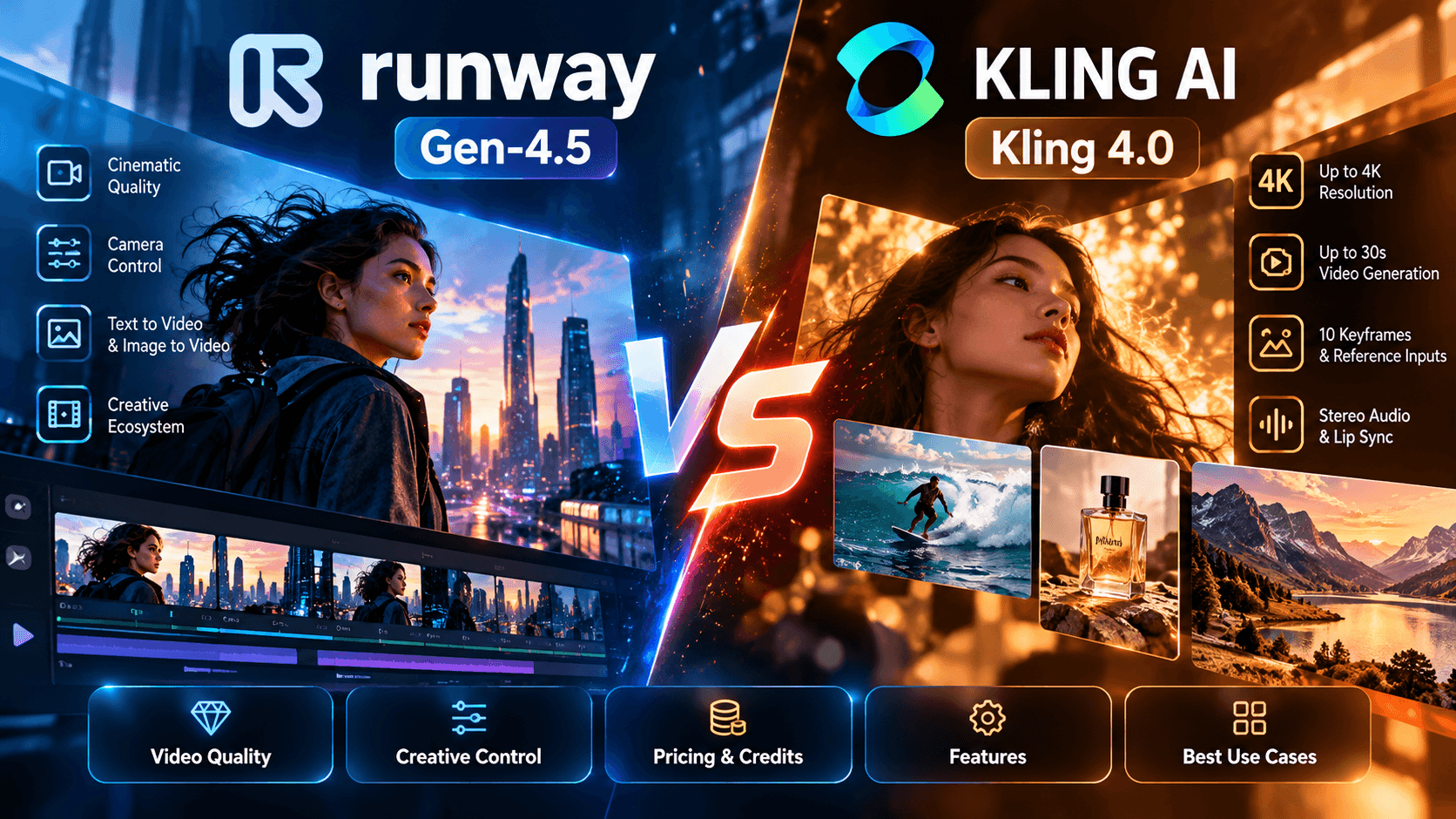
You have a video to finish, a deadline approaching, and two AI video generators open in separate browser tabs. One is Runway, with its Gen 4.5 model and tools designed to give creators more control over their shots. The other is Kling AI, now offering Kling 4.0 alongside a subscription structure that ranges from an affordable entry level plan to much larger credit allowances for demanding creative workloads.
Both can generate impressive video. Both can save hours of production time. And both can leave you spending more credits than you expected when the first generation comes back with an awkward movement, a drifting face, or a camera angle that does not quite match your vision.
That is why the Runway vs Kling comparison deserves more attention than a few side by side screenshots. A beautiful five second clip is one thing. Producing 30 or 60 usable clips every month, keeping your characters and products consistent, and staying within budget is a different challenge altogether.
The decision becomes even more interesting when you compare Kling AI 4 vs Runway Gen 4.5. You are looking at two competing approaches to AI video creation, with different creative controls, generation workflows, pricing structures, and ways of handling the journey from an initial prompt to a finished video.
Recommended Guides:
- How to Use Stable Diffusion XL For The Best Possible Realistic Details
- 9 Best AI Ad Generators in 2026 for Video, Image & UGC Ads (Tested)
- 6 Best AI UGC Video Generators in 2026 (Realistic AI Actors for Ads)
- Best AI Movie Makers in 2026
- Best AI Video Generator for YouTube in 2026 (Shorts, Faceless & Long-Form)
- 9 Best Free AI Video Generators in 2026 (Tested, No Credit Card)
For a solo creator, the priority might be getting the best possible result without spending a fortune. For an ecommerce brand, realistic product movement and consistent visual details might matter more than anything else. A marketing agency creating dozens of social videos every month may care just as much about production speed, repeatability, and credit consumption as it does about visual quality.
There is also a practical consideration that often gets overlooked. Generating a video is only one part of the job. You may still need to add a logo, animated text, voiceover, sound effects, captions, and a consistent brand style before the clip is ready to publish.
So, rather than treating this as a simple contest between two AI models, we will compare Runway Gen 4.5 and Kling 4.0 across the factors that influence everyday creative work: output quality, motion and camera control, character consistency, pricing, credit efficiency, and the effort required to finish a video.
We will also look at where Pixara.ai fits into the picture for creators who want access to multiple AI models alongside image generation, voiceovers, video editing, and other production tools.
The goal is straightforward: help you decide which tool fits your work, how much you might spend, and what you should check before committing to a subscription.
How We Evaluated Runway vs Kling
A useful comparison needs to separate what the companies officially promise from what independent reviewers report and what a creator can reasonably expect to achieve in everyday production.
That matters particularly in 2026, because Kling 4.0 introduces several capabilities that change how the model should be compared with Runway Gen 4.5. Kling now advertises native video generation up to 30 seconds, up to 10 keyframes, expanded reference inputs, stereo audio, and 10 bit HDR output at 1080p and 4K. Runway Gen 4.5, meanwhile, supports text to video and image to video, detailed prompt instructions, and multiple aspect ratios, with generation costing 12 credits per second.
We have therefore organized the comparison around five criteria. The weighting gives particular importance to visual quality, production costs, and the amount of work required to turn generated footage into a publishable video.
Three types of evidence we keep separate
Official product specifications. We use the published documentation from Kling AI and Runway to establish the capabilities, generation limits, and credit rules of each model. Official specifications tell us what a tool supports, although they do not guarantee that every prompt will produce a perfect result.
Independent reviews and creator feedback. Comparisons and discussions can help identify recurring strengths and frustrations, including facial consistency, motion quality, camera movement, and the number of attempts needed to obtain a satisfactory clip. We treat these reports as attributed observations, not as results from our own controlled experiments.
Published pricing and workflow calculations. Subscription prices and credit allowances are taken from the available pricing information. Where a calculation depends on generation duration or monthly output, we show the arithmetic and explain the assumptions. We do not present an estimated cost as a guaranteed invoice.
One important limitation deserves mention: we have not conducted a controlled, frame by frame test of Runway Gen 4.5 against Kling 4.0 for this comparison. We will therefore distinguish published specifications, reviewer observations, and calculated costs from firsthand product testing.
We also include Pixara.ai as a workflow alternative, using the subscription information supplied for this comparison. Its capabilities are relevant to creators who want several models, image generation, AI voiceovers, and video rendering within one platform. That does not automatically make its video generations visually superior to those produced directly by Runway or Kling.
This gives us a more useful basis for comparing the tools than simply declaring a winner after looking at a handful of impressive demonstration clips.
Runway Gen 4.5 in 2026: Visual Quality, Camera Control, and Pricing
Runway is a compelling option for creators who want cinematic AI videos, detailed camera instructions, and greater control over how a scene unfolds. However, its credit consumption can become expensive when you need multiple generations to produce a usable clip.
Runway has spent years developing tools that make AI video generation feel closer to a professional creative workflow. With Gen 4.5, the company continues to emphasize realistic movement, detailed scene composition, and the ability to translate complicated written instructions into convincing video sequences.
That makes it particularly interesting for filmmakers, advertisers, social media creators, and marketing teams who want more than a visually impressive animation.
Think about a simple product advertisement featuring someone walking through a modern apartment while holding a smartphone. The camera needs to follow the person naturally, the lighting should remain consistent, and the smartphone should maintain its appearance throughout the sequence.
Generating a scene like this requires several things to work together. The model must understand the character's movement, interpret the camera instructions, maintain the visual composition, and produce motion that looks believable from beginning to end.
Runway Gen 4.5 is designed for precisely this kind of creative challenge.
Its official documentation highlights complex camera choreography, sequenced instructions, and detailed motion prompting as core capabilities. The model supports text to video and image to video generation, with clips ranging from 2 to 10 seconds.
That gives creators considerable freedom, although the shorter generation duration means longer videos generally require multiple clips and further editing.
What Makes Runway Gen 4.5 Different From Earlier Models?
One of the important improvements in Gen 4.5 is how it interprets instructions describing several actions within a single scene.
Earlier AI video models could generate attractive footage but often struggled when a prompt included multiple movements, camera transitions, or changes in subject behavior.
For example, you might ask an AI model to generate a scene where a woman walks toward a window, pauses to look outside, and then turns toward the camera.
The model could generate the woman and the room convincingly, yet struggle to execute all three actions in the intended order.
Gen 4.5 is built to handle more complex sequences through detailed natural language prompting.
This makes it useful for several types of video production.
Cinematic advertisements: Creators can describe camera movement, lighting conditions, subject behavior, and the intended atmosphere within a single prompt. For brands producing short promotional videos, this can reduce the amount of manual experimentation required to communicate a creative idea.
Character driven scenes: Gen 4.5 can generate footage featuring people performing multiple actions. This is useful for lifestyle advertisements, fictional scenes, and promotional content featuring human subjects. However, maintaining the same character across separate generations may still require reference images and careful editing.
Product demonstrations: Ecommerce brands can animate products within realistic environments. A perfume bottle rotating under studio lighting, a luxury watch resting on a textured surface, or a smartphone being handled by a person are all examples of shots that benefit from detailed visual instructions.
Social media content: Creators can produce short vertical videos for TikTok, Instagram Reels, and YouTube Shorts. Gen 4.5 supports vertical aspect ratios through its image to video workflow, making it suitable for mobile content production.
One limitation is worth understanding. Gen 4.5's official specifications list a native output resolution of 720p, with options to upscale completed generations. The quality of the resulting footage should therefore be assessed separately from the resolution of its exported or upscaled version.
Runway Gen 4.5 Camera Control: How Much Creative Freedom Do You Get?
Camera control is one of Runway's more interesting capabilities, especially for creators who want their AI videos to resemble footage captured through intentional cinematography.
There is a meaningful difference between asking an AI model to generate a beautiful landscape and telling it exactly how the camera should move through that landscape.
Imagine creating an advertisement for a luxury sports car.
You want the opening shot to show the vehicle parked inside a dimly lit garage. The camera should move slowly toward the front grille, follow the vehicle as its headlights illuminate, and then transition into a wider perspective as the car begins moving.
A simple text prompt might produce something visually attractive. However, getting the timing, framing, and movement right requires more precise instructions.
Runway Gen 4.5 supports several cinematic camera movements through natural language prompting.
Dolly movements: You can instruct the camera to move toward or away from a subject. This is useful for product reveals, dramatic introductions, and scenes where the viewer should gradually discover an important visual element.
Tracking shots: The camera can follow a moving subject, such as a person walking down a street or a vehicle traveling along a road. Tracking shots are particularly useful for lifestyle advertisements and action sequences.
Camera orbits: You can describe a camera moving around a subject to reveal different angles. Product marketers may find this useful when showcasing physical objects, although maintaining accurate product details throughout the movement remains important.
Panning and tilting: Horizontal and vertical camera movements help introduce environments, reveal objects, and create transitions within a scene.
Zoom effects: Creators can request gradual zooms or dramatic crash zooms to emphasize particular moments.
Runway provides an official camera terminology library with prompt examples covering these movements and more.
However, it is important to understand how these controls work.
Gen 4.5's camera direction is primarily prompt driven. You describe the movement you want, and the model interprets those instructions.
This should not be confused with a traditional 3D animation application where you can position a virtual camera on an exact motion path and guarantee that every movement follows it.
The generated camera movement can still deviate from the intended result, particularly when the prompt combines several complicated actions.
For creators evaluating Runway Gen 4.5 vs Kling 4, this becomes an important consideration. Camera control should be judged on how reliably each model follows instructions, not simply on how many cinematic movements appear in its promotional examples.
Character Consistency, Faces, and Human Movement
Human subjects remain one of the more demanding areas of AI video generation.
A landscape can look convincing even when small environmental details change between frames. Human faces are far less forgiving.
Viewers quickly notice when someone's eyes change shape, their facial proportions drift, or their expressions behave unnaturally.
The same applies to hands, clothing, and body movement.
Runway's visual generation capabilities make it suitable for experimenting with human centered scenes, particularly when creators provide clear reference imagery and straightforward movement instructions.
For example, consider a skincare company producing a short promotional video featuring a woman applying moisturizer.
The scene requires several elements to remain believable. Her facial features need to stay consistent, her fingers must interact naturally with her skin, and the camera movement should complement the action without introducing distracting distortions.
Gen 4.5 can be prompted to generate this kind of scene, but the result is not guaranteed to be flawless.
A creator may still encounter unusual hand movements, facial changes, or minor inconsistencies during complicated actions.
That is why character consistency should be evaluated across multiple generations rather than a single successful example.
The same principle applies to Kling 4.0. Its expanded reference capabilities may offer useful advantages for character driven projects, but confirming which model performs better requires matched prompts, identical source images, and repeated tests.
For longer character driven productions, neither model should be assumed to maintain perfect identity automatically across every independently generated scene.
What About Lip Sync and Dialogue?
Lip sync is another feature worth examining when comparing Runway and Kling AI.
There is a difference between generating a character who appears to speak and producing a finished talking character video with accurate dialogue synchronization.
For example, an ecommerce brand might want an AI presenter to explain the benefits of a new product.
The finished clip needs a natural speaking voice, convincing mouth movement, appropriate facial expressions, and timing that matches the dialogue.
Runway offers separate audio and lip sync capabilities within its broader platform. Its Pro plan documentation includes custom voices for lip sync and text to speech.
However, these capabilities should not automatically be attributed to the Gen 4.5 video generation model itself.
This matters because the Kling AI 4 vs Runway Gen 4.5 comparison involves both individual model capabilities and the broader tools available inside each platform.
A model that generates cinematic footage and a platform that offers dedicated lip sync tools are related, but they serve different production needs.
For creators making talking head videos, AI presenters, or dialogue heavy advertisements, the important questions are how naturally the mouth movements follow speech, how well expressions match the dialogue, and how many steps are required to finish the clip.
These factors deserve separate attention from visual quality alone.
Runway Aleph and Advanced Video Editing
Runway also offers Aleph, a video editing capability that expands what creators can do with existing footage.
This is particularly useful because AI video production rarely ends with the first generation.
You might create a scene that looks nearly perfect but want to change its environment, adjust a visual element, or modify the appearance of something already present in the video.
Traditional editing software can handle many changes, but altering the visual content of an entire moving scene can require considerable manual work.
Aleph is designed to support generative editing tasks within Runway's ecosystem.
For example, imagine generating a promotional scene featuring a model walking through a modern office.
The movement and composition look good, but the client wants a different environment.
Rather than starting every part of the production again, a generative video editing workflow may help modify the existing footage.
This becomes valuable for agencies producing multiple creative variations for advertising campaigns.
A single campaign might require several versions of the same video, each with a different background, visual treatment, or product presentation.
Runway's broader editing ecosystem gives creators more options for refining footage after generation.
However, Aleph should be treated as a separate capability from Gen 4.5, with its own availability and credit requirements.
That separation matters when comparing subscription value. Having access to several creative tools is useful, but their credit consumption determines how much production work a subscription can support.
Runway Pricing in 2026: How Much Does Gen 4.5 Cost?
Runway uses a credit based subscription system, meaning your monthly allowance determines how much content you can generate through credit consuming models and tools.
The platform's official credit documentation lists 625 monthly credits for Standard, 2,250 for Pro, and 2,250 for the legacy Unlimited plan. It also documents newer Max and Team plans, so the subscription lineup may differ from older comparisons.
The earlier annual billing rates were $12 per month for Standard and $28 per month for Pro. Current checkout prices and available plan names should be confirmed before purchasing.
A critical detail is that Gen 4.5 costs 12 credits per second of generated video. This means the amount of footage you can produce depends directly on the duration of each generation.
The legacy Unlimited plan also offered eligible unlimited generation functionality, so its practical capacity cannot be represented solely through its monthly credit allowance.
Runway now describes Unlimited Mode separately from its legacy Unlimited subscription, with availability depending on the model and plan. Supported generations can run without consuming credits, although processing speed and concurrency may be restricted.
A Practical Example: Creating 60 AI Videos Every Month
Consider Maya, a freelance content creator producing promotional videos for ecommerce businesses.
Her clients need short product clips for Instagram, TikTok, YouTube Shorts, and paid advertising campaigns.
She wants to generate approximately 60 usable clips every month, each lasting five seconds.
At first glance, this sounds like a manageable workload.
However, the numbers become more interesting once we calculate credit consumption.
Assumes five seconds per generation at 12 credits per second. Excludes editing, audio, upscaling, and eligible unlimited generation modes.
With one attempt per clip, Maya needs 3,600 credits to generate 60 videos.
That already exceeds the 2,250 monthly credits included with the Pro plan.
Now imagine she needs two attempts on average to get a satisfactory result.
Her monthly requirement increases to 7,200 credits.
At three attempts per finished clip, the total reaches 10,800 credits.
These are illustrative scenarios, not measured retry rates for Runway.
The calculation highlights why creators should pay attention to the cost of usable output rather than treating every generated clip as publishable.
It also explains why access to unlimited generation modes, when available for the selected model, can materially change the value of a subscription.
The Hidden Cost of Repeated Generations
AI video generation remains an iterative creative process.
Even with detailed prompting, the first output may not match what the creator imagined.
A character might move in the wrong direction. The camera may rotate too quickly. An object may change shape during movement. A product label might become distorted.
In many cases, the creator will generate another version.
Every credit consuming attempt adds to the production cost.
For example, a five second Gen 4.5 generation consumes 60 credits. If the creator needs three attempts to obtain one usable clip, the effective generation requirement becomes 180 credits.
The relationship is simple:
Credits per usable clip = credits per generation × average attempts per usable clip
This calculation does not account for editing time, subscription upgrades, or any additional generation tools.
For creators producing occasional videos, these extra attempts may be manageable.
For marketing teams producing hundreds of assets, even a modest increase in the average number of attempts can significantly affect monthly credit consumption.
Runway also states that ordinary monthly credits on Standard and Pro do not roll over into the following billing cycle, while separately purchased credits do not expire. This makes monthly production planning important for subscribers with fluctuating workloads.
What We Like About Runway Gen 4.5
Runway offers a broad creative environment, particularly for people who want to generate cinematic footage and continue refining it within the same platform.
Its prompt driven camera controls are useful for creators who understand visual storytelling and want to describe shots in terms commonly used in filmmaking.
The platform also provides access to other generation and editing tools, including Aleph and dedicated audio capabilities, which can reduce the need to switch between unrelated services for every production task.
Another advantage is its documented credit structure. Knowing that Gen 4.5 consumes 12 credits per second makes it easier to estimate how much footage a monthly allowance can support.
There are still important limitations.
The model's native clip duration is limited to 10 seconds, meaning longer sequences require additional production work. Complex character movement and precise camera instructions may still require repeated attempts. And for creators relying entirely on credit based generation, the monthly allowance can disappear quickly.
Runway Gen 4.5 Verdict
Runway Gen 4.5 deserves serious consideration from creators who prioritize cinematic composition, detailed camera instructions, and access to a broader creative editing ecosystem.
It is particularly relevant for advertising concepts, short films, character driven footage, and visually polished product videos.
However, the pricing calculation makes one thing clear: creators producing substantial volumes of footage need to understand their average generation success rate before selecting a plan.
The platform offers creative flexibility, but its value depends on how efficiently that flexibility translates into finished videos.
And that brings us to Kling 4.0, which introduces a different set of capabilities, including longer native generations, multiple keyframe references, and higher resolution output options.
Kling AI 4.0 in 2026: Video Quality, Motion, Creative Control, and Pricing
Kling 4.0 is worth considering if you want longer generated sequences, extensive visual references, and a subscription structure that offers several levels of monthly credit capacity. Its expanded generation controls make it particularly interesting for creators producing product advertisements, cinematic scenes, and more involved AI video projects.
For anyone researching Runway vs Kling, the important development is that Kling 4.0 brings more than a new model name. Its published feature set includes longer video generation, multiple keyframes, reference driven creation, stereo audio, and high resolution output options.
These features matter because they can change how you plan a project from the beginning.
Suppose you are creating a 20 second advertisement for a new skincare product. You want to introduce the bottle, show the product interacting with water, reveal the packaging, and finish with a polished hero shot.
With a workflow limited to short independent generations, you may need to create several clips and stitch them together. Every transition introduces another opportunity for the product's appearance, lighting, or motion to change.
A model that supports longer sequences and multiple keyframes offers another way to structure the production. It gives you more room to describe how the scene develops and provide visual references for important moments.
That does not mean every longer generation will be perfect. It means Kling 4.0 gives creators a different set of tools for handling complicated scenes, and those tools deserve consideration alongside visual quality and subscription cost.
The official release information is available on the Kling 4.0 release notes page.
What Is New in Kling 4.0?
Kling's published specifications describe several capabilities that are relevant to professional and commercial video production.
These specifications describe the capabilities advertised for Kling 4.0. Availability can depend on the generation mode, selected settings, and subscription access, so check the model interface before planning a production around a particular combination of features.
The 30 second generation limit is particularly interesting. Compared with Runway Gen 4.5's documented maximum of 10 seconds per generation, it potentially allows Kling 4.0 to cover longer uninterrupted sections of a video.
For example, a creator might need a 15 second atmospheric scene for a travel advertisement. A longer native generation could reduce the need to join multiple independent shots, although the best creative result may still come from editing several shorter clips together.
The same consideration applies to keyframes. They offer additional visual guidance, but they do not guarantee that every frame between the references will match the intended movement perfectly.
Kling 4.0 for Realistic Motion, Materials, and Product Videos
One of the most interesting areas to evaluate in Kling AI is its handling of physical materials and movement.
AI video can produce visually attractive objects without convincingly representing how those objects behave. Water may move unnaturally, clothing can appear stiff, and a rotating product can subtly change shape between frames.
These problems are particularly noticeable in product advertising because the audience is looking closely at the object itself.
Consider a beverage advertisement featuring a glass bottle covered in condensation. The bottle rotates slowly as water droplets slide across its surface. Light reflects off the glass, liquid pours into a glass, and the camera moves toward the finished drink.
This scene requires the model to maintain several visual relationships simultaneously. The bottle should retain its shape, the liquid should behave plausibly, and the reflections should remain compatible with the lighting.
Kling 4.0 is a candidate for testing this type of production because its reference driven generation and longer sequence capabilities can help creators structure more elaborate scenes.
However, it would be premature to claim that Kling 4.0 universally outperforms Runway Gen 4.5 in physics, materials, or texture without controlled testing of both models.
A useful comparison would generate the same bottle advertisement in both tools, use comparable source imagery and prompts, and assess the results across several attempts.
The evaluation should examine whether the bottle retains its proportions, the liquid behaves naturally, the lighting remains coherent, and the camera movement supports the intended composition.
This is much more informative than choosing a model based on a single promotional clip.
Keyframes and Reference Images: More Control Over the Scene
Keyframes are among the most relevant features to examine when comparing Kling 4.0 with Runway Gen 4.5.
A keyframe provides a visual reference for a particular point in a sequence. Rather than describing every moment entirely through text, creators can provide reference images to guide how the scene develops.
Imagine creating an advertisement for a luxury watch.
The opening frame shows the watch resting on a dark surface. A later reference shows the watch at a three quarter angle, with light reflecting across the metal bracelet. The final reference shows a close up of the watch face.
With a keyframe based workflow, these images can help establish the intended visual progression.
This can be useful for product advertisements, short narrative sequences, fashion content, and other projects where the composition at specific moments matters.
Kling 4.0 advertises support for up to 10 keyframes, giving creators additional scope to guide a sequence. The practical benefit depends on how the model interprets those references and generates the motion between them.
There is an important caveat: more keyframes do not automatically mean more precise control over every frame. The model still has to generate plausible transitions between the supplied references.
Runway Gen 4.5 also supports image to video generation and detailed prompt instructions. However, its documented Gen 4.5 workflow should not be treated as having the same 10 keyframe capability simply because both tools accept visual guidance.
For creators evaluating Runway Gen 4.5 vs Kling 4, this is one of the areas where the workflow itself may influence the decision. If your project depends on several carefully planned visual stages, Kling's advertised keyframe support deserves a close look.
Kling 4.0 Omni Reference: Keeping Characters and Products Consistent
One of Kling 4.0's more interesting features is Omni Reference, which lets creators provide multiple types of reference material to guide generation.
According to Kling's published documentation, a task can accept up to 15 combined reference assets, including images, videos, voice references, and subject elements. The available combinations have individual limits, so the total does not mean you can upload 15 items of every type.
Why does this matter?
Imagine you are creating a series of advertisements for a fashion brand. The same model needs to appear in several scenes, wearing the same outfit, with consistent facial features and a recognizable visual style.
Without reference material, each new generation relies heavily on the model interpreting your written prompt. Even a detailed description may not reproduce the exact same face, clothing, or physical proportions.
Reference images give the model more concrete visual information to work with. Reference videos can help communicate movement, timing, and camera direction, while supported subject references can help maintain the appearance of important people or objects.
For an ecommerce business, this can be particularly valuable. A product needs to retain its shape, color, and recognizable features across multiple shots.
Kling 4.0's reference workflow can support projects such as:
* Product advertising: Supply reference imagery of a product to guide its appearance across different scenes, backgrounds, and camera angles.
* Character driven storytelling: Provide images or other supported references to help preserve a character's appearance throughout a sequence.
* Creative recreation: Use an existing video as a reference for pacing, shot composition, or movement while developing a new creative concept.
* Branded content: Provide reference material that helps communicate the intended composition, visual style, and important design elements.
These capabilities give Kling 4.0 a useful set of tools for reference driven production. However, creators should still inspect the results carefully. A reference can improve guidance without guaranteeing pixel perfect consistency across every frame.
Kling 4.0 Camera Control and Motion
Camera movement is another area where Kling 4.0 deserves attention.
Its published specifications describe improvements to tracking shots, push ins, pull outs, pans, orbits, and more complicated camera movement. The model also supports multi shot direction and longer sequences, giving creators more room to construct a scene with several visual beats.
Consider a product advertisement featuring a pair of premium headphones.
The video opens with a close up of the ear cups. The camera pulls back to reveal the entire product, orbits around the headphones, and finishes with a wider shot of the product against a carefully designed background.
A creator could describe this sequence through text, use reference material to guide the product's appearance, and define important visual moments with keyframes.
The advantage is that several parts of the intended sequence can be planned together rather than treated as completely separate creative tasks.
This can be particularly useful for product demonstrations, short narrative videos, fashion advertisements, and scenes that require a planned progression.
However, there is an important caveat. Kling's keyframes and reference tools are not equivalent to the precise, deterministic camera paths found in conventional 3D animation software.
The model still generates the motion between visual references. You may need to revise the prompt, change the references, or generate another version to obtain the desired result.
For creators comparing Kling AI vs Runway, the useful question is how much creative guidance each workflow provides for the specific scene you want to produce.
Runway Gen 4.5 offers prompt driven camera direction. Kling 4.0 adds a documented workflow with up to 10 keyframes and a broader set of reference inputs. Those are meaningful differences in the available tools, but they do not establish a universal winner in camera accuracy.
Audio, Lip Sync, and On Screen Text
Kling 4.0 also expands its audiovisual capabilities.
Its published specifications include two channel stereo audio, improved lip sync, multilingual support, and text generation in several supported languages. Kling also advertises support for generating readable on screen text and logos, although the output should still be checked carefully for spelling, layout, and brand accuracy.
These capabilities are useful for creators who want more than silent footage.
For example, a short advertisement could feature an AI presenter explaining a product while the scene includes music, environmental sound, and on screen messaging.
In a traditional workflow, a creator might generate the video first, create or record the audio separately, synchronize the dialogue, and then add the text in an editing application.
Kling's native audiovisual capabilities offer a way to bring more of these elements into the generation process.
That does not mean every generated voice, sound effect, or text overlay will be ready to publish. Dialogue may need adjustment, sound levels may need balancing, and commercial brand assets still require careful review.
The benefit is the opportunity to generate a more complete audiovisual sequence with fewer separate production steps.
For creators comparing Kling 4.0 with Runway Gen 4.5, this is worth considering alongside the video model itself. Runway provides dedicated audio and lip sync tools within its broader platform, while Kling advertises stereo audio and improved lip sync in its latest model family.
The best workflow depends on the type of video you are producing and how much additional editing it requires.
Kling 4.0 Resolution: 1080p, 4K, and HDR
Resolution can influence the suitability of generated footage for different projects, but it should not be treated as a substitute for visual quality.
Kling 4.0's specifications list 720p, 1080p, and 4K output options, with 10 bit HDR support advertised for 1080p and 4K modes.
For creators producing commercial video, HDR can offer more flexibility in handling highlights, shadows, and color gradation, provided the rest of the production workflow supports the format.
For example, a nighttime product advertisement might include illuminated packaging against a dark background. A suitable HDR workflow can preserve more detail across bright and dark areas, potentially improving the material available for subsequent color grading.
But higher resolution does not guarantee better motion, more realistic faces, or improved prompt adherence.
A 4K clip with inconsistent product details may be less useful than a 1080p clip that communicates the intended message perfectly.
When comparing Runway Gen 4.5 vs Kling 4, it is therefore useful to assess two things separately: the visual quality of the generated scene and the technical specifications of the output file.
Runway Gen 4.5's documented native output is 720p, with upscaling available. Kling 4.0 advertises higher native output options, including 4K and 10 bit HDR in supported modes. This gives Kling a relevant technical advantage for workflows that specifically require those formats, although final quality still depends on the generation and export settings.
Kling AI Pricing in 2026: Standard, Pro, Premier, and Ultra+
Kling's subscription structure is worth examining closely because it offers several credit allowances, from a relatively small monthly allocation to a much larger one intended for heavier users.
What Do These Credit Allowances Mean?
The Standard plan provides 660 monthly credits. That may be enough for someone who generates videos occasionally, experiments with different prompts, or wants to try the platform before committing to a more expensive subscription.
Pro increases the monthly allocation to 3,000 credits. For a creator who regularly produces social media content, product videos, or marketing assets, this offers considerably more room for experimentation.
Premier provides 18,000 credits, while Ultra+ offers 57,000 credits. These tiers are aimed at users who need substantially more monthly generation capacity.
The price per 100 credits also declines as you move up the displayed subscription tiers. That can make the larger plans more economical on a credit basis, although the monthly commitment is much higher.
One important detail: the cost per 100 credits does not tell you the cost per finished video. That calculation requires the credit cost of the specific Kling 4.0 generation mode, its duration, and the number of attempts needed to obtain a usable result.
What Else Do Kling's Plans Include?
The company’s own pricing page lists several benefits across the paid tiers, including Kling 4.0 access, VIDEO 2.6 voice control, Element AI multi shot, daily free subscriber credits, unlimited queued tasks, fast track generation, 1080p and 4K video generation, watermark removal, commercial use, and priority access to new features.
Ultra+ also lists beta test invitations where applicable.
These features can influence subscription value beyond the headline credit allowance.
For example, fast track generation may be useful for a creator working against a deadline. Unlimited task queuing can help organize a busy production schedule, although it should not be confused with unlimited generation credits. Access to higher resolutions matters for projects that require more detailed output, while commercial use terms matter for creators producing work for paying clients.
If you were to visit Kling’s official website and open their pricing page, it shows a limited time offer for Kling 4.0 on the paid plans. As offers and model availability can change, check the terms displayed in your own account before making a purchasing decision.
Is Kling More Affordable Than Runway?
The short answer is that the subscription prices alone cannot settle the comparison.
Runway publishes a credit cost of 12 credits per second for Gen 4.5, which makes it possible to calculate generation requirements from the monthly allowance.
That means a precise, like for like calculation requires one more piece of information: how many Kling 4.0 credits are consumed by the intended resolution, duration, and generation mode.
Once that figure is available, the comparison becomes straightforward.
For example, a creator producing 60 five second clips each month can calculate the monthly requirement for each tool and then account for repeated generations.
It is also important to compare equivalent output settings. A 4K Kling generation and a 720p Runway generation are not necessarily comparable deliverables, even if both clips last five
seconds.
The sensible way to compare the subscriptions is to calculate the cost of producing the same number of usable clips at the required quality, including any extra editing or processing expenses.
Kling 4.0 Verdict
Kling 4.0 offers an appealing combination of longer native video generation, multiple keyframes, extensive reference support, stereo audio, and high resolution output options.
These features make it worth testing for product advertising, cinematic sequences, reference driven creation, and projects that benefit from a more structured timeline.
Its subscription plans also offer a wide range of monthly credit allowances, giving occasional creators and high volume users different entry points.
The main consideration is credit efficiency. The cheapest subscription may not be the most economical choice if you repeatedly regenerate footage, while a larger plan may be difficult to justify if you only need a handful of clips.
For anyone researching Kling AI vs Runway Reddit discussions, creator experiences can help identify useful prompts and recurring generation problems. However, anecdotal reports should complement, not replace, a practical comparison using your own footage and budget.
The next step is to put the two tools side by side and examine how their capabilities translate into an everyday production workflow, including the limitations that remain after a successful generation.