If you have been looking at AI video generators lately, you have probably noticed how quickly subscription costs can add up. One platform gives you access to a video model you like, another has better image generation, and a third offers the character consistency or camera controls you need for your next project. Before long, you are paying for several tools just to get one creative workflow running.
That is part of the appeal of Higgsfield AI. It brings multiple AI image and video models into one platform, with a credit based subscription system, different generation limits, and access to selected unlimited models on eligible plans.
But how much is Higgsfield AI in 2026? Is Higgsfield AI free, can you generate videos without worrying about credits, and which subscription makes sense for someone creating content regularly?
I checked the pricing information you provided from the official Higgsfield pricing page and used it as the basis for this breakdown. The prices below follow the current published figures in that information, with particular attention to annual billing, monthly allowances, model access, and the conditions attached to unlimited generations.
One important detail before we begin: Higgsfield advertises its individual plans with annual billing selected, so the displayed monthly price is not necessarily the amount you will pay for a single month of access. The distinction matters when you are comparing it with competitors or trying to keep your creative software budget under control.
Higgsfield AI Pricing at a Glance

Higgsfield offers three main individual subscriptions, Basic, Pro, and Max, alongside business plans for teams that need shared credits, collaborative workspaces, and administrative controls. The individual plans use a monthly credit allowance, while selected higher tier subscriptions also include time limited access to unlimited generations on specific models.
Pricing and allowances reflect the supplied official pricing information. Video estimates can vary by model, resolution, duration, and generation settings. Unlimited model access is subject to the applicable plan terms and platform restrictions.
Basic: $9 per month
The Basic plan is aimed at people who are starting out with AI content creation or only need to generate a modest amount of material each month. It includes 120 credits, which Higgsfield lists as enough for approximately 60 Nano Banana Pro image generations at two credits per image.
That allowance can be useful for experimenting with product photography, social media visuals, thumbnails, and early creative concepts. However, video generation can consume credits much faster than image generation, so you should not assume that 120 credits will cover a full month's worth of video production.
Basic also has limits on model access. It includes selected models and features, access to Seedance 2.0 Fast and Mini, and up to two concurrent video jobs and two concurrent image jobs. It does not include the same unlimited model benefits advertised with the higher individual tiers.
My take: Basic is a reasonable starting point if image generation is your main priority. If you intend to produce multiple AI videos every week, check the credits per generation for your preferred model before subscribing.
Pro: $23 per month with annual billing
Pro is the tier worth examining if you expect to use Higgsfield as part of your regular content workflow. It provides 600 credits each month, access to all Seedance models, access to all models and features, and selected seven day unlimited generation promotions.
The official pricing page also lists seven day unlimited access for Wan 3.0 and Wan 3.0 Prime, Nano Banana 2, and Kling 3.0. Nano Banana 2 has a listed 2K option under this promotion. These benefits are time limited, so do not treat them as permanent unlimited access throughout your subscription.
Pro also offers unlimited paid parallel generations, allowing you to run more jobs without relying on the same restricted concurrency setup as Basic. This can make a difference when you are preparing several ad concepts, generating alternative shots, or producing visuals for multiple campaigns.
My take: Pro is a sensible option for solo creators, marketers, and small creative operations that need regular access to several models. Just remember that 600 monthly credits remain a finite allowance for paid generations outside the applicable unlimited benefits.
Max: $59 per month with annual billing
Max raises the monthly credit allowance to 1,800, three times the credits included with Pro. It retains access to all models and features, all Seedance models, unlimited paid parallel generations, and the listed seven day unlimited model promotions.
The key difference is production capacity. A creator producing occasional social media content may not need 1,800 credits, but someone generating product advertisements, multiple creative variations, campaign assets, and cinematic sequences could use the additional allowance more comfortably.
Max also lists seven day unlimited access to Nano Banana Pro at 2K, alongside the relevant Kling 3.0 and Nano Banana 2 promotions. This gives users additional room to test selected models without consuming credits during the eligible promotional period, subject to the plan's terms.
My take: Max makes more sense for creators who have enough recurring work to use the larger monthly allowance. Buying the higher tier purely because it advertises more credits is unlikely to save money if a significant portion of those credits goes unused.
Business plans: From $65 per seat per month
Higgsfield also offers business subscriptions for agencies and small teams. The published pricing starts at $65 per seat per month, with savings of up to 30% available through annual billing.
Business plans are built around shared workspaces and pooled credits, with support for two to 15 seats per workspace and up to 37,500 pooled credits per month. The platform also advertises dedicated capacity with an SLA, detailed analytics, priority support, administrative spending controls, custom SSO, delegated top ups, and faster task processing through a priority queue.
Another important benefit is the advertised 30 day unlimited Seedance 2.5 promotion on eligible business plans. The pricing page also lists selected unlimited model benefits, including Nano Banana Pro at 4K, Seedream 5.0 Pro at 2K, and Kling 3.0 for seven days.
For an agency producing content for multiple clients, shared credits and spending controls can be more useful than simply increasing one person's monthly allowance. However, the starting price is per seat, so a team should calculate its total monthly or annual commitment before signing up.
Is Higgsfield AI Free in 2026?

The answer depends on what you mean by free.
Higgsfield's published pricing information lists free generations for certain individual products, including Higgsfield AI Influencer and Higgsfield Ads Studio. It also lists a limited number of free Genjutsu generations on Pro and Max. Those allowances do not establish that the complete Higgsfield platform is available as a permanently free subscription.
So, is Higgsfield AI free? You can access certain free generation allowances, but you should budget for a paid subscription if you want the broader model library, monthly credits, and the benefits associated with the individual plans.
Does Higgsfield offer a free trial?
The pricing information supplied here does not establish a conventional, full platform free trial with unrestricted access. It does advertise selected free generations and promotional unlimited access for specified models and subscription tiers.
That is an important difference. A free generation lets you test a particular feature within its limits, while a traditional free trial might provide temporary access to a wider range of paid features.
Before subscribing, check the current eligibility rules on the official Higgsfield pricing page. Promotional benefits can change, and the availability of a particular model may depend on the plan you select.
How Higgsfield AI Credits Work
Higgsfield uses a credit based system, which means your subscription gives you a monthly allowance and each generation deducts a certain number of credits. The amount depends on the model you select, the output resolution, the duration of your video, and the generation settings.
The official Higgsfield credit guide confirms that the generation interface shows the applicable credit cost before you confirm a job. That is useful because there is no single price for every image or video on the platform.
Think of your credits as a production budget. If you mostly generate images with Nano Banana Pro, your monthly allowance can stretch much further than it would if you spend most of your time generating high resolution video clips.
There is a catch worth understanding before you choose a plan. These figures describe how many generations your credits could cover if you spent the entire allowance on one generation type. They do not represent a guaranteed number of finished, usable assets.
For example, you might generate ten variations of a product advertisement before finding one that looks right. If each attempt consumes credits, those experiments count toward your allowance too. The same thing happens when you are trying to get a character's facial expression, camera movement, lighting, or product details right.
My recommendation is to estimate your monthly output using the models you expect to use most often. If you need 100 images and 15 video clips every month, calculate those separately before adding them together. A large headline credit allowance can look generous until you start producing video at higher resolutions.
Do unused Higgsfield credits roll over?
Generally, no. According to Higgsfield's official credit documentation, subscription credits reset at renewal and unused credits expire. Annual subscriptions also refresh their included credits every 30 days, rather than making the entire year's allowance available upfront.
If you tend to generate content in bursts, such as producing an entire month's social media material in a few days, plan your subscription around the timing of that work. You do not want to pay for a large allowance that expires while your project is waiting for approval.
Higgsfield AI Unlimited Credits: What Does Unlimited Really Mean?
The word unlimited sounds great when you are comparing AI video subscriptions. Generate as much as you want, test dozens of prompts, and stop worrying about every failed attempt eating into your balance.
Higgsfield does offer unlimited generation benefits, but they come with conditions. Its individual plans advertise selected seven day unlimited model promotions, while eligible business plans advertise a 30 day unlimited Seedance 2.5 offer. The available models, resolution limits, activation rules, and duration depend on the plan and promotion.
The most important detail is that unlimited access to a model is not the same as unlimited credits across the entire platform.
Which models have unlimited access?
Based on the supplied official pricing information, the main individual plan promotions are as follows.
Pro
Selected seven day unlimited access
Pro lists seven day unlimited access to Wan 3.0 and Wan 3.0 Prime, Nano Banana 2, and Kling 3.0. Nano Banana 2 is listed with a 2K resolution option.
Max
Selected seven day unlimited access
Max includes the listed Pro benefits, with Nano Banana Pro added to the seven day unlimited promotion at 2K.
Business
Selected promotions and 30 day Seedance 2.5 offer
Eligible business plans advertise 30 day unlimited Seedance 2.5, plus selected model access at specified resolutions.
Check the current plan details before subscribing, since model availability and promotions can change. Higgsfield also publishes an Unlimited Models Marketplace for time limited access options. Its official changelog explains that unlimited generation benefits apply on the website, while generations through MCP, CLI, Canvas, and Supercomputer continue to deduct credits.
This last point is easy to miss. If you create everything manually on the website, an eligible unlimited window may be useful for producing a large batch of assets. If you run an automated workflow through an external agent, the same model may still consume credits.
Is unlimited access worth paying for?
It depends on how many attempts you make and how long your production sessions last.
Imagine you are creating product advertisements for an ecommerce brand. You might need several background variations, different camera angles, alternative lighting, and multiple video takes before you have something suitable for a campaign. A time limited unlimited window can make those repeated attempts more predictable from a budgeting perspective.
On the other hand, if you only need three or four carefully planned images each week, ordinary credit based generation could be more affordable.
The key is to compare the cost of a promotion with your expected usage during its active period. Do not pay for unlimited access simply because the label sounds attractive. Make sure you have enough work ready to take advantage of it.
How Much Does Higgsfield AI Cost Per Generation?
The monthly subscription price only tells part of the story. To understand Higgsfield AI cost, you need to look at the number of credits each generation consumes and the amount you pay for those credits.
Using the annual prices listed on the supplied pricing page, the approximate subscription cost per credit works out as follows.
These figures divide the displayed monthly subscription price by the monthly credit allowance. They are useful for comparing plans, but they do not mean every generation costs the same amount.
For example, Nano Banana Pro uses two credits per standard image in the supplied pricing information. At the approximate subscription rates above, that translates to $0.15 on Basic, around $0.077 on Pro, and around $0.066 on Max.
A 4K Nano Banana Pro image uses four credits, so its estimated cost doubles. Video generation can consume substantially more credits, particularly when you select higher resolutions or longer clips.
These calculations also assume you use all your monthly credits. If you leave credits unused and they expire, your effective cost per finished asset increases.
What does a Seedance video cost?
Seedance illustrates why model specific pricing matters. Higgsfield's published Seedance pricing breakdown gives an example of an eight second Seedance 2.5 clip at 720p consuming 52 credits.
Using that credit requirement as an illustration, the monthly credit allowances would cover approximately:
These are estimates for ordinary credit based generation, not a count of clips guaranteed by Higgsfield. They also differ from the plan page's approximate Seedance 2.5 video allowances, which may reflect different generation settings or promotional access. Check the credit charge displayed for your chosen model before confirming a generation.
The takeaway is simple: calculate the price of your intended output, not just the price of the subscription. A plan can be inexpensive for image generation and much less attractive for a workflow built around repeated video generations.
Monthly vs Annual Billing: Which Higgsfield Subscription Makes More Sense?
Higgsfield displays discounted monthly equivalents for annual subscriptions. The supplied pricing page lists Basic at $9 per month, Pro at $23 per month, and Max at $59 per month when billed annually. The corresponding monthly prices shown are $9, $29, and $79.
That creates a noticeable difference for anyone planning to use the platform throughout the year.
Savings are calculated from the supplied displayed prices, assuming 12 months of service at the respective rates and excluding taxes or other charges.
Pro offers a meaningful discount for regular creators, while Max provides a larger dollar saving for people who need the higher allowance. Basic has no displayed difference between monthly and annual pricing in the information supplied.
However, annual billing means committing to a longer subscription period. If you are still testing different AI tools or your content workload is unpredictable, monthly billing can give you more flexibility.
My suggestion is to start by estimating how frequently you will use Higgsfield over the next three months. If you already have a stable production schedule and know which models you need, annual billing could make sense. If you are still experimenting, paying for flexibility may be worth the additional cost.
Cancellation, Refunds and Hidden Costs to Check
Before purchasing any Higgsfield AI subscription, there are a few practical details worth checking beyond the advertised price.
Can you cancel a Higgsfield AI subscription?
You should review the subscription management and cancellation terms before choosing a billing cycle. The official Higgsfield plans help page explains how individual and business plans differ, including their credit allowances and access limits.
Cancellation and renewal are separate from credit expiry. Cancelling a subscription does not necessarily mean that your current access ends immediately, and it does not automatically mean you will receive a refund for the unused portion of an annual payment.
If you are paying annually, confirm the renewal date and the exact cancellation procedure in your account before your next billing cycle.
Does Higgsfield offer refunds?
The pricing information provided for this breakdown does not establish a universal refund entitlement. Check the current refund policy and applicable terms before purchasing, particularly if you are considering an annual subscription.
It is sensible to clarify how refunds are handled for unused subscription time, purchased credit packs, and promotional purchases. Those categories may have different conditions.
Are there hidden costs?
The main costs to watch are not necessarily hidden fees. They are expenses that can be easy to overlook when you focus only on the headline subscription price.
- Unused credits: Subscription credits expire at renewal, so paying for more capacity than you need can reduce value for money.
- Extra credits: Credit packs or automatic top ups can increase your total spending beyond the advertised subscription price.
- Taxes: Higgsfield states that listed prices exclude VAT and local taxes, which are calculated at checkout.
- Resolution and duration: Higher quality or longer generations can consume more credits.
- Access restrictions: Certain unlimited benefits are available only through the Higgsfield website, not through MCP, CLI, Canvas, or Supercomputer.
- Promotional limits: A seven day unlimited window should not be treated as a permanent feature of the subscription.
If predictable spending matters to you, keep automatic top ups under control and review the generation cost before submitting expensive video jobs.
Higgsfield AI vs Kling, Runway and Pixara
Higgsfield is one option in a crowded AI creation market. Its appeal comes from combining multiple models, credit based generation, and creative tools within a single subscription. Other platforms make different trade offs, so the right choice depends on the work you need to produce.
Kling AI
A focused video generation option
Kling is worth considering if you primarily want to generate video through its own model family. Buying access directly can be simpler for a creator who rarely needs other engines. Compare the current credit allowance, generation limits, and commercial usage terms before deciding.
Runway
Video generation and creative controls
Runway is worth comparing if you want an established video creation environment with editing and directorial controls. Check its current model availability and credit rates against the specific Higgsfield features you expect to use.
Pixara.ai: An All in One Alternative for Creators Who Need More Than Video Generation

Higgsfield makes sense for creators who want a shared credit pool across multiple models. But if your work includes product photography, social media creatives, AI video advertisements, voiceovers, and image editing, you may prefer a platform designed to bring those tasks together in one workspace.
That is where Pixara.ai enters the conversation.
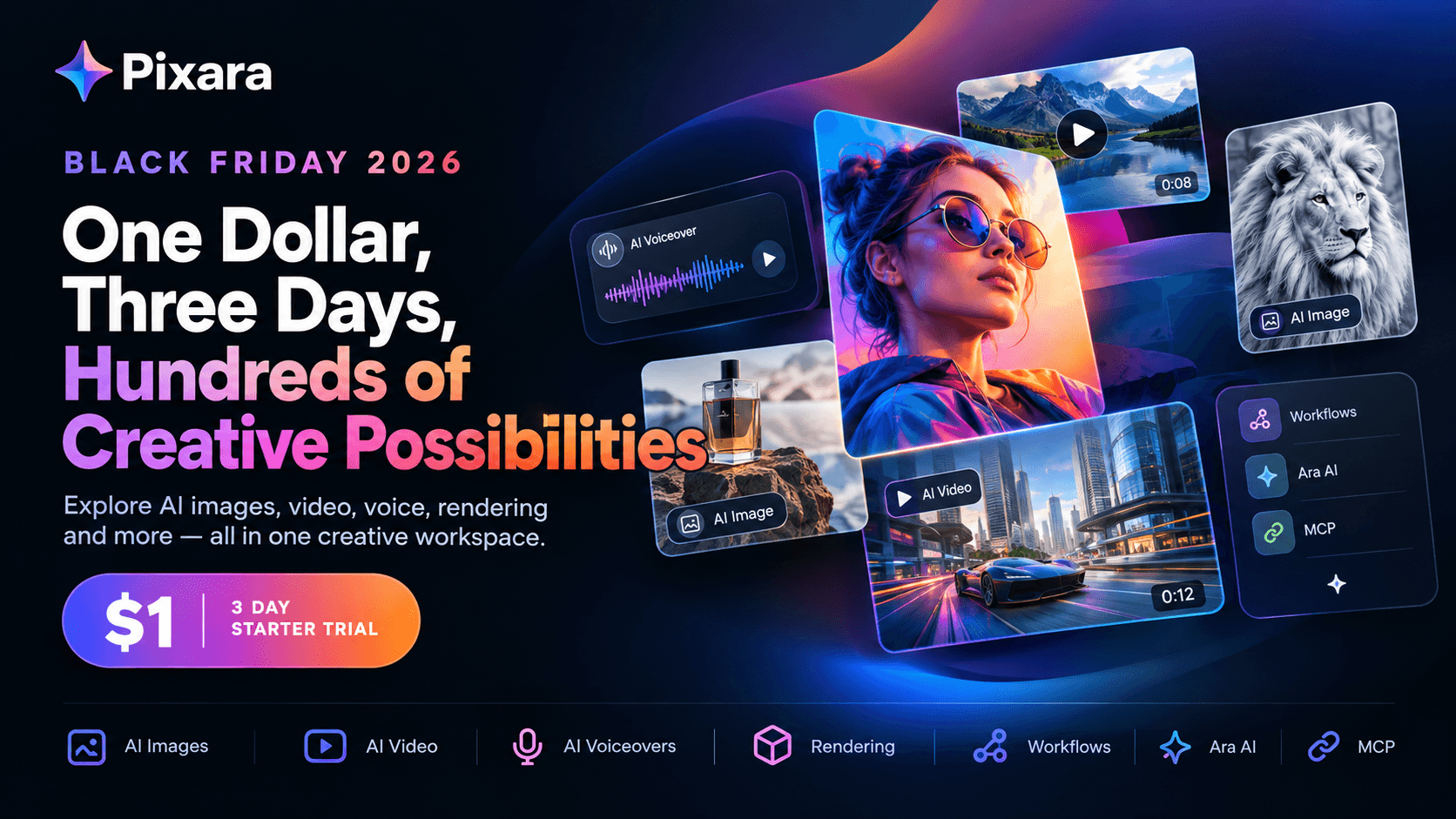
Rather than treating every creative task as a separate tool purchase, the platform brings together image generation, video generation, AI voiceovers, editing capabilities, and a range of creative tools. For solo creators, ecommerce businesses, freelancers, and marketing agencies, the benefit is having more of the production process available in one place.
One workspace for images, videos and marketing assets
A typical marketing campaign rarely needs just one video. You might need a product hero image, several lifestyle photographs, a short promotional clip, a voiceover, and multiple versions for different social platforms.
Managing those tasks across separate services can create extra subscriptions and unnecessary back and forth between tools. A unified workspace makes it easier to move from an initial idea to a collection of usable creative assets.
The platform's multi model access is useful here because different models can serve different creative purposes. One may be better suited to realistic product images, another to stylized visuals, and another to cinematic video generation. Having those options together can help you select a model based on the task, rather than forcing every project through a single generator.
For someone comparing Higgsfield AI pricing, this broader production capability is worth considering alongside the monthly credit allowance.
Ara AI copilot helps reduce prompt writing friction
Getting a useful result from an AI generator often takes more work than typing a short description. You may need to specify the composition, lighting, camera angle, visual style, subject details, and intended output.
Ara, the platform's AI copilot, is designed to help with that creative process. It assists with prompt development, model selection, and shaping the intended visual direction.
This can be particularly helpful for marketers who know what they want an advertisement to communicate but do not want to spend hours learning the prompt conventions of every model. It can also make experimentation less intimidating for creators who are new to AI generated content.
For example, an ecommerce marketer could start with the idea of a premium skincare product advertisement and refine the desired setting, lighting, mood, and composition with AI assistance. From there, they can work toward producing product imagery and video assets that fit the same campaign.
The benefit is not a guarantee that every generation will be perfect. You will still need to review outputs and refine your prompts. The value lies in reducing some of the repetitive setup work that can slow down production.
Generator pages and dedicated creative tools
Another practical advantage is access to dedicated generator pages and creative tools for different tasks. Rather than treating image creation, video generation, and editing as interchangeable features, a more specialized workspace can make it easier to find the right starting point for each job.
That matters when you are producing content at scale. A freelancer creating a single social media visual has different needs from an agency preparing dozens of advertisements for multiple clients.
With a collection of generators and tools available in one environment, you can organize the workflow around the asset you need to produce. That can make the platform useful for everything from concept images and product visuals to short promotional videos.
MCP and always online workflows
For users who want to connect creative tools with AI assistants or automated processes, MCP support adds another dimension to the workflow.
Model Context Protocol, or MCP, provides a way for compatible AI applications to interact with external tools. For creative teams, this can open up possibilities for connecting supported generation capabilities to broader workflows, reducing the amount of repetitive manual work involved in preparing prompts and producing assets.
An always online workspace also means you can return to your creative projects through the web environment without having to maintain a complex local generation setup.
The exact capabilities depend on the available integrations and supported actions, so check the current documentation before planning a fully automated workflow. Still, for marketers and agencies producing content repeatedly, the combination of multi model access, AI assistance, and workflow connectivity can be valuable.
Is Pixara more affordable than Higgsfield?
The answer depends on your usage and the features you need. Pixara offers subscription plans listed in its product information at $10 per month for Starter, $25 for Hobby, $60 for Pro, and $250 for Ultimate. These prices should be checked against the current checkout page before purchase.
The useful comparison is not simply $10 versus $9, or $25 versus $23. It is how much creative work you can complete within each plan, which models are included, how generation credits are allocated, and which additional tools you would otherwise pay for separately.
If you only need a specific video model, a more specialized subscription may suit you better. If your workload spans images, videos, creative assistance, voiceovers, and marketing assets, an all in one workspace could reduce the need to juggle multiple services.
For individual creators and agencies, the value proposition is straightforward: access a broad creative toolkit, choose models according to the task, and keep more of the production workflow in one place. Compare the current plan limits and included features before deciding which subscription delivers better value for your particular workload.
Who Should Choose Higgsfield, and Who Should Consider an Alternative?
There is no reason to pay for a broad creative platform if you only use one feature. The sensible choice depends on your output requirements, the amount of experimentation you do, and how much time you spend moving between tools.
Higgsfield may suit you if:
- You regularly switch between image and video models and want a shared credit based workflow.
- You need tools such as Cinema Studio or advertising focused creation features.
- You can take advantage of the selected unlimited generation promotions.
- You have enough monthly production work to use the included credits.
An alternative such as Pixara may suit you if:
- You create both images and videos for marketing campaigns.
- You want AI assistance with prompt development and model selection.
- You need a broader set of creative tools, including voiceovers and editing capabilities.
- You want to manage recurring creative work within a single online workspace.
If your main priority is the lowest possible cost for a single model, compare that model's native subscription with the cost of accessing it through a multi model platform. If you are producing content for clients, consider the time saved by having more of your workflow in one place, along with the licensing terms and output limits.
Final Verdict: Is Higgsfield AI Worth the Price in 2026?
Higgsfield offers a flexible creative environment, but its value depends on how you use it. Basic provides an entry point for modest image generation needs, Pro offers a larger allowance and broader model access, and Max caters to people who need more production capacity. Business subscriptions add shared workspaces, pooled credits, and administrative features for teams.
The main thing to remember is that the advertised monthly price does not tell you how many finished assets you will get. Credit consumption, resolution, duration, unused allowances, and unlimited access conditions all affect your final cost.
If you are still deciding, start with three questions:
- Which image and video models do you need most often?
- How many usable assets do you expect to produce each month, including failed attempts and revisions?
- Would an all in one creative workspace save you enough time or separate subscriptions to justify its cost?
Answer those questions before committing to annual billing. Higgsfield could be a good fit for a multi model video workflow, while a broader platform such as Pixara may be more appropriate if your work spans the entire creative production process.
The best subscription is the one that fits your actual workload, not the one with the biggest credit number on its pricing page.