HeyGen has made it much easier to create professional looking videos without cameras, studios, actors, or a production crew. You can generate an AI presenter, clone a voice, translate a video into multiple languages, and produce content for marketing, training, sales, and social media without filming everything yourself.
But how much does HeyGen cost in 2026, and is it worth paying for?
The answer depends on how you create videos. If you only need a few short clips each month, the free plan might be enough to get started. If you're a content creator publishing videos regularly, the Creator or Pro plan may make more sense. Businesses producing training videos, product demonstrations, and multilingual marketing content at scale will probably need to look at the Business or Enterprise options.
The tricky part is that the monthly subscription tells only part of the story. Your credit allowance, video length, export quality, voice cloning requirements, and the number of people using your account can all affect what you end up paying.
And if you're creating several versions of the same video, testing different scripts, or translating content for multiple markets, you need to consider how much production you can get from those credits before your monthly allowance runs out.
That's why comparing HeyGen pricing plans requires more than looking at the price displayed on the pricing page.
In this breakdown, we'll look at HeyGen's individual and business subscriptions, what each plan includes, how its credit system affects production costs, and which alternatives are worth considering if you're looking for a more affordable way to create AI videos.
We'll also look at platforms with different pricing models, including tools that charge according to video minutes, credit consumption, or a flat subscription. The aim is to help you find a solution that fits your production needs without paying for features or capacity you won't use.
HeyGen Pricing at a Glance: What Does It Cost in 2026?
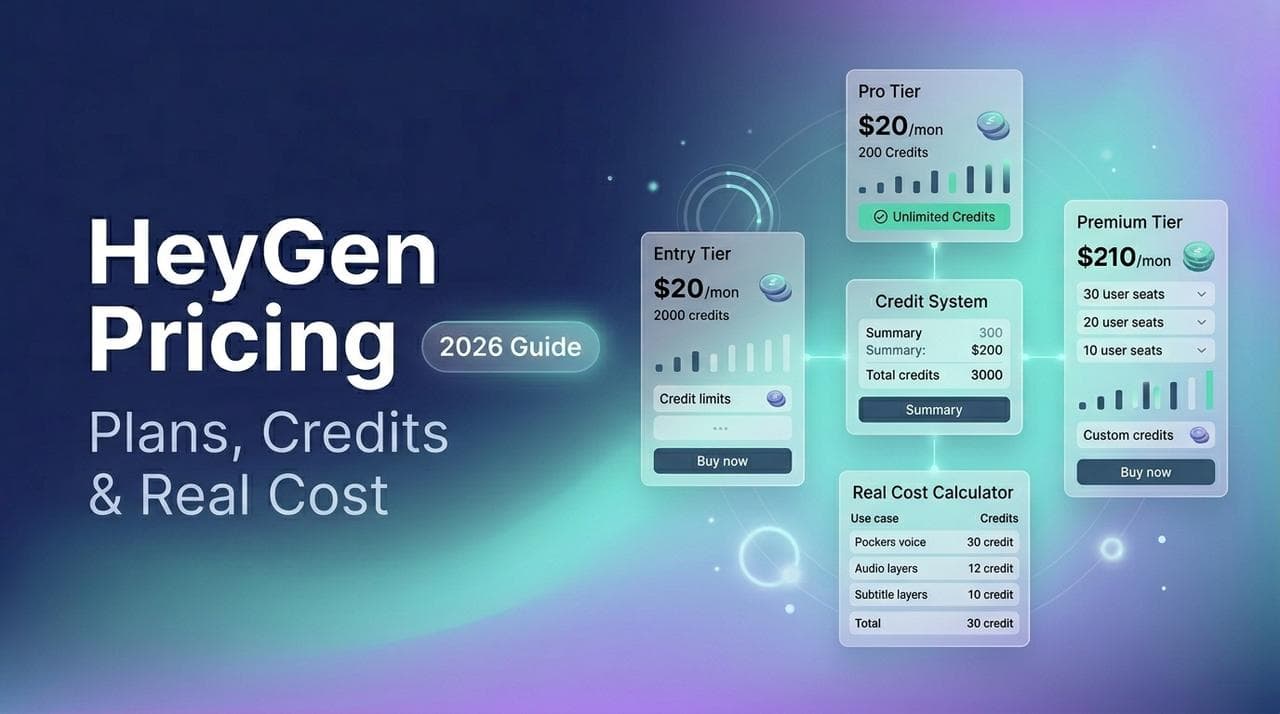
According to the official HeyGen pricing information provided for this comparison, individual subscriptions range from free to $49 per month, while business subscriptions start at $149 per month. Enterprise customers need to contact sales for a customised quote.
HeyGen Pricing Plans at a Glance
Free Plan
- Monthly price: $0
- Included credits: No paid credit allowance stated
- Best suited for: Beginners who want to test AI avatar videos.
Creator Plan
- Monthly price: $29
- Included credits: 600
- Best suited for: Individual creators and marketers producing videos regularly.
Pro Plan
- Monthly price: $49
- Included credits: 1,000
- Best suited for: Advanced creators and users who need more video production capacity.
Business Plan
- Monthly price: $149
- Included credits: 1,500
- Best suited for: Teams and organisations creating videos at scale. Additional seats cost $20 per seat per month.
Enterprise Plan
- Monthly price: Custom pricing
- Included credits: Customised usage based on business requirements
- Best suited for: Large organisations that need advanced security, centralised management, dedicated support, and scalable video production.
Business customers can add extra seats for $20 per seat per month, according to the supplied pricing details. Enterprise pricing depends on the organisation's requirements and agreement with HeyGen.
These figures provide a useful starting point, but there's an important detail to understand before choosing a subscription: credits, video duration, and finished video output are not necessarily interchangeable. Having 600 credits doesn't automatically tell you how many finished videos you'll produce. Your results depend on the features, models, and generation workflows you use.
Is HeyGen free, or do you need a paid subscription?
HeyGen offers a free plan that lets you generate three videos per month, with each video limited to one minute. It also includes access to Avatar IV, standard video processing, stock video avatars, one custom video avatar, and more than 30 languages, according to the supplied pricing information.
That makes the free tier useful for testing the platform and deciding whether AI generated presenters fit your content strategy.
However, free usage comes with limitations. If you're producing regular marketing content, need longer videos, want watermark free exports, or require advanced voice cloning and translation features, you'll probably need a paid subscription.
It's also worth distinguishing a free plan from a HeyGen free trial. A free plan provides a limited level of ongoing access, while a trial generally refers to temporary access to paid features under specific promotional terms. Check the current official offer before assuming that a paid subscription or a particular credit allowance is available for free.
Why the cheapest HeyGen plan isn't always the most affordable option
Let's say you're a marketer creating product explainers, social media videos, and promotional content every week. Your first video might look great, but the script needs a small adjustment. You generate another version, change the voice, or translate the video for a different audience.
Those revisions can affect how much production capacity you have left for the month.
The same problem applies to teams. A subscription that looks reasonable for one person can become more expensive when several employees need access. Businesses also need to consider collaboration, brand consistency, security, and integrations when calculating the cost of their video production setup.
This is where comparing alternatives becomes useful. Some platforms are built primarily for AI presenters, while others specialise in short advertisements, talking photos, training content, or broader AI video creation.
The best choice depends on what you're producing, how often you need to regenerate content, and which features you genuinely use.
The Best HeyGen Alternatives in 2026
Pixara.ai: A Flexible Alternative to HeyGen for AI Video Creation

If you are comparing HeyGen pricing plans in 2026, the monthly subscription is only part of the equation. You also need to consider how many videos you produce, how often you revise them, which AI models you need, and how much flexibility you want when creating content.
HeyGen makes it relatively straightforward to create presenter videos with AI avatars, cloned voices, lip sync, and video translation. That works well for marketers, educators, businesses, and creators who want polished videos without setting up a camera or hiring a production crew. However, if your workflow involves creating multiple types of content, from AI generated visuals and product videos to voiceovers and talking avatar clips, paying for one platform's particular production workflow may not cover everything you need.
This is where Pixara.ai becomes an interesting alternative. Rather than treating AI avatar videos as the entire production process, it brings multiple creative models and tools into a single workspace, giving you more freedom to build videos around your specific requirements.
Why Pixara.ai deserves a place on your HeyGen alternatives list
The main appeal is flexibility. You can work with different AI models and combine several creative tasks without constantly switching between separate applications. For creators producing marketing campaigns, product demonstrations, social media videos, or promotional content, having those capabilities together can make the production process easier to manage.
Here is how its features fit into the needs of someone evaluating HeyGen's cost.
1. Multiple AI video models under one subscription
One reason people start looking for HeyGen alternatives is that their video requirements eventually grow beyond talking avatars. You might need a presenter explaining a product in one video, cinematic product footage in another, and short promotional clips for social media throughout the week.
Pixara provides access to multiple AI video models through a unified workspace. Depending on the model available for your selected workflow, you can generate footage suited to different creative styles and production requirements.
This matters when you are producing content at scale. You can select a model based on the result you want, rather than committing your entire workflow to one generation system. It also gives you more room to experiment with different visual styles before settling on a format for your campaign.
For teams comparing AI video creation costs, the benefit is having a broader creative toolkit in one place. You should still compare each model's credit consumption and generation limits against your expected output, since access to multiple models does not mean every generation is unlimited.
2. AI image generation for videos, advertisements, and product visuals
Not every video starts with a script and an avatar. Product advertisements, social media campaigns, explainer videos, and branded promotional content often require images, backgrounds, and visual assets before the final video can be assembled.
The platform includes AI image generation, allowing you to create visual material within the same broader creative environment. You can develop campaign concepts, generate supporting imagery, and prepare assets for video production without managing a separate subscription solely for image creation.
This can be particularly useful for ecommerce brands and marketing agencies. A team creating a product campaign might need several visual concepts, different backgrounds, and supporting creative assets before producing the final advertisement. Keeping those tasks within one workspace can simplify the process.
It is worth remembering that image generation and avatar video generation are different workloads. If your main requirement is a realistic digital presenter speaking directly to camera, HeyGen may be a more specialised fit. If your work combines multiple visual formats, a broader creative platform may offer better overall value.
3. AI voiceovers and voice cloning
Voice production is another expense to consider when calculating the total cost of an AI video workflow. A video may need narration, a product explanation, a promotional voiceover, or a consistent brand voice across several campaigns.
Pixara includes AI voiceover capabilities, with voice cloning available as part of its broader creative toolkit. This allows creators to develop narrated content without recording every line manually.
For marketers, the practical advantage is being able to build a workflow around both the visual and audio elements. You can prepare the visuals, generate narration, and continue working on the video without jumping between multiple services for every production step.
Voice cloning can also help maintain a more consistent sound across a series of videos, provided you have the appropriate permission to clone and use the voice. As with HeyGen, the precise capabilities and usage limits depend on the available tools and models.
4. Lip sync and talking avatar workflows
Talking avatars remain one of the main reasons creators compare HeyGen with other AI video platforms. They are useful for training videos, product explainers, educational content, and marketing material where a person speaking on screen makes the message easier to follow.
A broader AI production workspace can complement these workflows with lip sync tools, helping align spoken audio with a character or visual subject. This opens up additional creative possibilities beyond conventional presenter videos.
For example, a marketing team might create a product visual, prepare a voiceover, and use lip sync to build a short speaking clip. Another team might produce a more cinematic video with narration and supporting visuals.
The important consideration is how much control you need over the finished result. HeyGen is designed around AI avatar video creation, while a multi model workspace gives you more freedom to assemble different types of creative output. The better choice depends on whether you primarily need ready to publish presenter videos or a wider set of production options.
5. Built in video editing and creative templates
Generating individual clips is only one part of video production. You may still need to organise scenes, adjust timing, combine assets, and prepare the final content for publication.
Pixara includes a built in video editor and creative templates to help bring generated assets together. Templates can be useful when you produce similar content repeatedly, such as product promotions, social media advertisements, or branded marketing videos.
This is particularly relevant when calculating the overall cost of an AI video tool. A low subscription price can become less attractive if you must pay for a separate editor, voice generation service, and image tool to finish every project.
Having multiple production features available in one workspace can reduce that extra software overhead. The precise savings will depend on the tools you already pay for and how much editing your videos require.
6. Ara AI copilot for a simpler production process
Choosing an AI model and writing an effective prompt can take time, especially when you are still learning which settings produce the best results.
Ara, the platform's AI copilot, is designed to simplify the creative process by helping with prompt engineering, model selection, and creative direction. This can be useful when you know what you want to create but are not sure how to translate the idea into a prompt that works well with a particular model.
For a small marketing team, this may reduce some of the experimentation required to get started. For experienced creators, it can help streamline routine tasks and make it easier to test different creative ideas.
The benefit is less time spent figuring out how to operate individual models and more time spent refining the content itself.
The platform's value proposition comes from combining multiple creative capabilities within one subscription. However, it is important to compare the amount of generation you can purchase at each tier with your expected workload. AI video models can have very different credit requirements, so the same monthly budget may produce very different quantities of finished footage depending on your chosen models.
How Pixara.ai compares with HeyGen on value
The difference becomes easier to understand when you consider your typical production workflow.
With HeyGen, you are paying for a platform centred on AI avatars, presenter videos, voice cloning, and localisation. Its higher plans add features such as 4K export, greater credit allowances, and business collaboration tools.
With Pixara, the emphasis is on access to a wider range of creative tools, including video generation, image generation, voiceovers, lip sync, and editing. That can be appealing if your projects involve several different production tasks rather than a consistent stream of avatar led videos.
Neither pricing model automatically guarantees a lower cost per finished video. Your results depend on the number of generations, revisions, video length, and models involved in each project.
Before choosing, consider these questions:
- How many finished videos do you need each month? A creator publishing a handful of presenter videos has different requirements from an agency producing dozens of advertisements.
- How often do you revise generated content? Multiple attempts can increase the cost of credit based production, even when the initial subscription appears affordable.
- Do you need avatars exclusively? If your workflow also includes AI images, cinematic footage, and voiceovers, a broader platform may reduce the need for separate subscriptions.
- Do you need team management and enterprise controls? Larger organisations may prioritise permissions, collaboration, security, and centralised billing over the flexibility of individual creative tools.
For creators who want to experiment with several types of AI generated content, this broader toolset is worth considering. For businesses whose entire workflow depends on consistent, polished avatar presentations, HeyGen's specialised features may justify its subscription cost.
Pros and cons
Pros
- Multiple AI video and image models available in one workspace.
- AI voiceovers, voice cloning, and lip sync capabilities for different production needs.
- Built in editing tools and templates that can simplify routine content production.
- Ara AI copilot helps with prompts, model selection, and creative direction.
- Subscription options ranging from $10 to $250 per month, depending on the plan.
Cons
- Credit consumption can vary significantly across AI models and generation types.
Best for: Content creators, ecommerce businesses, freelancers, and marketing agencies that need more than avatar videos and want several AI creative tools within one workspace.
Our take: If your goal is to produce different kinds of marketing content, compare the total cost of your complete production workflow, not just the subscription price. A platform that handles several stages of production may offer better value than paying separately for every tool.
Synthesia: Best for Enterprise Budgets

If HeyGen is on your shortlist because you want professional AI presenter videos, Synthesia deserves a closer look. It serves a similar audience, including businesses producing employee training, onboarding materials, product explainers, internal communications, and multilingual presentations.
The biggest consideration when comparing Synthesia with HeyGen is how you budget for video production. Synthesia structures its paid offerings around video minutes and user access, making it easier for organisations to estimate production capacity in advance. HeyGen's credit based plans, on the other hand, require you to pay closer attention to credit allowances and the features consuming them.
For a business producing videos every month, this difference can influence how easily the finance team forecasts expenses and how confidently the content team plans its workload.
How Synthesia pricing works
Synthesia offers subscription tiers designed for different levels of video production, from individual creators to larger organisations. The available features and usage allowances depend on the selected plan, so check its current pricing page before committing to a subscription.
Its minute based pricing structure gives businesses a straightforward way to estimate their production capacity. For example, a team that knows it needs a particular number of minutes of finished presenter videos each month can compare that requirement with the allowance included in its subscription.
However, included minutes should not automatically be treated as a measure of total production cost. Your team may still need to account for additional users, unused allowances, revisions, and any premium features that affect the final subscription price.
Synthesia vs. HeyGen: Which offers better value?
The choice comes down to the type of content your organisation produces and how you prefer to manage its budget.
Synthesia may be a better fit for businesses that:
- Produce regular training and educational videos for employees or customers.
- Need a predictable way to allocate video production minutes across a team.
- Want presenter led videos for onboarding, internal communications, and instructional content.
- Need a structured production workflow that can support recurring business content.
HeyGen may be a better fit for businesses that:
- Want access to Avatar IV and a variety of AI avatar options.
- Need voice cloning and video translation for multilingual marketing campaigns.
- Want higher resolution exports, including 4K on eligible paid plans.
- Prefer a credit based subscription with different allowances for individual creators and business teams.
Both platforms can support professional video production. The better value depends on the amount of content you publish, the features you require, and the total cost of maintaining access for everyone involved.
What about revisions and unused minutes?
This is an important consideration for teams that create videos in batches. A training department might produce several modules in advance, while a marketing team might need frequent script updates to keep promotional content current.
With a minute based subscription, unused allowances can become a budgeting concern if your production schedule changes. Check the current rollover policy and any restrictions that apply to your selected plan.
Credit based subscriptions require a different calculation. You need to understand how much credit your planned workflow consumes and how much capacity remains for revisions or new projects.
Neither system guarantees lower costs in every situation. The best option is the one that matches your team's typical output without leaving you paying for capacity you rarely use.
Pros and cons of Synthesia
Pros
- Minute based allowances can make production planning easier for teams with predictable workloads.
- Well suited to employee training, onboarding, educational content, and business presentations.
- Provides a dedicated environment for producing presenter led videos.
- Can support recurring video production across business departments.
Cons
- Unused video minutes can reduce the value of a subscription if production is inconsistent, depending on the applicable rollover terms.
- Additional users and higher usage requirements can increase total spending.
- Teams producing short advertising variations may prefer a platform designed around rapid creative testing.
- Its pricing should be evaluated against the complete workflow, including revisions and any additional production tools.
Best for: Businesses, training departments, and enterprise teams that produce presenter led videos regularly and want a structured way to budget for recurring content.
Our take: Synthesia is worth considering if your organisation has a steady demand for training videos, internal presentations, and educational content. If your primary goal is producing marketing creatives in multiple formats, compare its subscription with broader AI video platforms before deciding.
Creatify: Best for High Volume AI Video Ad

If you're planning to create dozens of video advertisements every month, HeyGen might not be the first tool you want to reach for. It's useful for presenter led content, but advertising teams often have a different problem to solve: they need enough creative variations to test multiple hooks, product angles, calls to action, and audiences without spending hours producing each version.
That's where Creatify comes in.
Creatify is an AI video advertising platform designed for marketers, ecommerce brands, and performance marketing teams. Its workflow is built around turning product information and creative concepts into video ads, including UGC style advertisements featuring AI generated presenters.
Imagine you're running a campaign for a skincare product. You want to test several opening hooks, experiment with different presenters, and create variations aimed at different customer groups. Producing every version manually would take considerable time. An AI advertising tool can help you generate and test creative concepts much faster.
For teams like this, the most useful pricing metric isn't necessarily the monthly subscription or the maximum video duration. It's how many usable advertisements you can produce within your budget.
How Creatify pricing works
Creatify uses subscription tiers with usage allowances, including credit based limits on eligible plans. The amount you can generate depends on the subscription, the features you use, and the type of video you create.
When comparing Creatify pricing with HeyGen pricing, pay attention to the difference between generating a short advertisement and producing a longer presenter video. A short ad may take only seconds to watch, but you could need several attempts to find a version worth publishing.
Your budget should account for the complete creative testing process, including alternative scripts, different AI actors, revised product messaging, and additional versions for different advertising platforms.
Because plan names, prices, and credit allowances can change, check Creatify's current pricing page before quoting exact figures in your final article.
Creatify vs. HeyGen: Which is better for advertising?
The two platforms serve overlapping audiences, but their primary workflows differ.
HeyGen is a natural option when you need an AI presenter to explain a product, deliver a scripted message, or communicate information in multiple languages. Creatify is particularly relevant when your priority is producing advertising creatives and testing multiple concepts for paid campaigns.
Here's how the choice looks in practice.
Creatify may suit you better if you:
- Run ecommerce campaigns that require a steady supply of product video ads.
- Want to test different hooks, presenters, scripts, and creative angles.
- Produce short UGC style videos for platforms such as TikTok, Instagram, and Facebook.
- Need an advertising workflow that prioritises creative variation and campaign testing.
HeyGen may suit you better if you:
- Create educational videos, product demonstrations, and presenter led explainers.
- Need voice cloning, multilingual video translation, and AI avatar presentations.
- Produce longer scripted videos rather than primarily short advertisements.
- Need business features such as team collaboration, centralised billing, and enterprise controls.
Your choice should reflect the work you need to complete each month. A performance marketing team generating many short ads has different requirements from a company producing a library of training videos.
Calculate cost per usable advertisement, not just cost per generation
This is where many AI video pricing comparisons miss an important detail.
Suppose your team needs 20 finished advertisements for a campaign. You might generate several versions of each concept, reject some that do not look right, and revise others after reviewing the messaging. The total number of generations could be much higher than the number of ads you eventually publish.
To compare platforms fairly, use this formula:
Cost per usable ad = Total monthly production cost ÷ Number of publishable ads produced
For example, if your total monthly production cost is $100 and you produce 20 advertisements that are ready to publish, your effective cost is $5 per usable ad.
That example is illustrative, not a claim about Creatify's current output limits or performance. Your own cost will depend on your subscription, credit consumption, revisions, and the number of usable results you obtain.
This calculation is particularly helpful for agencies managing multiple clients. A platform that generates many variations but requires substantial rework may be less economical than one that produces fewer, more usable results on the first attempt.
Pros and cons of Creatify
Pros
- Designed around AI video advertising and short promotional creatives.
- Useful for ecommerce brands testing different product messages and advertising concepts.
- Can help marketing teams produce multiple creative variations without filming every version.
- Its advertising focused workflow is relevant to performance marketers who need a steady pipeline of new creatives.
Cons
- Credit allowances and generation requirements need to be checked carefully before estimating monthly output.
- Frequent revisions and experimentation can increase consumption.
- It may be less suitable than a dedicated avatar platform for organisations whose main requirement is longer training or instructional videos.
- Teams should compare export options, commercial usage terms, and collaboration features against their specific needs.
Best for: Ecommerce businesses, advertising agencies, and performance marketing teams that need to create and test short video ads at scale.
Our take: If your primary objective is to generate more advertising variations and find creatives that perform well, Creatify deserves a place on your shortlist. Compare the monthly subscription against your expected number of publishable ads, not just the number of generations included.
D ID: Best Budget Pick for Talking Photo Videos

Not every video needs a full AI presenter with a custom background, multiple scenes, and a polished studio style. Sometimes, all you need is a photograph that can speak.
That is where D ID comes in. The platform specialises in animating still images into talking avatar videos, making it useful for businesses, educators, content creators, and developers who want to turn a portrait into a speaking character.
Think about a company that wants to create short product announcements, an educator who wants to present information through a digital character, or a developer building an application that generates personalised video messages. These use cases may not require the broader production environment offered by HeyGen.
D ID focuses on this more specific task, which can make it an appealing option for people who want a simpler way to create talking head videos.
How D ID pricing works
D ID offers subscription plans for its Creative Reality Studio, along with API options for developers who want to generate talking avatar videos programmatically.
Its pricing structure uses credits and video duration to determine how much content you can create. The cost of producing a video depends on the plan, the available credit allowance, and the duration and features of your output.
This is worth considering if you're comparing HeyGen pricing with a more specialised talking photo tool. You may not need to pay for a large collection of avatar video features if your entire workflow involves animating portraits and generating short spoken clips.
However, the cheapest advertised subscription isn't necessarily the cheapest option for every workload. Check the current credit allowance, video duration limits, export restrictions, and commercial usage terms before choosing a plan.
What can you create with D ID?
The platform's main appeal is its ability to turn a still image into a talking video. You provide a suitable portrait, supply text or audio, and generate a video in which the subject appears to speak.
This makes it useful for several practical applications.
Talking photo videos: Bring a portrait to life for a short announcement, educational explanation, or social media post.
Personalised video messages: Businesses can use generated presenters to create customised communications for different audiences, subject to the platform's usage limits and applicable consent requirements.
Educational content: Teachers and training teams can create speaking characters to introduce concepts or deliver short explanations.
Developer applications: Teams can use API access to incorporate talking avatar generation into their own products and automated content workflows.
D ID is particularly relevant when the starting point is a single image and the finished output is a speaking character. If you need a complete multi scene video with extensive editing, several presenters, and more elaborate production controls, you should compare its capabilities carefully with HeyGen and other full featured video platforms.
D ID vs. HeyGen: Which should you choose?
HeyGen offers a broader set of features for producing presenter led videos, including custom avatars, voice cloning, video translation, and higher resolution exports on eligible plans. D ID's appeal is its more specialised focus on talking portraits and its developer friendly generation options.
For a creator who wants to animate a photograph, paying for a larger production toolkit may not make financial sense. For a business producing regular product demonstrations or multilingual training videos, the extra features available in HeyGen may justify the higher subscription cost.
Your expected output matters, too. If you generate a small number of short talking photo clips, a lower cost plan may be sufficient. If you need to generate hundreds of personalised videos through an application, API pricing and usage limits become much more important than the headline monthly subscription.
What about HeyGen API pricing vs. D ID API pricing?
This comparison is especially relevant to developers building automated video products.
A consumer subscription and an API plan can have very different billing structures. A monthly creator plan may cover videos generated inside a web interface, while API usage can be billed according to duration, credits, or the particular service being called.
Before building around either provider, estimate your expected number of generated videos, average video duration, and monthly volume. Also account for failed generations, retries, storage, and any other services needed to deliver the final video.
Don't assume that a platform's lowest consumer subscription includes unrestricted API access. Check the provider's current developer documentation and pricing terms to understand the applicable limits.
Pros and cons of D ID
Pros
- Specialises in turning still images into talking avatar videos.
- Useful for short educational clips, announcements, and personalised messages.
- API access makes it relevant to developers building automated video workflows.
- Can be a practical option when a full AI presenter studio would offer more features than you need.
Cons
- Its core talking photo workflow is narrower than a complete video production suite.
- Credit consumption and video duration can affect the total cost.
- Developers need to evaluate API limits and usage charges separately from consumer subscriptions.
- Businesses requiring advanced multi scene editing and broader presenter workflows should compare the available features carefully.
Best for: Creators, developers, and businesses that need talking photo videos or programmatic avatar generation without paying for a broader production workflow they may not use.
Our take: D ID is worth considering if your main requirement is to make a photograph speak. If you need a full video production environment with more extensive avatar, editing, and localisation capabilities, compare the additional features against their cost before making a decision.
Colossyan: Best for Corporate Training and Learning Teams

If your company produces training videos, employee onboarding materials, or educational content regularly, Colossyan is another platform worth comparing with HeyGen.
The two tools share several capabilities, including AI presenters, multilingual content, and video production without traditional filming. However, Colossyan places particular emphasis on workplace learning and development. Its features are designed to help organisations turn written material into structured learning content that employees can watch, understand, and revisit when needed.
Consider a company onboarding 200 new employees across several countries. The learning team might need instructional videos, policy explanations, product training, and assessments in multiple languages. Recording every lesson with a presenter would take time, while updating those recordings whenever company policies change could become expensive.
Colossyan helps simplify this process by allowing teams to create presenter led training content and assemble learning materials within a video authoring environment.
How Colossyan pricing works
Colossyan offers subscription options for individual creators, growing teams, and enterprise customers. The available video minutes, collaboration features, and learning management capabilities depend on the plan.
When comparing Colossyan pricing with HeyGen pricing, look beyond the number of videos you can generate. Training departments also need to consider how easily they can update lessons, produce multilingual versions, and distribute completed courses to employees.
Colossyan's focus on learning and development makes features such as interactive video elements and SCORM export particularly relevant. SCORM is a widely used standard for packaging learning content so that compatible learning management systems can track and deliver it.
Exact subscription prices, minute allowances, and feature restrictions can change, so verify the current Colossyan pricing page before including specific figures in your published comparison.
What makes Colossyan useful for training videos?
The platform's value comes from combining AI video creation with features that support structured learning content.
AI presenters for instructional videos
Training teams can create videos featuring AI presenters who explain processes, introduce lessons, or walk employees through specific tasks. This can be useful when you need a consistent presentation style across a large library of learning materials.
For example, a software company could create a series of tutorials explaining its product interface, with each video covering a different feature. When the product changes, the team can update the relevant content without organising a new filming session.
Multiple presenters and conversation scenes
Some lessons are easier to understand when presented as a conversation rather than a long monologue. Colossyan supports multi avatar scenes, allowing teams to create dialogue based explanations and instructional scenarios.
This can work well for customer service training, workplace communication, sales role play, and compliance education. A lesson about handling a difficult customer interaction, for example, could feature two presenters demonstrating the conversation.
Interactive learning content
Colossyan supports interactive video features, including quizzes and other learning elements on eligible plans. These can help teams make training sessions more engaging and give learners opportunities to check their understanding.
For organisations that already maintain a formal training programme, the ability to combine video and interactive elements can reduce the need to assemble the entire learning experience across several separate tools.
SCORM export and learning management integrations
SCORM export is particularly useful for companies that deliver training through a learning management system. Rather than treating every video as an isolated file, teams can package compatible learning content for use within their existing training environment.
Before subscribing, confirm which export options and integrations are available on your chosen plan. Some features may be restricted to specific tiers.
Colossyan vs. HeyGen: Which offers better value?
HeyGen is a compelling choice for businesses that need AI avatars, voice cloning, video translation, and polished presenter led content across marketing and communications workflows.
Colossyan is particularly relevant when the finished video forms part of a structured learning programme.
Colossyan may be the better fit if you:
- Produce employee onboarding videos, instructional lessons, or compliance training.
- Need multiple presenters for workplace scenarios and educational conversations.
- Want interactive learning features alongside your videos.
- Need SCORM export or learning management system compatibility.
- Regularly update training materials as company policies, processes, or products change.
HeyGen may be the better fit if you:
- Create marketing videos, sales presentations, and product demonstrations.
- Need voice cloning and video translation for multilingual campaigns.
- Want access to Avatar IV and advanced avatar video generation.
- Need a broader presenter video workflow that also supports customer facing communications.
The important consideration is the total cost of producing and maintaining your content library. If your company needs a dedicated learning platform alongside its video generator, a tool that combines both functions may reduce the number of subscriptions required.
Calculate cost per completed training module
Training teams should assess the cost of a finished lesson, not just the cost of generating a minute of video.
Imagine that your organisation needs 30 training modules. Each module requires a presenter video, a short knowledge check, and occasional updates when procedures change.
With a general purpose avatar generator, you may need additional software or manual work to assemble the learning experience. A platform with built in authoring and learning features may reduce that extra effort.
To estimate the cost fairly, include:
- Your monthly or annual subscription.
- The video minutes available under your selected plan.
- Time and credits spent revising scripts and regenerating videos.
- Any additional software needed for quizzes, course packaging, or distribution.
- The time your team spends maintaining the finished training library.
This calculation gives you a more useful comparison than looking at the advertised subscription price alone.
Pros and cons of Colossyan
Pros
- Designed with workplace learning and development requirements in mind.
- Supports AI presenter videos and multi avatar conversation scenes.
- Interactive video features can support structured training experiences.
- SCORM export and learning management compatibility can be valuable for corporate training teams.
- Useful for maintaining training libraries that require regular updates.
Cons
- Its specialised learning workflow may offer limited extra value to creators who primarily produce short social media advertisements.
- Video minutes, collaboration features, and export capabilities depend on the selected plan.
- Teams should verify current integration and SCORM availability before subscribing.
- A company producing only occasional presenter videos may not need its full learning focused feature set.
Best for: Corporate learning and development departments, employee training teams, educators, and organisations that need structured instructional video content.
Our take: Colossyan is worth considering if AI video creation is only one part of a larger employee training programme. If your main priority is marketing content, social media videos, or multilingual product explainers, compare HeyGen and broader creative platforms before paying for specialised learning features.
Elai: Best for Predictable Video Minute Budgets

If you prefer knowing how many minutes of finished video your subscription covers, Elai is worth considering. Like HeyGen, it lets you create AI presenter videos without filming every scene yourself. Its particular appeal is a pricing structure built around video render minutes, which can make it easier to estimate production capacity before committing to a plan.
Elai is especially relevant for businesses that turn existing material into video. You might have a collection of blog posts, product documentation, presentations, or training guides that could work better as short videos. Rather than writing every project from scratch, you can use Elai's tools to convert existing material into presenter led content.
For marketing teams, this can make it easier to repurpose written content. For learning and development departments, it provides a way to create instructional videos and update training materials as information changes.
How Elai pricing works
Elai's published pricing includes a free plan, a Creator plan, Team subscriptions, and custom Enterprise options. The plans differ in their included render minutes, collaboration features, avatar options, and export capabilities.
Here are the published starting prices and allowances available for comparison:
Free plan
- Price: $0
- Render allowance: 1 minute
- Users: 1
- Best for: Testing the video builder and creating a short sample.
Creator plan
- Price: $29 per month, or $23 per month when billed annually at $276 upfront.
- Render allowance: 15 minutes per month, or 180 minutes provided upfront on an annual subscription.
- Users: 1
- Best for: Individual creators producing presenter videos regularly.
Team plan
- Price: Starts at $125 per month, or $100 per month when billed annually at $1,200 upfront.
- Render allowance: Starts at 50 minutes per month, with higher tiers offering 100 or 150 minutes.
- Users: 3 seats.
- Best for: Teams creating training, educational, and business videos collaboratively.
Enterprise plan
- Price: Custom quote.
- Render allowance: Configured according to the agreement.
- Best for: Organisations requiring advanced management, security, collaboration, and learning integrations.
These figures come from Elai's published pricing information. Confirm the current offer and available tiers on its official pricing page before publishing.
What does a render minute mean?
A render minute represents the duration of video you can render using your available allowance. If you produce a two minute video, for example, it generally consumes two render minutes.
There is an important detail to remember: Elai deducts minutes when you render a video, including when you render the same project again after making changes. Editing and previewing your project before rendering does not consume those minutes, but repeated final renders can use up your allowance faster than expected.
This makes planning your revisions particularly important.
Suppose you have a 15 minute monthly allowance and want to create five videos, each three minutes long. Your initial renders would consume the entire allowance. If you need to render those videos again after making changes, you may need to purchase additional minutes or wait for your next billing cycle.
Elai's support documentation lists extra minute purchases, although the available price and purchase options can vary by plan. Check the current terms before estimating your total cost.
Elai vs. HeyGen: Which offers better value?
Both platforms support AI presenter videos, but Elai's minute based structure may appeal to users who prefer to estimate costs according to the length of their planned output.
Elai may suit you better if you:
- Turn blog posts, presentations, and documents into video content.
- Produce recurring instructional videos with predictable durations.
- Want a clearly stated allowance of render minutes.
- Need presentation conversion, captions, translation, and educational content tools.
- Prefer an annual allowance that can be used throughout the year.
HeyGen may suit you better if you:
- Need access to Avatar IV and advanced AI avatar generation.
- Rely on voice cloning and multilingual video translation.
- Want a credit allowance tied to a creator or business subscription.
- Need longer presenter videos, 4K export, or advanced business collaboration features.
The annual billing difference deserves attention. Elai's documentation says annual subscribers receive their render minutes upfront for the year, while unused minutes on monthly subscriptions expire at the end of the billing cycle. This gives annual subscribers more flexibility in scheduling production, although the total allowance remains limited to the purchased plan.
Pros and cons of Elai
Pros
- Render minutes make it relatively straightforward to estimate video duration.
- Document and presentation conversion can help repurpose existing content.
- Supports AI presenters, voiceovers, and video translation.
- Annual plans provide a larger upfront allowance that can be used throughout the year.
- Team and Enterprise options cater to collaborative and training focused workflows.
Cons
- Re-rendering a finished video consumes additional minutes.
- Monthly unused minutes expire at the end of the billing cycle.
- Additional render time can increase the total subscription cost.
- The single seat Creator plan is not designed for shared team collaboration.
- Higher volume and enterprise requirements can require a more expensive plan.
Best for: Content marketers, educators, and corporate training teams that want to convert written material into presenter videos with a predictable render minute allowance.
Our take: Elai is worth considering if you have a steady queue of articles, presentations, and training documents to convert into video. Just account for revisions when calculating the number of finished videos your subscription can support.
Captions: Best for Solo Creators Publishing Short Videos
If you're a solo creator publishing videos on TikTok, Instagram Reels, YouTube Shorts, or other social platforms, you may not need an elaborate AI avatar studio. You might simply want to produce short videos, add captions, improve the presentation, and get your content ready to publish without juggling several applications.
Captions is designed around this kind of creator workflow. Its tools support AI assisted video creation, editing, subtitles, and other production tasks that help creators produce polished short form content.
This makes it worth comparing with HeyGen, particularly if your content strategy revolves around vertical videos rather than long presenter led explanations.
For example, a creator producing daily educational clips might record a short piece of content, edit the footage, add captions, and prepare different versions for social platforms. A business owner might use similar tools to create promotional videos without hiring an editor for every post.
Captions is geared towards making these tasks easier to manage within a creator focused environment.
How Captions pricing works
Captions offers subscription options with features and usage allowances that depend on the selected plan and platform. Its pricing structure is different from a straightforward video minute subscription, so you should check which AI features and generation limits are included before comparing it directly with HeyGen.
A flat monthly subscription can make budgeting easier, but it does not automatically mean every AI operation is unlimited. Certain features may have usage restrictions, and plan availability or prices can differ across platforms and regions.
For an accurate comparison, check the official Captions website for current subscription prices, eligible features, export options, and any applicable AI usage limits.
What makes Captions useful for short form video?
AI assisted video editing
Creators often spend more time preparing and polishing content than recording it. Editing tools can help streamline routine tasks, making it easier to prepare videos for publication without moving between multiple applications.
This is particularly useful for people who publish frequently and need a repeatable workflow.
Automatic captions and subtitles
Captions are important for short form content because many viewers watch videos without sound, particularly when scrolling through social feeds. Adding readable subtitles can make spoken content easier to follow.
For educational creators, product reviewers, and businesses sharing tips, captions also help viewers follow the message more easily.
AI powered creator tools
Depending on the plan and available features, Captions offers AI tools that can assist with video creation, presentation, and editing. These capabilities can help creators prepare content more efficiently, although the exact features and usage limits should be verified before subscribing.
A workflow built around social content
Creators who regularly publish short videos often need speed and convenience more than complex production controls. A creator focused application can make routine tasks easier to manage, particularly when you're producing several posts every week.
However, if your work requires sophisticated AI avatars, lengthy presenter videos, extensive multilingual localisation, or enterprise collaboration, you should compare Captions with platforms built specifically for those requirements.
Captions vs. HeyGen: Which should you choose?
The biggest consideration is the kind of video you want to create.
HeyGen specialises in AI generated presenters, digital avatars, voice cloning, and video translation. Captions is more relevant to creators who need help producing and editing short form content.
Captions may be a better fit if you:
- Publish short videos regularly on social media.
- Need practical editing and subtitle tools.
- Want a creator oriented workflow for preparing content.
- Prefer an application designed around individual content production.
HeyGen may be a better fit if you:
- Want to generate videos featuring AI presenters without filming yourself.
- Need custom avatars, voice cloning, and multilingual video translation.
- Produce training videos, product explainers, or longer scripted presentations.
- Need business subscriptions with collaboration and administrative controls.
There is some overlap between the platforms, but their primary use cases differ. A creator who already records their own videos may get more value from editing focused tools, while someone who wants to generate complete presenter videos from scripts may find HeyGen more suitable.
Pros and cons of Captions
Pros
- Designed for creators who produce short form video content.
- Includes tools for editing and preparing videos for publication.
- Captioning capabilities can help make spoken content easier to follow.
- Can support a repeatable workflow for creators who publish frequently.
- May be a practical option for people who do not need a dedicated AI avatar studio.
Cons
- Subscription prices and AI usage limits depend on the current plan.
- A creator focused workflow may not meet every enterprise video production requirement.
- Its capabilities should be compared carefully with HeyGen if AI avatar generation is the main priority.
- Teams should verify collaboration options and any additional charges before adopting it for client work.
Best for: Solo creators, influencers, educators, and small businesses that publish short form videos regularly and want practical tools for editing and preparing content.
Our take: Captions deserves consideration if your priority is creating and polishing social videos. If you want an AI presenter to deliver an entire script, translate the video into multiple languages, or generate a custom avatar, compare its available features with HeyGen before making your decision.
How We Ranked These HeyGen Alternatives
Comparing AI video tools purely by their advertised monthly prices can lead to the wrong decision. A $20 subscription may look affordable, but it could offer limited generation capacity. A more expensive plan might provide enough minutes, credits, or built in production tools to reduce your overall costs.
For this comparison, the most useful criteria are the ones that affect your monthly spending and your ability to produce publishable content.
1. Entry level subscription cost
The first consideration is how much you need to pay to get started. We look at the availability of a free plan, the lowest paid subscription, and the difference between monthly and annual billing.
However, a free plan may include watermarks, short video limits, or restricted exports. A low priced paid subscription may also have limited capacity, so the entry price needs to be considered alongside the included features.
2. Credits, render minutes, and generation limits
Every platform measures usage differently. HeyGen provides credits on its paid plans, while Elai specifies render minutes. Other platforms may use credits, feature specific limits, or subscription allowances.
These systems cannot be compared directly without understanding how each provider calculates consumption.
For example, 600 credits on one platform do not necessarily produce the same amount of footage as 600 credits on another. The generation model, video duration, avatar features, and resolution can all affect consumption.
3. The cost of revisions
Your first generation may not be the version you publish. You might need to correct a script, adjust the voiceover, change a scene, or regenerate the video after receiving feedback.
Some platforms charge for each render, while others provide specific revision allowances or free revisions under certain conditions.
This is why we consider the cost of producing a usable video, not just the cost of generating the initial draft.
Which HeyGen Alternative Offers the Best Value in 2026?
There isn't one platform that offers the best value for every creator. The right choice depends on the content you produce, the features you need, and how much finished video you expect to publish each month.
Here's a quick way to narrow down your options.
Choose Pixara.ai if you need a broader AI creative workspace. Its combination of video models, image generation, voiceovers, lip sync, and editing tools is worth considering if your workflow extends beyond presenter videos.
Choose Synthesia if your business needs structured presenter video production. It is worth comparing for organisations that produce recurring training, educational, and internal communication content.
Choose Creatify if advertising volume is your priority. Its advertising focused workflow is relevant to ecommerce businesses and performance marketers testing different creative concepts.
Choose D ID if you mainly need talking photo videos. It is worth considering for short speaking portraits and developer applications built around avatar generation.
Choose Colossyan if you produce corporate training content. Its learning focused features can be useful when videos form part of a larger employee education programme.
Choose Elai if you prefer a render minute allowance. Its published plans make it easier to estimate how much video duration your subscription covers.
Choose Captions if you create short form social videos. Its creator focused tools are relevant to people who need help editing and preparing content for publication.
Final Verdict: Is HeyGen Worth the Cost?
HeyGen remains worth considering if you need a dedicated AI avatar platform with features such as Avatar IV, voice cloning, video translation, and high resolution exports on eligible plans.
The free plan provides a way to test the platform, while the Creator and Pro subscriptions cater to individual users with different production requirements. The Business plan adds collaboration and administrative features, and Enterprise offers a more customised setup for larger organisations.
However, the monthly subscription should only be one part of your decision. You also need to consider your credit consumption, the number of revisions you make, the length of your videos, and the features required to finish each project.