If you have been using Leonardo AI for image generation, AI video creation, character design, or other creative projects, you have probably noticed that understanding its pricing takes a little more work than looking at a monthly subscription fee.
Leonardo AI uses a token based pricing system, where different creative tasks consume different amounts of your available balance. Generating a standard image, creating a high resolution variation, animating an image, or working with certain third party models can all have different costs. Your monthly allowance also depends on the subscription you choose.
The good news is that Leonardo AI offers a free tier, several individual subscriptions, dedicated team packages, and a separate API pricing structure for developers. This gives casual creators and professional production teams several ways to access its creative tools.
However, there are a few things worth understanding before handing over your credit card. Token consumption, rollover allowances, private generations, relaxed generation limits, and video model costs can all influence how much you spend over time.
Lets look at Leonardo AI pricing in November 2026, including its subscription plans, monthly and annual costs, token allowances, free tier limitations, and what you can expect to spend on image and video generation.
Pricing reference: Leonardo AI Official Pricing. Team and API subscriptions have separate pricing pages. Prices discussed below are in USD and exclude applicable taxes.
What Does Leonardo AI Pricing Cost a Month?

Leonardo AI pricing starts at $0 with its free plan, while paid individual subscriptions start at $12 per month. The Premium plan costs $30 monthly, and Ultimate costs $60 monthly. Annual billing offers discounts of up to 20%, while team and API customers have separate pricing arrangements.
Leonardo AI Individual Subscription Plans
INDIVIDUAL PLANS · MONTHLY BILLING
Leonardo AI currently offers three paid individual subscriptions alongside its free tier. Each subscription provides a different monthly token allowance, access to creative features, and generation capacity.
Here is a breakdown of the advertised monthly subscription prices and allowances.
Free
$0
For casual creators and beginners
- 150 fast tokens daily
- Access to Auto model selection
- Public generations
- Basic quality settings
- One personal collection
Essential
$12/mo
For hobbyists and regular creators
- 8,500 fast tokens monthly
- Access to 80+ models
- 25,500 token bank capacity
- Private generations
- Up to 10 personal AI models
- Two simultaneous generations
- Token top-ups available
Premium
$30/mo
For active creators and semi-professionals
- 25,000 fast tokens monthly
- 75,000 token bank capacity
- Private generations
- Up to 20 personal AI models
- Three simultaneous generations
- Unlimited relaxed image generation on eligible models
- Token top-ups available
Ultimate
$60/mo
For professional creators and production teams
- 60,000 fast tokens monthly
- 180,000 token bank capacity
- Private generations
- Up to 50 personal AI models
- Six simultaneous generations
- Unlimited relaxed image generation on eligible models
- Unlimited relaxed video generation on eligible models
- Token top-ups available
Source: Leonardo AI official individual pricing page. Prices shown are monthly billing rates, excluding taxes.
There is quite a difference between the entry level Essential subscription and the two higher tiers. Essential gives you a respectable monthly allowance for everyday image generation, while Premium and Ultimate are designed for people who produce creative assets more regularly.
One thing I particularly want to highlight is the relaxed generation allowance. Premium and Ultimate subscribers can continue generating images on selected models after exhausting their monthly fast tokens. Ultimate also extends this benefit to selected video models.
This can make a considerable difference for someone producing dozens or hundreds of creative variations every month. However, relaxed generation does not cover every model available on Leonardo AI, particularly third party models such as Veo, Kling, Seedance, and Nano Banana.
What About Leonardo AI Annual Pricing?
Leonardo AI also offers annual billing, advertising savings of up to 20% compared with monthly subscriptions.
For creators planning to use the platform throughout the year, annual billing can reduce the effective monthly cost. However, remember that the full annual payment is charged upfront, so you should be reasonably confident about your long term usage before committing.
The official pricing page provides the live annual figures through its yearly billing selector. I would recommend checking the annual subscription options before purchasing, as promotional offers and displayed prices can change.
Leonardo AI Team Pricing
If you are running a creative agency, marketing department, game development studio, or content production business, Leonardo AI also has dedicated team subscriptions.
These plans offer shared token budgets, private team generations, collaboration features, and higher production capacity.
Here is how the currently advertised team pricing breaks down:
1. Starter Team Plan
- Monthly subscription: $72
- Per seat: $24
- Shared monthly tokens: 75,000
- Token bank capacity: 225,000
- Fast tokens per seat: 25,000
- Unlimited relaxed image and video generation on eligible models
- Private team generations
- Up to six simultaneous generations
2. Growth Team Plan
- Monthly subscription: $144
- Per seat: $48
- Shared monthly tokens: 180,000
- Token bank capacity: 540,000
- Fast tokens per seat: 60,000
- Unlimited relaxed image and video generation on eligible models
- Private team generations
- AI model training using shared team tokens
- Up to six simultaneous generations
3. Custom Team Plan
Larger organizations can contact Leonardo AI for a custom subscription. These arrangements include tailored token allowances and the features available in the Starter and Growth packages.
The interesting part here is the shared token allocation. Rather than requiring every employee to maintain a separate individual subscription, teams can work with a common pool of resources.
For example, an agency with three designers could use the Starter package at $24 per seat, giving the team a combined allowance of 75,000 shared tokens. This can be useful when some employees generate more assets than others.
You can check the official Leonardo AI Team Pricing page for current seat requirements and billing details.
Leonardo AI API Pricing
Leonardo AI also caters to developers who want to integrate image and video generation into their own applications, websites, or automated production pipelines.
Its API pricing follows a pay as you go model, alongside custom arrangements for businesses with larger workloads.
Pay As You Go
- No fixed monthly subscription commitment.
- Pay according to API usage.
- Automatic top-ups to prevent interruptions.
- Access to supported image and video generation models.
- Up to 10 concurrent generations under the advertised standard allowance.
- API credits do not expire.
Custom API Plan
Businesses with higher generation volumes can contact Leonardo AI for custom pricing. These arrangements can include higher concurrency limits, model based discounts, and dedicated support.
One important point: API credits and individual subscription tokens are separate billing arrangements. Having an Essential, Premium, or Ultimate subscription does not mean you can freely transfer its monthly token allowance into API requests.
How Much Does One Clip or Image Really Cost?
This is where Leonardo AI pricing gets a little interesting. Your subscription does not guarantee a fixed number of finished images or videos every month. Each generation consumes a different number of tokens depending on the selected model, resolution, generation settings, and task.
A simple image might consume a relatively small portion of your allowance, while high resolution outputs, multiple variations, image editing, and video generation can eat through your balance much faster. So, looking at the monthly token allowance alone will not tell you how much content you can produce.
Understanding Leonardo AI Tokens
Leonardo AI uses tokens as its primary currency for fast generation. Think of them as credits that get deducted whenever you perform an eligible creative task.
However, there is no universal token price for every image or video. The platform calculates consumption according to the model and settings you select.
Here are some of the factors that influence token consumption:
1. AI Model Selection
Different models have different computational requirements. A standard image generation model may consume fewer tokens than a more advanced model with additional processing requirements.
This is particularly important when working with third party models. Leonardo AI provides access to several external creative models, but their generation costs can differ considerably.
2. Image Resolution
Generating a standard resolution image generally costs less than requesting a larger, higher quality output. Some models also charge differently depending on their supported resolution settings.
If you are creating social media graphics, thumbnails, or early design concepts, standard resolution outputs may be sufficient. For print assets, detailed product visuals, or professional campaign materials, you may need higher resolution generations.
3. Number of Images Per Generation
Batch generation is another factor worth considering.
Suppose you enter one prompt and request four image variations. You are asking Leonardo AI to produce four separate outputs, not one image with four free alternatives.
Consequently, your token consumption increases with the number of generated assets.
4. Video Generation and Duration
Video generation generally requires more computational resources than producing a static image. The selected model, clip duration, resolution, and generation settings can all influence the final token cost.
A short video might be relatively affordable, while longer clips and advanced generation settings can consume a much larger portion of your available balance.
Leonardo AI Image Generation Token Costs

Leonardo AI has published a feature level token breakdown in its Help Center. It provides a useful reference for understanding how quickly different image generation settings can consume your monthly allowance.
Here are some of the published costs:
Basic image generation and editing
- Default image generation (768 × 768): 1 token per image
- Elements: 1 token per image
- Prompt Magic V2: 2 tokens per image
- Background removal: 2 tokens
- Unzoom V1: 5 tokens
- Image upscaling: 5 tokens
- Canvas editing: 1 token per image
Advanced image generation
- Alchemy with Prompt Magic V3 disabled: 8 tokens per image
- Alchemy with Prompt Magic V3 enabled: 16 tokens per image
- Alchemy V2: 16 tokens per image
- Alchemy V2 with Lightning XL models: 10 tokens per image
- Alchemy Upscaler: 8 tokens
Image guidance and 3D generation
- Free image guidance: 1 token per image
- Two premium reference images: 3 tokens per image
- Three premium reference images: 5 tokens per image
- Four premium reference images: 7 tokens per image
- 3D texture preview: 5 tokens
- Full 3D texture generation: 30 tokens
These figures come from Leonardo AI's published token usage documentation, updated in August 2026. They are useful reference prices for the listed features, not a universal price list for every model currently available.
For newer models and third party integrations, always check the token estimate displayed in the generation interface before submitting a job.
What about unlimited video generation?
Ultimate subscribers get an interesting benefit here. Once their regular fast tokens are exhausted, they can continue generating videos through Relaxed Generation on selected models.
Eligible models include:
- MiniMax H3 at 480p, Accelerated or Turbo.
- Wan 2.6.
- Hailuo 2.3.
- Hailuo 2.3 Fast.
- Motion 2.0.
- Motion 2.0 Fast.
However, this benefit does not extend to every video model. Kling, Veo, Seedance, and other third party models still require tokens for each generation.
Relaxed Generation also operates at a lower processing priority, so waiting times can increase during busy periods.
This is an important consideration for creators producing videos at scale. Ultimate can offer substantial value if your workflow relies on its eligible video models, but you should not assume that every video generation becomes free after exhausting your monthly allowance.
Best Leonardo AI Alternatives in 2026
Leonardo AI is a capable creative platform, but it may not be the most economical choice for every type of project. Some creators need better typography, others want editable vector graphics, while professional designers may prefer a platform with more predictable generation costs or a particular creative workflow.
The good news is that there are plenty of alternatives worth considering. Some offer more specialized image generation capabilities, while others combine image creation, video production, editing, and AI assisted design in one workspace.
One thing I would recommend is identifying the reason you want to switch before paying for another subscription. If your main problem is running out of tokens, moving to another credit based platform may not solve much. However, if you need better text rendering, scalable vector graphics, character consistency, or a particular generation model, a specialized alternative could make more sense.
Here are eight Leonardo AI alternatives worth considering in 2026, along with their pricing, free access, features, and ideal use cases.
1. Midjourney: Best for Artistic Images and Visual Quality

If your main reason for considering a Leonardo AI alternative is image quality, Midjourney deserves a place near the top of your shortlist.
Midjourney has built its reputation around visually appealing image generation, particularly for cinematic compositions, fantasy artwork, concept art, editorial photography, and stylized illustrations. It is particularly useful when you have a creative direction in mind but want the AI to interpret it with artistic freedom.
You can access Midjourney through its website or Discord. The web interface makes it easier for newcomers to manage generations, organize projects, and experiment with different visual directions without relying on Discord commands.
Midjourney pricing
Midjourney offers four subscription tiers:
- Basic: $10/month or 96/year(8/month equivalent). Includes 3.3 hours of Fast GPU time.
- Standard: $30/month or 288/year(24/month equivalent). Includes 15 hours of Fast GPU time and unlimited image generations in Relax Mode.
- Pro: $60/month or 576/year(48/month equivalent). Includes 30 hours of Fast GPU time, unlimited image generation in Relax Mode, and Stealth Mode for private creations.
- Mega: $120/month or 1,152/year(96/month equivalent). Includes 60 hours of Fast GPU time, unlimited image generation in Relax Mode, and Stealth Mode.
There is no ongoing free subscription tier, so you will need a paid plan to generate images.
What makes Midjourney a good Leonardo AI alternative?
The main attraction is its ability to produce visually rich images with relatively simple prompts. You can experiment with lighting, composition, textures, camera angles, artistic styles, and atmospheric details without having to configure every generation parameter manually.
For example, a marketing team creating luxury product campaigns can use Midjourney to develop different visual directions before settling on a final concept. Similarly, game developers can use it for environmental concepts, character inspiration, architecture, and mood boards.
However, there are a few limitations worth considering.
Midjourney does not offer the same combination of custom AI model training, canvas editing, and production oriented workflows found in Leonardo AI. Its Fast GPU allowance also requires some planning if you generate large batches of images.
Privacy is another consideration. Stealth Mode is only available with Pro and Mega subscriptions, so Basic and Standard subscribers should not assume their creations are private.
My take: Choose Midjourney if artistic quality, cinematic visuals, and creative experimentation matter more than having an extensive image editing and customization workspace.
2. Adobe Firefly: Best for Commercial Design Workflows

Adobe Firefly is another interesting Leonardo AI alternative, particularly for designers and marketing professionals who already work within the Adobe ecosystem.
Unlike platforms primarily built around generating artistic images, Firefly combines image generation with editing tools and creative workflows. You can generate visuals, modify existing images, remove unwanted objects, expand compositions, and work with AI generated content in Adobe applications.
Its integration with Photoshop and Illustrator makes it particularly convenient for professionals who need to take an AI generated concept and turn it into a finished design.
Adobe Firefly pricing
Adobe offers a free tier with limited daily generations, along with several paid subscriptions.
- Firefly Free: $0, with limited daily image, video, and audio generations.
- Firefly Standard: $9.99/month, including 2,000 monthly generative credits.
- Firefly Pro: $19.99/month at the regular advertised price, including 4,000 monthly credits.
- Firefly Pro Plus: $49.99/month at the regular advertised price, including 10,000 monthly credits.
- Firefly Premium: $199.99/month, including 50,000 monthly credits.
Adobe also advertises introductory promotional pricing on selected subscriptions. Check the checkout page for the applicable offer and renewal price.
The Standard plan is particularly interesting for someone moving away from Leonardo AI's $12 Essential subscription. For $9.99 monthly, you receive 2,000 generative credits and access to Adobe's creative tools.
However, remember that credits do not translate into a fixed number of images. Different features and models consume different amounts.
What makes Adobe Firefly a good Leonardo AI alternative?
There are three reasons I would consider Firefly.
1. Adobe ecosystem integration
If you already use Photoshop, Illustrator, or Adobe Express, Firefly fits naturally into your existing workflow. You can generate a concept, edit it, refine its composition, and prepare it for publishing without constantly moving between unrelated applications.
2. Commercial content considerations
Adobe describes its own Firefly models as trained on licensed content, including Adobe Stock, and public domain material. This is relevant for agencies and businesses producing client work.
However, be careful with partner models available inside Firefly. Their training sources and usage terms can differ from Adobe's own models. Commercial permission also does not eliminate every possible third party intellectual property concern.
3. Image and video editing
Firefly is expanding beyond static image generation. Its creative environment includes image editing, video generation, audio tools, and Firefly Boards for developing visual concepts.
There are limitations, though. The credit system can become difficult to predict when switching between different models and generation tasks. Also, creators who primarily want extensive character customization and specialized image model training may find Leonardo AI more suitable.
My take: Adobe Firefly is a sensible choice for designers, marketing agencies, and businesses that want AI generation connected to a familiar professional design environment.
3. Krea AI: Best for Real Time Image Creation

Krea AI is an interesting option for creators who prefer an interactive image generation experience rather than repeatedly submitting prompts and waiting for finished outputs.
Its real time canvas lets you draw, adjust visual elements, and see AI generated results evolve as you make changes. This can be particularly useful during early concept development, when you are still experimenting with composition, lighting, colors, and visual direction.
Krea also brings multiple image and video models into one creative workspace, alongside upscaling, editing, and custom model training features.
Krea AI pricing
Krea offers a free tier and three paid subscriptions.
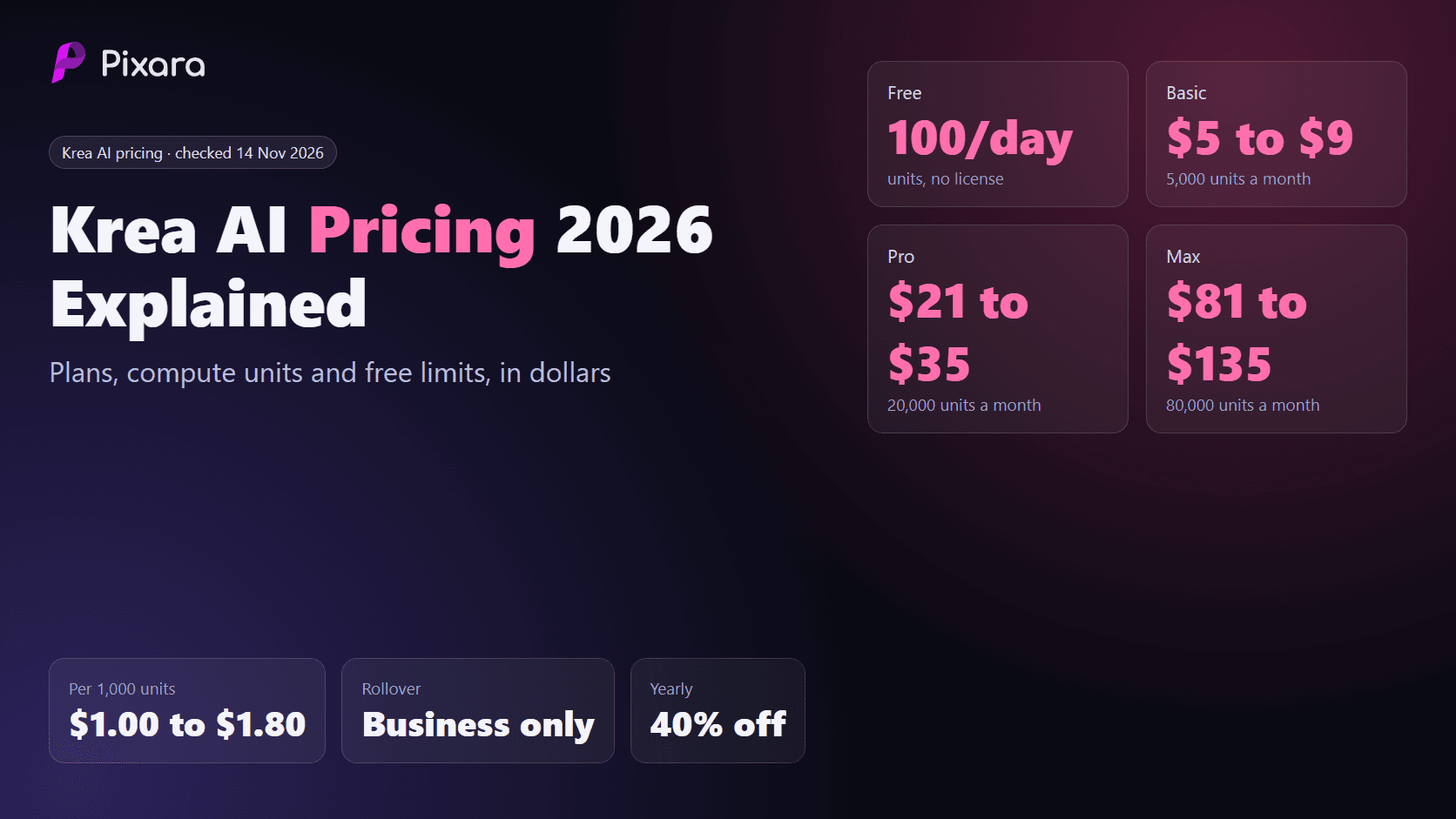
- Free: $0, with 100 daily compute units.
- Basic: $9/month or $5/month equivalent with annual billing, including 5,000 monthly compute units.
- Pro: $35/month or $21/month equivalent with annual billing, including 20,000 monthly compute units.
- Max: $105/month or $63/month equivalent with annual billing, including 60,000 monthly compute units.
The Basic plan is worth considering if you want an affordable paid alternative. Its 5,000 monthly compute units provide access to a broad selection of image models and selected video models.
Pro makes more sense for creators who regularly work with video. It provides access to all video models, including Veo, Kling, and Seedance, alongside advanced upscaling and additional workflow features.
What makes Krea AI a good Leonardo AI alternative?
Krea has a few capabilities that make it particularly interesting.
Real time image generation: The interactive canvas is useful for rapid experimentation. You can change your visual inputs and see the output evolve, making it easier to develop an idea without starting every generation from scratch.
Image enhancement: Krea offers image upscaling, including advanced upscalers on higher subscriptions. This can help when preparing images for larger displays, marketing materials, and other professional applications.
Multiple creative models: The platform combines image, video, and 3D workflows. Its Nodes editor also lets users build connected creative processes rather than handling every operation separately.
Custom model training: You can train LoRA models to reproduce particular characters, objects, and visual styles. This is useful for creators who want more control over recurring assets.
There are a couple of things to keep in mind. Compute unit consumption varies by model and operation, so 5,000 units do not guarantee 5,000 finished images. Video models can consume substantially more units than standard image generation.
Also, unlimited relaxed generations apply to supported in house image models, not every third party model in Krea's catalog.
My take: Krea is a good fit for designers, digital artists, and content creators who want interactive generation, image enhancement, and access to several creative models in one workspace.
4. Recraft: Best for Vector Graphics and Brand Assets

If you regularly create logos, icons, illustrations, brand assets, and other design elements, Recraft deserves serious consideration.
One of its main attractions is its support for editable SVG vector graphics. This is particularly useful for designers who need scalable assets rather than raster images that lose quality when enlarged.
Leonardo AI is capable of producing impressive illustrations and graphic designs, but Recraft has a more specialized focus on vector creation and design consistency.
Recraft pricing
Recraft offers a free plan and several paid subscriptions.
- Free: $0, with 30 daily credits. Generations are public and do not include commercial-use rights.
- Basic: $12/month or $10/month equivalent with annual billing, including 1,000 credits.
- Pro: Higher monthly credit allowance and additional production capabilities.
- Team: Shared workspace and team oriented features with separate pricing.
Annual subscriptions advertise a 20% saving compared with monthly billing. Subscription credits reset each billing cycle, while separately purchased top up credits do not expire.
What makes Recraft a good Leonardo AI alternative?
The biggest reason to consider Recraft is its vector workflow.
1. Editable SVG graphics
You can generate vector artwork and export it as SVG. This is particularly useful for icons, illustrations, logos, and visual elements that need to be resized across different applications.
2. Brand consistency
Recraft provides tools for creating related visual assets with a consistent appearance. This is useful when developing a collection of icons, illustrations, and marketing graphics for the same brand.
3. Image editing
The platform supports image generation, background removal, inpainting, outpainting, and other editing operations. Developers can also access these capabilities through its API.
4. Commercial usage rights
Recraft's paid subscriptions provide ownership and commercial rights for images generated during an active paid subscription. Those images remain private even after cancellation. Free generations have different ownership and licensing conditions.
One thing worth remembering is that an SVG export does not automatically produce a production ready logo. You still need to inspect the paths, shapes, typography, spacing, and overall suitability for your brand.
My take: Recraft is particularly suitable for graphic designers, branding professionals, and marketing teams that regularly need editable vector assets. If your primary requirement is photorealistic image generation or cinematic artwork, other platforms may be a better fit.
5. Ideogram: Best for Text in Images and Typography

One area where many AI image generators struggle is text rendering. You can write a detailed prompt requesting a promotional poster with a specific headline, but the output may contain misspelled words, distorted letters, or text placed in the wrong position.
Ideogram has built much of its reputation around addressing this particular problem.
It is particularly useful for creating posters, social media graphics, product packaging concepts, advertisements, typography based illustrations, and other visuals where readable text matters.
For marketers and designers, this can save considerable editing time.
Ideogram pricing
Ideogram offers free access alongside two main individual subscriptions.
- Free: $0, with 30 weekly credits for eligible accounts signing in through supported social authentication methods.
- Plus: $20/month or $15/month equivalent with annual billing, including 2,400 priority credits monthly.
- Pro: $60/month or $42/month equivalent with annual billing, including 7,500 priority credits monthly.
- Team: $30/user/month or $20/user/month with annual billing.
The interesting part is what happens after you exhaust your priority credits.
Paid subscribers receive unlimited slow queue generations using eligible models. You can continue creating images without purchasing additional priority credits, although waiting times depend on server capacity.
Priority credits are also used for certain advanced editing and image reference upload features.
What makes Ideogram a good Leonardo AI alternative?
There are several reasons to consider it.
1. Better typography workflows
Ideogram is particularly useful for generating visuals containing headlines, slogans, labels, and other text elements. Its typography oriented capabilities make it a practical option for advertising creatives and social media content.
However, you should still proofread every generated image. Complex wording, small text, and intricate layouts can produce mistakes.
2. Character consistency
Ideogram includes character consistency features that help creators maintain recognizable subjects across multiple generations. This can be useful when producing a series of branded illustrations or recurring characters.
3. Editing and image references
You can work with image references and editing features to develop existing concepts. These capabilities are useful for creators who need more than basic text to image generation.
4. Private generations
Free generations are publicly visible by default. Plus and Pro subscribers can create unpublished images, which is an important consideration for businesses working on unreleased campaigns or client projects.
Commercial usage is permitted under Ideogram's terms, but commercial permission, ownership, privacy, and exclusivity should be evaluated separately.
My take: Ideogram is a particularly useful Leonardo AI alternative for graphic designers, marketers, ecommerce businesses, and creators who frequently need readable text inside generated images.
6. OpenArt: Best for Multi Model Image and Video Generation

OpenArt is worth considering if you like Leonardo AI's multi model environment but want access to a different collection of creative tools and production workflows.
The platform brings together image generation, video creation, character development, image editing, and other AI powered capabilities.
Rather than relying on one image generation model, you can work with a selection of models through a single account.
This is particularly useful for creators who enjoy comparing outputs from different models without maintaining several separate subscriptions.
OpenArt pricing
OpenArt offers several individual subscriptions.
- Free: Trial credits and daily free credit opportunities, with restrictions on model access and generation volume.
- Starter: $14 per seat/month, including 4,000 monthly credits.
- Plus: $34 per seat/month, including 12,000 monthly credits.
- Pro: $56 per seat/month, including 24,000 monthly credits.
- Wonder: $240 per seat/month, including 106,000 monthly credits.
Annual billing offers additional savings, and promotional prices may appear on the official pricing page.
One important detail is commercial licensing. OpenArt explicitly lists commercial-use rights on Plus and higher subscriptions. Do not assume Starter includes the same entitlement.
What makes OpenArt a good Leonardo AI alternative?
1. Access to multiple AI models
OpenArt provides access to more than 100 premium image, video, and audio models. This allows creators to compare different generation technologies and select models suited to their projects.
2. Character consistency
The platform offers character creation and consistency features. These can help when producing recurring characters across different scenes, stories, and creative campaigns.
Keep in mind that reference based consistency is guidance rather than a guarantee of identical facial features, clothing, proportions, or other details in every output.
3. Image and video creation
OpenArt combines static image generation with video workflows, making it useful for creators producing social media campaigns, short promotional videos, and other visual content.
4. Parallel generation
Higher subscriptions offer more simultaneous generations, which can be useful for agencies and production teams working with multiple creative requests.
There is one potential drawback. Its credit system can become difficult to predict when switching between models, image editing, and video generation. Some tasks consume considerably more credits than others.
My take: OpenArt is a good option for creators who want a broad selection of AI models and image, video, and character workflows under one subscription. Check the commercial-use conditions carefully before selecting Starter for client projects.
7. Playground AI: Best for Casual Image Creation and Design

Playground AI is another alternative worth checking out, particularly if you want an accessible image generation environment for everyday creative projects.
The platform combines AI image generation with design oriented workflows. It can be useful for creating social media graphics, illustrations, posters, promotional visuals, and other creative assets.
One thing that makes Playground interesting is its free generation allowance. You can experiment with the platform without immediately committing to a paid subscription.
Playground AI pricing
The platform advertises the following access options:
- Free: Up to 10 free images every three hours.
- Premium models: Three monthly generations across the listed premium model group.
- Pro: $15/month or $12/month equivalent with annual billing, including 150 monthly premium model credits.
- Pro Plus: $45/month or $36/month equivalent with annual billing, with API access available by request.
These are the advertised allowances in the supplied pricing reference. Check the official pricing page before subscribing, as model eligibility and plan entitlements can change.
What makes Playground AI a good Leonardo AI alternative?
1. Generous free experimentation
The advertised allowance of up to 10 images every three hours gives casual creators room to experiment with different prompts and visual styles.
However, the separate premium model allowance is considerably smaller. Do not confuse the regular free generation limit with premium model access.
2. Design oriented workflows
Playground is useful for creators who want to produce more than standalone AI artwork. Its design capabilities can help with promotional graphics, posters, and other visual content.
3. Commercial usage
The platform's pricing reference lists a worldwide, royalty free commercial-use license. As always, review the applicable terms and check the rights associated with any third party assets or references included in your creations.
4. API access
Pro Plus advertises API access by request, which may interest developers looking to incorporate image generation into their own workflows.
One limitation is that Playground's free and paid generation allowances have separate restrictions. If your work depends heavily on premium models, the free tier may feel restrictive.
My take: Playground is worth considering for hobbyists, casual designers, and creators who want to experiment with AI generated graphics without immediately committing to a more expensive subscription.
8. NightCafe: Best for Community Driven AI Art Creation

NightCafe is a little different from some of the other platforms on this list.
Alongside its AI image generation tools, it has a community oriented environment where creators can share artwork, participate in challenges, collect credits, and discover images produced by other users.
This makes it appealing to hobbyists and digital artists who enjoy the creative and social side of AI art generation.
NightCafe also supports multiple AI models, giving users opportunities to experiment with different artistic styles and generation techniques.
NightCafe pricing
NightCafe offers free access and several paid subscriptions.
Its annual AI Hobbyist subscription is advertised at $89.91 per year, equivalent to approximately $7.49 per month when paid annually.
The monthly AI Hobbyist subscription is $12.49.
Other monthly subscriptions include:
- AI Beginner: $7.49/month, with 100 Fast Credits.
- AI Hobbyist: $12.49/month, with 200 Fast Credits.
- AI Enthusiast: $24.99/month, with 500 Fast Credits.
- AI Creator: $39.99/month, with 850 Fast Credits.
- AI Artist: $62.49/month, with 1,400 Fast Credits.
Annual billing offers a lower effective monthly cost, with the actual annual charge displayed at checkout.
What makes NightCafe a good Leonardo AI alternative?
1. Community challenges
NightCafe has an active community environment where users participate in creative challenges and share their artwork. This can provide inspiration, help beginners discover new styles, and make image generation more engaging.
2. Daily free credits
Users can claim five free credits daily through the platform's daily top up system. Additional credits can be earned through eligible community activities and challenges.
These free credits make NightCafe useful for people who want to experiment without purchasing a subscription immediately.
NightCafe Studio
3. Multiple generation models
NightCafe provides access to different AI image generation models. More demanding models and settings can consume additional credits, while selected base models offer unlimited generation benefits on eligible paid subscriptions.
4. Credit rollover
Unused Fast Credits on eligible PRO subscriptions roll over under NightCafe's stated policy. This is useful for creators whose workloads fluctuate from month to month.
There are a few limitations to consider. Some models are restricted to PRO subscribers, while unlimited generation benefits apply only to eligible models and settings. Video access also depends on the subscription tier.
My take: NightCafe is a good fit for hobbyists, digital artists, and creators who enjoy community challenges alongside AI image generation. If you primarily need a professional production environment for client projects, you may prefer a platform with more specialized editing and collaboration capabilities.
Which Leonardo AI Alternative Should You Choose?
With eight alternatives on the table, the best choice depends on the kind of creative work you produce and how much control you need over the generation process.
Here is my recommendation based on their primary capabilities.
- Midjourney: Best for cinematic visuals, artistic images, concept art, and creative experimentation.
- Adobe Firefly: Best for commercial design workflows and integration with Adobe applications.
- Krea AI: Best for real time generation, image enhancement, and interactive creative workflows.
- Recraft: Best for SVG graphics, vector illustrations, icons, and brand assets.
- Ideogram: Best for typography, posters, advertising graphics, and text in images.
- OpenArt: Best for accessing multiple image and video models through one subscription.
- Playground AI: Best for casual image creation and free experimentation.
- NightCafe: Best for AI art enthusiasts who enjoy community challenges and creative exploration.
What About an All in One Creative Platform?
There is another consideration worth mentioning. Some creators are no longer looking for a dedicated AI image generator. They want a single workspace that gives them access to image generation, video creation, voiceovers, editing, and multiple AI models.
This is where Pixara.ai fits into the conversation.
Pixara brings multiple creative models into one subscription based workspace, covering image generation, AI video creation, voiceovers, and audio advertising templates.
Its Ara AI copilot is particularly interesting because it helps users with prompt engineering, model selection, and creative direction. This can be useful for people who want to produce content without spending too much time learning the individual requirements of different generation models.
For example, an ecommerce marketer could generate product images, turn selected visuals into promotional videos, and create voiceovers within the same creative environment.
The benefit is having multiple creative capabilities available without maintaining separate subscriptions for every individual tool.
You can check out Pixara.ai to see its available models and subscription options.
Final Verdict: Is Leonardo AI Still Worth Paying For?
Absolutely. Leonardo AI remains a capable creative platform, particularly for people who need image generation, custom model training, reference driven workflows, canvas editing, and selected video generation capabilities.
Its Essential subscription at $12/month is reasonably accessible, while Premium and Ultimate offer considerably more production capacity for active creators.
However, its token system requires some planning. A subscription that looks affordable on paper can become less attractive if your preferred models consume large amounts of tokens or require frequent revisions.
My recommendation is to compare these platforms using three practical considerations:
1. Cost per usable asset: Calculate how much you spend producing images and videos you can genuinely publish or deliver to clients. A platform offering thousands of generations is not necessarily economical if most outputs require extensive revisions.
2. Creative capabilities: Test the same prompts across your shortlisted platforms. Compare image quality, typography, prompt accuracy, character consistency, editing flexibility, and output resolution. For video, also examine motion quality, duration, and consistency across frames.
3. Commercial rights and privacy: Check the licensing conditions of the specific subscription and model you intend to use. Pay attention to public generations, ownership, commercial permissions, third party model terms, and privacy policies.
Ultimately, Midjourney, Firefly, Krea, Recraft, and Ideogram each serve different creative requirements. OpenArt and Pixara are worth considering if you want access to broader collections of creative models, while Playground and NightCafe provide interesting options for casual creators.