There is something pretty fascinating about watching a still image come alive.
Give an AI video tool a product photograph and you can turn it into a short commercial style clip, complete with camera movement and subtle changes in lighting. Give it a portrait and suddenly the person can blink, turn their head, smile, or move naturally within the frame. Feed it a landscape and you can get clouds drifting across the sky, water rippling in the foreground, or trees responding to an imaginary breeze.
That is the appeal of image to video AI.
You start with something completely static and ask AI to figure out what movement could plausibly happen inside that image. What you get is a form of still to video conversion that can take an existing photograph, illustration, product image, or generated visual and turn it into a short video without requiring a camera, actors, a studio, or a conventional editing workflow.
And the technology has come a long way.
A few years ago, turning a photo into something that looked remotely convincing usually meant applying a zoom or pan effect and calling it a day. Today's models can attempt much more complicated motion synthesis. They can interpret depth, infer how objects might move, generate changes between frames, and create movement that feels connected to what is happening in the original image.
Of course, "can" is doing some heavy lifting there.
Anyone who has spent time with AI video knows that getting a good generation and getting a usable generation are two different things. One clip might look fantastic in the first few seconds and then suddenly send a person's hand in a direction human anatomy never intended. Another might produce beautiful camera movement while quietly changing the product you gave it. You can also get flickering details, strange facial expressions, shifting textures, or a character that slowly turns into somebody else.
That is why choosing the best image to video AI tool is less straightforward than looking at which platform has the flashiest demo.
The AI video generation market reached $18.6 billion in 2026, and image to video has become an important part of that growth. Ecommerce brands are also finding practical uses for AI generated product videos, while marketers are increasingly turning to AI video as part of their content production workflows.
The appeal is pretty easy to understand. If you already have a library of photographs and visual assets, you suddenly have a much faster way to create video content from them.
A single product photograph can become several short promotional clips. A campaign image can become a social video. A portrait can become an animated introduction. An illustration can become a short character sequence. A property render can become a moving walkthrough style visual.
You are essentially getting more mileage from creative assets you already have.
What Makes a Good Image to Video AI Tool?

This is where things get a little more interesting.
A good image to video tool needs to do more than make pixels move. The movement needs to make sense within the scene, while the original image still needs to look like the original image.
Think about a product photograph. If you ask AI to slowly move the camera around the product, you want the packaging, logo, shape, colors, and materials to remain stable. You do not want the bottle changing dimensions halfway through the clip or the label turning into something vaguely similar.
The same applies to people.
If you upload a portrait, the face needs to remain recognizable as the person in the source image. Hair should behave naturally. Facial movement should feel believable. Clothing should retain its structure. Small details should not flicker in and out of existence every few frames.
Then there is the camera.
You might ask for a slow push in, a gentle orbit, a tracking shot, or a subtle change in perspective. The better systems can interpret those instructions and translate them into movement that feels intentional rather than random.
This is where motion synthesis and frame generation become important. The model is effectively figuring out how the scene could develop from one static starting point into a sequence of moving frames. The quality of those generated frames determines whether the final result feels polished or falls into the familiar "AI video" look.
How We Tested the Tools
For this comparison, we wanted to look at these platforms from a creator's perspective rather than simply comparing feature lists.
We animated five different types of source images through each platform: a close up portrait, a product sitting on a table, a landscape containing moving water, a full body fashion photograph, and an illustrated character.
That gave us a useful spread of situations.
Some images tested how well each model handled people and facial movement. Others tested products and fine details. The landscape helped reveal how well the systems handled water, atmosphere, and environmental movement. The fashion image tested clothing and body movement, while the illustrated character gave us a look at how well each tool could preserve a stylized visual identity.
Across the tests, we looked at six things that matter when you are paying for actual video output.
Motion naturalness came first. Hair, fabric, water, hands, facial expressions, and environmental elements should move in ways that feel physically plausible.
Source fidelity was just as important. The generated video needs to retain the colors, composition, textures, identity, and important details of the source image.
Prompt responsiveness tells us how closely the model follows the movement you requested. If you ask for a slow camera push and receive an aggressive zoom, the tool is technically generating video, but it is not giving you the result you asked for.
Output stability covers those little AI video problems that can ruin an otherwise excellent clip: flickering textures, morphing objects, changing faces, unstable hands, and identity drift.
We also looked at the resolution ceiling, including native 1080p or 4K output and whether higher resolution comes from genuine generation or upscaling.
Finally, there is cost per usable second. This one matters more than many comparison tables let on. A tool may advertise an inexpensive generation, but if you need four or five attempts before getting one clip you can publish, your practical production cost is much higher.
Audio was evaluated separately for platforms that support native audio generation or synchronization.
Across the platforms, we tested more than 150 clips over eight days.
The result is the ranking below, starting with the tool we would put at the top for creators looking for a practical, capable image to video workflow.
1. Pixara.ai: Best Image to Video AI for Creators Who Want More Control

Turning a still image into a video sounds simple until you try to get a result that feels intentional. A basic animation can make a person blink or make a camera slowly zoom toward a product, but getting movement that feels natural while preserving the original image takes considerably more control.
That is where Pixara.ai fits particularly well. It brings image animation into a broader creative workflow, so you are not limited to taking a photograph and applying one generic motion effect. You can start with an existing visual, describe the movement you want, and turn that static asset into something that feels designed for video.
For solo creators, marketers, ecommerce teams, and agencies, this matters because the source image is often already the valuable part of the creative. You may have spent time creating a polished product image, designing a campaign visual, producing a character illustration, or generating a carefully composed scene. Throwing that image into a video model and hoping it survives the animation process is rarely enough.
The better experience is one where the image remains recognizable while movement adds something useful to it.
Turning Static Visuals Into Usable Video Content
The biggest appeal here is the simplicity of the still to video conversion process. You do not need a camera setup, actors, a physical location, or a traditional editing workflow just to create a short animated clip.
A product image can become a short promotional sequence with camera movement around the product. A fashion image can gain subtle movement in the clothing and environment. A portrait can become more expressive through facial movement and controlled camera motion. An illustration can gain depth and motion without requiring you to manually animate every element.
That makes image animation particularly useful when you already have a library of visual assets but need more content from them.
For an agency, this can mean taking one approved campaign image and producing several variations for different clients or platforms. For an ecommerce business, a collection of product images can become a collection of short product videos. For a creator, an image that would otherwise live as a static post can become a short form video asset.
The value comes from extending the life of visual content you already have.
More Than a Basic Photo to Video Effect
There is a big difference between adding movement to an image and generating a video that feels connected to the image.
A simple photo to video tool might apply a zoom, pan, or preset transition. That can work for certain social posts, but it becomes limiting when you want the movement to respond to what is happening inside the frame.
With modern motion synthesis, you can describe the action you want and give the model enough direction to interpret the scene. You might want the camera to move closer to a product while reflections change across its surface. You might want a subject to turn slightly toward the camera while the background remains stable. You might want environmental movement, such as wind through hair, drifting clouds, rippling water, or subtle changes in lighting.
Those details are what make a generated clip feel like video rather than a photograph with an effect applied to it.
Pixara is particularly useful for creators who want this process to remain accessible. You can work from the visual you already have and build movement around it without needing advanced animation knowledge or a complicated production pipeline.
A Practical Workflow for Solo Creators and Agencies
One reason this kind of tool works well for professional content production is that the workflow starts with something creators already understand: an image.
You can begin with a product photograph, campaign visual, portrait, illustration, architectural render, or another finished asset. From there, the image becomes the foundation for frame generation and animation.
That is a much more practical workflow for many creative teams than generating an entire video from a blank prompt.
For example, imagine an ecommerce team has twenty product images ready for a seasonal campaign. Creating twenty professionally shot product videos could involve scheduling, studio time, lighting, editing, and multiple rounds of approvals. An image to video workflow can take those existing assets and create short motion clips that give the campaign a video presence without rebuilding the entire production process.
Agencies can take the same idea further. A single approved visual direction can become multiple animated variations for different placements, formats, and campaign concepts. That gives creative teams more room to test ideas without every variation requiring a new production cycle.
Useful for More Than Product Content
Product animation is an obvious use case, but it is far from the only one.
Creators working with portraits can add subtle facial and body movement to otherwise static visuals. Travel brands can animate landscapes and destination imagery. Real estate teams can turn architectural imagery into atmospheric promotional clips. Fashion brands can add movement to campaign photography. Illustrators can bring characters and environments to life.
The same underlying idea applies across all of these use cases: you already have the visual identity, and AI handles much of the work involved in turning that visual into motion.
That can be especially valuable when maintaining a particular visual style matters. Starting with an approved image gives you a defined composition, color palette, subject, and aesthetic before motion generation begins.
Where It Fits Among the Best Image to Video AI Tools
The best image to video AI tool for a creator is rarely the one with the longest specification sheet. What matters is how easily you can go from a finished image to a usable clip, how much control you have over movement, and how many useful variations you can produce before the process becomes frustrating or expensive.
Pixara makes a strong case for creators who want an accessible image to video workflow without treating AI video generation as an isolated technical experiment.
It is particularly well suited to solo visual content creators, ecommerce businesses, marketers, and agencies that need to produce more video from existing creative assets. You can start with images you already own, generate movement around them, and turn static creative into content that works across modern visual channels.
The broader workflow also makes it useful when your production needs go beyond a single generated clip. Rather than thinking of image animation as a one off effect, you can treat it as another stage in the content creation process.
That is where the technology becomes much more interesting.
Pros
Pixara makes sense for creators who want a straightforward route from still imagery to motion while retaining creative control over the result. Its value is particularly apparent when the starting image is already an important part of the campaign or brand identity.
- Accessible image to video workflow for turning existing visual assets into animated clips without a traditional video production setup
- Useful for product, portrait, fashion, social, and promotional content, giving creators several practical applications from the same core workflow
- Prompt driven motion generation gives you room to describe camera movement, subject movement, and environmental animation rather than relying solely on fixed presets
- Well suited to solo creators and agencies that need to produce more visual content without adding a large production overhead
- Works from existing creative assets, making it easier to extend the usefulness of photography, illustrations, product visuals, and campaign imagery
- Broader AI creative workflows make it more useful for teams that want image creation and animation to sit within the same production environment
Cons
No image to video model gets every generation right, and Pixara is no exception. Results can depend heavily on the source image, the complexity of the requested movement, and how specific the motion instruction is.
- Highly complex human movements can require multiple generations to reach a polished result
- More ambitious cinematic sequences may require additional editing after generation
- The quality of motion can vary depending on the composition and visual complexity of the starting image
- Creators looking for highly specialized professional film workflows may still prefer dedicated cinematic video platforms
Best for
Solo creators, ecommerce brands, marketers, visual content teams, and agencies that want to turn existing images into engaging video content without building a traditional production workflow around every clip.
Pricing: Check the current Pixara.ai plans for the latest generation limits and usage options.
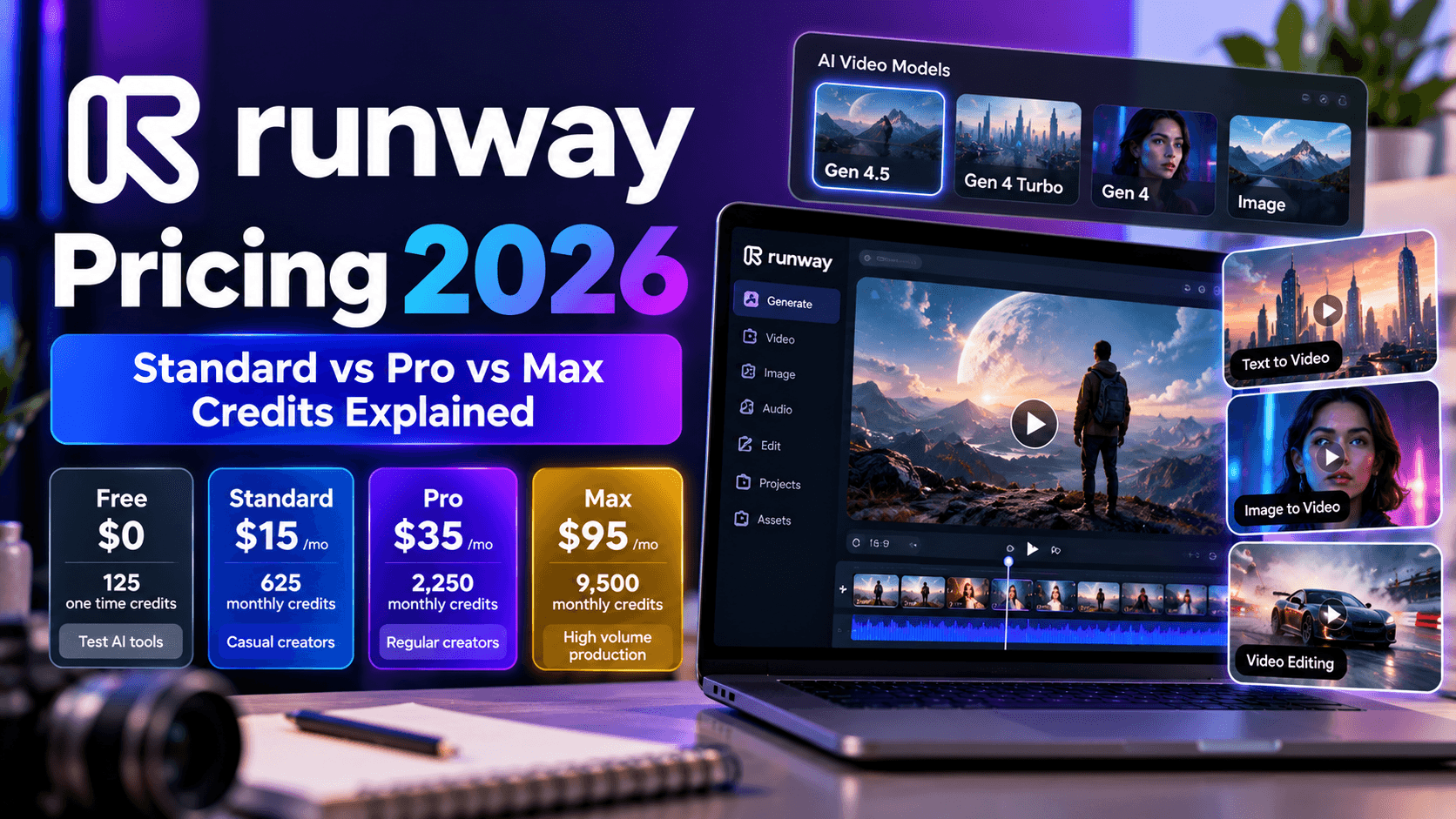
2. Runway Gen 4.5: Best Motion Quality From Images

Runway has built a reputation around high quality AI video generation, and Gen 4.5 makes a particularly good impression when you give it a carefully composed still image and ask it to animate the scene.
What stands out immediately is how naturally small movements can develop. Hair can respond to an implied breeze, clothing can move with the subject, and facial expressions can change without making the person look completely different from the source. Those details matter because image animation often fails in subtle ways. A subject might technically move, but the movement can feel disconnected from the original image.
Gen 4.5 tends to handle those moments with considerably more polish.
It also does a good job of preserving the visual characteristics of the source. Colors, textures, lighting, and composition generally remain recognizable as movement is introduced. For professional creators, that source fidelity can be more important than generating the most dramatic animation possible.
Where Runway Stands Out
The biggest advantage is motion quality.
When you ask for restrained movement, the system can produce results that feel cinematic rather than mechanically animated. A portrait can receive a gentle camera push while the subject makes a small movement. A fashion image can gain motion in the fabric. A landscape can become more atmospheric through movement in the sky, foliage, or water.
This makes it particularly appealing for creators who want the animation to complement an existing image rather than overpower it.
The expanded multi shot capabilities also make the platform more useful for longer creative sequences. Rather than thinking only in terms of a single generated clip, creators can build sequences where visual continuity matters across different shots.
The Aleph editing capabilities add another useful layer. You can make changes to generated video without necessarily throwing away the entire result and starting from zero. That can save considerable time during production, particularly when the generated movement is good but one element still needs adjustment.
Pros
Runway is a strong choice when animation quality sits at the top of your priority list. It is particularly compelling for professional creative work where subtle motion and source fidelity matter.
- Best in class motion quality for hair, fabric, facial details, and nuanced movement
- Strong source fidelity keeps the original image recognizable throughout animation
- Multi shot generation expands the workflow beyond isolated short clips
- Aleph gives creators additional control after the initial generation
- Well suited to cinematic marketing, fashion, portraits, and professional visual storytelling
Cons
The quality comes with a cost, and the platform can be more expensive than simpler image animation options. It can also require more experimentation when you want highly specific camera behavior or complicated action.
- No free tier, with plans starting at $12 per month
- Effective cost per usable second can become relatively high after multiple generations
- Audio production is less central to the image animation workflow than it is with tools built around native audiovisual generation
- Complex scenes may still require several attempts to achieve a production ready result
Best for
Professional creators, filmmakers, agencies, and brands that care more about polished motion and visual fidelity than the lowest possible generation cost.
Pricing: From $12 per month, with effective costs around $0.15 to $0.20 per usable second based on the stated testing assumptions.
3. Kling 3.0: Best for High Resolution Image Animation

Kling takes a different route toward image to video quality, putting considerable emphasis on resolution, detail preservation, and character consistency.
For creators working with high detail source images, this can make a noticeable difference. Fine hair, fabric textures, product surfaces, and other small visual details are easier to appreciate when the output retains a high level of image quality.
The platform also becomes interesting when one image is not enough to describe the subject you want to animate. Multiple reference images can help establish a more consistent understanding of a character, product, outfit, or visual identity before motion generation begins.
That can be particularly useful for commercial content, where maintaining the same visual subject across several shots matters.
Multi Shot Generation and Reference Control
One of Kling's more useful capabilities is its multi shot workflow. Rather than generating every angle as a completely independent clip, you can create sequences where the subject remains recognizable as the camera perspective changes.
This is important for storytelling and commercial work. A product can appear in one composition, move into another camera angle, and retain its recognizable characteristics. A character can change perspective without becoming a different looking person halfway through the sequence.
For image animation, consistency is often harder to achieve than movement itself. A spectacular five second clip loses much of its value if the subject's face, clothing, proportions, or product details change during the shot.
Pros
Kling is especially appealing for creators who need detailed output and stronger control over subject consistency.
- High resolution output makes it suitable for detail sensitive production work
- Multi shot sequences help maintain character and visual consistency across changing angles
- Multiple reference images can provide stronger control over subject appearance
- Good value for creators producing larger volumes of AI video
- Particularly useful for product visuals, characters, fashion, and commercial imagery
Cons
Longer sequences can become harder to keep coherent, particularly when the scene contains complicated movement. The surrounding ecosystem and documentation may also feel less familiar to creators who have spent more time with established platforms such as Runway.
- Extended clips can lose coherence as duration increases
- English language documentation and community resources are less extensive than Runway's
- Free access is limited for sustained production
- More complicated scenes may require several generations before the result is ready for use
Best for
Production teams, ecommerce brands, and creators who prioritize high resolution output, reference consistency, and multi shot image animation.
Pricing: From approximately $6.99 per month, with an effective cost around $0.07 per usable second based on the supplied testing assumptions.
4. Google Veo 3.1: Best Free Image to Video AI Quality

If you want to experiment with image animation without immediately committing to another paid subscription, Google Veo 3.1 is one of the first tools I would try.
There is a lot going on under the hood here, but you do not necessarily need to understand any of it to appreciate the output. Give Veo a well composed image and a sensible motion prompt, and it can produce surprisingly convincing movement while retaining much of the character of the original frame.
That matters because free image to video tools often come with a compromise. You might get access without paying, but the output can feel noticeably behind the premium platforms. Veo makes that compromise considerably less obvious.
It is particularly good with scenes where physical behavior matters. Water can move naturally, fabric can respond to motion, lighting can evolve across a scene, and atmospheric elements can add life without completely overwhelming the source image.
Reference Images Give You More Creative Control
One of the more useful capabilities is the ability to work with reference material.
If you have a character, product, or other visual subject that needs to remain recognizable, reference based generation gives the model more information about what needs to stay consistent. That can be valuable for creators producing several clips around the same visual identity.
There is also first frame and last frame control, which opens up a different kind of workflow.
Rather than simply saying what you want to happen, you can give the system more information about where the shot begins and where you want it to end. That gives you greater control over the visual progression and can be particularly useful when creating transitions or short storytelling sequences.
Native Audio Makes It More Interesting
Another major reason to consider Veo is audio generation.
Image to video normally concentrates on what happens visually. You generate the motion first, then deal with dialogue, sound effects, music, or ambience separately.
Veo can bring audio into the generation process.
That means a scene can contain environmental sound, dialogue, or other audio elements that correspond with what is happening visually. For creators producing short narrative clips, social content, or experimental storytelling, this can save a considerable amount of post production work.
Of course, generated audio still needs to be reviewed before publishing. A beautiful visual does not automatically mean the accompanying dialogue or sound design is production ready.
Where the Free Tier Makes Sense
The free access is the biggest attraction for casual users and people who simply want to test the technology before paying.
If you are producing a handful of clips rather than running a large content operation, free access can give you enough room to understand how the model handles your particular style of imagery.
The limitations become more relevant when you start producing at scale. Clip duration, resolution, generation limits, and access to advanced capabilities can vary according to the plan and interface you are using.
Pros
Veo 3.1 is a particularly appealing option when quality matters but you do not want to start with a dedicated paid image to video subscription.
- Strong physical movement across water, fabric, skin, and environmental elements
- Reference image support helps preserve the appearance of important subjects
- First frame and last frame controls provide more control over shot composition
- Native audio generation can combine visuals with dialogue, ambience, and other sound elements
- Free access makes it easier to test high quality image animation before committing to a paid workflow
Cons
The free experience is still more constrained than a full production subscription. Creators who need precise camera control or longer sequences may also find dedicated video platforms more flexible.
- Free generation limits can become restrictive for frequent production
- Longer clips and higher resolution output may require paid access
- Camera controls are less granular than some specialist video platforms
- Complex scenes can still produce inconsistent details across frames
Best for
Creators, marketers, and small teams that want high quality photo to video generation with minimal upfront cost.
Pricing: Free access is available through Google's consumer products, with additional paid options depending on the service and API access.
5. Luma Ray3.14 & Luma Dream: Best for Fast Image Animation and HDR Workflows

Sometimes the problem with AI video is not quality.
It is waiting.
You generate something. You do not quite like the movement. You change the prompt. Generate again. Something else is wrong. You try again. Eventually, what looked like a five minute creative task has turned into an hour of waiting for generations.
That is where Luma becomes particularly appealing.
Ray3.14 is designed around faster generation, making it much more practical for creators who expect to iterate. And iteration is a huge part of AI video production. You rarely get the perfect motion on your first attempt, particularly when you are asking the model to animate a complicated photograph.
The faster the generation cycle, the more creative experimentation becomes practical.
Speed Changes the Way You Work
Fast generation is easy to dismiss as a technical specification until you have spent several hours waiting for video generations.
Suppose you have a product photograph and want to test five different camera movements. With a slower system, you may decide to test only two because waiting for the results is frustrating.
With a faster system, you can afford to experiment.
You might try a slow push toward the product, a gentle orbit, a vertical camera movement, a macro style close up, and a wider cinematic shot. Once you see the results, you can decide which direction deserves another round.
That makes fast frame generation useful creatively, not merely convenient.
HDR Output for Professional Production
Ray3.14 is also interesting for higher end production environments because of its HDR capabilities.
For creators working on commercial projects, color workflows can matter just as much as the initial AI generation. If the output is going into a larger production pipeline, maintaining useful image information gives the editor and colorist more room to work.
This is particularly relevant for advertising, film related work, and other projects where the generated clip will not simply be uploaded directly to TikTok or Instagram.
Most casual creators will probably never need that level of control. Professional production teams can appreciate it considerably more.
Mobile Creation Is Another Advantage
Luma's mobile accessibility also makes it attractive to creators who do not want their AI video workflow tied to a desktop workstation.
That matters for photographers, social creators, marketers, and people who regularly capture content while traveling. A photograph taken earlier in the day can become a short animated asset without waiting until you are back at a full editing setup.
Pros
Luma is particularly useful when you value generation speed, iteration, and professional output options.
- Fast generation makes it practical to test several motion concepts quickly
- Native 1080p output provides a solid production baseline
- HDR capabilities make it relevant to professional color workflows
- Mobile access makes photo to video creation more convenient away from a desktop
- Useful for creators who expect to generate and refine several variations before settling on a final clip
Cons
The platform is less compelling when your primary requirement is long duration storytelling or highly sophisticated character movement.
- Shorter clip duration can limit more ambitious sequences
- No native audio generation or synchronization
- Complex human movement can fall behind the best character focused models
- Advanced HDR workflows may be unnecessary for creators producing ordinary social content
Best for
Creators who value fast iteration, professional image quality, HDR production, and mobile friendly workflows.
Pricing: From approximately $7.99 per month based on the supplied testing figures.
6. OpenAI Sora 2: Best for Audio Synced Image Animation

There is a particular moment when AI video becomes much more interesting: when you stop thinking of it as a silent moving picture.
Sora 2 is compelling because audio can form part of the generated scene rather than being something you have to add later.
Give it an image of a busy street and the resulting scene can include environmental sounds. Give it a musician and you can build a sequence where the visual action is accompanied by relevant audio. Create a character speaking and you can work toward a scene where dialogue and visuals belong together.
For creators producing short narrative content, that changes the workflow considerably.
Image to Video With Sound Built Into the Generation
Most image to video workflows look something like this:
You animate the image, export the clip, find or generate music, add sound effects, record dialogue, synchronize everything, and then edit the final sequence.
Sora can bring several of those steps closer together.
That does not mean you can forget about editing. You should still review generated audio carefully, particularly for dialogue, pronunciation, timing, and creative intent. But having synchronized audiovisual generation available from the start can dramatically reduce the amount of manual work required for certain projects.
This is especially useful for creators who are building short stories rather than simply adding motion to a photograph.
Longer Clips Give Scenes More Room to Develop
Another advantage is clip duration.
A five or eight second animation can be perfect for a product loop or social media post. It becomes much harder to tell a meaningful visual story in that amount of time.
Longer generation gives a scene room to breathe.
A character can enter a room, look around, react to something, and continue moving. A camera can establish an environment before moving toward the subject. A product sequence can begin with a wide shot and transition toward a close up.
Longer clips do not automatically mean better clips, of course. AI coherence becomes harder as the duration increases. Still, having more temporal space gives creators more possibilities.
Conversational Prompting Is Useful
Another practical advantage is the connection to ChatGPT.
If your first generation is close but not quite right, you can refine the instruction conversationally. You do not necessarily have to start over with a completely new prompt every time.
That can be helpful when you are learning how to describe movement. You can explain what went wrong and refine the scene progressively.
For less technical creators, this makes the experimentation process feel much more natural.
Pros
Sora 2 makes the most sense when the final output needs to be more than silent image animation.
- Native audio generation can include dialogue, sound effects, music, and environmental ambience
- Longer clips give narrative scenes more room to develop
- Conversational prompt refinement can make experimentation easier
- Strong visual generation makes it suitable for storytelling and cinematic concepts
- Useful when you want visual and audio generation handled within a connected creative workflow
Cons
The platform is not necessarily the best choice for creators whose only goal is precise image animation.
- Access depends on the applicable ChatGPT plan
- Complex physical movement can still produce inconsistencies
- Camera control can be less explicit than dedicated cinematography oriented tools
- Audio generation adds value for narrative work but may be unnecessary for simple product animations
Best for
Creators producing narrative clips, audiovisual storytelling, character scenes, and image animations where synchronized audio matters.
Pricing: Access is available through applicable ChatGPT plans, including Plus and Pro tiers.
7. Seedance 2.0: Best for Reference Driven Image Animation

Some image to video projects are simple.
You have one image, you want some movement, and you are done.
Others are much more demanding.
You have a product image, several reference photographs, a particular character design, a specific visual style, maybe an audio reference, and a very clear idea of how everything needs to appear in the final shot.
Seedance 2.0 becomes particularly interesting in those situations.
Its reference driven workflow gives creators more ways to tell the model what should remain consistent. Instead of asking AI to infer everything from one image and a sentence, you can provide additional visual information that helps define the desired result.
Reference Material Can Make or Break a Generation
Consider a product campaign.
You might have a front view of a shoe, a side view, a close up of the stitching, and a lifestyle photograph showing how the shoe looks when worn.
A single reference image gives the model limited information. Several references provide a much richer description of the subject.
That can be particularly useful for products, architecture, fashion, and other visual work where small details matter.
The same principle applies to characters.
If you are creating a recurring character, visual consistency becomes extremely important. The audience should recognize the same character across different scenes, camera angles, and compositions.
Reference driven generation gives you more information to work with during that process.
Strong Fit for Product and Architectural Content
This is one of the areas where Seedance can be particularly useful.
Product visuals contain many details that generative video models can accidentally change. Logos, stitching, materials, proportions, surface finishes, buttons, handles, packaging, and other small elements can all become unstable during animation.
Architectural visuals have similar problems.
A building needs to retain its structure while the camera moves. Windows should remain where they belong. Walls should not subtly deform. Interior spaces should retain their proportions.
A reference heavy workflow can help reduce some of those problems.
Pros
Seedance is a good option when reference fidelity matters more than simply generating an attractive moving image.
- Strong reference driven workflow for maintaining visual characteristics
- Particularly useful for product photography and architectural visualization
- Multiple reference assets can provide richer information about the desired result
- Good detail preservation across surfaces, materials, and textures
- Useful for creators who need more control over visual consistency across generated clips
Cons
The platform can be less accessible depending on where you live and which interface you use. It also does not provide the same level of explicit camera control found in some specialist platforms.
- Availability can vary outside the ByteDance ecosystem
- Shorter clip limits can constrain larger storytelling projects
- Camera controls are less granular than some competing tools
- The reference workflow can require more preparation when a simple image animation would have been enough
Best for
Product marketers, ecommerce teams, architectural visualization specialists, fashion creators, and anyone working with reference sensitive imagery.
Pricing: Free access may be available through supported ByteDance products, with paid API options depending on access.
8. Minimax Hailuo 02: Best for Physics Driven Image Animation

If you want to know how good an AI video model is at movement, give it something difficult. Start with a complex but detailed prompt that includes the following elements…
- Water.
- Fire.
- Smoke.
- Fabric.
- Hair.
These elements expose weaknesses very quickly because they do not simply move from point A to point B. They react to forces, interact with their surroundings, change shape, and behave differently from rigid objects.
Hailuo 02 performs particularly well in these kinds of scenes, making it an interesting choice for creators who care more about believable physical movement than elaborate character performance.
Natural Physics Can Make a Simple Image Feel Alive
Imagine a photograph of a woman standing beside a lake.
A basic animation could make the camera move toward her.
A more interesting generation could introduce a gentle breeze, movement in her hair, ripples across the water, and subtle environmental motion in the background.
Suddenly the image feels like a moment captured from a larger scene.
That is where physics oriented image animation becomes useful.
The same principle works with product imagery. A bottle surrounded by water droplets, a piece of fabric moving in the wind, steam rising from a product, or smoke passing through a scene can all benefit from believable physical behavior.
Cost Makes It Worth Considering
Another reason Hailuo is attractive is the relatively low generation cost.
When you are producing lots of experimental clips, cost matters. You may not need the highest level of character animation if the shot is primarily about environmental movement.
Paying premium rates for every iteration does not make much sense in that scenario.
A lower cost model that handles water, fabric, fire, smoke, and atmospheric movement well can be a much more practical choice.
Pros
Hailuo is particularly useful when the visual interest comes from environmental movement and physical behavior.
- Convincing animation of water, smoke, fire, fabric, and hair
- Low generation cost makes experimentation affordable
- Good prompt responsiveness for physics driven scenes
- Useful for atmospheric product and lifestyle visuals
- Practical choice when character performance is less important than environmental movement
Cons
The same strengths do not necessarily translate into the best results for every type of image.
- Human facial expressions are less refined than premium character focused models
- No native audio generation or synchronization
- Shorter clip durations can limit storytelling
- Complex human actions can require several attempts
Best for
Creators who need affordable, believable environmental movement, particularly water, fabric, fire, smoke, hair, and atmospheric effects.
Pricing: Approximately $0.28 per video based on the supplied testing figures.
9. Pika 2.2: Best for Social Media Image Animation

Pika is probably one of the easiest tools on this list to understand from a social creator's perspective.
You have an image.
You have an idea for what should happen to it.
You want something fun, fast, visually obvious, and ready to publish.
That is Pika's territory.
It does not need to compete with every platform on cinematic realism. Its appeal comes from making creative image animation accessible and giving social creators plenty of ways to turn static content into something more dynamic.
Pikaframes Makes Multi Image Animation More Interesting
One of the more useful capabilities is Pikaframes.
Instead of treating every generation as a standalone image animation, you can provide multiple images and have the system create movement between them.
Think about a before and after transformation.
You could have the original room as the first frame and the renovated room as the second. Or you could have a product in one state and then another version after a transformation.
The model fills in the movement between those visual points.
That makes it useful for storytelling, transformations, product demonstrations, and social content where the transition itself is part of the idea.
Lots of Aspect Ratios for Social Platforms
Pika also does a good job of catering to the realities of social publishing.
You are rarely creating one video and publishing it everywhere without modification. TikTok, Instagram, YouTube Shorts, paid advertising placements, and other channels all have their own preferred formats.
Having multiple aspect ratio presets makes the process easier.
A creator can think about the content rather than manually calculating how to adapt every visual for each destination.
The Creative Effects Are Part of the Appeal
Pikaffects, Pikascenes, Pikadditions, and Pikaswaps add another layer of experimentation.
These tools are particularly useful when the goal is not cinematic realism but visual engagement.
For social content, that can be exactly what you need.
A static product can transform. An object can appear to interact with another element. A person can transition into a different visual environment. A simple image can become a short piece of content designed to make someone stop scrolling.
That is a different creative objective from producing a polished commercial film, and Pika is well suited to it.
Pros
Pika works particularly well when speed, creativity, and social friendly output matter more than maximum cinematic fidelity.
- 1080p clips provide a useful quality level for social publishing
- Pikaframes supports transitions between multiple images
- Multiple aspect ratios cover common social media formats
- Creative effects make it easy to experiment with unusual image animation concepts
- Free access makes it approachable for creators testing AI video
- Well suited to quick promotional clips, transformations, memes, and social storytelling
Cons
The platform is not designed to replace the highest end cinematic video systems.
- Motion fidelity can be less consistent than premium image animation models
- No native audio generation or synchronization
- Complex professional productions may require another tool for finishing
- Results can prioritize visual novelty over precise source fidelity
Best for
Social media creators, marketers, small businesses, and anyone who wants to turn static images into engaging short form content quickly.
Pricing: Free access is available, with paid plans starting around $8 per month based on the supplied figures.
Which Image to Video AI Tool Should You Choose?
There is no single winner for every kind of project.
That becomes pretty obvious once you look at what each platform does well.
If your priority is an accessible creative workspace that can take you from existing visual assets into image animation and broader content production, Pixara.ai is a particularly practical starting point. It brings multiple image and video models together, supports visual workflows, and now offers an MCP connection that lets compatible AI clients interact with its creative capabilities.
If motion realism is your main concern, Runway Gen 4.5 is hard to overlook.
If high resolution output and reference consistency matter most, Kling deserves serious consideration.
If you want to experiment with impressive image animation without immediately paying for another subscription, Google Veo 3.1 is a compelling option.
If generation speed and iteration are central to your workflow, Luma makes sense.
If synchronized audio is an important part of your final video, Sora 2 becomes much more interesting.
For reference heavy product and architectural work, Seedance 2.0 has a particularly useful workflow.
For water, fabric, smoke, fire, and other physics driven scenes, Hailuo 02 can deliver impressive value.
And for creators producing lots of quick social content, Pika remains an easy platform to reach for.