Pixara MCP– generate images, video and voice from Claude, Cursor and more.
Fashion workflows for brands and sellers
AI Clothes Changer for Fashion Brands: Show Garments on AI Models
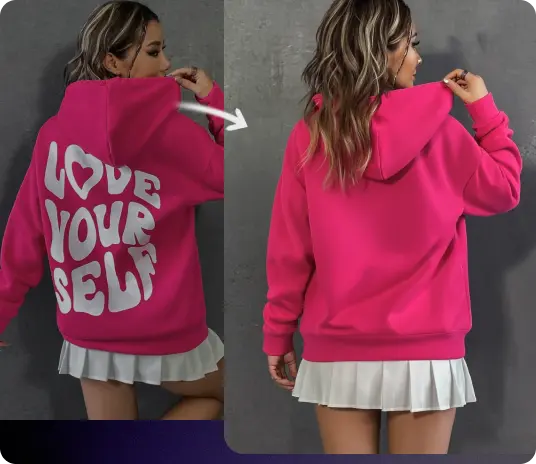
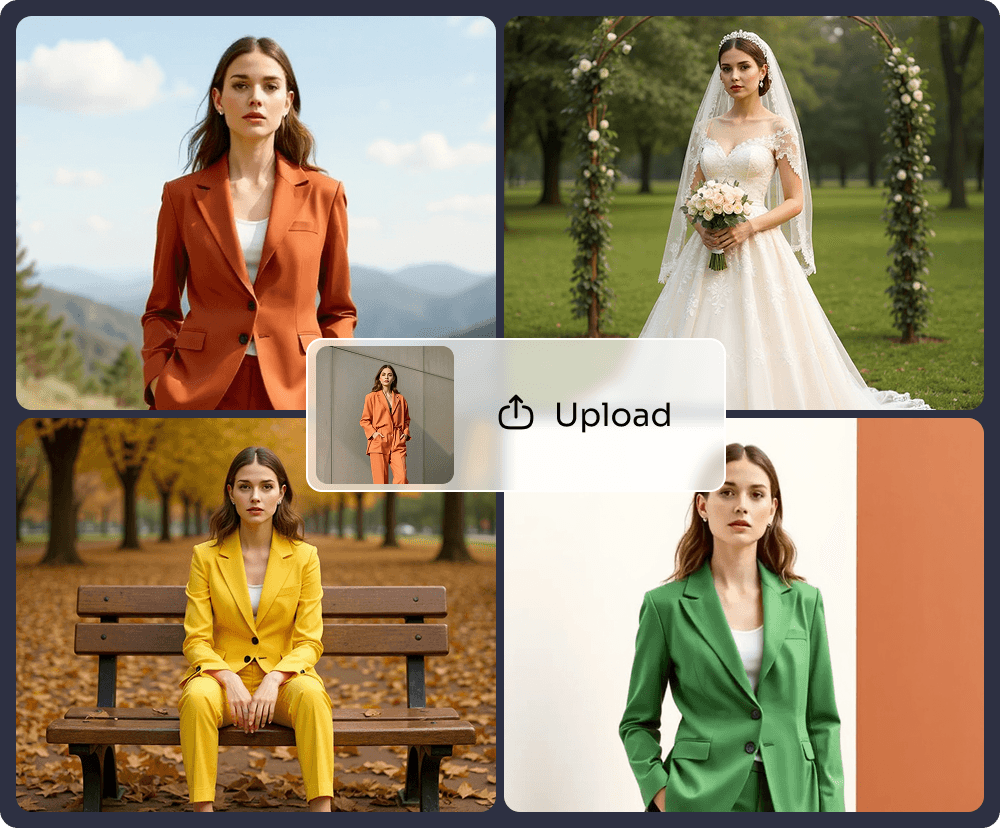
Turn your garment and product images into short vertical fashion videos featuring generated models. Pick a fashion workflow, swap in your product details, and use the results to test creative directions and campaign concepts.
Opens Pixara’s Workflows, where the four fashion templates live. Sign-up required. Free credits for new accounts; free use isn’t unlimited.
Free credits are not the same as private generation. Free and Starter generations are public; check Pixara’s current visibility and Terms before uploading sensitive or confidential material.
Check commercial rights before publishing. Pixara’s current Terms describe use as non-commercial unless commercial use is explicitly agreed. Review the Terms and confirm that your plan and intended use permit advertising, marketplace listings, client work and other commercial distribution.
Outfit 1
Outfit 2
Outfit 3
Generated model9:16
Continuous Outfit Swap · sample preview
What Pixara’s AI clothes workflow actually does
Most people searching for an AI clothes changer want to see clothing on a person without a photoshoot. Pixara approaches that from the product side. You upload garment or product images; Pixara’s fashion workflows generate a model wearing or presenting them in a short video.
Pixara’s current fashion Workflow templates use ByteDance Seedance 2.5 to generate short vertical videos from garment or product inputs. The model in the video is generated. The templates don’t take a photo of you or anyone else.
Looking for an AI clothes changer or AI virtual try-on? Pixara currently focuses on showing garments and products on generated models through fashion image and video workflows. Photo-based outfit replacement depends on the model and should not be assumed.
Workflow
What it currently does
Status
Fashion video templates
Place supplied garment or product images into short videos featuring generated models
Verified
Create Image
May combine product references and prompts to create still fashion imagery, depending on the model
Not tested for garment transfer
Photo-based clothes changing
Change the outfit on an existing photo of a person
Not verified; not offered at launch
Workflow templates
Four fashion video templates
Each template starts with a ready-written prompt. You add your product images and replace the bracketed descriptions. All four produce 9:16 vertical video with a generated model.
Media placeholder: documented Pixara outfit example pending
Three outfit images15-second video
Continuous Outfit Swap
One generated model walks through a minimalist architectural setting. Passing figures in the foreground act as wipes, and the outfit changes twice.
Use it for
Collection teasers and multiple-look social clips
Watch for
Transition wipes can hide garment details; inspect hems, sleeves and accessories.
Media placeholder: documented Pixara outfit example pending
One shoe image5-second video
POV Shoe Try-On
A phone-style clip: the shoe is held up to the lens, then shown on generated feet with a heel tap and a step past the camera.
Use it for
Footwear teasers and phone-style social content
Watch for
Perspective and foot anatomy don’t represent real fit, size or comfort.
Media placeholder: documented Pixara outfit example pending
Two product images10-second video
Tension Apparel Edit
A fast streetwear montage with two generated models, hard cuts and macro close-ups of each product.
Use it for
Streetwear launches and energetic campaign concepts
Watch for
Fast cuts and close-ups make logos, seams and patterns harder to verify.
Media placeholder: documented Pixara outfit example pending
One garment image5-second video
Four-Angle Drape
A four-shot lookbook on a faceless generated model: three-quarter, side, back and front views.
Use it for
Garment lookbooks and product-detail concepts
Watch for
The model and drape are illustrative, not a measurement-accurate fit simulation.
Template behaviour as shown in Pixara’s read-only template view on October 14, 2026. Durations and format come from each template’s own prompt; templates and models can change.
See how it was made
Template and modelPending
Garment source and rights basisPending
Exact bracketed prompt textPending
Settings and output formatPending
Number of attemptsPending
What changed between attemptsPending
Visible distortions or limitationsPending
Generation datePending
Who it’s for, and where the content may go
01
DTC fashion brands and Shopify merchants
Launch teasers, product-page concepts and paid-social variations without arranging a shoot for every SKU.
02
Marketplace and small-business sellers
More engaging presentation ideas from the garment, footwear and accessory images you already have.
03
Fashion agencies and creative teams
Concept variations and campaign directions to review with clients.
04
Streetwear and limited-drop brands
Fast teaser concepts for capsules, drops and collections.
05
Boutiques and print-on-demand sellers
Product-presentation tests before investing in wider production.
Where it may be used
TikTok, Instagram Reels and YouTube Shorts concepts
Paid-social creative testing
Product-page and merchandising ideas
Collection and launch teasers
Short lookbooks
Internal concept reviews before a larger campaign
Covers apparel, footwear, bags, accessories and jewellery (for presentation, not exact scale or materials). Lingerie, swimwear and suggestive styling are outside this page’s use cases.
For short-form campaigns, test a native-looking vertical clip alongside a more polished lookbook treatment. The stronger format depends on the audience, product, placement and offer.
Get a better first result
Practical general guidance, not Pixara test results.
Garment images
One garment or product per image
The whole item visible: edges, sleeves, straps and hem unobstructed
A clean, simple background where possible
Even lighting and accurate colour
A flat lay, ghost mannequin, cut-out or clear on-model photo you have rights to
High resolution, with separate close-ups when texture or construction matters
A clean product image is usually easier to interpret than a busy lifestyle photo, but a flat lay doesn’t guarantee accurate fit or drape on a generated model.
By category
Footwear
Show the whole shoe from a useful angle, without heavy occlusion.
Bags and accessories
Include hardware, straps, closures and distinctive details.
Jewellery
Use clear product images, but don’t expect exact scale, fit, gemstones or reflective metals.
Editing a template prompt
1Start with the template’s prompt. It already sets the camera, action, setting and pace.
2Replace only the bracketed text, such as [INSERT OUTFIT 1].
3Describe the garment concretely: category, colour, material, pattern, silhouette, length and construction.
4Keep the camera, action and setting unless you have a specific reason to change them.
5Keep the Anti-Glitch negative prompt the template includes.
6Change one thing at a time, so you can see what affected the result.
Template prompt
…a model walks through a minimalist space wearing [INSERT OUTFIT 1]…
“Cool trendy jacket”
“Black cropped nylon windbreaker with a matte finish, elastic cuffs, silver front zip and high collar”
Camera, action and Anti-Glitch prompt kept. Not a guarantee of the result.
Generated models
Use adult, fictional, non-identifying generated models, including faceless options such as Four-Angle Drape when the garment is the focus. Never request a resemblance to a real person, celebrity, influencer, customer or employee.
Use AI models to explore how a product could be presented, not to make unverified claims about fit, sizing, material performance or how a real customer will look.
Garment-inspired image generation — not verified virtual try-on
Create fashion images from product references
Prefer stills? Create Image includes models that accept several reference images alongside a prompt, so you can try placing a garment on a fictional model or in a fashion scene.
Google Nano Banana 2: described in Pixara’s picker as supporting multi-image composition
Kling O1 Image: lets you call references in the prompt as @Image1, @Image2 and so on
ByteDance Seedream 5 Pro: described as handling region-precise edits and references
These models may help combine product references with a prompt, but results can vary. Until Pixara completes a controlled garment-transfer test, treat the output as garment-inspired fashion image generation, not a verified virtual try-on or exact clothing replacement.
Colour, print, silhouette and construction may vary from the reference garment.
Intricate prints, repeated patterns and fine graphics may not stay exact
Colour can shift with lighting, styling and scene
Fit, sizing, proportions and drape are illustrative, not measurement-accurate
Denim, knitwear, tailoring, sheer and layered fabrics may behave inconsistently
Hands, feet, straps, fasteners and overlapping accessories may distort
Small hardware, stitching, texture and reflective surfaces may not reproduce reliably
The generated result may not preserve your product’s exact construction or appearance
Review every garment detail before using an output in a product listing or paid campaign. Generated-model content is not a substitute for fit testing, product photography or verified product specifications.
Logos and labels
Colour
Prints and patterns
Seams and hardware
Fit and proportions
Hands and feet
Rights, privacy, commercial use and platform rules
Pixara’s fashion workflows are for creating permitted product content, not for undressing, sexualising or changing the clothes of a real person without permission.
Good uses
Your own garment, footwear and accessory images
Product images you’re licensed to use
Fictional, generated or faceless models
Concept reviews and creative tests
Not allowed
Undressing, nudity or sexualised clothing changes
Changing a real person’s clothing without permission
Photos of private individuals, celebrities or influencers without permission
Recognisable brands, logos or catalogue images you don’t have rights to
Content that misrepresents a product to buyers
Commercial use
Check commercial rights before publishing. Pixara’s current Terms describe use as non-commercial unless commercial use is explicitly agreed. Review the Terms and confirm that your plan and intended use permit advertising, marketplace listings, client work and other commercial distribution.
Visibility and training
Free and Starter generations are public on Explore, and under Pixara’s current Terms and Privacy Policy uploads and outputs may be used for model training.
Marketplace and ad rules
Before using generated fashion content in an ad or listing, check the destination’s current rules. A marketplace may require images to represent the actual product accurately, while advertising platforms may require disclosure of realistic AI-generated or AI-edited content. Requirements vary and change. Pixara output should not replace verified product photography where fit, colour, material, sizing or construction is part of the customer’s decision.
You remain responsible for making sure the output doesn’t misrepresent the product or break advertising, consumer-protection, intellectual-property or platform rules.
General product information, not legal advice. See the Terms and Privacy Policy.
Frequently Asked Questions
What is an AI clothes changer?
Can Pixara change the clothes in my photo?
Is Pixara’s AI clothes workflow the same as virtual try-on?
What do Pixara’s fashion workflow templates do?
What garment images work best?
Can I create still fashion images instead of video?
Will logos, prints, colours and garment details stay accurate?
Can I use Pixara fashion videos in ads or product listings?
Can I upload photos of real people or change what they’re wearing?
Is Pixara’s AI clothes workflow free to try?
Template availability, model behaviour, pricing, visibility and usage terms can change. Check the current Pixara interface and Terms before starting an important project.
Test your next look on an AI model
Pick a fashion workflow, add your garment images, and review the result before it goes anywhere near a campaign.
Opens Pixara’s Workflows, where the four fashion templates live. Sign-up required. Free credits for new accounts; free use isn’t unlimited. Free credits are not the same as private generation. Free and Starter generations are public; check Pixara’s current visibility and Terms before uploading sensitive or confidential material. Check commercial rights before publishing. Pixara’s current Terms describe use as non-commercial unless commercial use is explicitly agreed. Review the Terms and confirm that your plan and intended use permit advertising, marketplace listings, client work and other commercial distribution.