Animated explainer videos have quietly become one of the highest performing content formats on the internet.
Think about the last software product you purchased. There's a good chance you watched a short video before signing up. Maybe you wanted to understand how the product works. Maybe you wanted to see the interface before spending money. Or maybe reading paragraphs of documentation simply wasn't appealing.
You're not alone.
According to Wyzowl's latest State of Video Marketing report, 96% of consumers have watched an explainer video to learn about a product or service. Businesses are paying attention too. Landing pages containing explainer videos continue to outperform text only pages, with many brands reporting conversion improvements of up to 86%.
That's why companies of every size are investing in explainer videos. The difference in 2026 is that they no longer need an animation studio or a five figure production budget.
Modern AI tools can write scripts, create scenes, generate voiceovers, produce animations, edit videos, and even translate content into multiple languages from a single prompt.
Of course, having dozens of options creates a new problem.
Which platform is worth your money?
Some specialize in animated characters. Others generate realistic AI presenters. Some focus on marketing videos while others excel at product demonstrations and software walkthroughs.
To help answer What are the best AI animated explainer video makers available online in 2026?, we spent time comparing the leading platforms across usability, animation quality, AI capabilities, customization, pricing, and overall output quality.
If you're searching for the best online AI animated explainer video makers 2026, this comparison should save you hours of research.
What Makes a Great AI Explainer Video Maker?

An AI video platform can claim to generate explainer videos in minutes. That doesn't necessarily mean those videos are worth publishing.
After testing dozens of platforms over the past year, we noticed that the best products consistently perform well in several important areas. These aren't flashy marketing features. They're the things that determine how much editing you'll need after the AI finishes generating your project.
Flexible Ways to Start Your Project
Great software adapts to your workflow instead of forcing you into one.
Some days you'll have a polished script ready to paste. Other times you'll only have a product URL, a blog post, a Google Doc, or even a rough paragraph describing your idea.
A quality AI explainer video generator should support multiple starting points including:
- Text prompts
- Existing scripts
- Documents
- URLs
- Presentation slides
- Screen recordings
- Images
The more options available, the faster your production process becomes.
AI That Understands Storytelling
Many tools can generate attractive visuals.
Far fewer understand how people consume information.
Effective explainer videos follow a predictable flow.
They introduce a problem.
They explain why that problem matters.
They present a solution.
They build trust.
They finish with a clear call to action.
Good AI models recognize this structure automatically and generate scripts that feel conversational instead of robotic.
Poor tools simply convert paragraphs into slides without considering pacing or narrative.
Professional Looking Animation
Visual quality matters more than many people realize.
Audiences quickly notice awkward transitions, inconsistent illustrations, or generic stock footage stitched together with little thought.
The best text to animated video software produces visuals that feel intentional.
Depending on the platform, that may include:
- Motion graphics
- Animated illustrations
- Character animation
- Product interface animations
- AI generated footage
- Whiteboard sequences
- Cinematic scenes
Each style serves different audiences, making it important to choose software that aligns with your content.
Editing Freedom
No AI gets everything perfect on the first attempt.
That makes editing tools almost as important as generation quality.
Look for platforms that allow you to:
- Rearrange scenes
- Rewrite narration
- Replace images
- Modify animation timing
- Adjust branding
- Change music
- Replace AI voices
- Add logos and colors
Small edits can dramatically improve the final result without rebuilding the entire project.
Multiple Export Formats
Today's content rarely lives on one platform.
The same explainer video might appear on YouTube, LinkedIn, TikTok, Instagram, landing pages, email campaigns, and product onboarding sequences.
A capable online video animation tool with AI voiceover should export in multiple aspect ratios including widescreen, portrait, and square formats.
That flexibility saves hours of manual resizing later.
Fast Production Without Sacrificing Quality
Speed is one of AI's biggest selling points.
Waiting several hours for a five minute explainer defeats the purpose.
The leading tools can often produce a polished first draft within minutes, leaving you free to spend time refining the message instead of building every scene from scratch.
The AI Explainer Video Market Is Growing Faster Than Anyone Expected
A few years ago, AI generated video was mostly experimental.
Today it's becoming standard practice across marketing teams, startups, agencies, educators, and enterprise businesses.
According to Fortune Business Insights, the AI video generator market is projected to grow from approximately $847 million in 2026 to more than $3.35 billion by 2034, representing sustained double digit annual growth.
Other industry reports paint an even bigger picture, with Market.us estimating the broader AI video ecosystem could exceed $71 billion before the end of the decade.
That growth isn't happening because businesses enjoy experimenting with new software.
It's happening because AI significantly reduces production costs while allowing teams to publish more content.
Research from Grand View Research also suggests that content creation accounts for well over half of AI video usage worldwide.
For SaaS companies in particular, creating an animated explainer video for SaaS and business has become one of the quickest ways to communicate product value without scheduling a demo.
1. Pixara.ai Creates an Entire Explainer Video Workflow Under One Roof

Most AI video tools solve one part of the production process.
One platform writes scripts.
Another creates animations.
A separate service generates voiceovers.
Video editing happens somewhere else.
Then comes exporting, revisions, and asset management.
Before long, you're juggling five browser tabs just to produce a two minute explainer.
That's where Pixara.ai feels refreshingly different.
Instead of piecing together multiple AI services, it brings the entire workflow into one platform.
You can brainstorm ideas, generate scripts, create visuals, build animated scenes, generate professional voiceovers, edit everything inside the browser, and export the finished project without bouncing between different software.
For teams producing videos every week, that convenience quickly turns into a significant productivity advantage.
More importantly, the platform doesn't lock you into a single AI model.
One project might benefit from cinematic visuals generated through Veo.
Another could use stylized animations from Kling.
A third may require highly detailed product imagery created with Flux or Seedream.
Having multiple leading AI models available from one workspace gives creators much more flexibility without requiring separate subscriptions.
For marketers, agencies, educators, founders, and content creators, that means fewer tools to manage and more time spent improving the message.
Why It Works So Well for Explainer Videos
Creating a compelling explainer video involves much more than generating attractive visuals.
Instead of treating video generation as isolated tasks, it feels like working inside one creative environment where every stage supports the next.
That's particularly valuable for anyone learning How to create an animated explainer video using AI in minutes, since much of the heavy lifting is handled automatically while still leaving room for creative control.
Features That Stand Out
After spending time with the platform, several capabilities stood out as particularly useful for producing professional explainers.
Multi Model AI Video Generation
Creators aren't limited to a single generation engine.
Access to multiple leading AI video models gives you flexibility to match different animation styles, visual quality levels, and production goals without maintaining several subscriptions.
AI Assisted Script Creation
Starting with a blank page is one of the hardest parts of video production.
The built in writing assistant helps generate structured scripts that naturally introduce a problem, explain the solution, build credibility, and finish with a clear call to action.
That gives creators a strong first draft they can personalize before generating visuals.
Built In AI Voiceovers
Recording voice narration can slow production considerably.
The platform includes professional AI voice generation that supports multiple speaking styles, accents, and languages.
Everything happens inside the same workspace, eliminating the need to purchase separate narration software.
For teams searching for an online video animation tool with AI voiceover, this integrated workflow removes several production bottlenecks.
Image and Video Generation Together
Many explainers benefit from combining still images with animated sequences.
The creative suite allows users to generate both without switching platforms, making it much easier to build cohesive visual storytelling throughout an entire project.
Browser Based Video Editing
Once your AI assets have been generated, editing happens directly inside the browser.
Scenes can be rearranged, clips trimmed, music replaced, captions edited, and branding updated before exporting the finished video.
One Subscription Covers Multiple Creative Needs
Perhaps the biggest advantage isn't a single feature.
It's reducing software fatigue.
Many competing workflows require separate subscriptions for AI writing, image generation, video generation, voiceovers, editing software, and stock media.
Having everything available through one dashboard dramatically simplifies production while reducing monthly costs.
Best For
This platform is an excellent choice for:
- SaaS companies producing onboarding videos.
- Marketing agencies creating client explainers.
- Content creators publishing educational videos.
- Startups launching new products.
- Small businesses creating promotional content.
- Teams producing recurring social media animations.
- Anyone looking for an all in one AI explainer video generator without managing multiple subscriptions
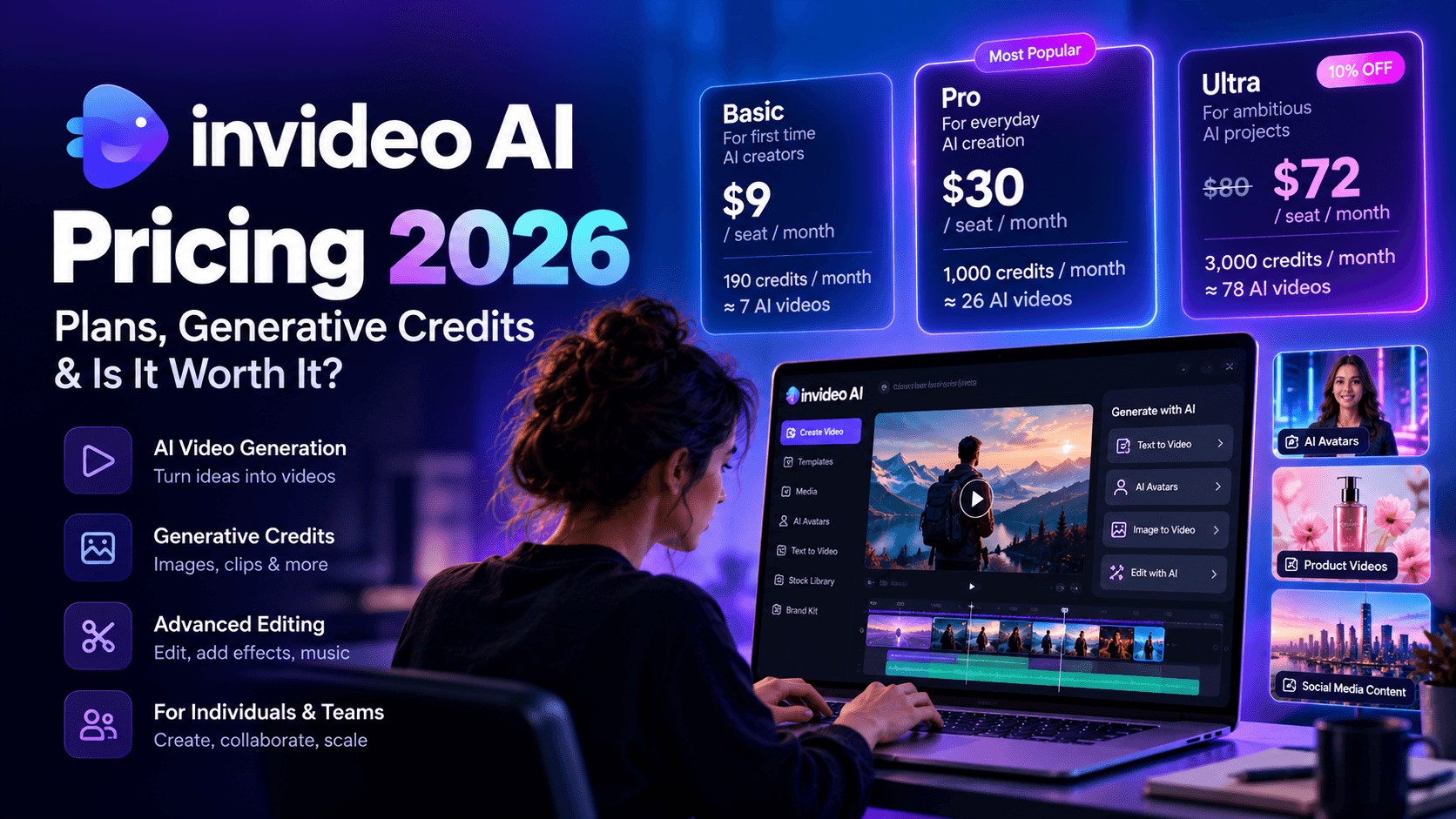
2. InVideo Makes Explainer Video Creation Feel Surprisingly Simple

If your goal is to produce an explainer video quickly without spending hours learning professional editing software, InVideo deserves serious consideration.
Over the past few years, the platform has evolved from a traditional online editor into a capable AI powered video creation suite. Today, it can take a prompt, a blog post, or a script and transform it into a complete video with scenes, narration, music, transitions, subtitles, and stock footage.
What makes it appealing is its accessibility.
You don't need experience with animation timelines or motion graphics. The platform guides you through the creative process, making it approachable for marketers, entrepreneurs, educators, and small business owners who simply want to communicate an idea clearly.
For many people searching for a reliable AI explainer video generator, that ease of use is exactly what they're looking for.
Creating an Explainer Video with InVideo
The workflow is straightforward enough that most users can generate their first project within a few minutes.
You begin by selecting the type of content you want to create. That could be a YouTube video, a TikTok clip, an Instagram Reel, or a standard landscape presentation.
Next, you can either paste your own script or provide a prompt describing your topic.
The platform then asks for additional preferences such as:
- Preferred video length
- Background music
- AI narration
- Automatic subtitles
- Visual style
- Language
Once everything has been configured, the AI starts building your project.
After a short wait, you'll receive a complete first draft containing visuals, scene transitions, music, narration, captions, and suggested pacing.
Like every AI generated video, the first version isn't perfect.
You'll almost always want to replace a few visuals, rewrite certain scenes, adjust timing, or personalize the script. Fortunately, those edits are easy to make inside the editor.
Why InVideo Stands Out
One reason InVideo continues to attract such a broad audience is its flexibility.
Some AI tools are excellent for one specific use case but struggle outside their comfort zone.
InVideo feels much broader.
One day you can create a software explainer.
The next day you might build customer testimonials.
The following week you could produce social media advertisements, internal training videos, YouTube content, or product launches without changing platforms.
That versatility makes it particularly attractive for growing marketing teams producing content across multiple channels.
What I Liked About InVideo
Several features consistently impressed us during testing.
AI Media Generation and Massive Stock Library
Finding the right visuals often consumes more time than editing.
InVideo helps reduce that workload significantly.
You can generate original AI images and videos, or choose from an enormous stock media library containing footage, illustrations, music, and graphics.
This gives creators enough flexibility to produce polished explainers without spending hours searching external stock websites.
Flexible Video Creation
Not every project starts with the same material.
Sometimes you'll have a polished script.
Other times you'll have a rough concept or a blog article.
InVideo supports multiple starting points, making it easy to adapt your workflow instead of forcing every project into the same template.
That flexibility makes it useful as both a marketing video platform and capable text to animated video software.
Brand Presets Save Valuable Time
One feature that deserves more attention is Brand Presets.
After uploading your logo, fonts, color palette, and brand elements, those assets automatically appear in future projects.
If your company publishes videos regularly, this small feature quickly becomes a major productivity boost.
Maintaining visual consistency across dozens of explainer videos suddenly becomes much easier.
Wide Range of AI Features
InVideo has expanded well beyond simple editing.
Its growing collection of AI capabilities now includes:
- AI avatars
- AI image generation
- AI video generation
- AI voiceovers
- Automatic subtitles
- Script assistance
- Text based editing
Having these tools available in one platform simplifies production considerably for small teams with limited resources.
Areas That Could Improve
No platform gets everything right.
Although InVideo produces impressive first drafts, experienced creators will probably spend time refining scene selections.
The AI occasionally chooses stock footage that technically matches the narration without fully supporting the message.
Longer videos can also require more manual editing to improve pacing and remove repetitive visuals.
Neither issue is a deal breaker, though they are worth keeping in mind if you're producing highly polished commercial content.
Who Should Use InVideo?
InVideo works particularly well for:
- Marketing teams creating product explainers.
- Small businesses publishing educational videos.
- SaaS companies introducing new features.
- Agencies producing client content.
- Freelancers creating videos at scale.
- YouTube creators producing educational content.
If your priority is speed without sacrificing creative flexibility, InVideo remains one of the most capable platforms available today.
3. VEED Focuses on Fast Editing with Plenty of Collaboration Features

VEED approaches AI video creation from a slightly different angle.
While many competitors focus heavily on generating entire videos from a single prompt, VEED places equal emphasis on editing, collaboration, subtitles, and publishing.
It feels less like an animation platform and more like a modern browser based production studio.
That makes it especially attractive for marketing departments, agencies, educators, and remote teams working together on video projects.
If your content strategy involves constant revisions, stakeholder approvals, and publishing across multiple social platforms, VEED has a lot to offer.
Creating Explainer Videos in VEED
VEED doesn't include a dedicated "Explainer Video" category like some competitors.
That sounds like a limitation at first, but it rarely becomes an issue in practice.
Its extensive template collection covers numerous business scenarios that can easily be adapted into professional explainers.
You'll find layouts for:
- Product launches
- SaaS demonstrations
- Business presentations
- Educational content
- Social media marketing
- Company introductions
- Training videos
Once you've selected a template, the editor makes it easy to replace media, rewrite text, record narration, add subtitles, and publish in your preferred format.
Why Many Teams Prefer VEED
The platform shines once collaboration enters the picture.
Producing videos often involves marketers, designers, copywriters, founders, and product managers.
Keeping everyone aligned can become messy.
VEED simplifies that process through collaborative editing, shared workspaces, and cloud based project management.
For growing businesses producing an animated explainer video for SaaS and business, these collaboration features can significantly speed up production.
What I Liked About VEED
After spending time with the platform, several features stood out.
Excellent Template Library
The template selection is extensive and well organized.
One particularly useful feature is the ability to filter templates according to output format.
You can quickly switch between:
- Portrait videos
- Landscape videos
- Square videos
This helps creators start with layouts optimized for each publishing platform instead of resizing everything later.
Platform Specific Export Presets
Every social platform seems to have its own preferred dimensions.
Remembering them all becomes frustrating.
VEED solves that problem elegantly.
The export menu includes ready made presets for:
- TikTok
- Instagram Stories
- Instagram Feed
- YouTube Shorts
- YouTube
If you decide to publish the same project across several channels, automatic resizing saves considerable editing time.
Strong Subtitle Support
Captions have become almost mandatory across social media.
Many viewers watch videos with the sound turned off.
VEED includes one of the better subtitle systems among AI video platforms.
Users can:
- Generate subtitles automatically.
- Upload existing SRT files.
- Import VTT files.
- Edit captions directly inside the browser.
For brands serving international audiences, this feature alone can save hours during post production.
Large Collection of Music and Stock Footage
The available media library covers a wide range of business, lifestyle, education, and marketing content.
Most premium assets require a paid subscription, though the overall selection remains impressive and helps reduce dependence on third party stock websites.
Collaboration Features
One of VEED's biggest advantages is its collaborative workflow.
Team members can work together on projects without endlessly emailing project files back and forth.
For agencies managing multiple client revisions, this becomes a genuine productivity improvement.
Free Plan Is Surprisingly Capable
Unlike some competitors that severely restrict free users, VEED allows unlimited projects with videos up to ten minutes long.
That gives new users plenty of room to evaluate the platform before committing to a subscription.
Areas That Could Improve
Although VEED excels as a browser based editor, it isn't designed primarily for animation.
If your goal is creating cartoon style explainers or highly animated presentations, platforms like Animaker or Powtoon provide significantly more creative freedom.
The free plan also applies a noticeable watermark, making it unsuitable for professional publishing.
During testing, we also encountered occasional loading issues during account setup and project initialization. These weren't frequent enough to become a major concern, though they were noticeable.
Who Should Use VEED?
VEED is an excellent choice for:
- Marketing teams collaborating on video projects.
- Agencies managing multiple reviewers.
- Businesses creating social media content.
- SaaS companies producing tutorials.
- Online educators.
- Corporate communication teams.
Its combination of editing tools, subtitle management, collaboration features, and publishing options makes it one of the more complete browser based production environments available today.
4. Canva Makes Animated Explainer Videos Accessible to Everyone

Canva probably isn't the first name that comes to mind when people think about AI video generation.
Most users know it as a graphic design platform.
Over the past few years, though, Canva has steadily expanded its video capabilities, adding timeline editing, animation tools, AI powered design features, stock media, and collaborative editing. The result is a platform that makes creating simple explainer videos surprisingly approachable.
If you've already built presentations, social media graphics, or marketing assets inside Canva, producing videos feels like a natural next step.
The interface is familiar.
The learning curve is almost nonexistent.
That simplicity is Canva's biggest strength.
It removes the intimidation factor that many traditional video editors bring with them.
Canva Isn't Trying to Replace Professional Animation Software
It's important to understand where Canva fits in today's AI video landscape.
Some platforms generate an entire video from a prompt.
Others specialize in animated characters or cinematic storytelling.
Canva sits somewhere in the middle.
Its AI tools help speed up the creative process, but they don't attempt to automate every stage of production.
You'll still make creative decisions throughout the project, which many users appreciate because it gives them more control over the finished result.
If your team already works inside Canva every day, creating an animated explainer video for SaaS and business becomes an extension of an existing workflow instead of introducing another piece of software.
What Makes Canva So Popular?
One reason Canva continues to dominate the design space is accessibility.
You don't need any design experience to produce something that looks polished.
Templates, stock assets, drag and drop editing, and built in animations remove much of the technical complexity.
For startups, educators, nonprofits, and small businesses, that's a major advantage.
What I Liked About Canva
After testing several explainer video workflows, a few capabilities stood out.
Massive Template Library
Very few platforms can compete with Canva's template collection.
There are thousands of professionally designed layouts covering nearly every industry imaginable.
You'll find templates for:
- Software demonstrations
- Product launches
- Educational lessons
- Startup pitches
- Business presentations
- Marketing campaigns
- Customer onboarding
- Social media explainers
Since every template can be customized, they're an excellent starting point when you're facing a blank canvas.
Almost No Learning Curve
Some editing software feels overwhelming within the first five minutes.
Canva delivers the opposite experience.
Most users understand the interface almost immediately.
Dragging elements, editing text, changing colors, replacing images, and adjusting animations all feel intuitive.
That makes it an excellent option for teams without dedicated video editors.
Millions of Creative Assets
One area where Canva shines is content availability.
Users gain access to an enormous library containing:
- Photos
- Videos
- Icons
- Illustrations
- Shapes
- Audio
- Background music
- Fonts
Having everything inside one workspace speeds up production considerably because you spend less time searching external stock websites.
Easy Brand Management
Maintaining visual consistency becomes much easier once Brand Kit is configured.
Your logos, fonts, colors, and design elements stay readily available across future projects.
For businesses producing recurring explainers, onboarding videos, and marketing campaigns, this creates a much smoother production process.
Collaboration Works Extremely Well
Like Google Docs for documents, Canva allows multiple people to contribute to the same project.
Marketing teams can edit visuals.
Writers can adjust copy.
Managers can leave comments.
Designers can update branding.
Everything happens inside one shared workspace.
Where Canva Falls Short
Although Canva includes several AI powered features, it isn't a complete AI explainer video generator in the same sense as dedicated AI video platforms.
Script writing remains fairly limited.
Voice generation options are basic compared to specialist tools.
Animation controls work well for presentations but become restrictive once you're trying to build highly cinematic storytelling.
If your projects require advanced character animation or sophisticated motion graphics, Canva may eventually feel limiting.
Best For
Canva works particularly well for:
- Entrepreneurs.
- Small businesses.
- Marketing teams.
- Teachers.
- Online course creators.
- Startup founders.
- Companies already using Canva for graphic design.
For users prioritizing simplicity above everything else, Canva remains one of the easiest platforms to recommend.
5. Animaker Brings Character Animation Within Reach

If your ideal explainer video includes animated characters walking across the screen, interacting with objects, expressing emotions, and telling a story, Animaker deserves your attention.
Unlike many newer AI platforms focused on realistic footage or talking avatars, Animaker stays true to classic animation.
That focus has earned it a loyal following among educators, marketing agencies, startups, HR departments, and Fortune 500 companies looking for engaging business presentations.
For creators searching for AI animated explainer video makers for SaaS product demos and onboarding, Animaker remains one of the strongest options when personality and storytelling matter.
Built Specifically for Animated Storytelling
Animaker doesn't try to be everything.
Its biggest strength is helping non animators produce polished animated videos without learning professional software like Adobe After Effects.
The editor combines drag and drop simplicity with enough creative freedom to produce videos that feel unique instead of completely template driven.
You can build scenes from scratch, customize characters, animate movement, add transitions, and synchronize narration without requiring advanced animation knowledge.
Character Builder Is One of the Biggest Highlights
Many animation platforms offer pre built characters.
Animaker goes considerably further.
Its character creator allows users to customize:
- Hairstyles
- Facial expressions
- Clothing
- Accessories
- Skin tones
- Body types
- Professional roles
This flexibility makes it much easier to create characters that represent your audience, employees, or customers.
For SaaS onboarding videos, customer education, and internal training, that personal touch often improves viewer engagement.
What I Liked About Animaker
Several features consistently impressed us during testing.
Extensive Stock Asset Library
Animaker includes access to over 100 million creative assets.
That library contains:
- Photos
- Videos
- Icons
- Illustrations
- Background music
- Sound effects
Having such a large collection reduces the need to purchase assets elsewhere.
Excellent Character Animation
Animation remains the platform's biggest strength.
Simple actions like walking, waving, pointing, typing, celebrating, or interacting with interface elements can be created with very little effort.
This helps explain complex software concepts without relying solely on screen recordings.
Drag and Drop Simplicity
Although animation sounds intimidating, the editor keeps the process approachable.
Scenes can be assembled visually, making it suitable for beginners while still offering enough flexibility for experienced creators.
Good Choice for Educational Content
Animated storytelling often holds attention better than static presentations.
That's one reason teachers, trainers, and instructional designers continue choosing character based explainers.
Animaker performs particularly well for educational videos that need to simplify complicated concepts.
Areas That Could Improve
Animaker still leans heavily on templates.
Producing something highly original usually requires more manual editing than AI first competitors.
Rendering times can occasionally feel slow for larger projects.
Users looking for cinematic AI generated footage may also find the platform less suitable since animation remains its primary focus.
Best For
Animaker is an excellent choice for:
- Educational creators.
- HR training teams.
- SaaS onboarding.
- Marketing agencies.
- Startup founders.
- Product tutorials.
- Character driven storytelling.
It's also one of the better choices if you're comparing AI whiteboard animation vs character animation: which explainer video style converts better? Character animation generally creates stronger emotional engagement, making it ideal for storytelling and brand awareness, while whiteboard animation often performs better when teaching structured concepts or breaking down technical processes.
6. Powtoon Continues to Shine for Business Presentations and Corporate Communication

Powtoon has been helping businesses create animated presentations for many years.
While newer AI video platforms often receive more attention, Powtoon still occupies an important place in the explainer video market.
Its biggest strength lies in transforming traditional presentations into engaging visual stories.
If you've ever looked at a PowerPoint presentation and thought it needed more energy, Powtoon was built for exactly that purpose.
For businesses producing internal communications, sales presentations, HR onboarding, investor pitches, and educational explainers, it continues to be a dependable solution.
Presentation First, Animation Second
Powtoon approaches animation differently from platforms like Animaker.
The experience feels closer to creating an interactive presentation with animated elements layered throughout each scene.
That makes it especially approachable for business users who are already comfortable working with presentation software.
Slides become animated scenes.
Icons gain movement.
Characters introduce ideas.
Transitions maintain viewer attention.
The overall result feels significantly more engaging than a conventional slideshow while remaining relatively easy to produce.
What I Liked About Powtoon
Several features continue to make Powtoon relevant in 2026.
Professionally Designed Templates
Business focused templates remain one of Powtoon's biggest strengths.
You'll find layouts designed for:
- Company introductions.
- Product demonstrations.
- Sales presentations.
- Employee onboarding.
- Investor updates.
- Marketing campaigns.
- Educational explainers.
These templates provide a solid starting point without requiring professional design experience.
Strong Character Library
Powtoon includes a wide collection of animated business characters that help make presentations feel more conversational.
Simple gestures, facial expressions, and movement create a much more engaging viewing experience than static slides filled with bullet points.
Presentation to Video Workflow
One capability that deserves recognition is the ability to transform presentation style content into animated videos.
Many organizations already have existing presentation material.
Powtoon helps extend the lifespan of that content by converting it into videos suitable for websites, social media, onboarding, and sales enablement.
Business Friendly Interface
The editor feels approachable for corporate users.
Most actions involve dragging elements, adjusting timelines, replacing text, and selecting animations.
Teams without dedicated designers can still produce professional looking results after a relatively short learning period.
Areas That Could Improve
Powtoon's interface is beginning to show its age compared to newer AI powered competitors.
While the editor remains functional, newer platforms generally provide smoother workflows and stronger AI assistance.
Its artificial intelligence capabilities also remain fairly limited.
You'll spend more time creating videos manually compared with platforms capable of generating complete first drafts from simple prompts.
Pricing is another consideration, particularly for smaller businesses operating with tighter budgets.
Best For
Powtoon works best for:
- Corporate communication teams.
- HR departments.
- Sales enablement.
- Employee onboarding.
- Business presentations.
- Internal training.
- Educational organizations.
Companies producing presentation style explainers will likely appreciate its mature feature set and business focused design philosophy.
How Much Do AI Explainer Videos Cost in 2026?
One of the biggest reasons businesses have embraced AI video creation has very little to do with technology.
It's the economics.
Not long ago, creating a professional animated explainer video meant coordinating multiple specialists. You needed someone to write the script, a storyboard artist, an illustrator, an animator, a voice actor, a sound designer, an editor, and often a project manager to keep everything moving.
Even a simple ninety second explainer could take several weeks to complete.
Today, a single person can accomplish much of that work with AI.
That doesn't mean every AI generated video will replace a high end animation studio. Enterprise brands launching national advertising campaigns still invest heavily in custom production. For everyone else, AI has dramatically lowered the barrier to creating polished, professional videos.
Understanding the different pricing models can help you choose the right path for your business.
Traditional Explainer Video Production
Hiring freelancers or agencies still makes sense for projects that demand highly customized animation, original illustrations, or complex storytelling.
The downside is cost.
A freelance creator typically charges anywhere between $1,500 and $7,000 for a professionally produced explainer video. The final price depends on animation style, script complexity, revision requests, and overall video length.
Production timelines also tend to stretch across several weeks.
The process usually looks something like this:
- Discovery meeting
- Script writing
- Storyboarding
- Style frame approval
- Illustration
- Animation
- Voice recording
- Sound design
- Client revisions
- Final export
Each stage introduces delays, especially if multiple stakeholders need to approve the work.
For startups trying to launch quickly, those delays can become just as expensive as the production itself.
Agency Pricing Can Reach Enterprise Levels
Animation agencies typically charge much more than freelancers.
Industry reports place professional agency pricing anywhere from $15,000 to more than $50,000 per minute for premium explainer videos.
Those higher prices often include:
- Creative strategy
- Script development
- Custom illustrations
- Motion graphics
- Professional voice talent
- Original music
- Multiple revision rounds
- Project management
The finished product can certainly be impressive.
The question becomes whether that level of investment makes sense for videos that may need updating every few months.
Software changes.
Features evolve.
Interfaces get redesigned.
Marketing messages improve.
Businesses producing ongoing educational content rarely want to spend tens of thousands of dollars every time a product update ships.
AI Has Completely Changed the Economics
This is where AI has had the biggest impact.
Most modern video platforms operate on subscription models instead of project based pricing.
Monthly plans generally range between $15 and $90, with many services offering free plans for new users.
That subscription often includes:
- AI script generation
- Video creation
- Voice synthesis
- Stock footage
- Music
- Editing tools
- Automatic captions
- Multiple export formats
From a financial perspective, it's difficult to ignore the value.
A single month of software can cost less than one hour of professional animation work.
Teams producing frequent product updates, onboarding videos, feature announcements, and educational content often recover their subscription cost after creating only one or two videos.
The Hidden Savings Go Beyond Subscription Costs
Most pricing comparisons stop after looking at monthly fees.
That tells only part of the story.
AI also reduces several hidden expenses that rarely appear on invoices.
For example, consider the time involved in managing a traditional production project.
Someone still needs to coordinate meetings.
Review drafts.
Collect stakeholder feedback.
Send revision requests.
Approve voice recordings.
Organize project files.
Each revision extends the timeline.
When the entire workflow lives inside one platform, many of those administrative tasks disappear.
Teams can generate new scenes, swap voiceovers, update visuals, and publish revised videos within the same afternoon.
That speed creates value that goes far beyond the subscription price.
Which Option Delivers the Best Return?
The answer depends on how often your organization creates videos.
If you need one flagship brand film every few years, working with a professional studio still makes sense.
If your company publishes onboarding videos, feature walkthroughs, product updates, knowledge base content, marketing campaigns, sales presentations, and social media explainers every month, AI becomes extremely difficult to ignore.
The ability to produce content continuously without waiting weeks for revisions creates a meaningful competitive advantage.
That is one reason the AI explainer video generator market continues expanding so rapidly across startups, software companies, agencies, and enterprise teams.
How to Create an Animated Explainer Video Using AI in Minutes
Many people assume creating an animated explainer video starts with choosing software.
It doesn't.
The software matters.
The planning matters even more.
The best videos feel effortless because someone carefully organized the message before opening the editor.
Fortunately, the process has become much simpler thanks to AI.
If you've been searching for How to create an animated explainer video using AI in minutes, the workflow below works consistently across most modern platforms.
Step 1: Start with One Clear Objective
Before writing a single sentence, ask yourself one simple question.
What should viewers understand after watching this video?
Trying to explain everything usually results in explaining nothing particularly well.
Successful explainer videos stay focused.
One product.
One feature.
One workflow.
One problem.
One solution.
For example, a SaaS onboarding video might concentrate entirely on helping new customers complete their first project.
A marketing explainer might focus on demonstrating one competitive advantage.
Keeping the objective narrow makes every creative decision easier later.
Step 2: Build a Script Around a Simple Story
Every memorable explainer follows a recognizable structure.
People naturally connect with stories because stories create context.
An effective script usually flows like this:
Introduce the Problem
Begin with a situation your audience already understands.
Show the frustration.
Highlight the inefficiency.
Describe the challenge.
The goal isn't selling.
The goal is creating recognition.
Viewers should immediately think,
"That's exactly what I'm dealing with."
Present the Better Outcome
Once the problem feels familiar, paint a picture of life after it's solved.
Help viewers imagine a smoother workflow, happier customers, more productive teams, or faster results.
This emotional transition prepares the audience for your solution.
Introduce the Product Naturally
Now it's time to explain your software, service, or idea.
Focus on benefits before features.
Instead of listing technical specifications, demonstrate how those capabilities improve someone's day.
Show the product solving the problem you introduced earlier.
Everything feels connected.
Nothing feels forced.
Finish with a Clear Next Step
Every explainer should leave viewers knowing exactly what comes next.
That might be:
- Start a free trial.
- Schedule a demo.
- Download the app.
- Visit your website.
- Contact your sales team.
- Learn more.
Clear calls to action consistently outperform vague endings.
Step 3: Generate Your Visuals
Once your script is ready, AI dramatically speeds up visual production.
Most modern platforms can automatically generate scenes that align with your narration.
Depending on the software, those visuals may include:
- Motion graphics
- Animated characters
- Product interface demonstrations
- AI generated footage
- Illustrations
- Whiteboard animation
- Kinetic typography
This is where choosing the right platform becomes important.
Some creators prefer realistic product demonstrations.
Others prefer cartoon style storytelling.
Some brands benefit from an AI whiteboard animation maker, particularly when explaining technical workflows, while others see stronger engagement through colorful character animation.
The visual style should always support the message, not distract from it.
Step 4: Add Professional Voice Narration
Voiceover has an enormous influence on how viewers perceive your brand.
A rushed delivery can make even beautiful animation feel amateur.
A confident, conversational voice immediately builds credibility.
You have two primary options.
You can record narration yourself.
Or you can generate AI voices.
Modern AI voice models have improved dramatically over the past few years.
Natural pacing.
Convincing emotion.
Multiple accents.
Support for dozens of languages.
Many creators now choose AI because it allows them to revise scripts instantly without scheduling another recording session.
Platforms with built in narration also eliminate the need to hire freelance voice actors for every project.
Step 5: Edit Every Scene Carefully
AI creates an excellent starting point.
Human editing still makes the final video feel polished.
Spend time reviewing every scene.
Ask yourself:
- Does each visual support the narration?
- Is the pacing comfortable?
- Are transitions smooth?
- Does the branding stay consistent?
- Can any section be shortened?
Small adjustments often make the biggest difference.
Five extra minutes of editing can significantly improve viewer retention.
Step 6: Export for Every Platform
Your finished explainer probably won't live in just one place.
Modern marketing campaigns distribute the same message across multiple channels.
Most platforms now support exports for:
- YouTube
- TikTok
- Instagram Reels
- Product landing pages
- Email campaigns
- Knowledge bases
Preparing multiple aspect ratios during export helps maximize the value of every video you create.
A single production session can fuel content across an entire marketing campaign.
Should You Use AI Voices or Hire a Voice Actor?
This question comes up surprisingly often.
A few years ago, the answer would have been simple.
Hire the professional.
Today's AI voices have improved enough that the decision depends on your goals.
Professional voice actors still excel when emotional storytelling, brand commercials, or highly nuanced performances matter.
For product explainers, onboarding videos, tutorials, feature announcements, and internal training, modern AI voices are often more than capable.
They also introduce a practical advantage.
If your script changes tomorrow, you can generate an updated narration within minutes.
No scheduling.
No revision requests.
No additional recording fees.
Many platforms, including Pixara.ai, include high quality voice generation inside the same workspace, making it easy to keep script writing, narration, animation, and editing together under one roof.